EasySLR
    • Features
    • Pricing
    • Events

    Changelog

    April 2026

    Drag & Drop PDF Uploads

    Apr 30, 2026•
    Enhancement

    EasySLR now supports Drag & Drop PDF uploads to make full-text management faster and more convenient. Previously, users had to browse and select PDFs manually for every upload. With this enhancement, users can now select multiple PDFs at once from their local system and simply drag and drop them directly into the platform.

    What’s Improved

    1. Faster Bulk Uploads

    • Select multiple PDFs together and upload them in one action

    • Eliminates the need to individually browse and select files repeatedly

    • Makes handling large document sets much easier

    2. Simplified Upload Workflow

    • More intuitive and user-friendly upload experience

    • Reduces the number of steps involved in PDF management

    • Helps users move through Full-Text workflows more efficiently

    3. Better Support for Large Reviews

    • Particularly useful for projects with high article volumes

    • Speeds up document uploads during Full-Text screening and Data Extraction

    • Reduces manual effort in managing PDFs

    Why This Matters

    Managing hundreds of PDFs can be time-consuming when files need to be selected repeatedly. Drag & Drop uploads simplify this process by allowing users to upload files in bulk with minimal effort, improving workflow efficiency and saving time.

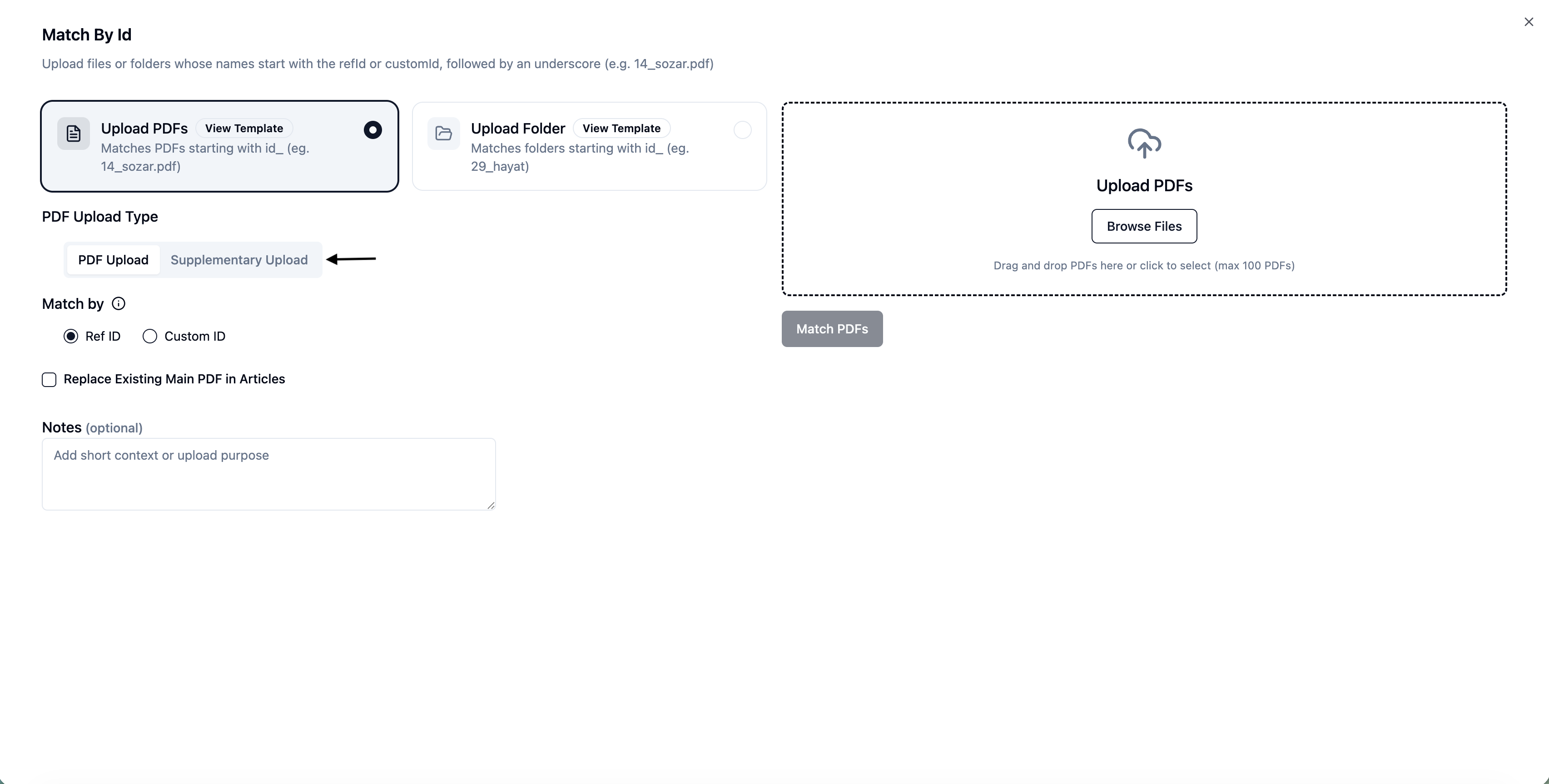
    CustomID-Based Bulk Upload for Supplementary Files

    Apr 23, 2026•
    Feature

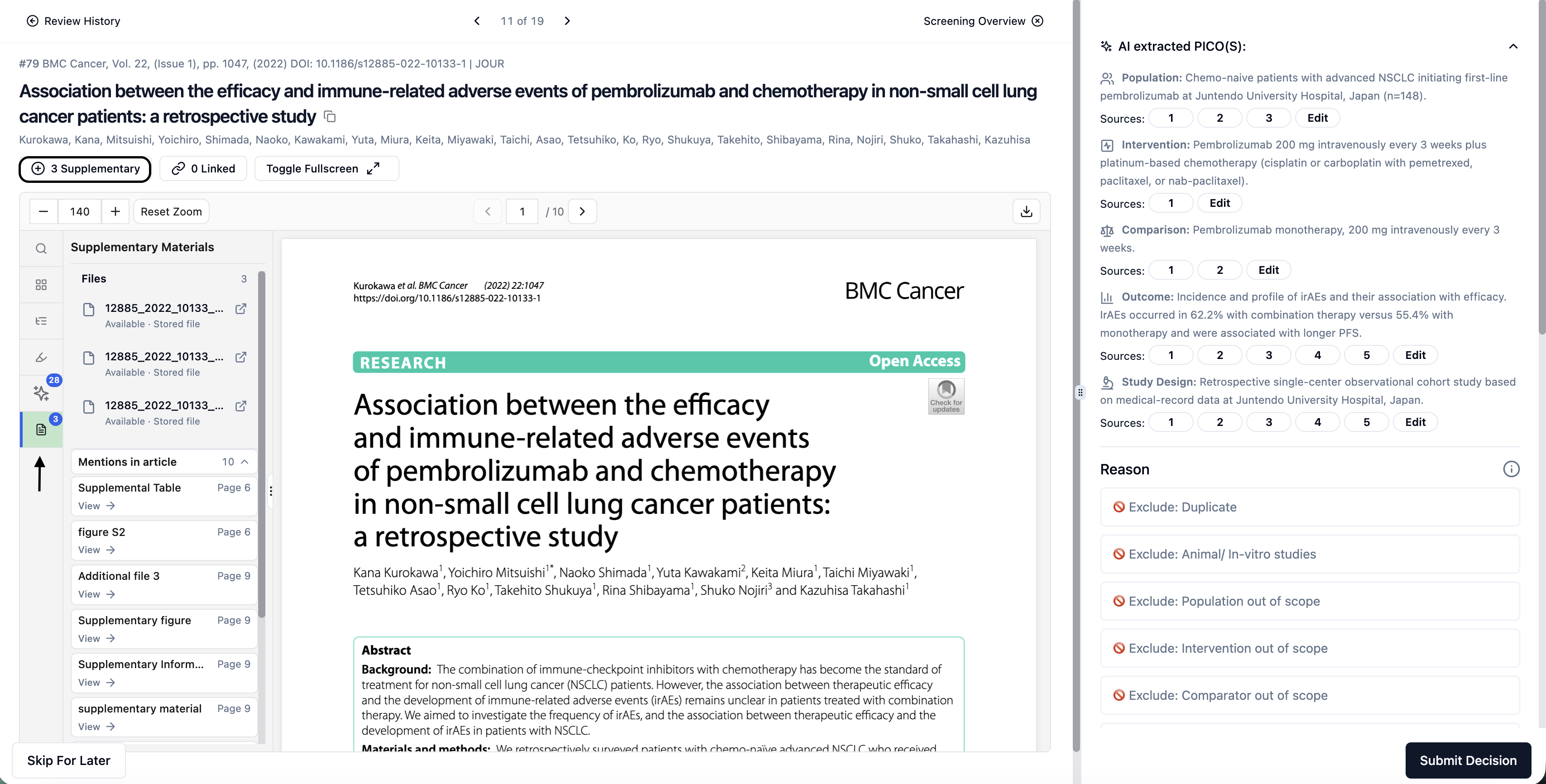
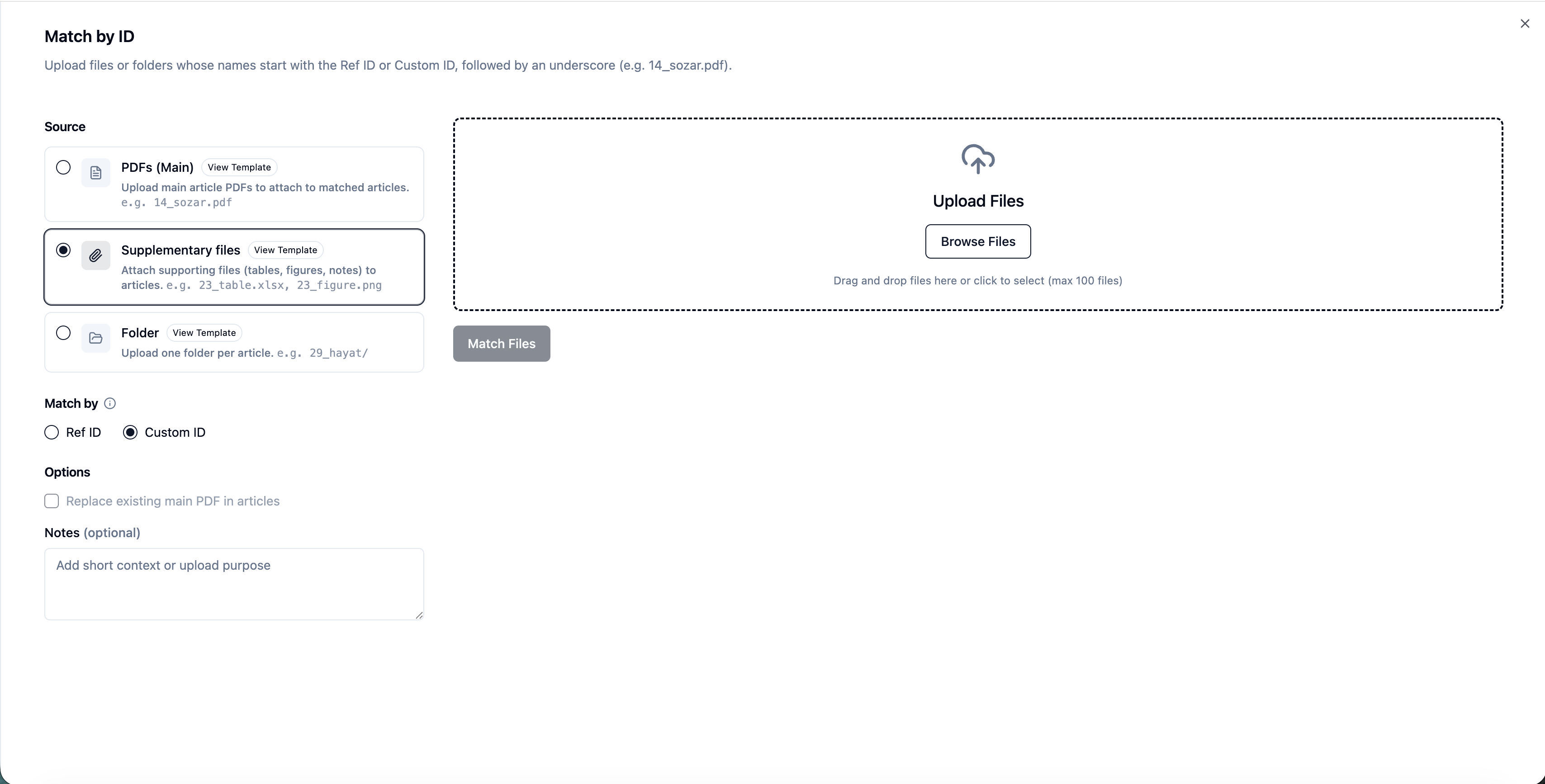
    EasySLR now supports CustomID-based bulk upload of supplementary files, allowing teams to link additional materials (e.g., appendices, datasets, supplementary tables) to their corresponding articles using their own unique identifiers.

    Overview

    Managing supplementary files alongside primary PDFs can be complex—especially when teams rely on internally defined identifiers instead of RefIDs.

    With this update, EasySLR enables bulk upload using CustomID matching, ensuring that supplementary files are automatically linked to the correct articles based on your project’s naming convention.

    This enhancement provides greater flexibility while maintaining efficiency and accuracy across workflows.

    What’s New

    1. CustomID-Based File Matching

    • Supplementary files can now be matched using CustomID naming conventions

    • Automatically links files to the correct article during upload

    • Supports projects using external IDs or internal tracking systems

    👉 Example:
    ABC123_appendix.pdf → Linked to article with CustomID ABC123

    2. Bulk Upload Support

    • Upload multiple supplementary files in a single batch

    • Ideal for large-scale reviews with multiple files per study

    • Minimises repetitive manual uploads

    3. Support for Multiple Files per Article

    • Attach multiple supplementary documents to a single study

    • Useful for:

      • Appendices

      • Supplementary tables

      • Additional figures

      • Protocols or supporting documents

    4. Improved File Organisation

    • Supplementary files are automatically grouped under their respective articles

    • Easily accessible during:

      • Full-text screening

      • Data extraction

    • Enhances navigation and document management

    5. Clear Upload Status & Visibility

    • Easily identify:

      • Successfully matched files

      • Unmatched files

    • Allows quick resolution before finalising uploads

    6. Seamless Workflow Integration

    • Works alongside existing CustomID-based PDF upload workflows

    • Ensures consistency across all document types

    • No changes required to existing project setup

    How It Works

    1. Prepare supplementary files in a local folder

    2. Rename files using the CustomID format

      • Example: ABC123_supplementary_table.pdf

    3. Navigate to:
      Uploads → Full-Text → Using ID → Upload → Select Supplementary Upload

    1. Upload files in bulk

    EasySLR will automatically:

    • Match files using CustomID

    • Link them to the corresponding articles

    Why This Matters

    This feature helps teams:

    • Use their preferred or existing ID systems

    • Avoid manual mapping of supplementary files

    • Improve accuracy in document linking

    • Keep all study-related materials organised in one place

    • Scale workflows efficiently for large or complex projects

    Important Notes

    • CustomID in file names must exactly match the CustomID in the project

    • Files without matching CustomIDs will be flagged as unmatched

    • Manual upload remains available for unmatched files

    Export AI-Visualised Data to Excel or RIS

    Apr 19, 2026•
    Enhancement

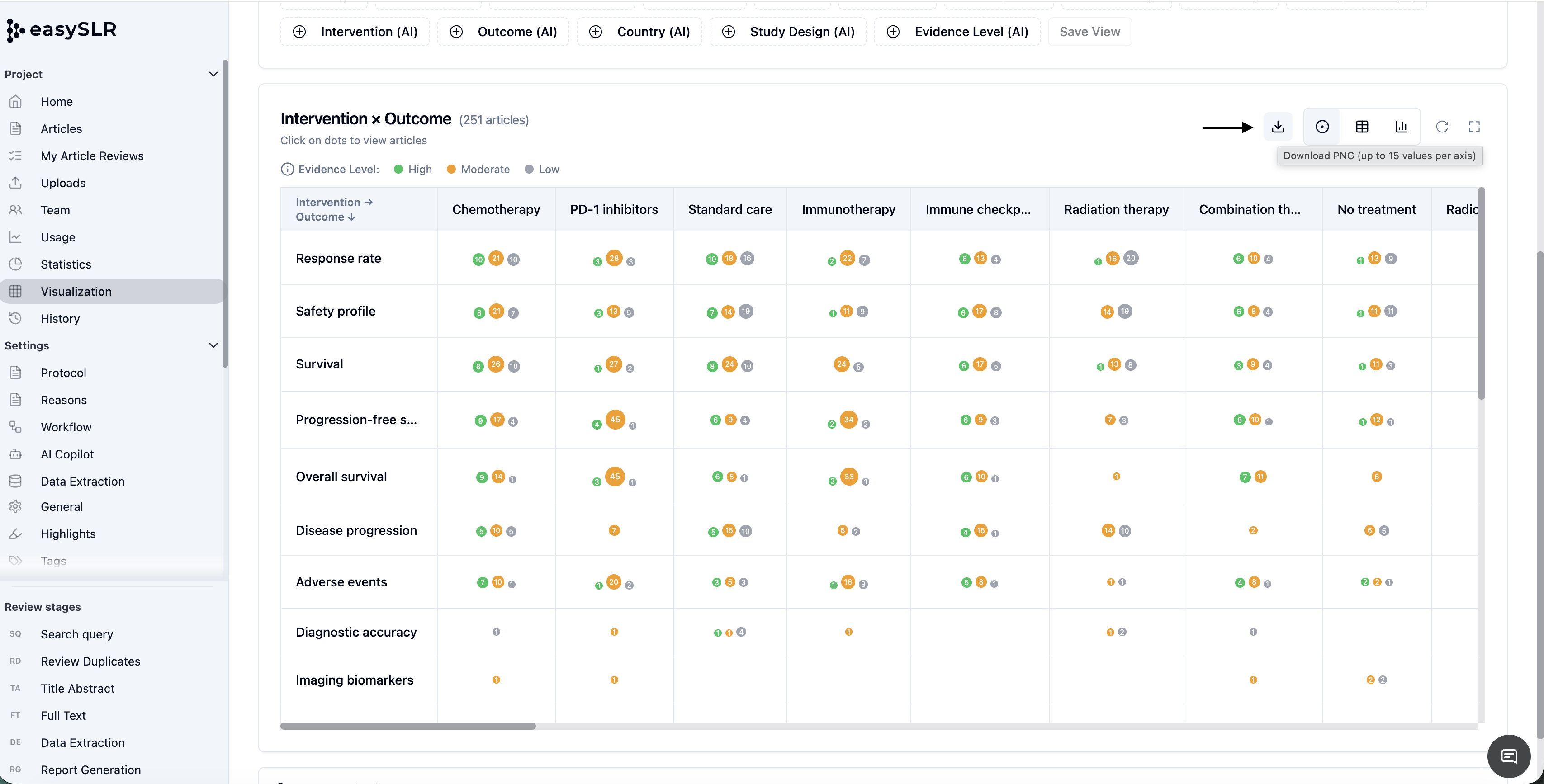
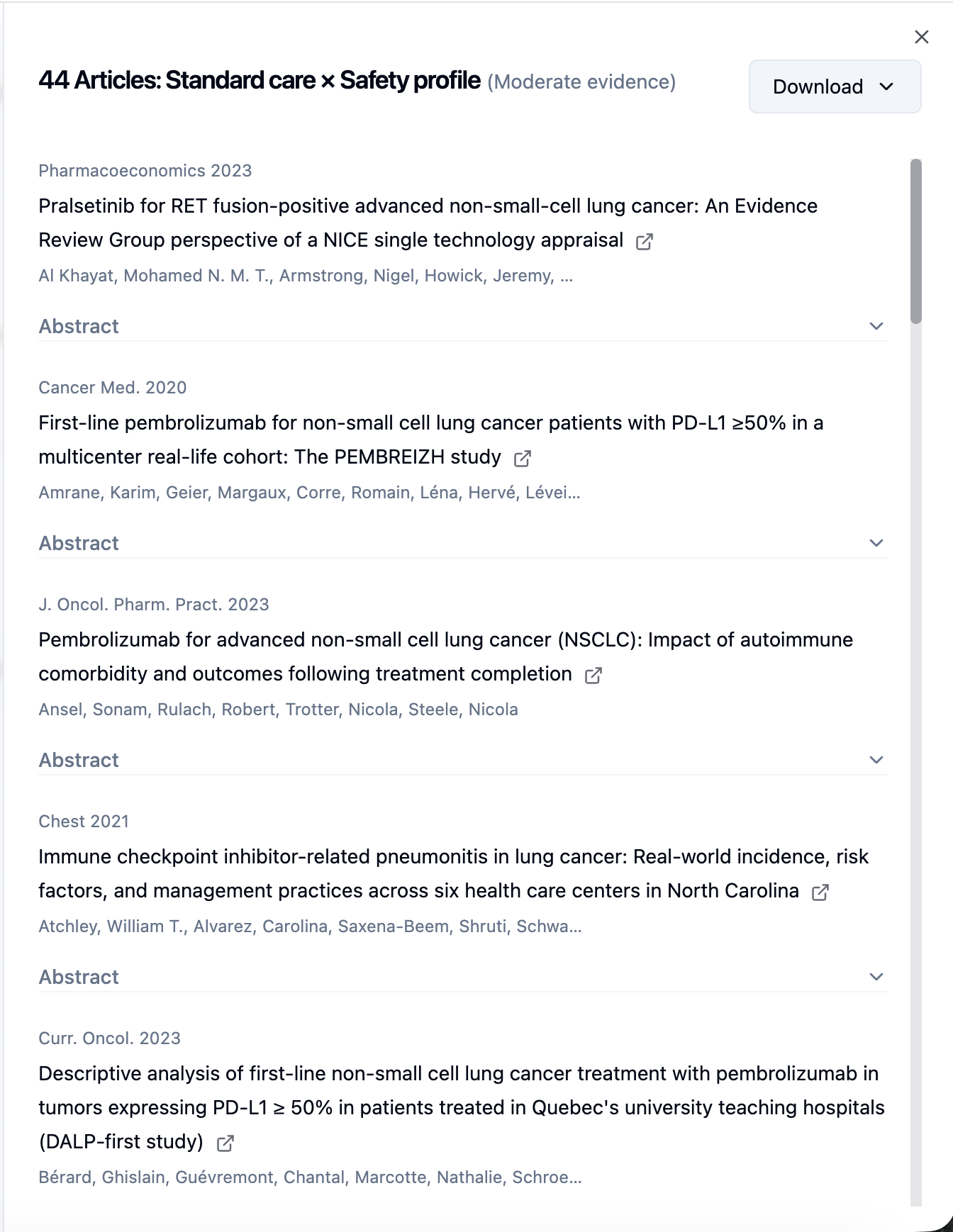
    EasySLR now enables users to download article sets directly from the Smart Tags visualization in Excel and RIS formats, making it easier to move from data exploration to actionable research outputs.

    Overview

    Smart Tags provide a visual representation of your dataset, helping you identify patterns, themes, and clusters across articles using AI-driven insights.

    With this update, users can now export articles directly from these visualised segments, allowing you to quickly convert insights into structured datasets for further analysis—without needing to recreate filters manually.

    What’s New

    1. Export Directly from Visualized Data

    • Download articles directly from selected tags or clusters

    • Export reflects exactly what is being visualised

    • Ensures alignment between analysis and output

    2. Multiple Export Formats

    Excel (.xlsx) for:

    • Data analysis

    • Reporting

    • Collaboration

    RIS format for:

    • Reference managers (e.g., EndNote, Zotero)

    • Further screening or research workflows

    3. Improved Workflow Efficiency

    • Move directly from visual exploration → dataset export

    • No need to reapply filters in another section

    • Reduces manual effort and duplication

    4. Enable Targeted Research Analysis

    • Export subsets for:

      • Thematic exploration

      • Subgroup or focused reviews

      • Sharing with collaborators or stakeholders

    • Supports more structured and efficient research workflows

    How It Works

    1. Navigate to Smart Tags Visualization

    2. Select a tag, cluster, or segment of interest

    3. Open the list of associated articles

    4. Click on Download

    5. Choose format:

      • Excel or

      • RIS

    1. Export the filtered dataset instantly

    Why This Matters

    This feature helps you:

    • Translate visual insights into structured research datasets

    • Export only the most relevant articles for analysis

    • Improve efficiency in downstream workflows

    • Maintain consistency between data exploration and reporting

    Summary

    With Smart Tags export, EasySLR allows you to:

    • Analyse your data visually

    • Select meaningful subsets of articles

    • Download them instantly for further research and analysis

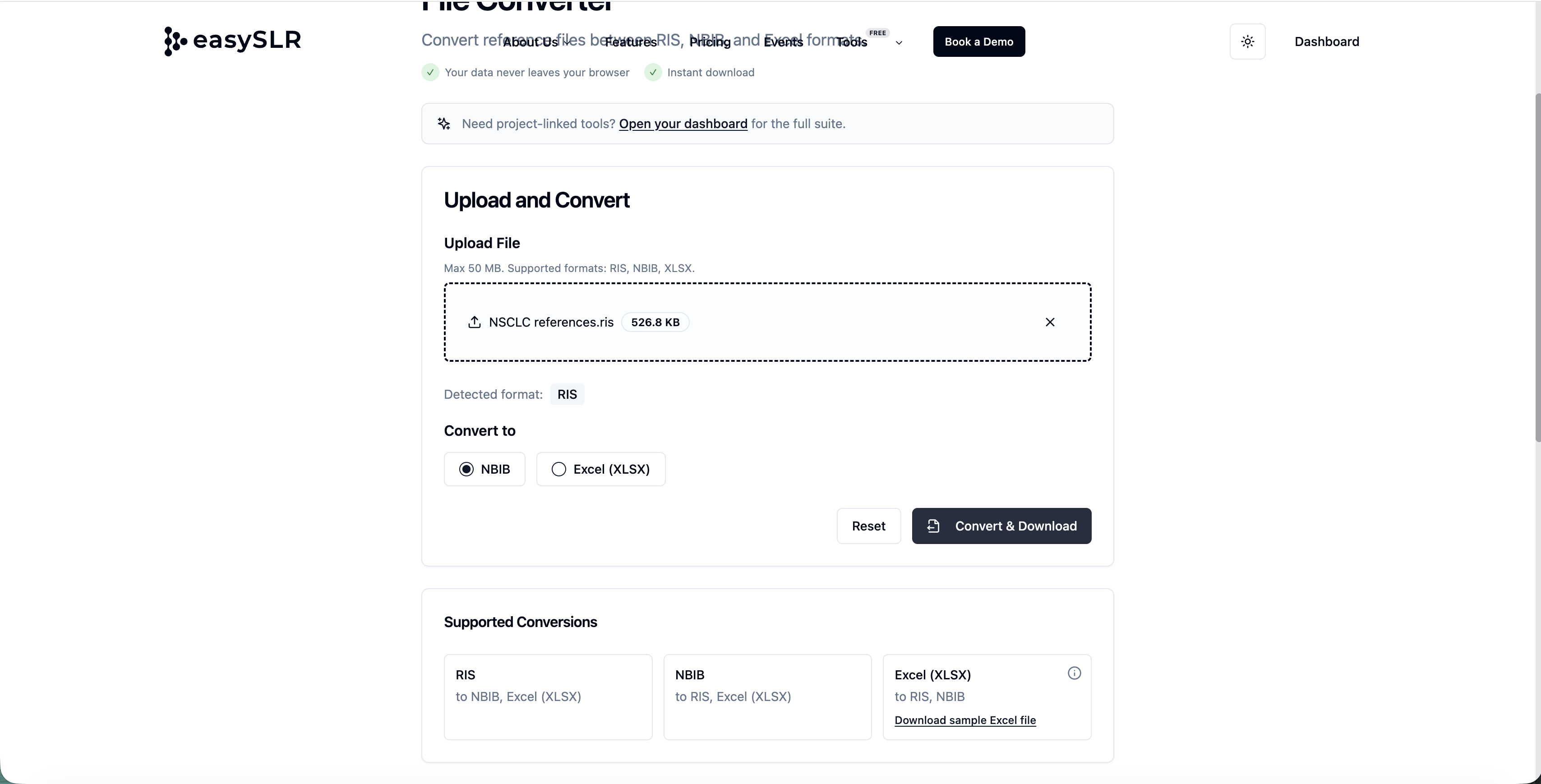
    File Converter Tool (Free) in EasySLR

    Apr 19, 2026•
    Tool

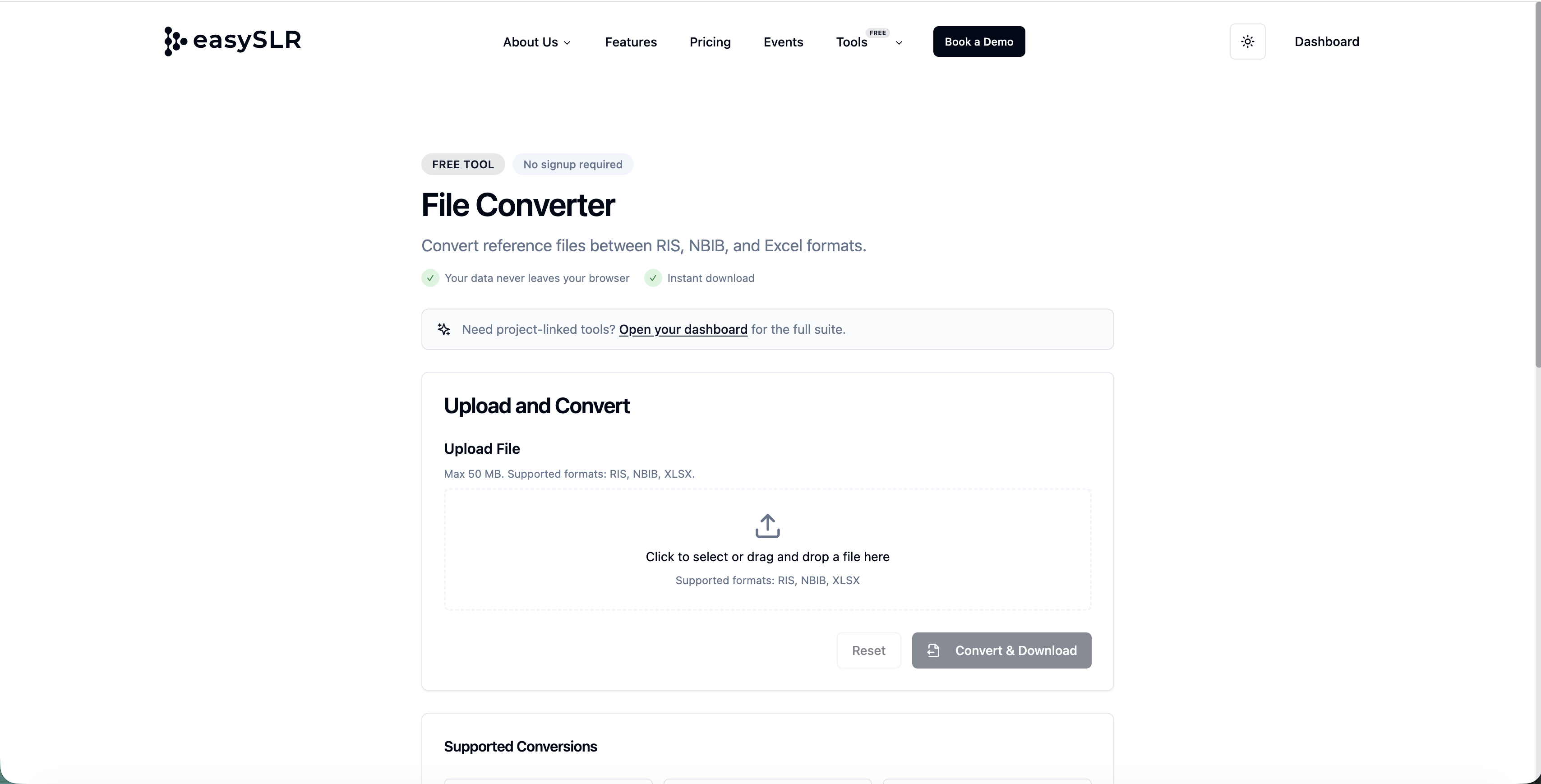
    EasySLR now offers a built-in File Converter Tool, enabling users to quickly convert files into compatible formats required for seamless project setup and workflow execution—completely free of cost.

    Access the tool here: https://www.easyslr.com/tools/file-converter

    Overview

    Handling multiple file formats across databases and tools can often slow down the review process. The File Converter Tool simplifies this by allowing users to convert files directly within the EasySLR ecosystem, eliminating the need for third-party tools.

    This tool is completely free to use, making it easily accessible for all users without consuming any credits or requiring a subscription.

    What’s New

    1. Supported File Conversions

    The tool currently supports seamless conversion between the following formats:

    • RIS → NBIB, Excel

    • NBIB → RIS, Excel

    • Excel → RIS, NBIB

    This ensures compatibility with commonly used databases and reference management tools.

    2. Free to Use (No Credits Required)

    • Available to all users 

    • Does not consume AI credits

    • Does not require an account on EasySLR 

    3. No External Tools Required

    • Eliminates dependency on third-party converters

    • Keeps the entire workflow within EasySLR

    • Reduces friction during project setup

    4. Fast & Simple Conversion

    • Upload → Select format → Download

    • Designed for quick, one-step conversions

    5. Improved Data Compatibility

    • Ensures files are in the correct format for:

      • Citation import

      • Screening workflows

    • Reduces formatting issues and upload errors

    How It Works

    1. Navigate to the File Converter Tool: https://www.easyslr.com/tools/file-converter

    2. Upload your file (RIS, NBIB, or Excel)

    1. Select the desired output format

    2. Convert and download instantly

    1. Use the converted file directly in your project

    Summary

    With the free File Converter Tool, EasySLR makes it easier to:

    • Convert between RIS, NBIB, and Excel effortlessly

    • Maintain compatibility across tools and databases

    • Start projects faster with minimal setup friction

    RefID-Based Bulk Upload for Supplementary Files

    Apr 16, 2026•
    Feature

    EasySLR now supports RefID-based bulk upload of supplementary files, enabling seamless linking of additional materials (e.g., appendices, datasets, supplementary tables) to their corresponding articles.

    Overview

    Managing supplementary files alongside primary PDFs can be time-consuming and error-prone when done manually. With this update, EasySLR allows you to bulk upload supplementary files using RefID matching, ensuring that each file is automatically linked to the correct article.

    This enhancement improves efficiency, accuracy, and organisation during full-text review and data extraction stages.

    What’s New

    1. RefID-Based File Matching

    • Supplementary files can now be matched using RefID naming convention

    • Automatically links files to the correct citation during upload

    • Eliminates the need for manual mapping

    Example: 123_appendix.pdf → Linked to article with RefID 123

    2. Bulk Upload Support

    • Upload multiple supplementary files in a single batch

    • Supports large-scale projects with multiple documents per study

    • Reduces repetitive manual uploads

    3. Support for Multiple Supplementary Files per Article

    • Attach multiple supplementary documents to a single study

    • Useful for:

      • Appendices

      • Supplementary tables

      • Additional figures

      • Protocol documents

    4. Improved File Organisation

    • Supplementary files are grouped under their respective articles

    • Easy access during:

      • Full-text screening

      • Data extraction

    • Enhances navigation and usability

    5. Clear Upload Status & Visibility

    • Identify:

      • Successfully matched files

      • Unmatched files

    • Enables quick correction before final import

    6. Compatibility with Existing PDF Workflow

    • Works alongside existing RefID-based PDF upload system

    • Maintains consistency across all document uploads

    • No change required in existing workflows

    How It Works

    1. Prepare supplementary files in a local folder

    2. Rename files using the RefID format

      • Example: 45_supplementary_table.pdf

    3. Navigate to Uploads → Full-Text → Using ID→ Upload→ Select Supplementary Upload

    4. Upload files in bulk

    5. EasySLR automatically:

      • Matches files using RefID

      • Links them to the corresponding articles

    Why This Matters

    This enhancement helps teams:

    • Save time by eliminating manual file mapping

    • Reduce errors in linking supplementary materials

    • Keep all study-related documents organised in one place

    • Improve efficiency during screening and extraction

    Important Notes

    • RefID must match the article’s RefID exactly for successful linking

    • Files without matching RefIDs will be flagged as unmatched

    • Manual upload remains available for unmatched or exception cases

    Summary

    With RefID-based bulk upload for supplementary files, EasySLR makes it easier to:

    • Manage multiple documents per study

    • Maintain structured and organised project data

    • Scale document handling for large reviews

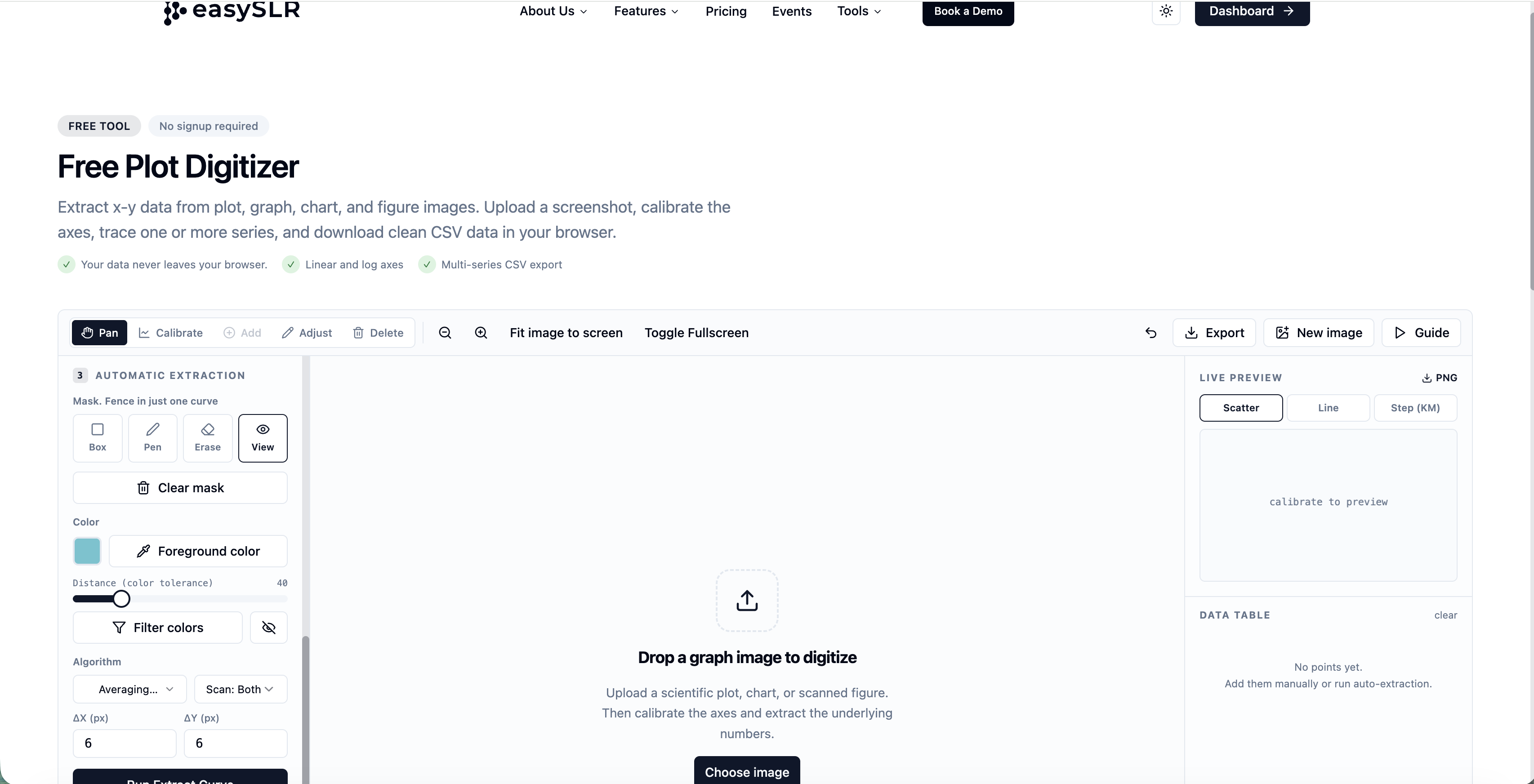
    Table & Graph Digitiser within the PDF Viewer

    Apr 9, 2026•
    Enhancement

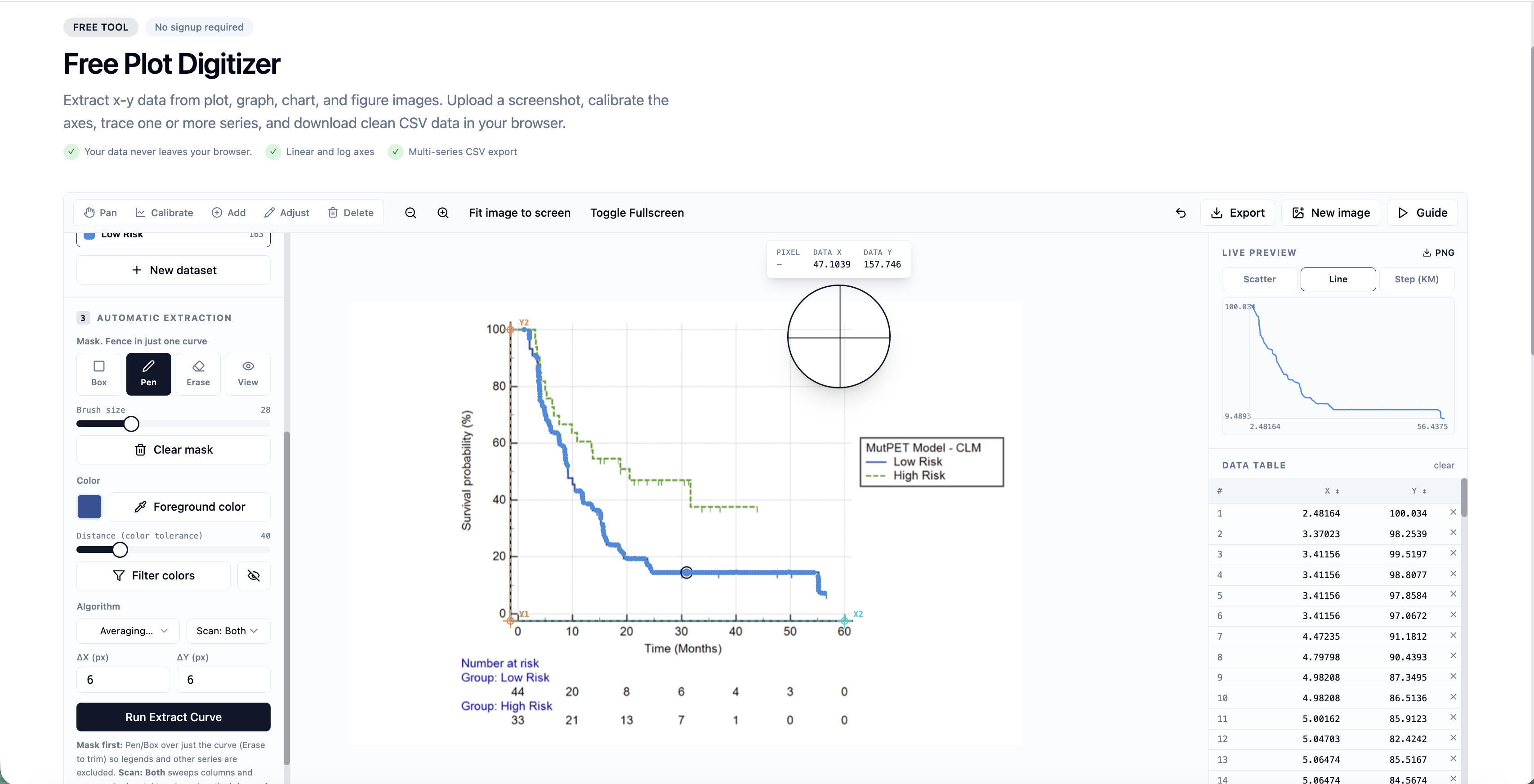
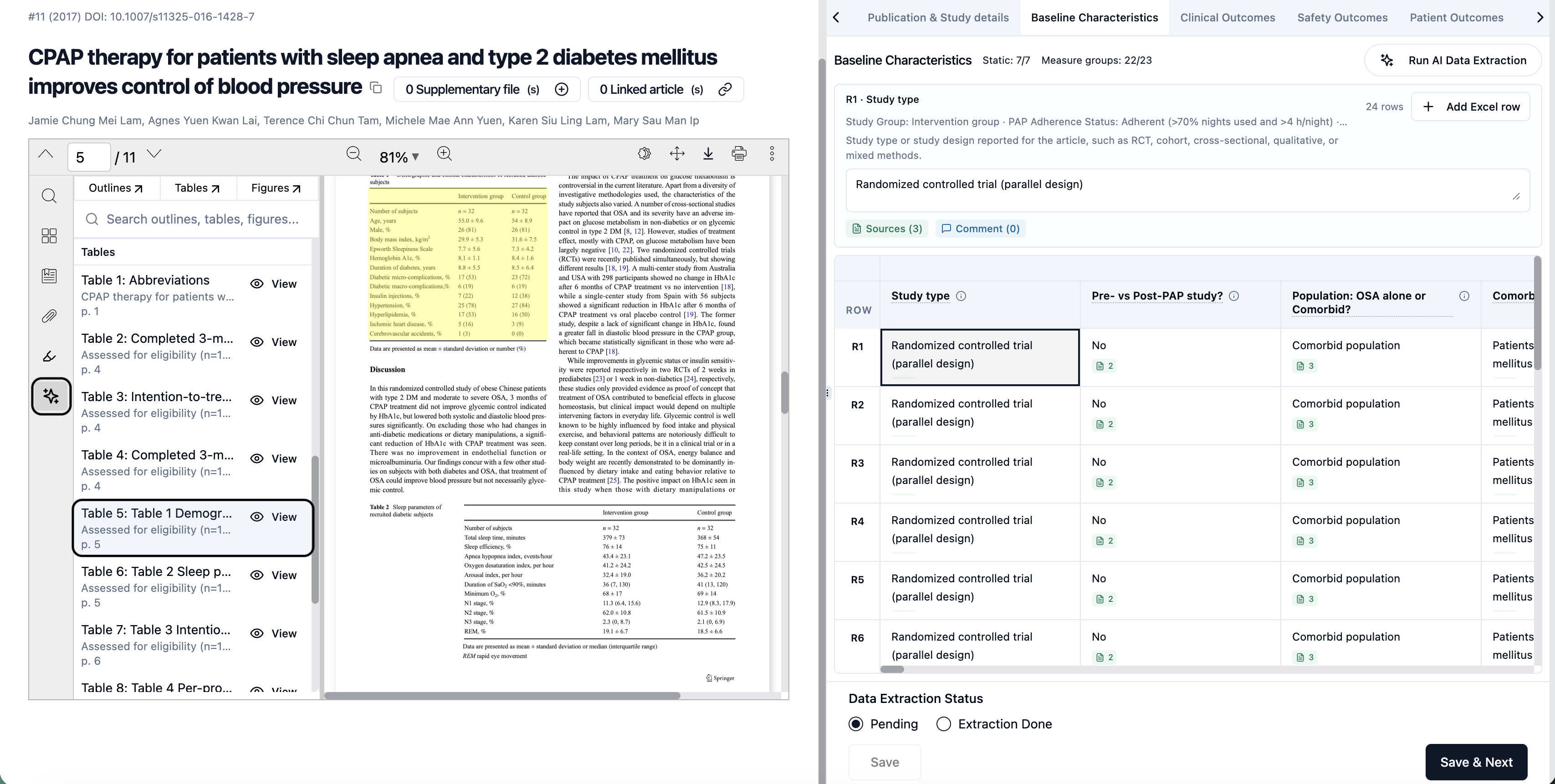
    EasySLR now supports an integrated Table and Graph Digitiser within the PDF viewer, enabling users to extract and utilise data directly from tables and figures.

    Overview

    Extracting data from tables and graphs in research papers is often time-consuming—especially when dealing with image-based content.

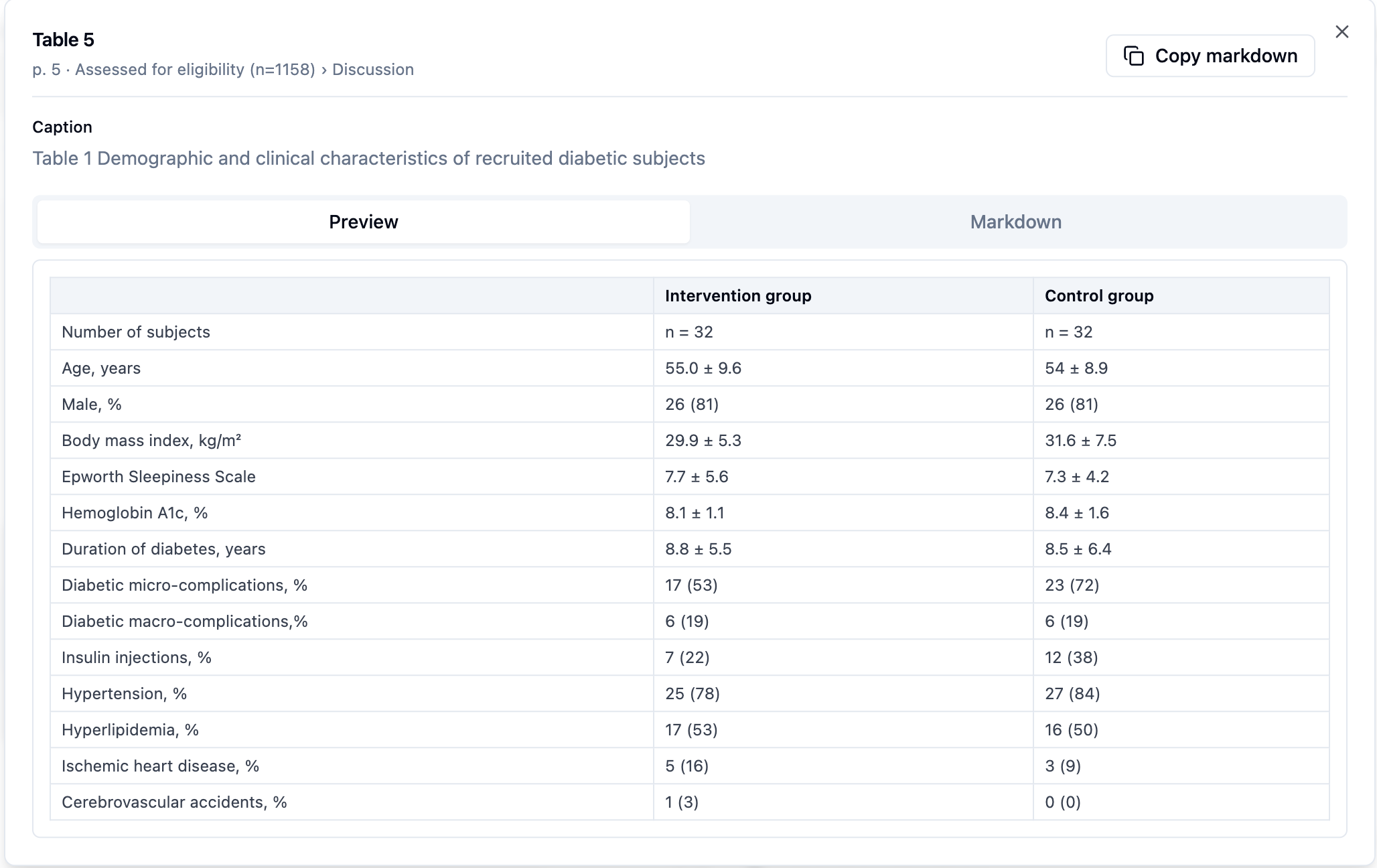
    With this update, users can digitise tabular and graphical data directly within the PDF interface, review the extracted values, and add them to the data extraction form.

    What’s New

    1. In-PDF Table Extraction

    • Detect and extract data from tables within PDFs

    • Converts tables into editable, structured formats

    2. Graph Digitisation

    • Extract numerical values from graphs and charts

    • Supports:

      • Line graphs

      • Bar charts

      • Scatter plots

    • Enables capture of multiple data points for analysis

    3. “View” Extracted Values

    • After AI run, users can click on the PDF outline, click “View” to see all the values

    • Displays structured data in an easy-to-review format

    How It Works

    1. Open the PDF in EasySLR

    2. Click on the PDF outline

    3. Select the Table or Graph 

    4. Click “View” to access the data

    5. Add relevant values directly to the data extraction window

    Why This Matters

    This enhancement helps teams:

    • Extract complex data faster and more accurately

    • Reduce manual effort and errors

    • Seamlessly move from data capture to structured extraction

    • Improve efficiency in meta-analysis workflows

    Important Notes

    • Manual validation is recommended for accuracy

    • Results may vary based on PDF quality and resolution

    • Users retain full control to edit and verify extracted data

    Summary

    With the Table & Graph Digitiser within the PDF viewer, EasySLR enables you to:

    • Extract data directly from visual content

    • Review values instantly using the “View” option

    • Add data seamlessly into the extraction workflow


    RAISE 3 Compliance Update

    Apr 9, 2026•
    Enhancement

    EasySLR now aligns with the latest RAISE 3 Guidelines, enhancing how users select, evaluate, and use AI tools responsibly within systematic review workflows.

    Overview

    The RAISE 3 framework focuses on responsible AI adoption in evidence synthesis, ensuring that AI usage is transparent, validated, and methodologically sound.

    With this update, EasySLR integrates RAISE 3 principles directly into the workflow, complementing its existing methodology framework outlined here: https://www.easyslr.com/methods

    This ensures that both methodological rigor and AI governance are aligned throughout the review lifecycle.

    What’s New

    1. AI Usage Transparency

    • Visibility into AI usage across different stages (screening, extraction, reporting)

    • Ability to review how AI contributes to decisions

    • Supports documentation for audits and publications

    2. AI Decision Validation

    • Compare AI outputs with human decisions

    • Built-in conflict analysis for Human vs AI decisions

    • Helps assess accuracy, reliability, and trustworthiness of AI outputs

    3. Tool Selection & Evaluation Support

    • Enables users to evaluate:

      • Whether AI is appropriate for their review

      • If outputs meet required quality standards

    • Aligns with RAISE 3 guidance on fit-for-purpose AI usage

    4. Structured AI Workflow Integration

    • AI is embedded across:

      • Title–Abstract screening

      • Full-text screening

      • Data extraction

      • Report generation

    • Ensures AI usage remains consistent and traceable

    5. Auditability & Reporting

    • Track AI models used at each stage

    • Maintain logs for:

      • Decisions

      • Outputs

      • Workflow steps

    • Supports regulatory, publication, and governance requirements

    6. Ethical & Responsible AI Use

    • Encourages human oversight in all AI-assisted stages

    • Ensures:

      • AI outputs are reviewed, not blindly accepted

      • Decisions remain human-controlled

    Why This Matters

    This update helps teams:

    • Use AI tools responsibly and confidently

    • Ensure methodological rigor and transparency

    • Meet emerging global standards for AI in evidence synthesis

    • Improve trust, reproducibility, and audit readiness

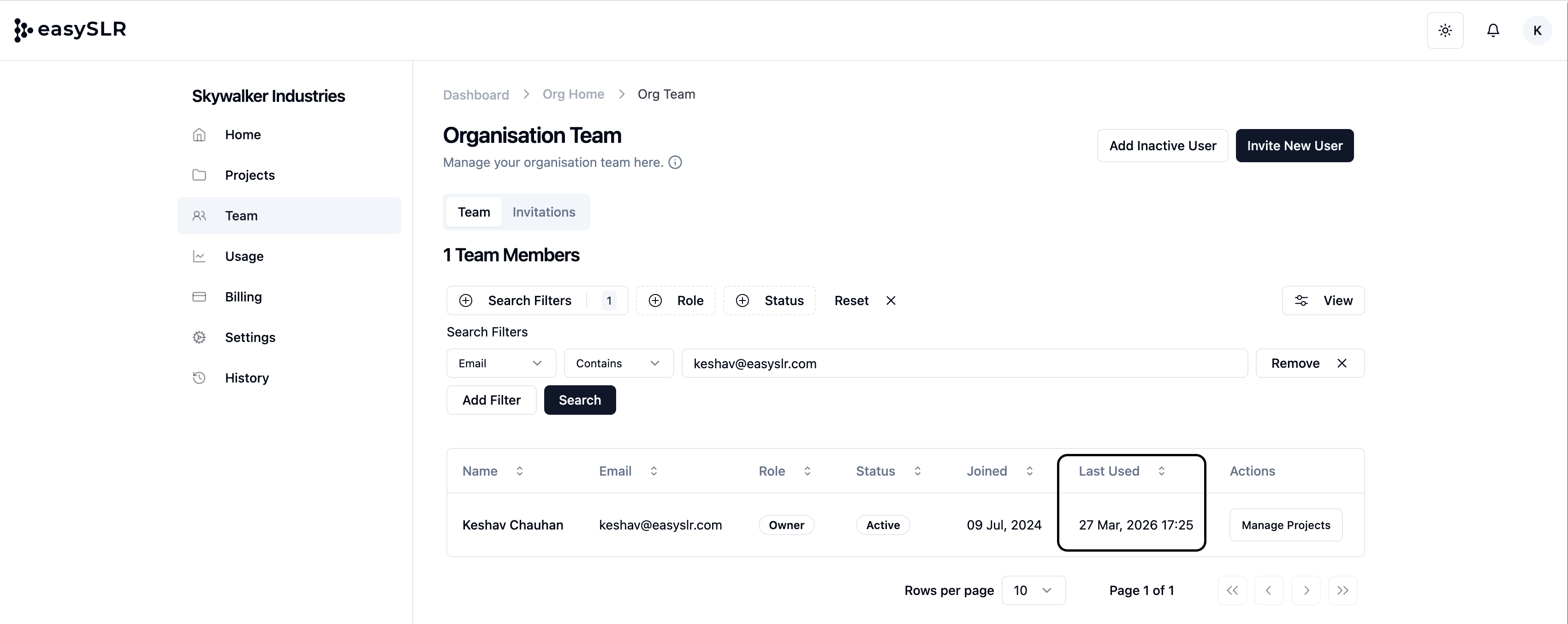
    Last Used Tracking for Organisation Users

    Apr 1, 2026•
    Feature

    EasySLR now introduces Last Used tracking for organisation users, allowing Organisation Owners to view when each team member last accessed the platform.

    Overview

    The Last Used timestamp provides visibility into recent user activity across the organisation and projects, helping teams monitor engagement and manage user access more effectively.

    What’s New

    Last Used Date & Time

    • View the most recent activity timestamp for each organisation user

    Automatic Activity Tracking

    • Timestamp updates based on user activity within the platform

    • Updated periodically (approximately every hour)

    Centralised Visibility

    • Accessible at the organisation user level

    • Enables quick identification of active and inactive users

    Why This Matters

    This feature helps teams:

    • Track user activity across projects and organisation

    • Identify inactive users for access management

    • Reassign licenses or roles more efficiently

    • Improve governance and user oversight

    Replace Existing PDFs During Bulk Upload (Using AI)

    Apr 1, 2026•
    Enhancement

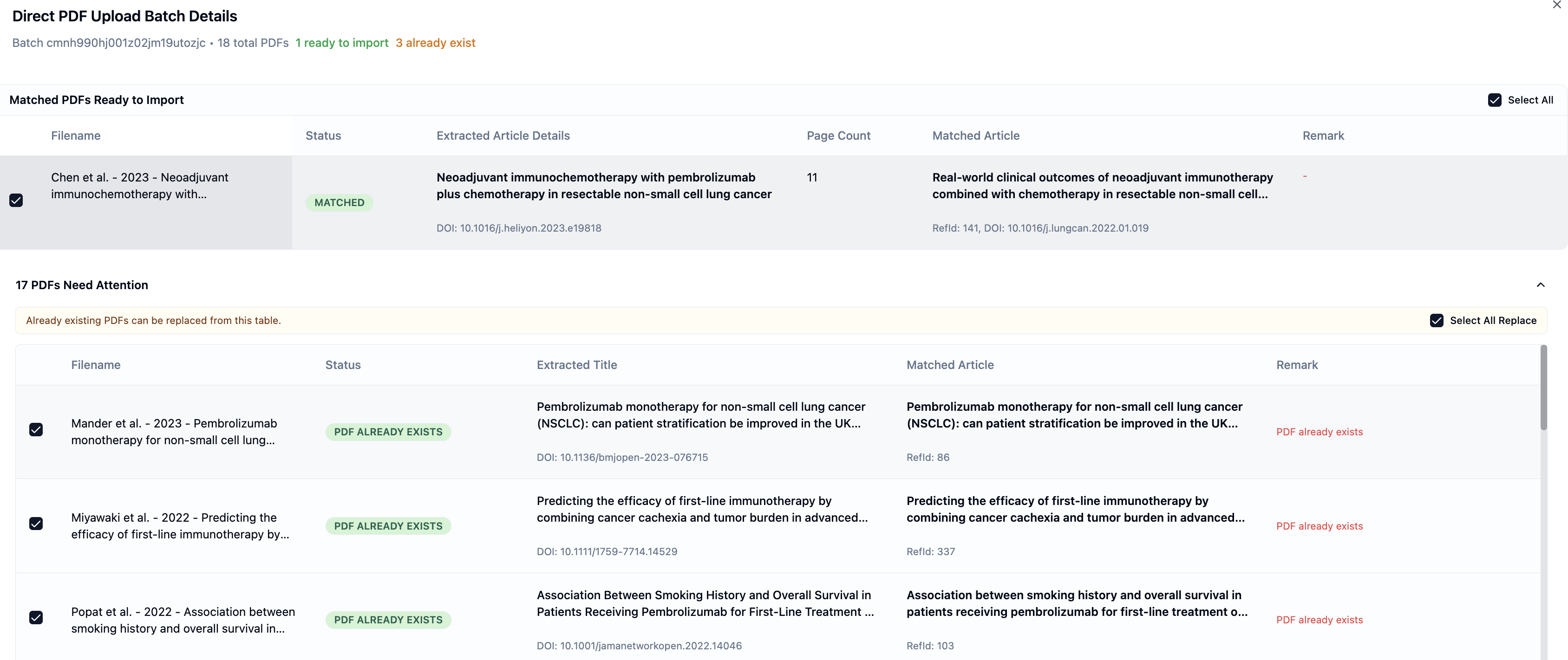
    We’ve introduced the ability to replace existing PDFs during Bulk PDF Upload using AI, giving you greater control when uploading updated or new full-text files.

    What’s New

    Replace PDFs During Upload

    • EasySLR now detects if a PDF already exists for a matched article during upload

    • You can choose to replace the existing PDF directly from the upload table

    Improved Batch Handling

    • A new option allows you to select and replace multiple existing PDFs at once

    • Clear indicators highlight:

      • New PDFs ready for import

      • PDFs that already exist

    Better Visibility & Control

    • A “PDF already exists” status is clearly displayed

    • Replace actions can be reviewed and managed before final import

    Why This Matters

    This enhancement helps teams:

    • Maintain a cleaner and more accurate document library

    • Improve efficiency during bulk PDF uploads

    Important Notes

    • Replacement is optional and fully controlled by the user

    • Existing PDFs will only be replaced when explicitly selected

    • Manual upload remains available for unmatched PDFs

    OpenAlex Integration in AI-Powered TLR Workflow

    Apr 1, 2026•
    Enhancement

    EasySLR now supports OpenAlex integration within the AI-powered TLR workflow, enabling automatic retrieval of articles from a broader, multidisciplinary database alongside PubMed.

    What’s New

    OpenAlex Article Import

    • Automatically import articles from OpenAlex within the TLR workflow

    • Access a large, open database of 250M+ scholarly works

    • Seamlessly include OpenAlex results alongside existing sources

    Expanded Literature Coverage

    • Retrieve studies beyond traditional biomedical databases

    • Capture multidisciplinary and cross-domain research

    • Improve access to open-access and non-PubMed indexed studies

    Improved Study Discovery

    • Identify relevant studies that may not be available in PubMed

    • Enhance coverage for topics spanning multiple disciplines

    • Reduce the risk of missing key evidence

    Seamless Integration

    • OpenAlex results are automatically incorporated into the workflow

    • No additional setup or manual import required

    • Maintains a consistent experience across data sources 


    Why This Matters

    This update helps teams:

    • Broaden their literature search beyond PubMed

    • Capture a more diverse and comprehensive set of studies

    With OpenAlex integration, EasySLR enables more comprehensive literature retrieval by combining traditional biomedical sources with a large, multidisciplinary open database ensuring better coverage and stronger research outcomes.

    Search Query Validation Added to PubMed

    Apr 1, 2026•
    Enhancement

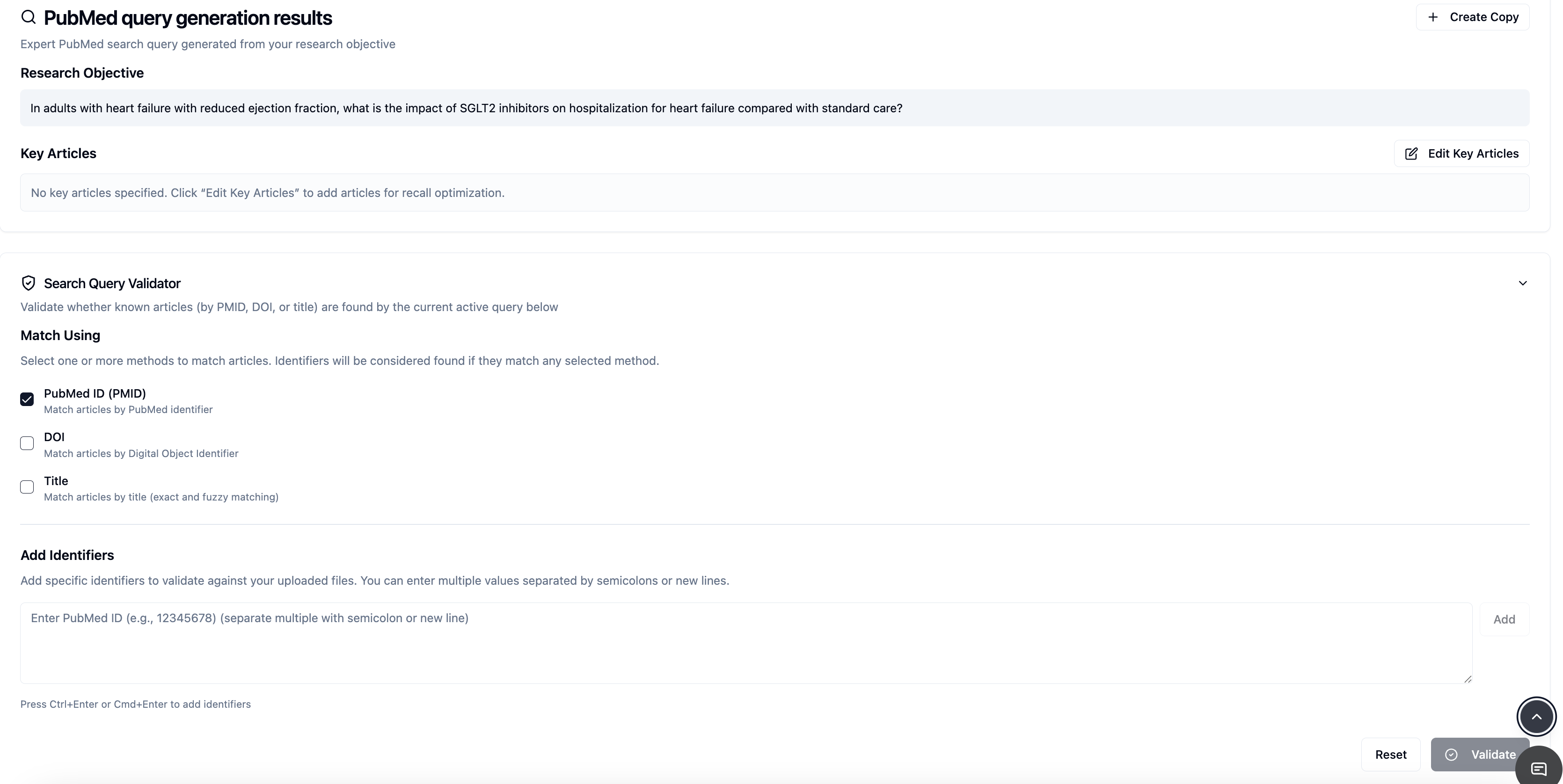
    EasySLR has upgraded the PubMed Query Generation by introducing Search Query Validation, enabling users to not only build structured queries but also evaluate their effectiveness before moving to screening.

    Overview

    The Advanced Query Builder now combines structured query construction with built-in validation capabilities, allowing researchers to create, refine, and assess PubMed search strategies within a single interface.

    In addition to real-time query building, users can now measure recall and verify whether key benchmark studies are captured—ensuring stronger methodological rigor and transparency

    What’s New

    Search Query Validation

    • Validate PubMed search queries against known benchmark studies

    • Check whether key identifiers (DOI, PMID, Title) are retrieved

    • Identify missing studies before screening begins

    • Measure recall (%) to evaluate search performance


    Real-Time Query Preview

    • View and edit the generated query instantly

    • Combine search lines and adjust Boolean operators

    • Maintain full control over query structure

    Live Result Count

    • Retrieve real-time result counts from PubMed

    • Estimate screening volume and refine search scope

    Built-In Filters

    • Apply filters such as publication date, text availability, article type, and attributes

    • Refine results before finalizing the search strategy

    Search History Tracking

    • Automatically save query, result count, recall, and timestamp

    • Store up to 20 search iterations across sessions

    • Enable comparison and documentation of search evolution 

    Why This Matters

    This enhancement helps teams:

    • Validate search strategies before screening

    • Ensure key studies are not missed

    • Improve recall and overall search quality

    • Maintain transparent and reproducible documentation

    By combining query building and validation, EasySLR ensures that PubMed search strategies are both well-structured and methodologically robust before progressing to the next stage.

    March 2026

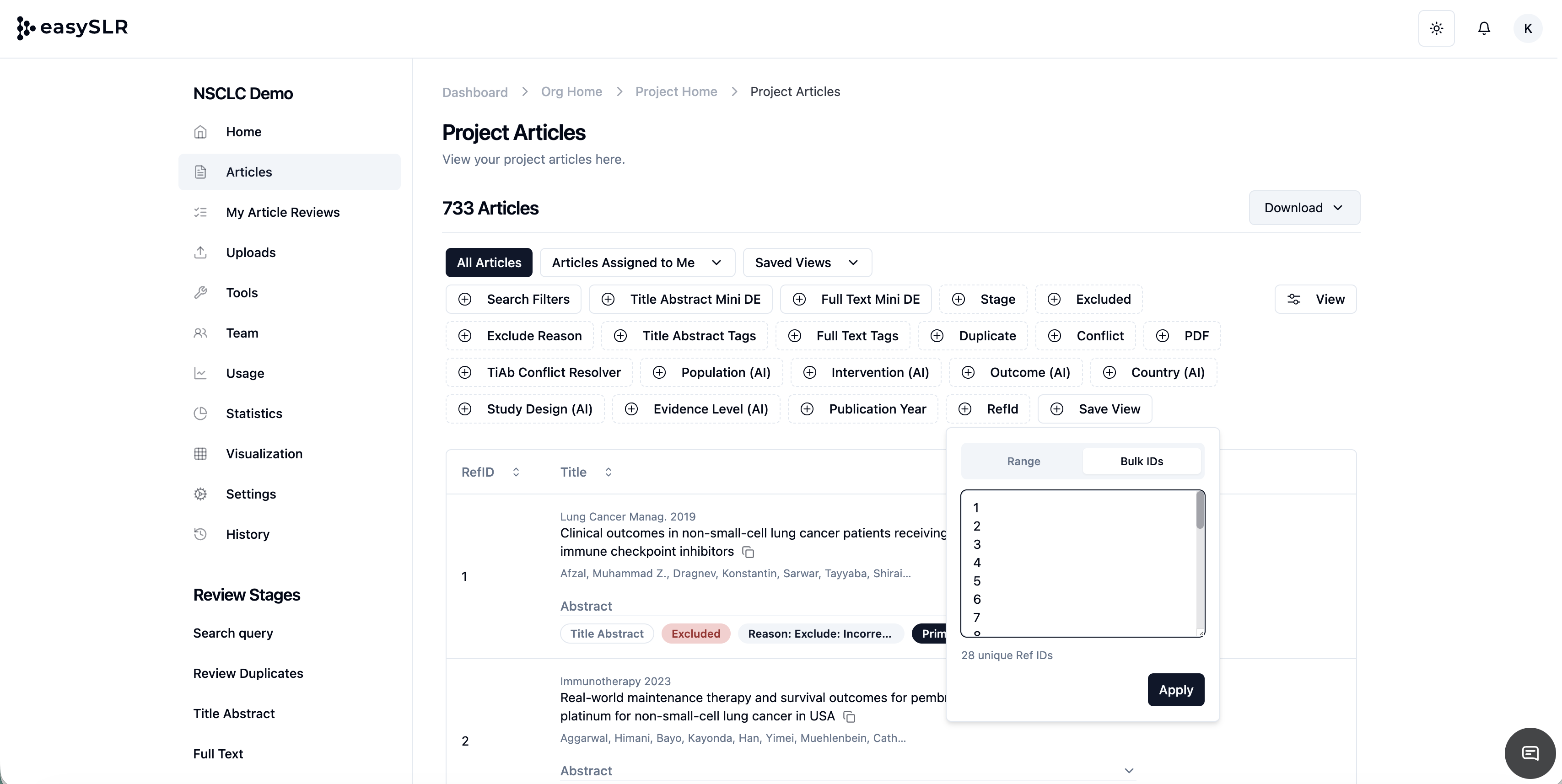
    Bulk RefID Copy-Paste from Excel

    Mar 26, 2026•
    Feature

    We’ve made it easier to work with RefIDs in EasySLR by introducing bulk copy-paste functionality directly from Excel.

    What’s New

    Bulk RefID Input via Copy-Paste
    You can now copy a list of RefIDs from Excel and paste them directly into EasySLR- no need to enter them one by one.

    Faster Article Selection & Actions
    Quickly use pasted RefIDs to locate, filter, or take actions on multiple records at once.

    Key Benefits

    • Saves time by eliminating manual entry

    • Simplifies bulk operations

    • Enables quick identification of specific records

    • Improves workflow efficiency during screening and management

    How to Use

    1. Copy the list of RefIDs from your Excel sheet

    2. Go to the relevant section in EasySLR

    3. Click on RefID filter and select Bulk IDs

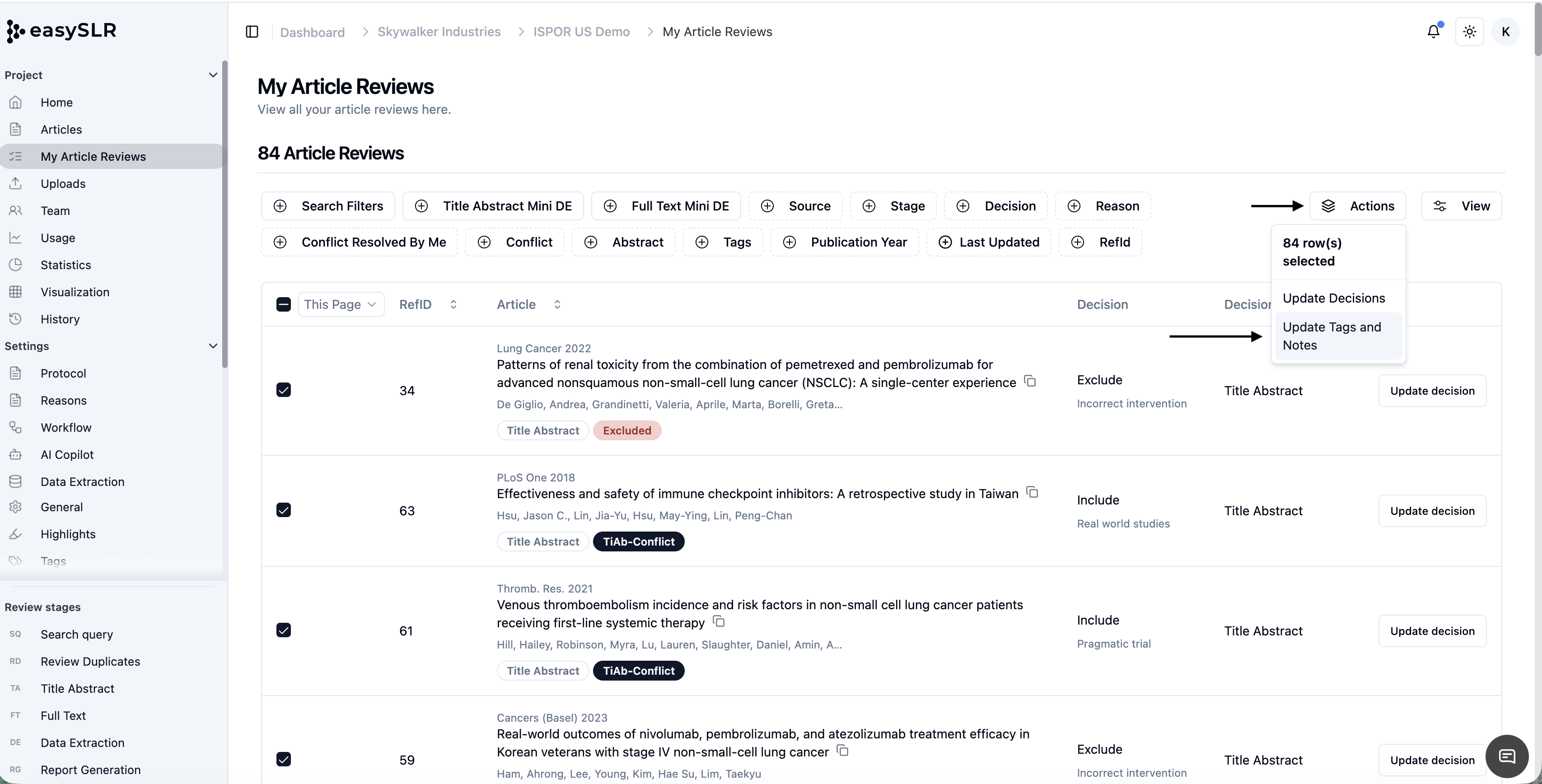
    4. Paste the RefIDs into the input field

    1. Click Apply

    2. You will get the list of entered RefIDs

    Use Cases

    • Filtering a predefined set of studies

    • Revisiting specific articles for QC or validation

    • Applying bulk actions on selected records 

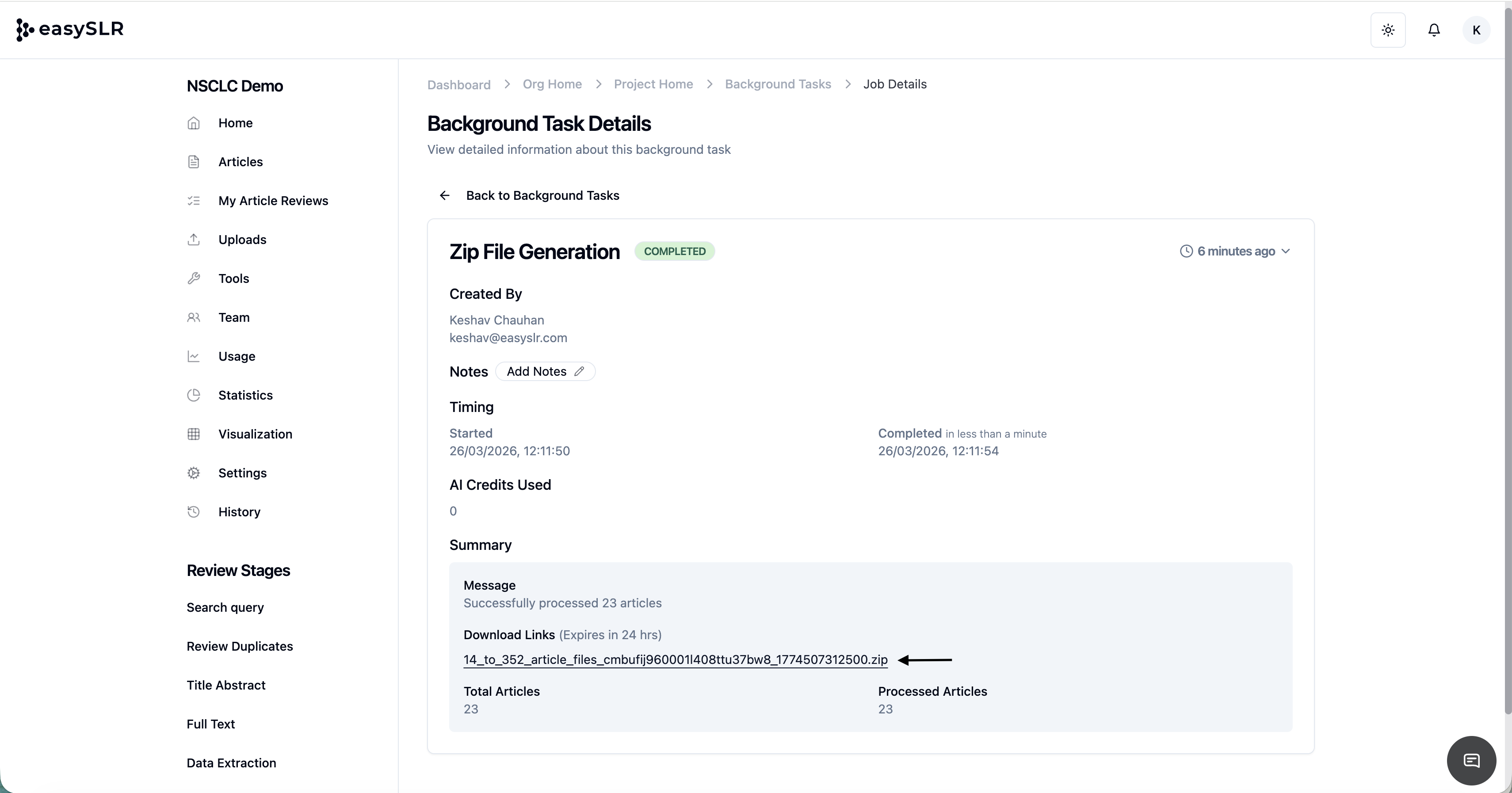
    File Download Links Now Available in Background Tasks

    Mar 23, 2026•
    Enhancement

    We’ve made it easier and faster to access your generated files, right where the action happens.

    What’s New

    Direct access to download links within Background Tasks
    All file download links are now available directly inside the Background Task.

    This includes:

    • ZIP files of PDF folders

    • Article decision Excel files

    • Other generated outputs

    Key Benefits

    • Faster access to files: No need to wait for email notifications

    • Improved reliability: Download files directly even if there’s a delay in receiving emails

    • Better visibility: Easily track and access files

    How It Helps

    If there’s any delay in receiving the download link via email, you can now simply navigate to the respective Background Task in history and download the file instantly.

    Important Note: The download link has an expiry of 24 hours.

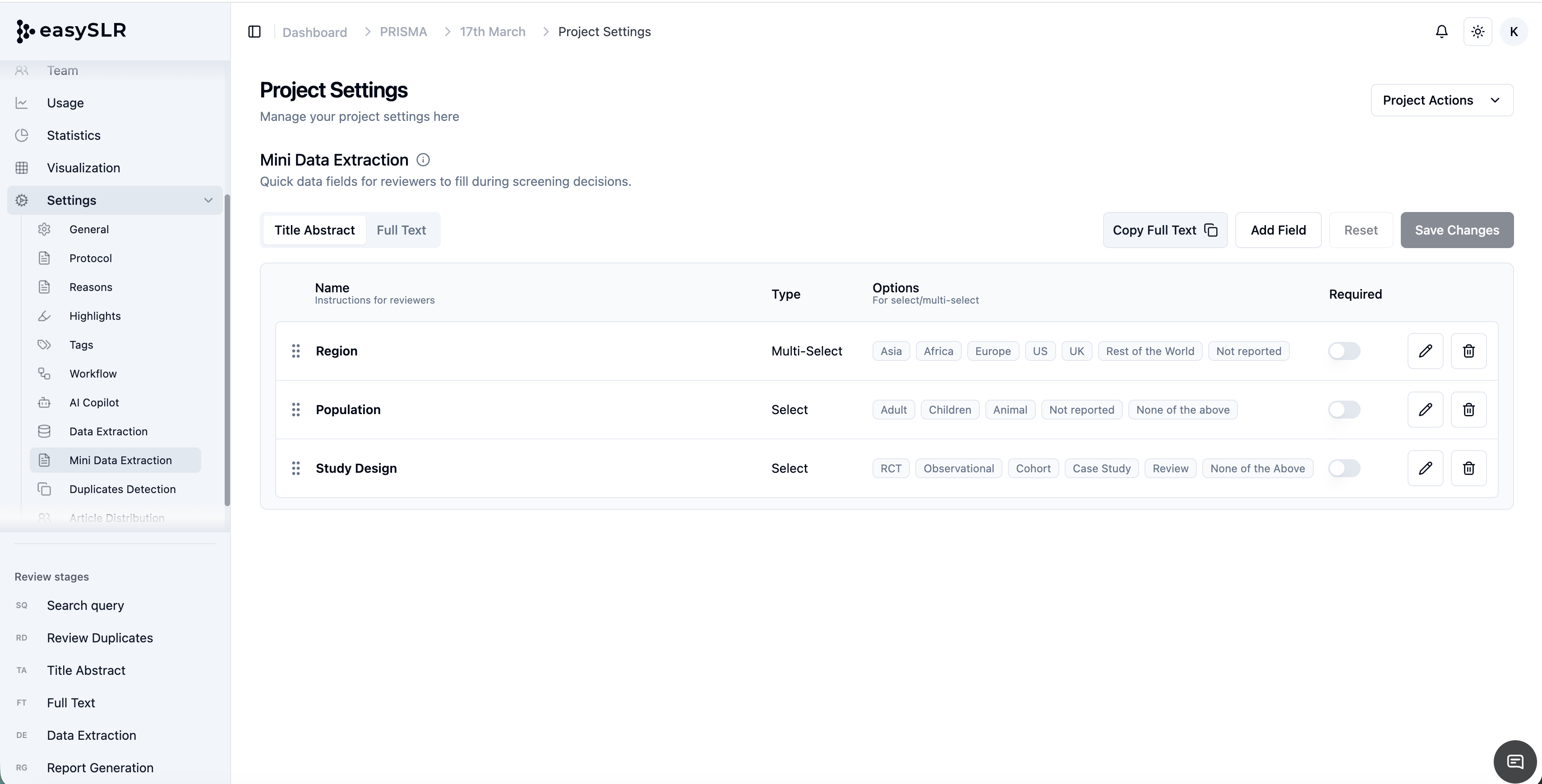
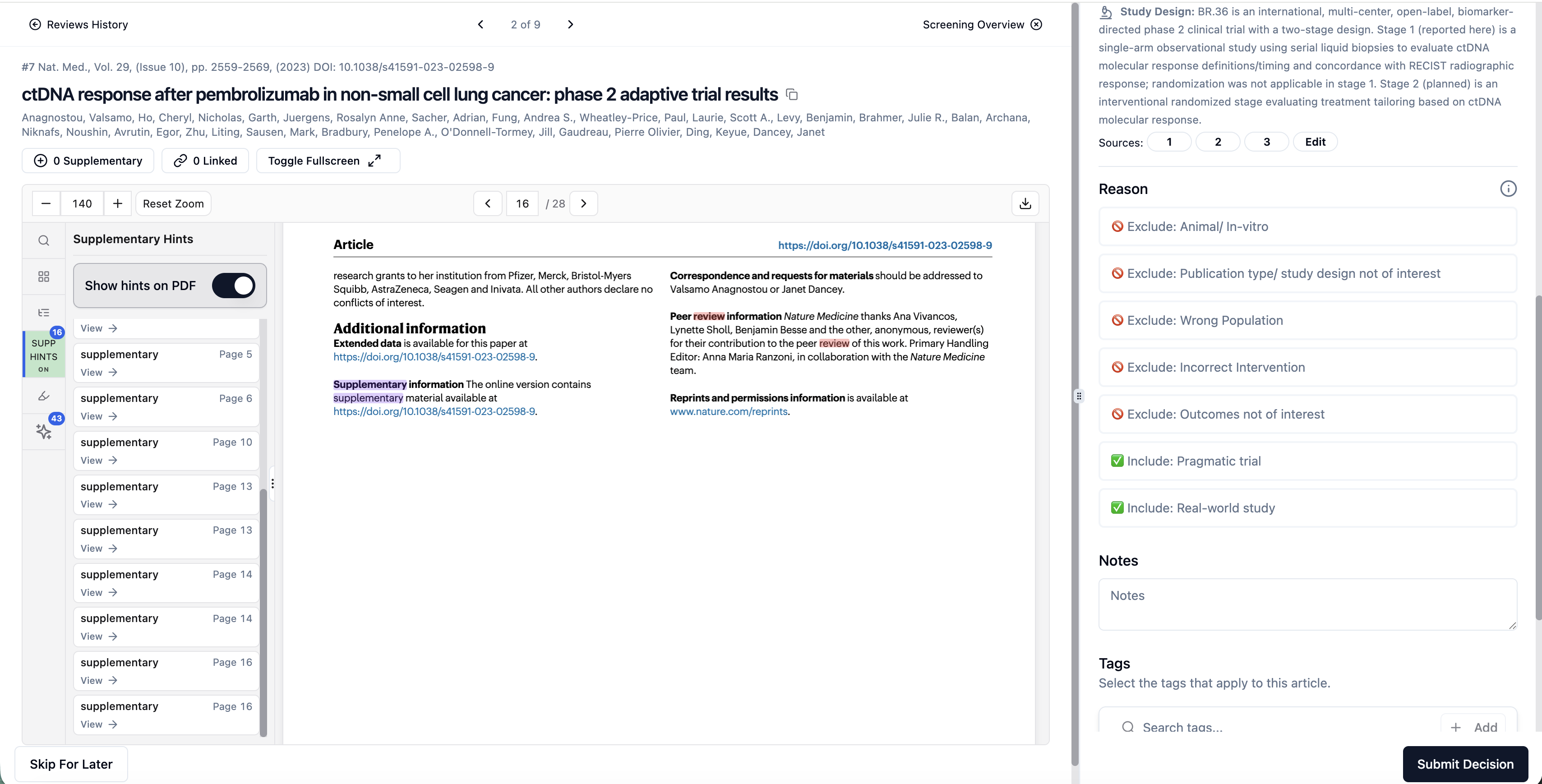
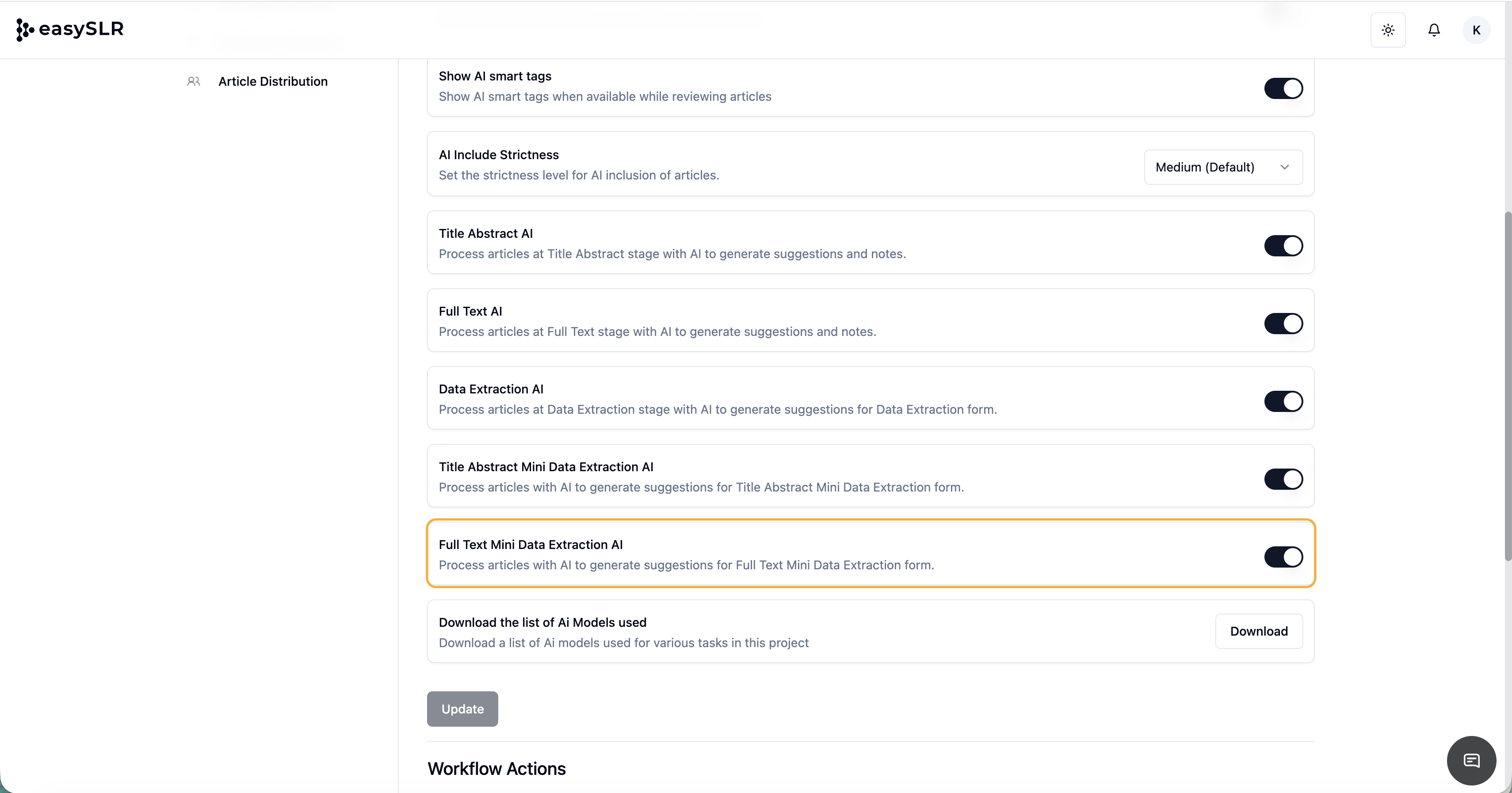
    AI for Mini Data Extraction at Full-Text Stage

    Mar 23, 2026•
    Enhancement

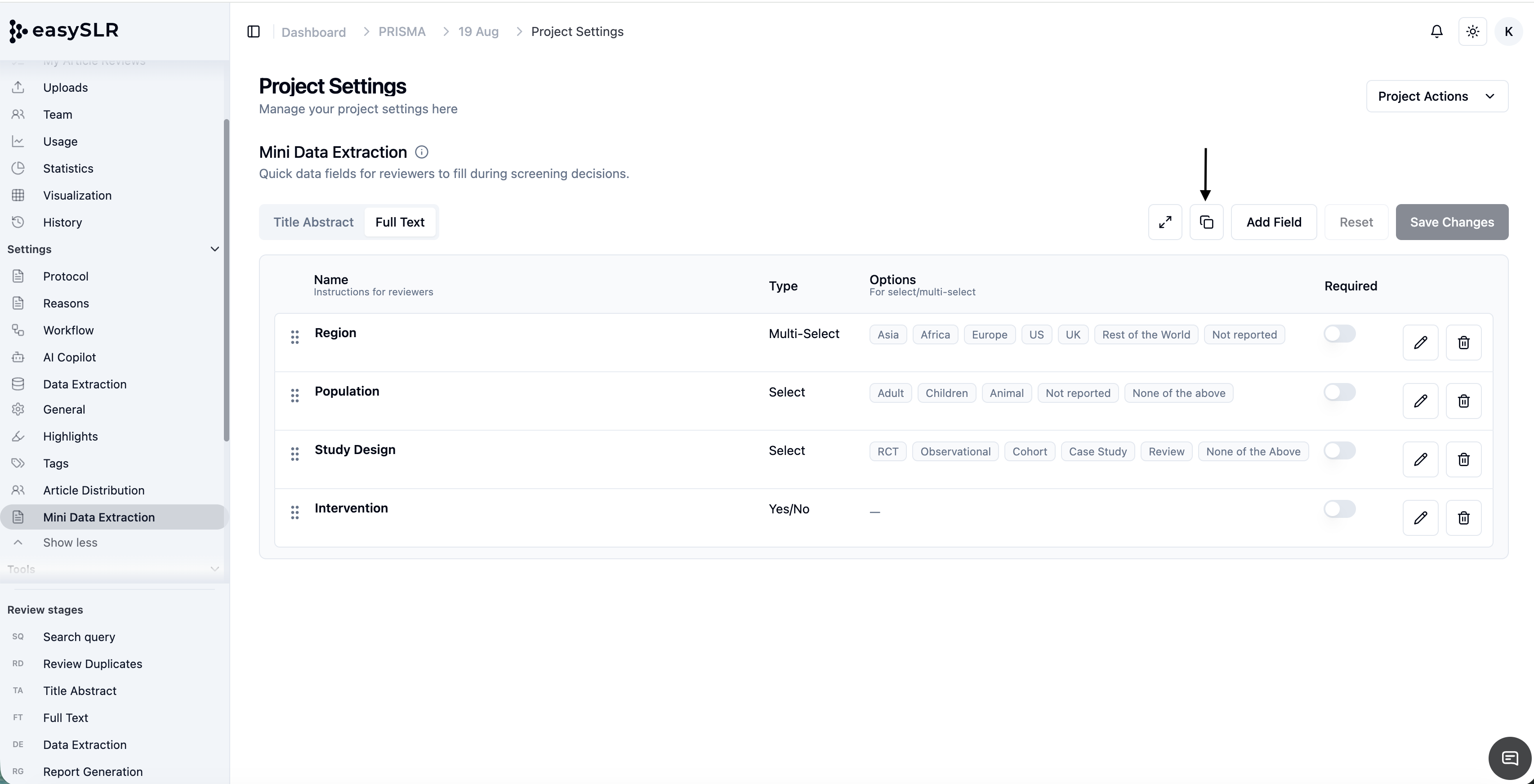
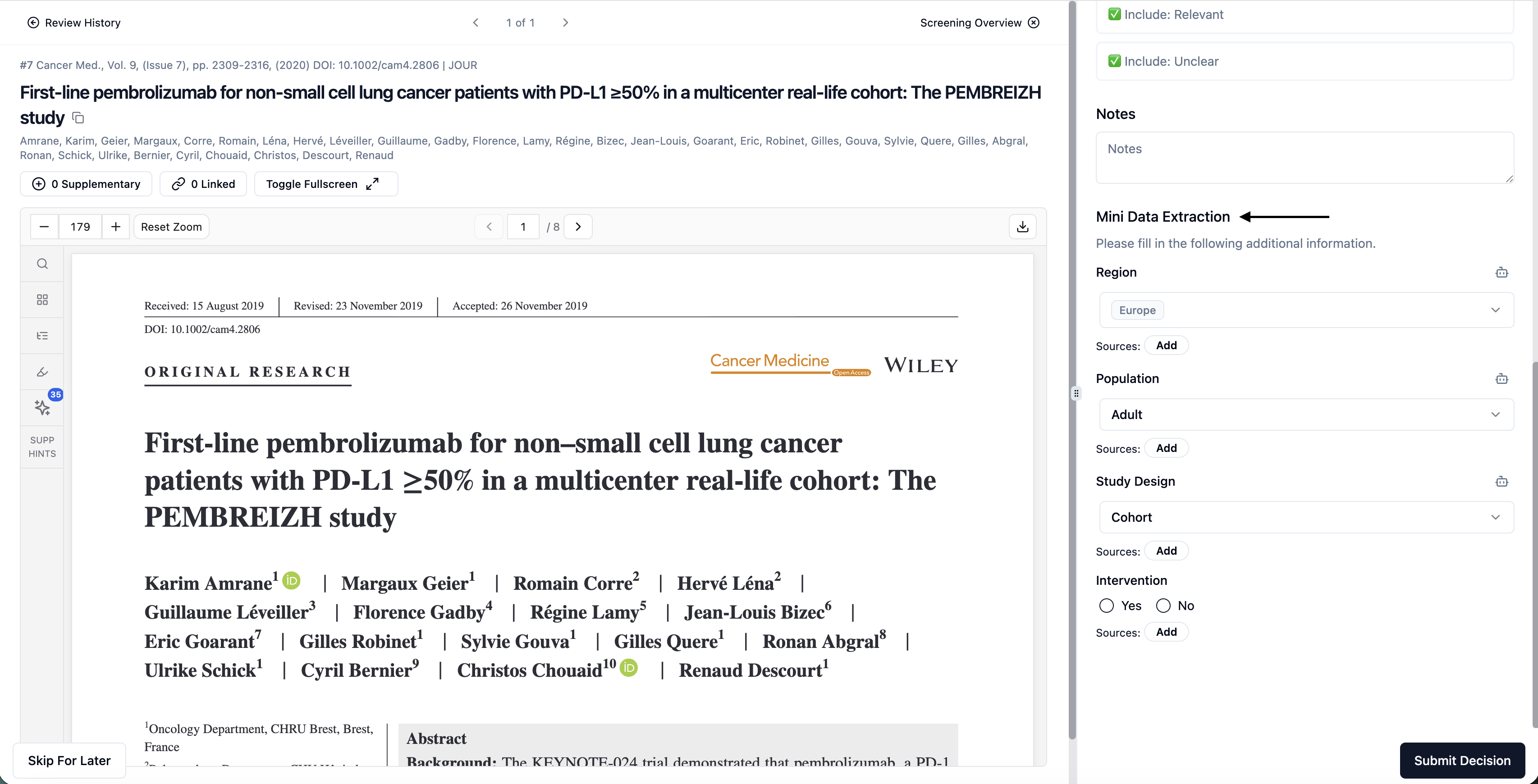
    We’re excited to introduce AI-powered Mini Data Extraction at the Full-Text stage, enabling deeper and more accurate data capture when you need it most.

    What’s New

    AI-driven extraction from full-text articles
    Capture detailed insights directly from full-text PDFs into your predefined Mini DE fields.

    Seamless integration within Full-Text screening
    AI suggestions are embedded within the workflow, allowing you to review and extract data without switching contexts.

    Data Linked back to Source
    Data Extracted by AI is linked back to the source of the information within the PDF

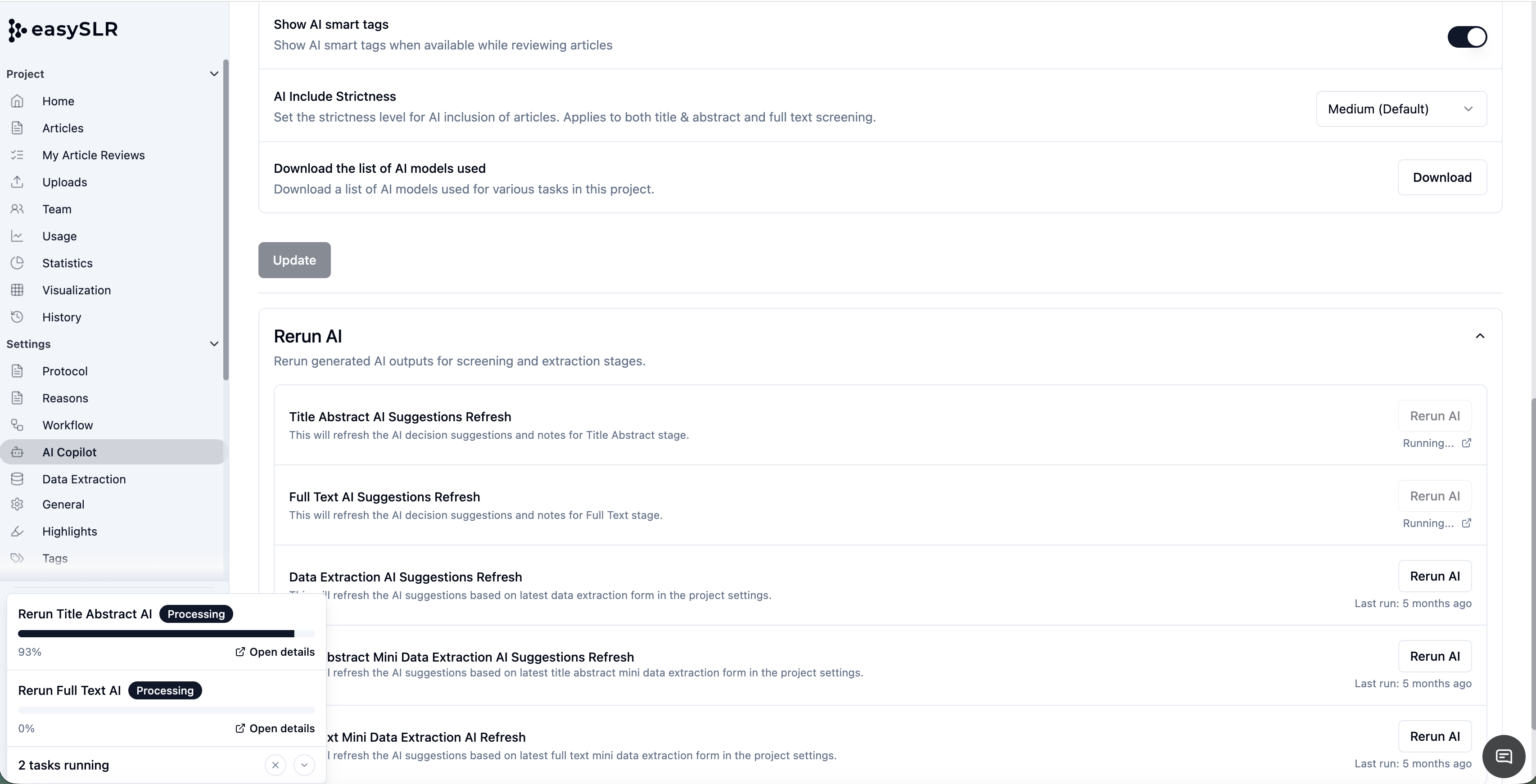
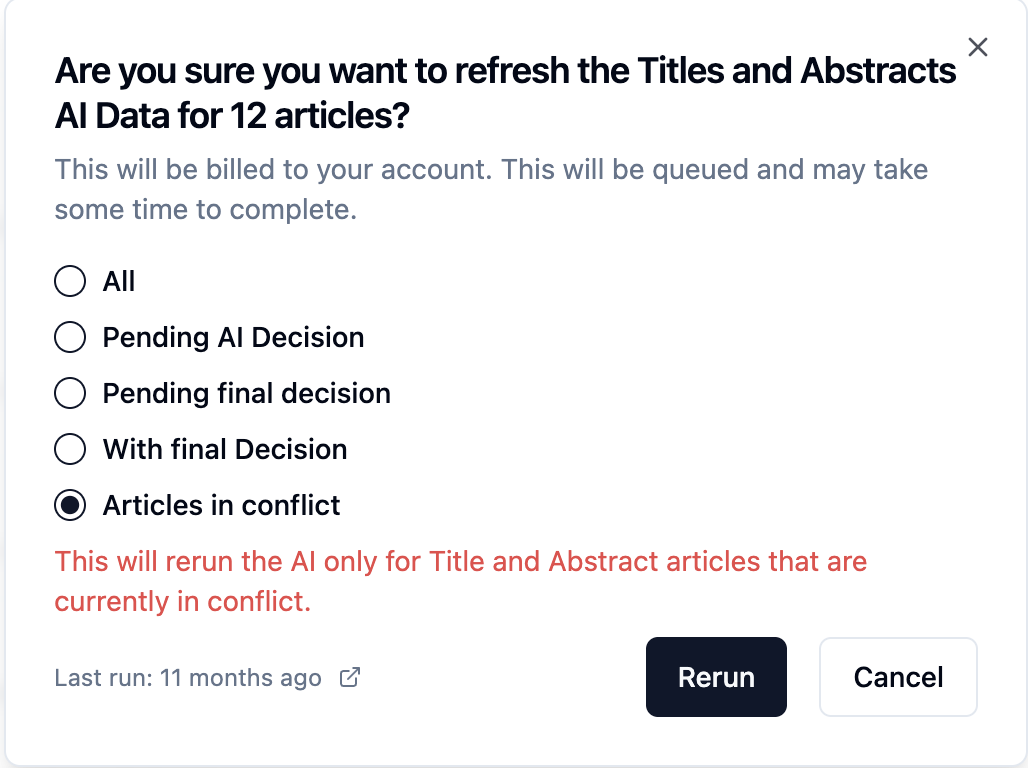
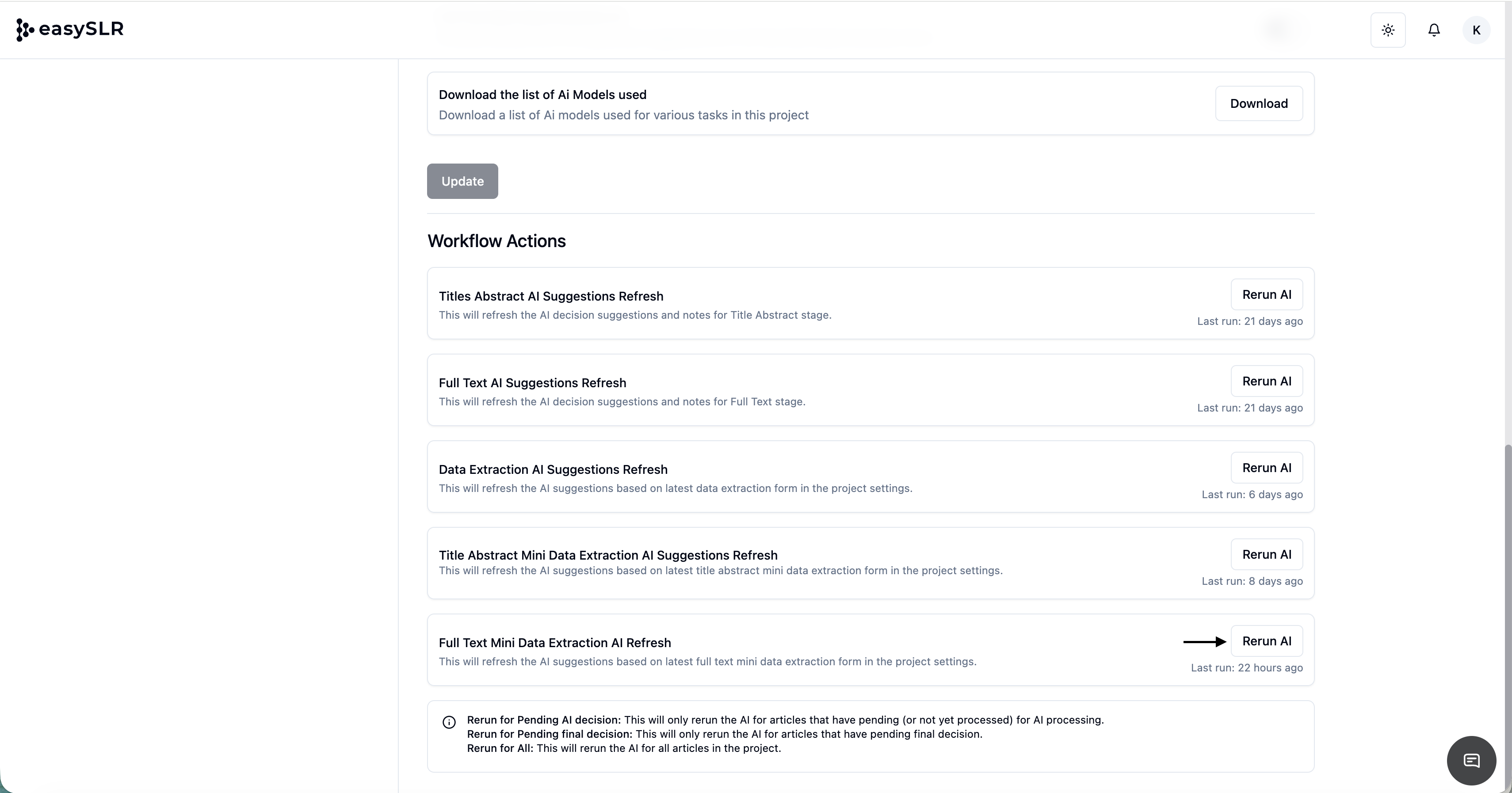
    On-demand AI refresh (Rerun AI)
    Update your fields and regenerate AI suggestions anytime for improved accuracy.

     Key Benefits

    • Deeper data capture: Extract richer and more contextual information from full-text articles

    • Reduced manual effort: Minimise time spent on repetitive data entry

    • Reviewer control: Easily validate, edit, or override AI-generated outputs

    • Flexible field support: Works across all Mini DE field types including Text, Multi-select, and Yes/No

    Excel Export Enhancement

    • AI-extracted Full-Text Mini DE data will be available in separate columns in Excel, along with screening decisions for easy review and analysis.

     How to Enable AI for Full-Text Mini DE

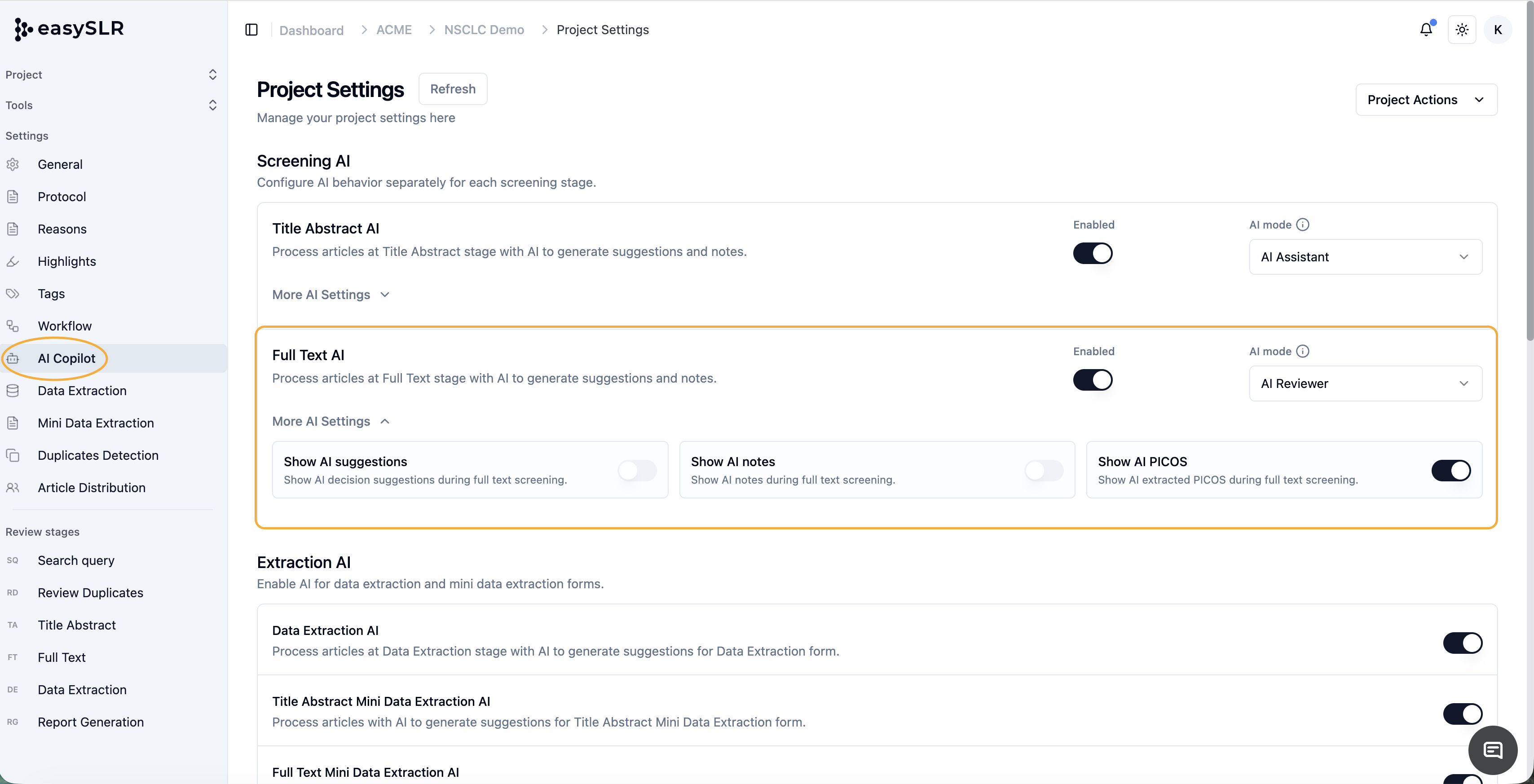
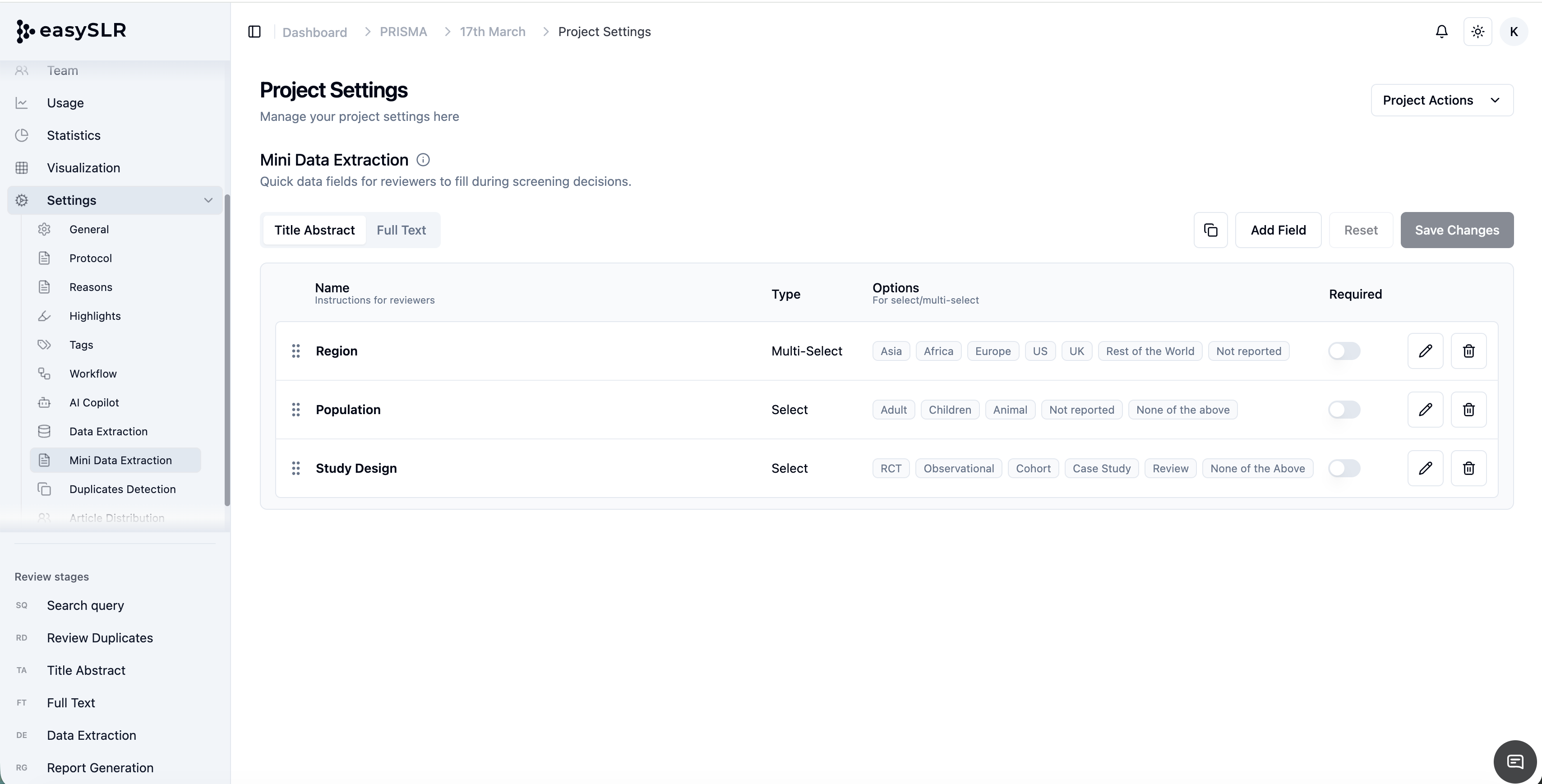
    1. Go to Project Settings

    2. Navigate to AI Copilot

    3. Enable Full-Text Mini Data Extraction AI

    1. Click Rerun AI to generate or refresh suggestions


    Data Extracted by AI

    Note: AI-generated outputs are designed to support reviewers. Please ensure all extracted data is reviewed and validated before finalising.

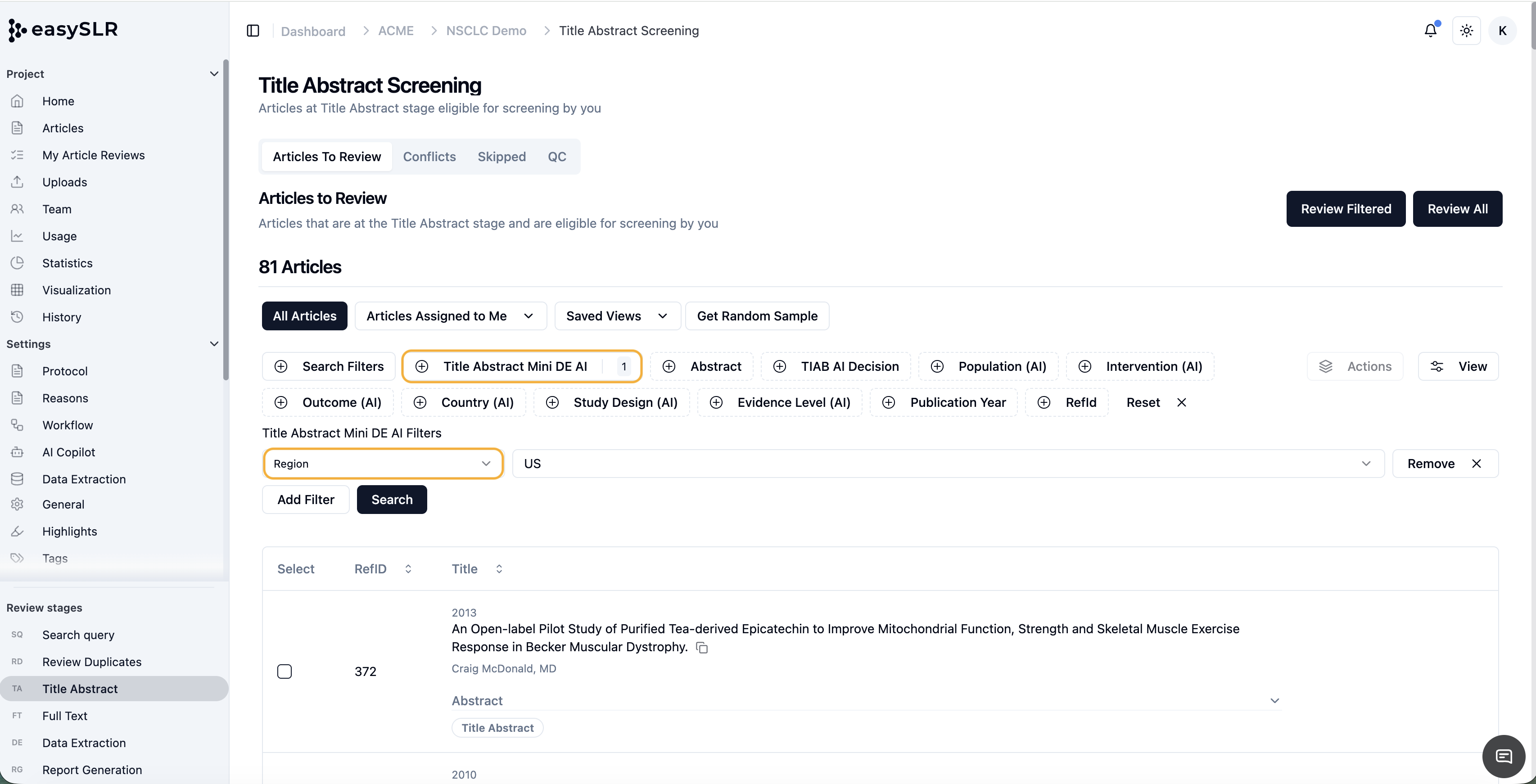
    AI in Title-Abstract Mini Data Extraction (Mini DE) – Now Available

    Mar 17, 2026•
    Enhancement

    We’ve added AI into Mini Data Extraction at the Title–Abstract stage to help you capture structured insights earlier in your review workflow.

    What’s New

    • AI-powered Mini Data Extraction at Title–Abstract screening
      Automatically extracts data into predefined Mini DE fields while screening articles.

    • Built directly into the screening workflow
      AI suggestions appear within the Mini DE fields—no separate setup required.

    • Rerun AI functionality
      Easily refresh AI suggestions after updating your fields.

    Key Benefits

    • Faster early-stage data capture with minimal manual effort

    • Full control to review, edit, or override AI-generated data

    • Supports all Mini DE field types such as Text, Multi-select, and Yes/No fields.

    • New Columns will be added to Excel containing Mini DE AI Data.

    How to Enable AI for Title–Abstract Mini DE

    1. Go to Project Settings

    2. Navigate to AI Copilot

    3. Enable Title–Abstract Mini Data Extraction AI

    4. Click Rerun AI to generate or refresh suggestions

    Note: AI-generated outputs are designed to assist reviewers. Please review and validate the extracted data before finalising.

    DOI Search Added to the Search Filters List

    Mar 5, 2026•
    Enhancement

    A new dedicated DOI search filter has been added to the list of available search filters to make it easier to locate articles using their Digital Object Identifier (DOI).

    Users can now quickly search for specific records by entering a DOI directly in the search filter panel. The system will instantly retrieve matching articles within the project.

    Key Benefits:

    • Quickly locate articles using DOI

    • Improve article verification and traceability

    • Simplify identification of duplicate or related records

    • Speed up navigation within large projects

    This enhancement provides a faster and more precise way to find articles during the review process.

    Credit Check Before Running Bulk PDF Upload Using AI & Direct PDF Upload to Data Extraction

    Mar 5, 2026•
    Enhancement

    A new pre-upload credit validation has been added to Bulk PDF Upload Using AI and Direct PDF Upload to Data Extraction (DE).

    This enhancement ensures that the system verifies whether the organisation has sufficient AI credits before starting the upload process, preventing failed uploads and improving workflow transparency.

    What’s New

    Before initiating the upload process, EasySLR now checks if the organisation has enough AI credits to process the selected PDFs.

    If the required credits are not available, the system immediately displays an error message and prevents the upload from starting.

    This avoids unnecessary processing attempts and informs users about credit requirements in advance.

    How It Works

    1. Select PDFs for upload using:

      • Bulk PDF Upload Using AI, or

      • Direct PDF Upload to Data Extraction (DE).

    2. The system calculates the total credits required based on the number of PDFs selected.

    3. Before the upload begins, EasySLR verifies the organisation's available AI credit balance.

    4. If sufficient credits are available:

      • The upload process proceeds normally.

    5. If credits are insufficient:

      • The upload is blocked.

      • An error notification appears showing the required credits.

    Error message example:

    Error uploading PDFs
    Insufficient credits. Required 310 credits.

    Benefits

    • Prevents failed uploads due to insufficient credits

    • Provides clear visibility of credit requirements

    • Improves system efficiency by avoiding unnecessary processing

    • Enhances transparency in AI credit usage

    February 2026

    AI Powered Smart Tags, Filters & Visualisation in EasySLR

    Feb 26, 2026•
    Feature

    We’ve introduced AI-Powered Smart Tags, Filters, and Visualisation to help teams automatically classify, analyse, and explore study characteristics across their projects.

    AI Smart Tags automatically label articles using structured classifications based on:

    • Population

    • Intervention

    • Outcome

    • Country

    • Study Design

    • Evidence Level

    These tags enable faster filtering and interactive evidence mapping.

    What’s New

    AI Smart Tags

    • Automatically classify articles using AI

    • Display structured labels during article review

    • Available across filtering and visualisation sections

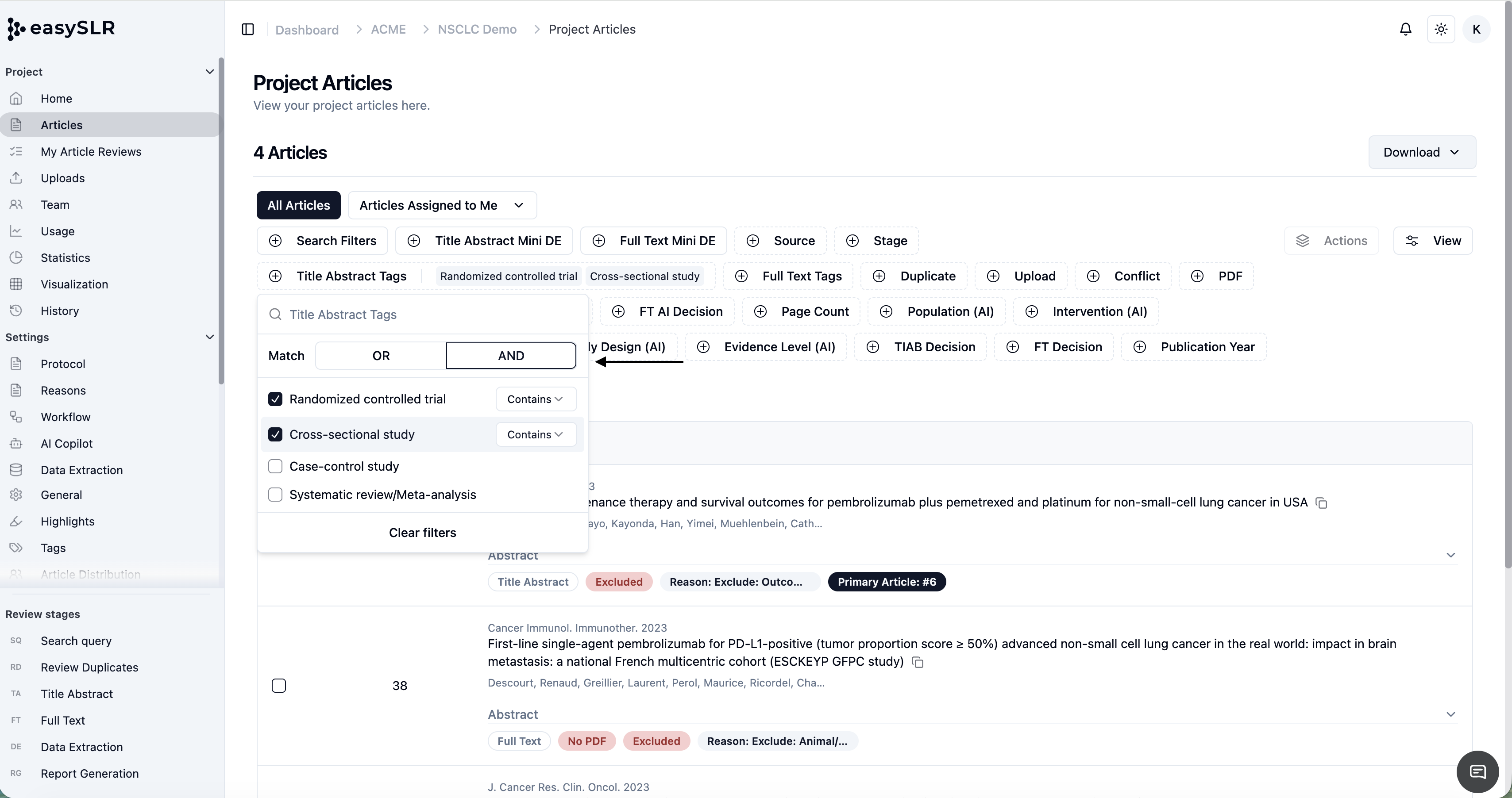
    Smart Tag Filters

    • Filter articles using AI-generated classifications

    • Combine multiple Smart Tag filters for refined analysis

    • Use alongside manual filters (stage, reviewer, excluded, etc.)

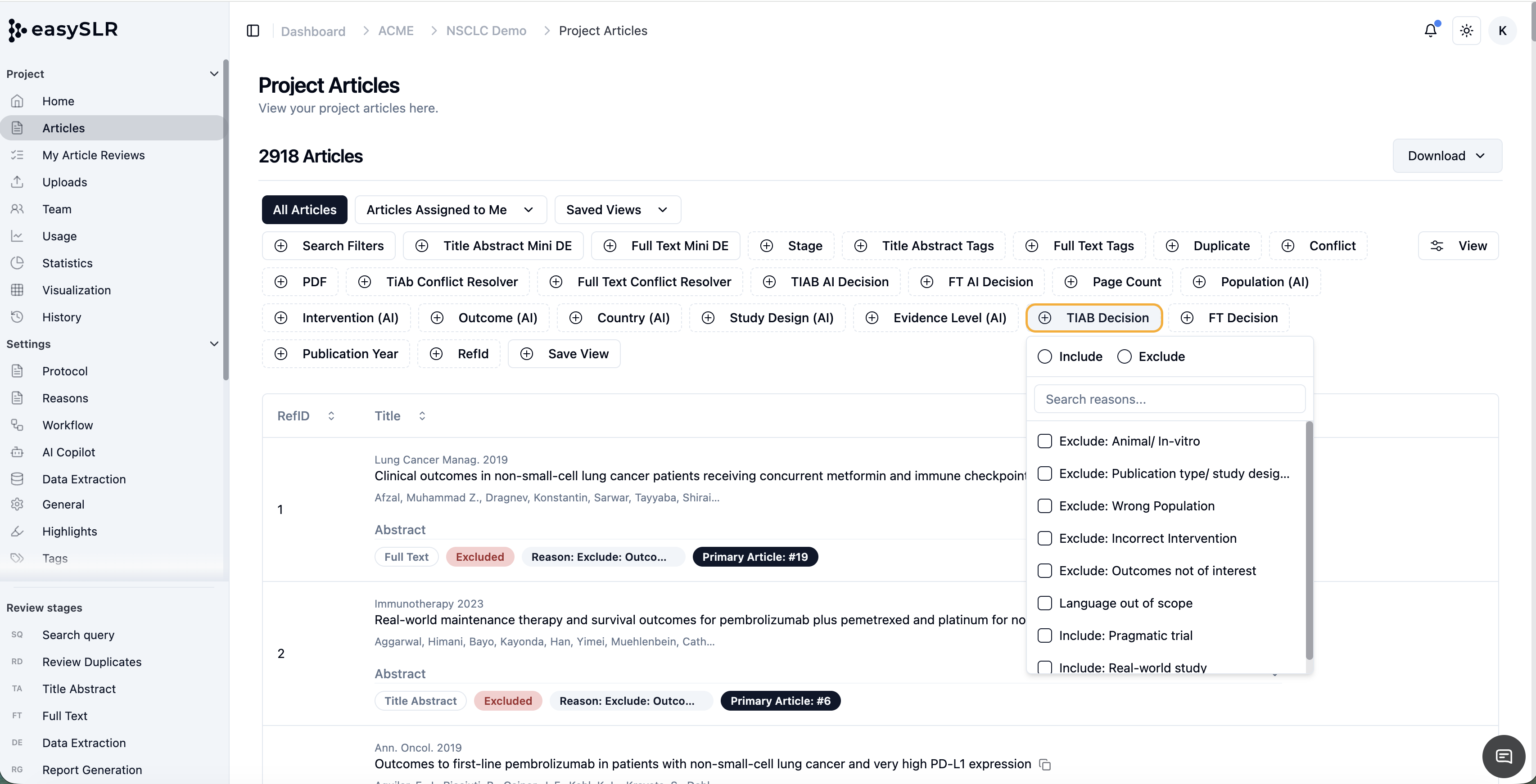
    Available Smart Tag filters:

    • Population (AI)

    • Intervention (AI)

    • Outcome (AI)

    • Country (AI)

    • Study Design (AI)

    • Evidence Level (AI)

    Smart Tags Visualisation

    • Interactive cross-tab visualisation of AI-generated tags

    • Explore relationships between study characteristics

    • Clickable cells to view associated articles

    Visualisation formats include:

    • Evidence Level View (color-coded)

    • Heatmap View

    • Bubble View

    Where to Access

    Enable Smart Tags:

    • Project Settings → AI Copilot

    • Toggle on: Show AI smart tags when available while reviewing articles

    Use Smart Tag Filters:

    • Project Articles → Filters Section

    Access Visualisation:

    • Visualization

    Why This Matters

    This enhancement helps teams:

    • Map evidence faster without manual tagging

    • Identify trends and evidence gaps

    • Prioritise high-level evidence using AI classification

    • Explore intervention–outcome relationships interactively

    • Strengthen reporting and strategic decision-making

    AI-Powered Smart Tags and Visualisation transform article classification into a structured, interactive, and insight-driven experience within EasySLR.

    PubMed Advanced Query Builder

    Feb 26, 2026•
    Feature

    EasySLR now includes the Advanced Query Builder for PubMed, designed to help researchers create structured, transparent, and reproducible search strategies using a full-featured query interface. The tool replaces the basic PICOS editor with a more flexible system that enables real-time query construction, result validation, and structured documentation of search development.

    Overview

    The Advanced Query Builder helps systematic reviewers develop and refine search strategies for PubMed using a structured interface inspired by the PubMed advanced search experience.

    The tool allows users to build queries using the PICOS framework, preview query logic instantly, retrieve live result counts, and track multiple search iterations. This ensures the search development process remains traceable, reproducible, and audit-ready.

    Key Capabilities

    Structured PICOS-Based Query Building

    Organize search terms using the PICOS framework, including:

    • Population

    • Intervention

    • Comparison

    • Outcome

    • Study Design

    Reviewers can add terms under each category and construct queries using Boolean operators.

    To add a term:

    • Select the search field (e.g., Title/Abstract)

    • Enter the search term

    • Choose a Boolean operator (AND / OR)

    • Click Add

    The system automatically generates the structured query logic.

    Real-Time Query Preview

    The generated PubMed query appears instantly in the Query Box, allowing reviewers to:

    • Edit the query manually

    • Combine search lines

    • Reference previous search steps (e.g., #1, #2)

    • Adjust Boolean operators

    This provides full flexibility while maintaining structured query development.

    Live Result Count

    The Count option retrieves the live number of results directly from PubMed.

    This helps reviewers:

    • Estimate screening workload

    • Adjust search scope

    • Refine Boolean logic

    • Identify overly broad or restrictive queries

    Run the Query in PubMed

    The Open option allows users to run the generated query directly in PubMed.

    This enables reviewers to:

    • Validate results externally

    • Export citations

    • Confirm search behavior within PubMed.

    Built-In Search Filters

    The Filters Panel helps refine search results before finalizing the strategy.

    Available filter options include:

    • Publication Date (1 year, 5 years, 10 years, or custom range)

    • Text Availability (Abstract, Free Full Text, Full Text)

    • Article Type

    • Article Attributes

    Filters are organized into collapsible groups for easier navigation.

    Reviewers should apply filters carefully to avoid unintended exclusions that may reduce recall.

    Search History Tracking

    Each time a query is executed, EasySLR automatically stores:

    • Query string

    • Result count

    • Recall (when applicable)

    • Timestamp

    Key details:

    • Up to 20 search iterations are stored

    • Search history persists across sessions

    • Data is stored securely within background job metadata

    This enables reviewers to:

    • Compare multiple search strategies

    • Track improvements in recall

    • Maintain documentation for audit and reporting.

    Background Job Detail Panel

    The job detail section is collapsible, allowing users to:

    • Reduce interface clutter

    • Focus on query results

    • Review search performance more easily.

    Best Practices

    To get the best results when using the Advanced Query Builder:

    • Compare multiple search iterations before finalizing

    • Check live result counts after modifying Boolean logic

    • Broaden terms if recall appears too low

    • Apply filters cautiously

    • Run the query in PubMed for external verification

    • Document the final query and result count in your protocol.

    Benefits

    The Advanced Query Builder helps teams:

    • Improve search transparency

    • Strengthen methodological reproducibility

    • Track search evolution automatically

    • Reduce manual documentation effort

    • Create protocol-ready search documentation

    This feature ensures that PubMed search development within EasySLR remains structured, traceable, and methodologically rigorous.

    OpenAlex Query Generation

    Feb 26, 2026•
    Feature

    The OpenAlex Query Generation tool in EasySLR allows you to search, validate, and import academic literature from OpenAlex, an open catalog of 250M+ scholarly works.

    This expands EasySLR’s search capabilities beyond databases such as PubMed and ClinicalTrials.gov, enabling access to a broader, multidisciplinary source.

    The tool combines AI-powered query generation, recall validation, dynamic filtering, and direct article import, helping teams build comprehensive literature searches efficiently.

    What’s New

    AI-Powered Query Generation

    Users can generate OpenAlex search queries using AI by entering a research objective. The system structures the query using PICOS-based concepts and OpenAlex-compatible syntax.

    Live Search Results

    Generated queries return results in a live, paginated list displaying key article details such as title, authors, journal, publication year, citation count, and open access status.

    Dynamic Filtering

    Users can refine results using filters including:

    • Work Type

    • Open Access Status

    • Language

    • Retraction Status

    • Publication Year

    Query Validation

    The tool includes built-in validation to measure recall and verify search coverage. Users can validate queries by entering identifiers such as DOI, PMID, or OpenAlex IDs to check whether key benchmark studies are captured.

    Direct Article Import

    Users can import records directly into their EasySLR project with multiple options:

    • Select individual articles

    • Bulk import (100 / 250 / 500 / 1000 records)

    • Direct search-and-import of up to 10,000 results

    Imported records are processed as background jobs with progress tracking.

    Cross-Source Deduplication

    Articles imported from OpenAlex include an OpenAlex ID, which is used as an additional signal during duplicate detection across PubMed imports, ClinicalTrials.gov imports, and existing project records.

    Why This Matters

    This feature helps teams:

    • Expand literature searches beyond traditional databases

    • Access a broader multidisciplinary research catalog

    • Validate search recall before importing studies

    • Import large result sets efficiently

    • Improve transparency and reproducibility of search strategies

    OpenAlex Query Generation enables teams to conduct more comprehensive and flexible literature searches within EasySLR.

    QC Status Filter Added

    Feb 25, 2026•
    Enhancement

    A new QC Status Filter has been introduced in the QC section to help users quickly categorize and review records based on their quality check progress.

    This enhancement improves visibility, tracking, and reporting within the Quality Control workflow.

    What’s New

    The QC Status filter allows you to:

    • Identify records by QC progress

    • Monitor pending quality checks

    • Track overridden decisions

    • Improve audit transparency

    Available QC Status Options

    The filter includes:

    • Done – Displays records where the quality check has been completed

    • Decision Overridden – Displays records where the original reviewer decision was modified during QC

    • Pending – Displays records awaiting quality check

    Where to Access

    The QC Status Filter is available in:

    • Title Abstract Screening → QC tab

    • Full-Text Screening → QC tab

    Why This Matters

    This enhancement helps teams:

    • Track QC completion status more efficiently

    • Identify overridden decisions quickly

    • Monitor pending reviews without manual sorting

    • Strengthen reporting and audit readiness

    The QC Status Filter streamlines quality control management across screening stages in EasySLR.

    Add & Update Notes for Background Jobs

    Feb 23, 2026•
    Enhancement

    You can now add and update custom notes when running background operations in EasySLR. This enhancement improves visibility and traceability when managing multiple system tasks.

    Background job notes help teams clearly identify and differentiate tasks such as AI screening, imports, exports, or data extraction — especially when several operations are running at the same time.

    What’s New

    Add Notes When Triggering a Job

    • A Notes (Optional) field is now available when starting background operations

    • Enter a short descriptive note before confirming the job

    • The note is saved alongside the background job entry

    Edit Notes from the Background Jobs Table

    • Notes can be updated even after the job has started or completed

    • Access the Background Jobs table

    • Click Edit / Update Notes

    • Save changes to update the job entry

    Important Notes

    • Adding notes is optional but recommended

    • Notes can be edited at any time

    • Notes do not impact job processing or results

    This update strengthens project transparency and task management across all background operations in EasySLR.

    Search Query Validation Tool

    Feb 23, 2026

    We’ve introduced Search Query Validation in EasySLR to help teams assess whether their search strategy retrieves key known studies before screening begins.

    This feature allows users to validate search performance against selected identifiers (PMID, DOI, or Title) and measure recall prior to Title–Abstract screening.

    What’s New

    • Validate search queries against benchmark studies

    • Support for identifier matching using:

      • PubMed ID (PMID)

      • DOI

      • Title (exact and fuzzy matching)

    • Combine multiple matching methods for flexible validation

    • Upload validation files (CSV supported)

    • Generate automated validation metrics:

      • Total Identifiers

      • Found

      • Not Found

      • Recall (%)

      • Searched Across X Articles

    • View matched identifiers

    • Edit and revalidate identifiers

    • Export validation results as CSV

    When to Use

    • After drafting your search query

    • Before starting Title–Abstract screening

    • After modifying keywords or Boolean operators

    • While preparing protocol documentation

    Why This Matters

    • Ensures important benchmark studies are captured

    • Identifies gaps in search strategy

    • Improves recall before screening begins

    • Strengthens methodological rigor

    • Enhances protocol transparency and documentation

    Important Notes

    • Validation assesses retrieval performance, not study quality

    • High recall does not guarantee high precision

    • Revalidation is recommended after major query changes

    • Export results for audit and reporting purposes

    Conflict Analysis Now Includes Recall, Accuracy & Conflict Rate

    Feb 18, 2026•
    Enhancement

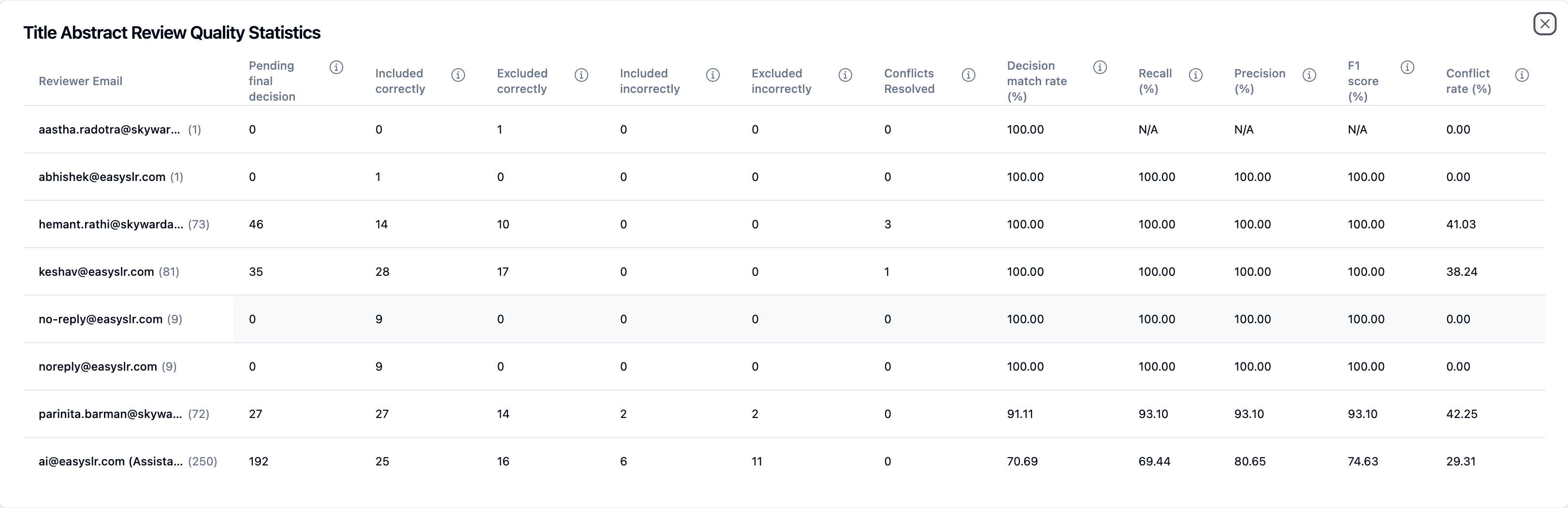
    The Conflict Analysis feature has been enhanced with three new performance metrics:

    • Recall

    • Accuracy

    • Conflict Rate

    These additions provide deeper insight into reviewer and AI screening performance, helping teams evaluate decision consistency and overall screening effectiveness.

    What’s New

    1. Recall

    Measures how effectively relevant studies are identified.
    It represents the percentage of truly relevant studies that were correctly included.

    Higher recall = fewer relevant studies missed.

    Why This Matters

    Ensures important studies are not excluded during screening and supports stronger methodological rigor.

    2. Accuracy

    Measures overall correctness of screening decisions.
    It compares initial screening decisions against final resolved outcomes.

    Higher accuracy = better overall decision alignment.

    Why This Matters

    Provides a clear performance snapshot of how closely reviewer or AI decisions align with final outcomes.

    3. Conflict Rate

    Measures the frequency of disagreement.
    It shows the percentage of articles where screening decisions differed.

    Applies to:

    • Reviewer vs Reviewer

    • Reviewer vs AI

    Why This Matters

    Helps identify areas requiring clearer inclusion criteria, improved calibration, or additional reviewer training.

    Where to Find These Metrics

    Navigate to:

    Project → Conflict Analysis

    The new metrics are displayed within the conflict analytics dashboard with every analysis.

    How This Helps

    • Monitor reviewer consistency

    • Evaluate AI screening performance

    • Improve calibration between team members

    • Strengthen transparency in reporting

    These enhancements provide measurable insights to support higher-quality and more reliable screening decisions.

    Google & Microsoft Authentication Now Available

    Feb 18, 2026•
    Feature

    Logging into EasySLR is now faster and more convenient with Google and Microsoft authentication.

    What’s New

    Sign in with Google or Microsoft
    Users can now securely log in using their existing Google or Microsoft accounts—no need to wait for the OTP.

    Seamless onboarding for new users
    New users can quickly create an account and get started in just a few clicks using their preferred login method.

    Key Benefits

    • Faster login experience

    • Enhanced security

    • Improved user experience

    • Reduced friction in onboarding

    How to Enable / Use

    1. Go to the Settings in the Organisation 

    1. Scroll down to the find the SSO and Authentication methods

    1. Select your account and grant necessary permissions

    Setup Notes

    • Google Authentication: No additional configuration is required. Once enabled, users can directly log in using their work email associated with Google.

    • Microsoft Authentication: Requires a Tenant ID, which can be obtained from your Microsoft account or Azure portal before setup.

    Refer to this link for a step-by-step guide on how to find your Microsoft Tenant ID: https://learn.microsoft.com/en-us/entra/fundamentals/how-to-find-tenant

    Link Full-Texts (Within the Full-Text Screening View)

    Feb 11, 2026•
    Enhancement

    You can now link related studies directly within the full-text screening window in EasySLR. This enhancement enables teams to connect associated publications and review them together during the full-text assessment stage.

    What’s Improved

    • Linked articles are now visible within the Full-Text Screening view

    • Access the Linked article(s) option near the article title

    • Open the Linked Articles panel

    • Use Link Article + to connect related studies

    • Linked records remain connected for easy reference

    Link Studies from the Full-Text Dashboard

    • Select multiple articles using checkboxes

    • Use the Actions → Link Articles option

    • Alternatively, link individually using the Select option next to each article

    Unlink at Any Time

    • Open the Linked Articles panel

    • Click Unlink next to a study

    • Confirm removal

    Export & Reporting Support

    • Linked studies are included in exports and reports

    • Connections remain traceable within the project

    Why This Matters

    This enhancement helps teams:

    • Organise related studies within a review

    • Connect companion papers or subgroup analyses

    • Improve traceability across linked publications

    • Review associated records without navigating away

    • Maintain structured documentation for reporting

    This update improves workflow efficiency and ensures related research is managed cohesively within EasySLR.

    Organisation & Project Team Pages Updated to Table View

    Feb 11, 2026•
    Enhancement

    The Organisation Team and Project Team pages have been redesigned and converted into a structured table layout.

    This update improves visibility, filtering, sorting, and overall team management efficiency.

    What’s New

    Both Organisation Team and Project Team pages now display users in a clean, structured table format with:

    • Sortable columns

    • Role and Status indicators

    • Search & filter options

    • Clear action buttons

    • Improved pagination

    Organisation Team Page (Table View)

    The Organisation Team table includes:

    Columns

    • Name

    • Email

    • Role

    • Status (Active / Inactive)

    • Joined Date

    • Actions

    Available Actions

    • Update user details

    • Manage Projects (assign/remove from projects)

    Filters Available

    • Search Filters

    • Role

    • Status

    This makes it easier to manage organisation-wide members and quickly identify inactive users.

    Project Team Page (Table View)

    The Project Team table includes:

    Columns

    • Name

    • Email

    • Role

    • Status

    • Since (Added Date)

    • Actions

    Available Actions

    • Update role

    • Modify permissions

    Additional Controls

    • Add User

    • Add Inactive User

    • View toggle

    • Pagination support

    This layout allows Project Owners and Leads to efficiently manage project-level access.

    Key Improvements

    •  Better visibility of Active vs Inactive users

    • Faster filtering and role management

    • Improved scalability for large teams

    • Clear separation between Organisation and Project team structures

    • Consistent UI across team management pages

    Why This Update Matters

    The table-based layout ensures:

    • Easier governance of user access

    • Better tracking of inactive users

    • Improved usability for large enterprise organisations

    More structured team management workflow

    AI Support for Multi-Row Data Extraction

    Feb 6, 2026•
    Enhancement

    AI-powered Data Extraction in EasySLR now supports multi-row data entry, enabling more flexible and detailed extraction for studies with repeated or multiple data points.

    What’s changed

    • AI can now populate and link multi-row fields in Data Extraction (DE) forms

    • Supports studies reporting:

      • Multiple outcomes

      • Multiple time points

      • Multiple interventions or comparators

      • Repeated measurements within a single study

    • Reduces the need for manual restructuring of extracted data into multiple rows

    Important setup requirement

    Data Extraction forms and tables must be configured by human reviewers before running AI

    • Reviewers are responsible for:

      • Defining DE fields and table structures

      • Creating tables

      AI will extract data within the structure provided and will also add new fields if reported in the study

    Why this matters

    • Reflects real-world study designs more accurately

    • Reduces manual data entry and post-extraction cleanup

    • Improves consistency across reviewers and extracted datasets

    • Speeds up extraction for complex studies with layered results

    How it works

    • AI identifies data points that require multiple rows

    • Automatically populates extracted information into the pre-configured multi-row tables

    • Reviewers can:

      • Review, edit, add, or delete rows

      • Validate extracted values before finalising

    Best practices

    • Design DE forms and tables carefully before initiating AI extraction

    • Review AI-generated rows for accuracy and completeness

    • Use Quality Control (QC) workflows to verify consistency

    Important note on AI usage

    • AI-assisted extraction is designed to support reviewers, not replace them

    • All AI-generated outputs must be reviewed and approved by human reviewers

    ClinicalTrials.gov Database Integration

    Feb 6, 2026•
    Feature

    EasySLR now includes a ClinicalTrials.gov Query Generation tool designed to simplify and standardize the process of creating clinical trial registry search strategies. Using AI and the PICOS framework, the tool helps reviewers quickly generate structured, ready-to-use queries that align closely with their research objectives.

    Overview

    The ClinicalTrials.gov Query Generator supports systematic reviewers in identifying ongoing, completed, and unpublished clinical trials by automating the creation of registry-specific search queries. This reduces manual effort, improves consistency, and ensures comprehensive coverage of relevant PICOS elements.

    Key Capabilities

    AI-Powered Query Generation

    • Generate structured clinical trial search queries in a few steps

    • Queries are built using the PICOS framework:

      • Population

      • Intervention

      • Comparator

      • Outcomes

      • Study Design

    • Helps ensure all relevant concepts are captured in the trial registry search

    Research Objective Validation

    • Add your Research Objective and validate it using the built-in Validate option

    • Automatically checks for missing or incomplete PICOS components

    • Improves query quality and alignment with protocol definitions

    Key Trials for Improved Recall (Optional)

    • Add Key Trial IDs to guide the AI and optimize recall

    • Ensures important known trials are reflected in the generated search terms

    • Especially useful for established research areas or updates to existing reviews

    Refining and Customising Search Terms

    • Auto-generated PICOS-based terms are fully editable

    • Reviewers can:

      • Broaden or narrow terms

      • Add custom keywords or phrases

      • Tailor the query to specific registry requirements

    • Final queries should always be reviewed before use to ensure relevance and accuracy

    Importing Clinical Trial Records into EasySLR

    • Use the Import Trials option to streamline ingestion of trial records

    • Redirects to a dedicated import window where users can:

      • Import trials directly into the project without navigating ClinicalTrials.gov

      • Apply Publication Year filters to narrow the imported results

    • Imported trials are immediately available for downstream review workflows

    AI Usage & Credit Consumption

    • 200 AI credits are consumed each time a new clinical trials query is generated

    • AI features are designed to assist, not replace, reviewer judgment

    • As with all AI-supported workflows:

      • Outputs may be incomplete or contain inaccuracies

      • Clear, well-defined protocols are essential

      • Final decisions remain the responsibility of human reviewers

    Best Practices

    • Always review and refine generated queries before running or importing trials

    • Use clear and specific PICOS definitions to reduce irrelevant results

    • Add Key Trials to improve recall and alignment with known evidence

    • Maintain consistency between protocol definitions and generated queries

    January 2026

    Fully Automated TLR Workflow

    Jan 29, 2026•
    Feature

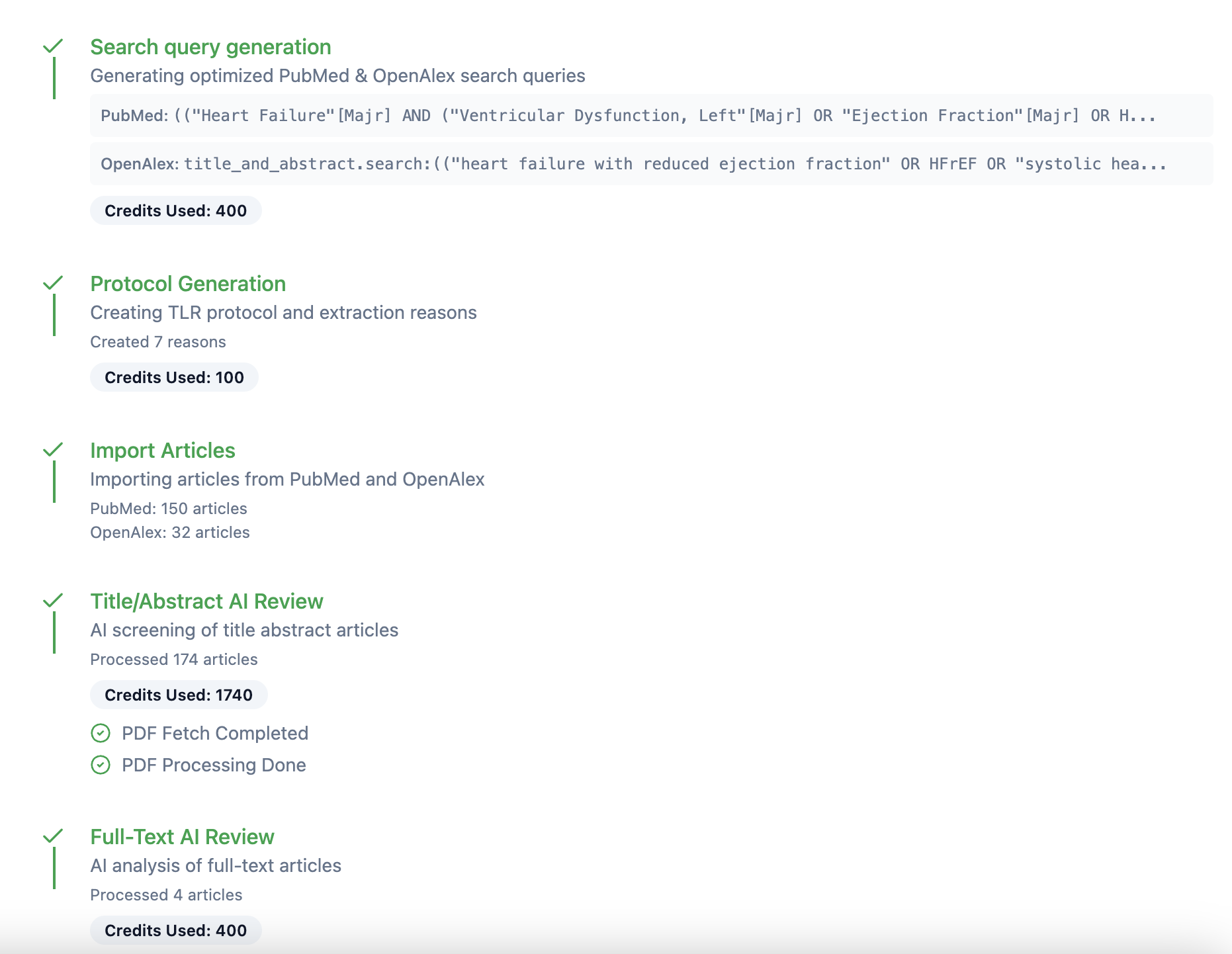
    We’ve introduced a fully automated, AI-powered workflow for Targeted Literature Reviews (TLRs) in EasySLR, designed to help teams move from search to report faster without human intervention.

    What’s New

    • End-to-end AI-enabled TLR workflow, covering:

      • Search query generation

      • Automatic article import from PubMed

      • Protocol generation and setup

      • AI-powered title–abstract and full-text screening

      • Automated retrieval of freely available PDFs

      • AI-enabled data extraction

      • Automated report generation (Word format)

    • Configurable automation:

      • Choose to move through each stage manually, or

      • Let the platform automatically progress to the next step

    • Email notifications:

      • Automatic alerts when each workflow stage is completed

    • AI transparency:

      • Downloadable records of AI models used at each stage to support auditability, governance, and reporting requirements

    How It Works (At a Glance)

    • Configure the project for TLRs (1 review required, AI as sole reviewer)

    • Enable AI at screening and data extraction stages

    • Start the AI Agent from Tools → AI Agents

    • Monitor progress via notifications

    • Download the final report once all stages are complete

    Why This Matters

    • Faster turnaround for TLRs, rapid reviews, and early scoping work

    • Reduced manual effort while maintaining traceability

    • Clear documentation of AI usage for transparency and compliance

    This feature is ideal for teams prioritising speed, consistency, and confidence in AI-assisted evidence synthesis.
    PRISMA Flow Diagram Added to Statistics

    Jan 29, 2026•
    Enhancement

    Why this is important

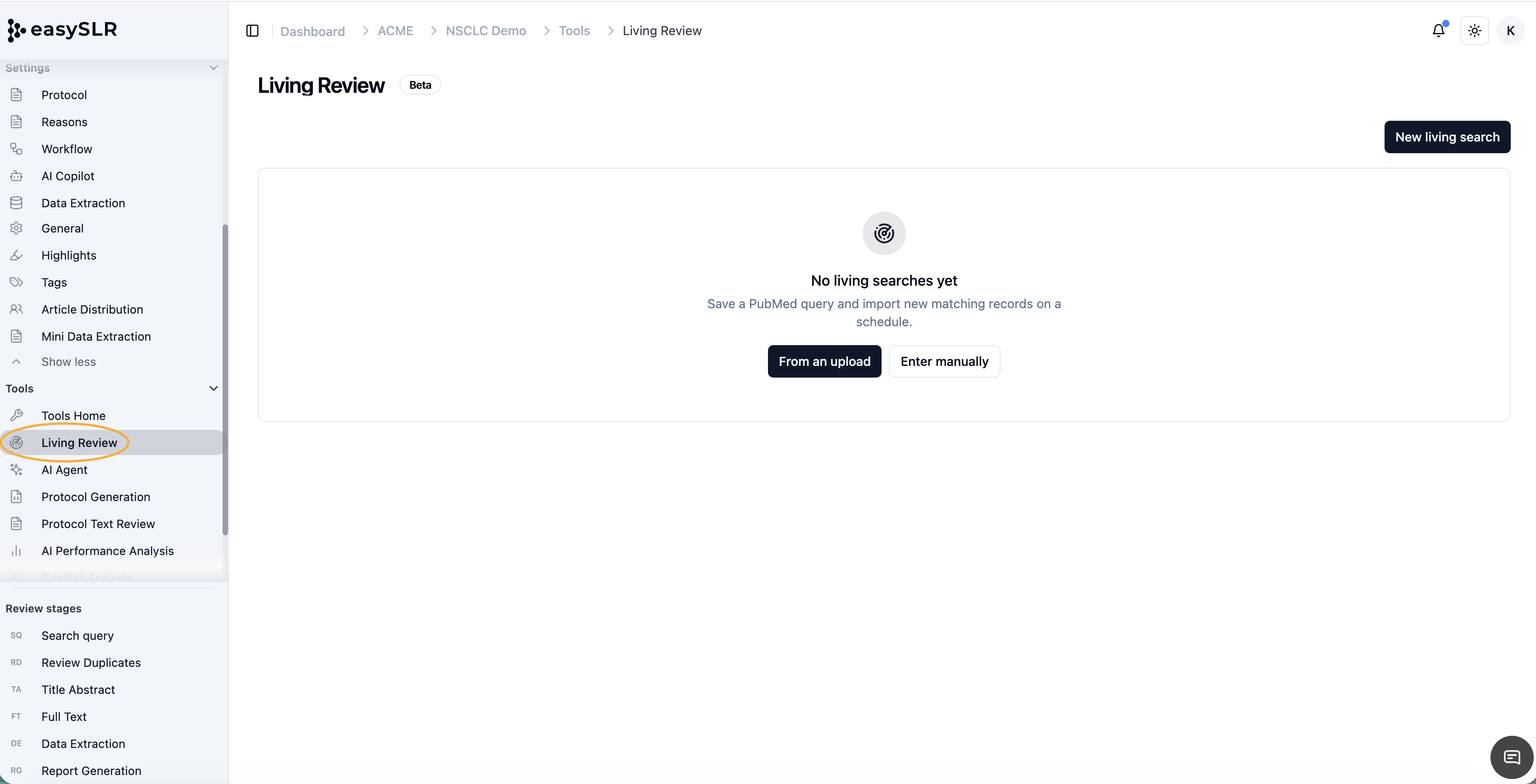
    Earlier, PRISMA was accessible from the Home dashboard, and users could sometimes miss it or have to scroll especially if the project setup checklist was not fully completed. This occasionally led to users missing the PRISMA diagram or having to do a lot of to and fro.

    What’s changed

    PRISMA is now available directly within the Statistics section in EasySLR. 

    How this benefits users

    • Makes PRISMA easier to find and access at any stage of the review

    • Removes dependency on checklist completion to view PRISMA

    This update makes PRISMA reporting more accessible, and seamlessly integrated into the EasySLR workflow.

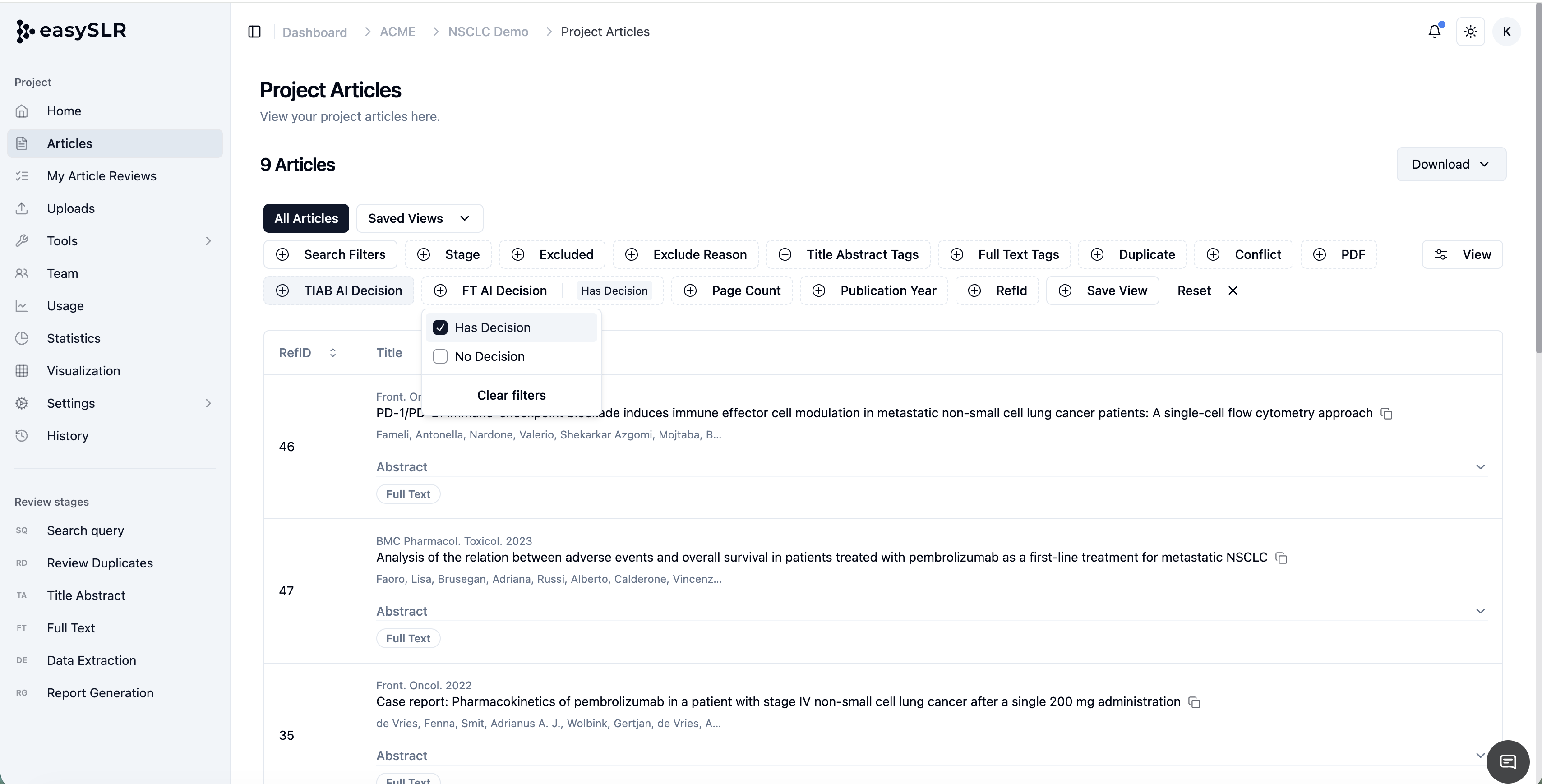
    Filter Articles Without Tags

    Jan 27, 2026•
    Enhancement

    What’s new

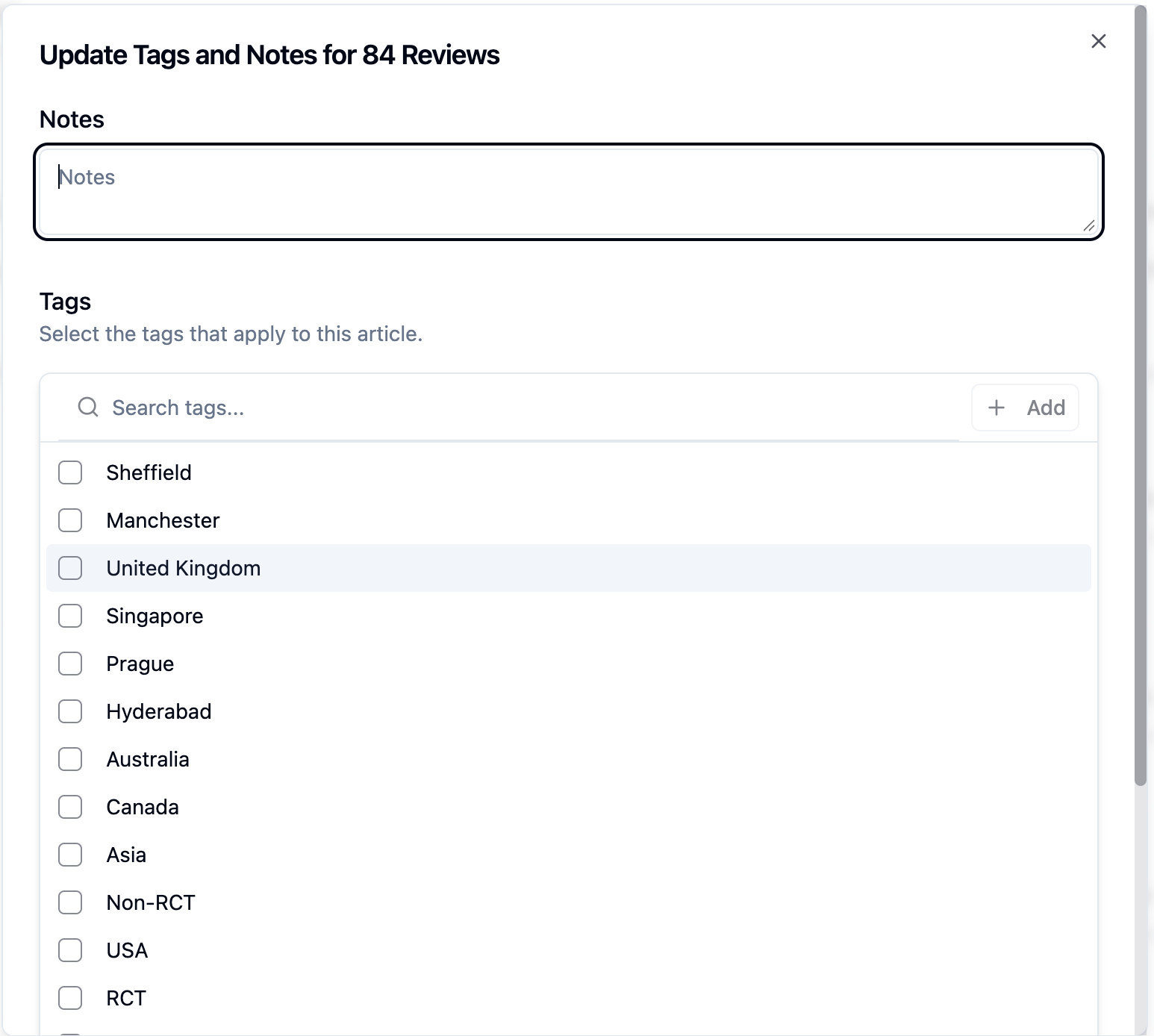
    • You can now filter articles that do not contain any tags, making it easier to identify unclassified records.
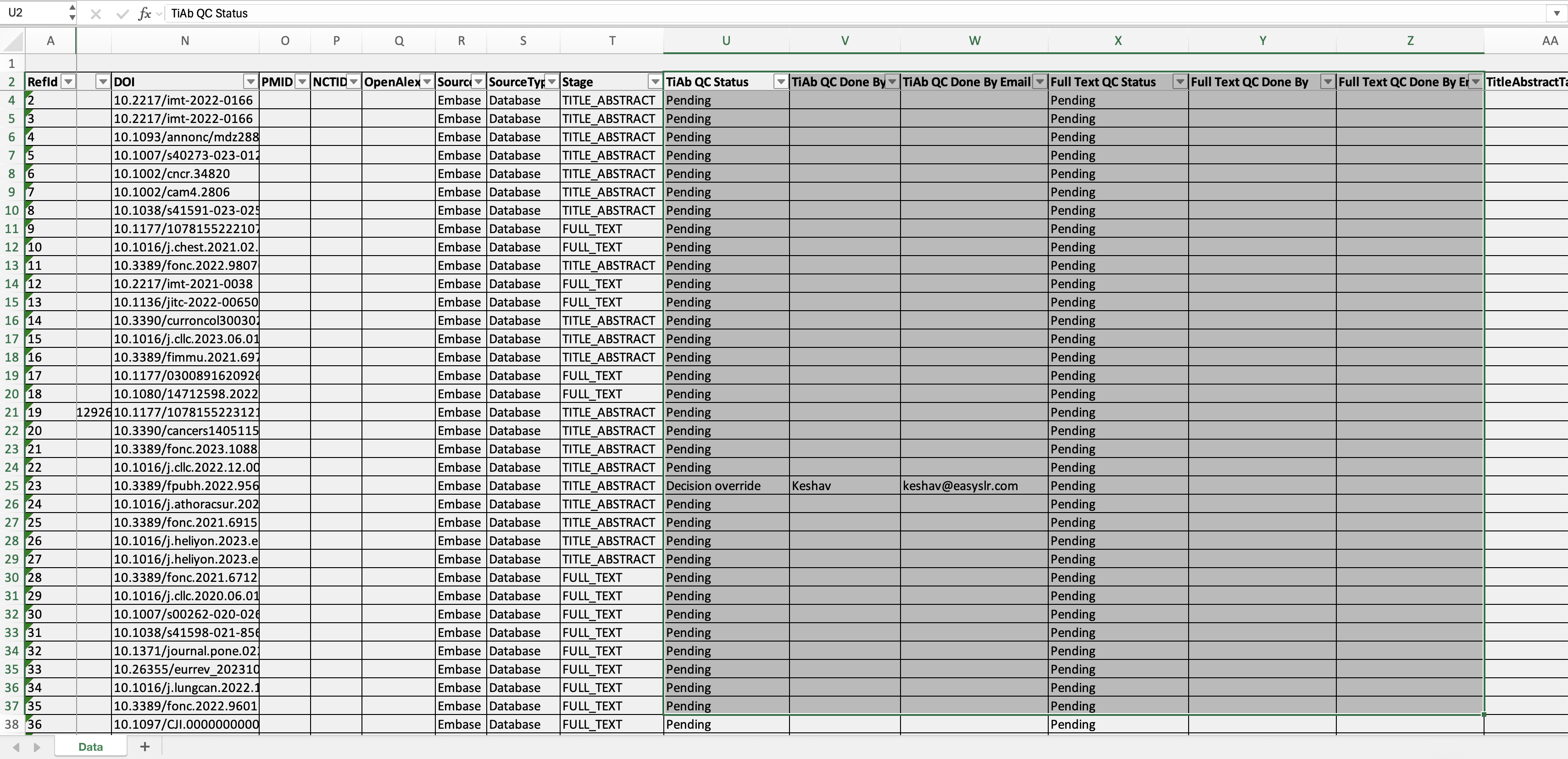
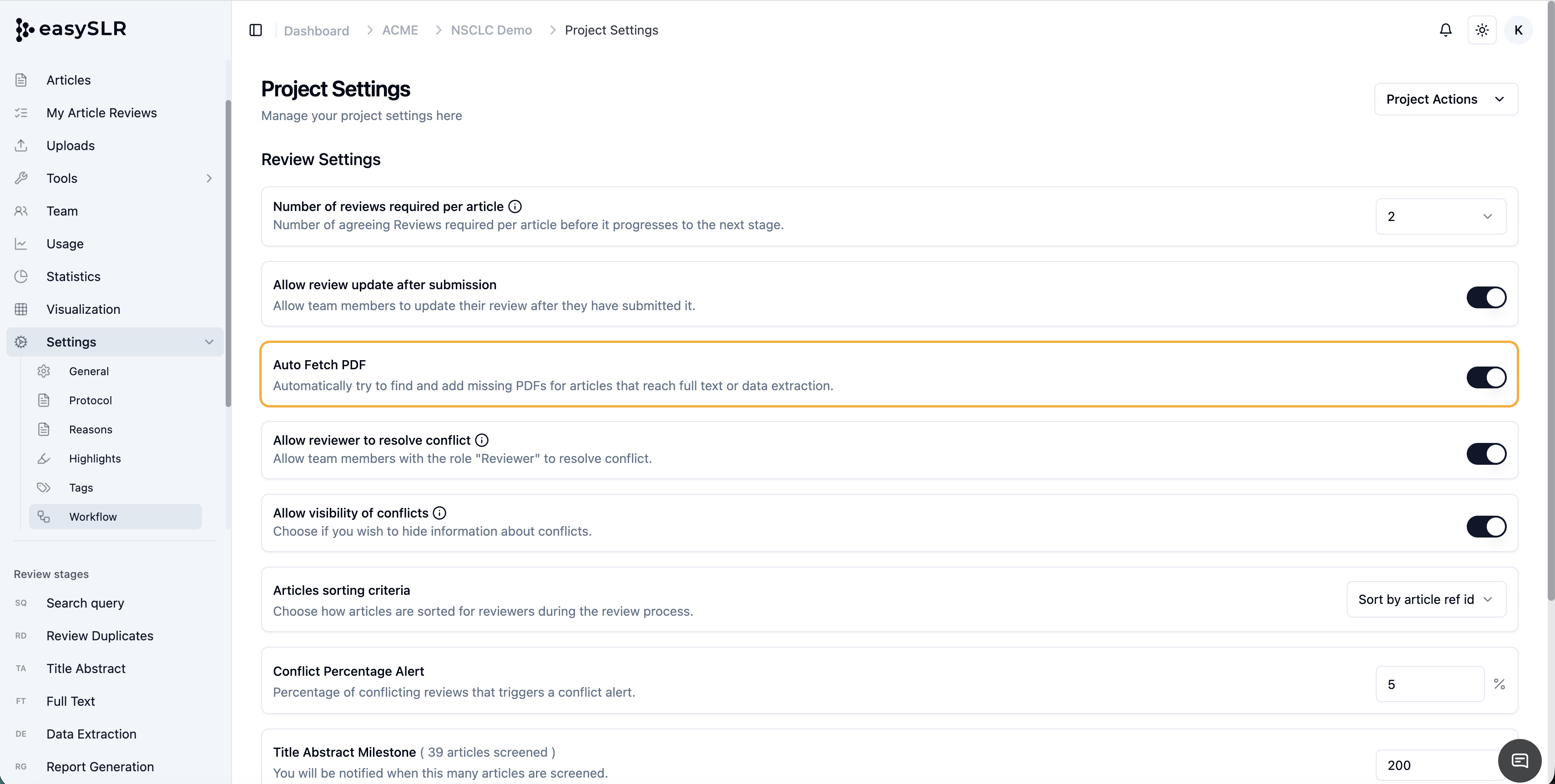
    • Tag-based filtering has been enhanced to allow filtering articles that contain or do not contain a selected tag.
    Why this matters

    • Quickly surface articles that still need tagging

    • Improve tagging consistency across reviewers

    • Simplify QC and review workflows

    • Reduce manual effort in identifying unclassified records

    How it works

    • Select a specific tag while filtering articles

    • Choose whether to view articles that contain or do not contain the selected tag

    • Instantly see articles that are missing tags or excluded from a specific classification

    Impact on existing workflows

    • No changes to current tagging or screening workflows

    • Available across all stages

    Manage User Access, Roles and Projects from the Organisation Dashboard

    Jan 26, 2026•
    Feature

    What’s new

    • Organisation Owners can now centrally manage user roles and project access directly from the Organisation Dashboard.

    • Users can be added, removed, or have their access updated without opening individual projects or being added to them.

    • Project access for individual users can be managed from a single, central view.

    Who can use this

    • Organisation Owners only

    • Project Owners continue to manage access at the project level as before

    Key capabilities

    • View all users across the organisation

    • Update user roles (e.g. Admin, Reviewer, QC) centrally

    • Assign or remove users from one or multiple projects

    • Enable or disable project access for a user

    • Manage access even for projects the Organisation Owner is not part of

    How it works

    • From the Organisation Dashboard (Teams):

      • View projects a user is part of

      • Enable or disable project access for that user

    • From the Projects Dashboard:

      • View all users in a project

      • Add users or update their roles and access

    All changes take effect immediately across the organisation.

    Benefits

    • Reduces repetitive project-by-project updates

    • Improves visibility and control over user access

    • Minimises permission inconsistencies

    • Scales well for large teams and multiple projects

    Impact on existing workflows

    • No change to current project-level user management

    • Existing permissions remain unchanged unless updated

    • Adds a central management layer without replacing project controls

    This update makes user and project administration faster, more consistent, and significantly easier to manage at scale.

    Protocol View in QC Window (via Info “i” Button)

    Jan 22, 2026

    We’ve added quick access to the study protocol directly within the QC window, making quality checks faster and more context-aware.

    What’s New

    Instant Protocol Access During QC

    Info (“i”) button is now available in the QC window. Clicking this button opens the protocol view for the current project, allowing reviewers to reference protocol details without leaving the QC workflow.

    Why This Matters

    • Reduces the need to switch tabs or navigate away from the QC screen

    • Helps ensure QC decisions align with the approved protocol

    • Minimises errors caused by misinterpretation or memory gaps

    • Improves speed and confidence during the QC process

    Impact on Existing Workflows

    • No changes to existing QC steps

    • Protocol is read-only and cannot be edited from the QC window

    • Works across all screening stages where QC is enabled

    Introducing Solarize Light & Solarize Dark

    Jan 21, 2026•
    Enhancement

    Designed for Long-Form Focus, Day and Night

    We’re excited to introduce two new interface themes: Solarize Light and Solarize Dark — thoughtfully designed to make long hours of reading, writing, and analysis more comfortable for your eyes.

    Unlike typical light/dark themes that simply invert colors, Solarized is a carefully engineered color system built to balance contrast, readability, and color harmony across both modes.

    What Is Solarized?

    Solarized is a 16-color palette created by designer and developer Ethan Schoonover, based on perceptual color relationships rather than arbitrary brightness levels. Its goal is simple:

    Reduce eye strain while preserving clarity and meaning.

    What makes Solarized unique is that both light and dark modes are part of the same system, ensuring visual consistency when switching between them.

    Solarize Light:

    Solarize Dark:

    Why We Added Solarize Themes

    Our users spend hours reviewing dense content, writing, and analyzing information. Visual comfort is not a luxury — it directly affects focus, accuracy, and fatigue.

    Solarized helps by:

    • Avoiding harsh whites and deep blacks

    • Using balanced luminance instead of extreme contrast

    • Preserving semantic meaning across colors

    • Supporting long, uninterrupted work sessions

    Key Benefits You’ll Notice

    1. Reduced Eye Fatigue

    Solarized uses selective contrast — enough to separate content clearly, without the glare of high-contrast palettes.

    This makes it easier to read for long durations, especially in professional workflows involving dense text or code.

    2. True Dual-Mode Parity

    Most themes treat light and dark modes as two separate designs. Solarized treats them as two expressions of the same system.

    That means:

    • Colors keep their meaning

    • Visual hierarchy stays consistent

    • Switching modes doesn’t change how information feels

    3. Better Cognitive Scanning

    Solarized assigns colors with intention — highlights, warnings, emphasis, and background elements are visually balanced rather than competing for attention.

    This improves scanning speed and reduces mental load.

    4. Trusted by Knowledge Workers

    Solarized has long been popular in developer tools, academic editors, and research environments — making it a natural fit for serious, long-form work.

    When to Use Which Mode

    • Solarize Light:
      Best for daytime, bright environments, document review, and long reading sessions.

    • Solarize Dark:
      Ideal for evening work, low-light environments, and reducing screen glare.

    We encourage users to treat themes as productivity tools, not just visual preferences.

    Honest Trade-Offs

    No theme works perfectly for everyone. Here’s what to know:

    • Solarized is not a high-contrast theme — users needing extreme contrast may prefer alternatives.

    • Some users initially feel Solarized looks “muted” compared to vibrant themes.

    • Readability preferences vary with font size, screen type, and lighting.

    That’s why Solarized is offered as a choice, not a replacement.

    How to Enable

    Switch anytime based on your environment and comfort.

    Our Design Philosophy

    We believe software should adapt to humans — not the other way around.

    Solarize Light and Solarize Dark are part of our ongoing effort to build interfaces that respect:

    • Visual ergonomics

    • Long-form thinking

    • Professional workflows

    • User choice

    Try It and Tell Us What You Think

    We encourage you to try both modes and see which fits your workflow best. Your feedback helps us keep improving the experience.


    Project Export & Import: Backup and Move Projects Easily

    Jan 18, 2026•
    Feature

    EasySLR now lets you export and import projects, making it easier to back up your work, share it with others, or continue a project in another organisation—without losing data or review history.

    What’s New

    Export Your Project

    Project Owners can now download their project data from Project Settings. This helps you:

    • Keep a backup of your project

    • Share project data with collaborators

    • Move a project to another EasySLR organisation if needed

    Note: EasySLR does not currently support one-click project transfer between organisations.

    What Gets Exported

    When you export a project, the following data is included:

    Screening Decisions

    • Title–Abstract and Full-Text decisions

    • Reasons, tags, and reviewer details

    • Conflict and QC-resolved decisions

    Data Extraction

    • All Data Extraction fields set up in the project

    • Reviewer-entered data and final agreed values

    Reports

    • Screening statistics and audit logs

    Project Settings

    • All project-level configuration settings

    Export File Delivery

    After exporting, you’ll receive an email with a ZIP file, which includes:

    • A project file with all project data

    • Separate PDF batch files containing all the full-text PDFs

    Importing a Project into Another Organisation

    To import the project:

    • Go to the destination organisation’s home page

    • Click the three-dot menu next to Add Project

    • Select Import Project

    • Upload the ZIP file named project data that you received by email

    EasySLR will automatically map the fields and create a new project.

    Uploading PDFs

    Full-text PDFs are not imported automatically.
    You can upload them separately and match them using RefID-based folder upload to link them correctly to the articles.

    Important Things to Know

    • Team members are not included in the export and must be added again in the new project

    • PDFs must be uploaded separately using the supported upload options

    Why This Is Useful

    This update helps teams:

    • Safely store and back up project data

    • Move projects between organisations

    • Continue reviews without starting over

    • Maintain clear records and audit history

    Bulk PDF Upload Section Revamped

    Jan 15, 2026•
    Enhancement

    We’ve revamped the Bulk PDF Upload section in EasySLR to make it clearer, more intuitive, and easier to use.

    What’s Changed

    1. Clearer Naming Conventions

    The upload options and labels have been renamed to better reflect their purpose, making it easier to understand:

    • Which upload method to use

    • How files will be matched to articles

    • What each upload option is designed for

    This reduces confusion and helps users get started faster without trial and error.

    2. Streamlined Upload Experience

    The revamped layout guides users more clearly through the upload process, with improved structure and clearer actions at each step.

    Add Article Details During Direct PDF Upload to Data Extraction (DE)

    Jan 7, 2026•
    Enhancement

    Users can now edit and capture article-level details at the time of directly uploading studies to the Data Extraction (DE) stage. This enhancement allows teams to manually add or update missing metadata when it is not automatically extracted by AI.

    Why This Matters

    In some cases, AI is unable to extract complete article metadata (such as title, authors, year, or other citation details). Previously, this resulted in incomplete information or required additional steps to add metadata manually in the excel sheet post extraction. With this update, users have the flexibility to add or edit missing article details upfront, ensuring accurate and complete study information before beginning data extraction.

    Key Benefits

    • Add or edit article metadata during direct upload to DE

    • Address gaps where AI extraction is incomplete or unavailable

    • Maintain accurate and complete study records

    • Reduce rework and downstream corrections

    • Support flexible workflows where studies move directly into DE

    Download AI Models Used Across Different Processes in EasySLR

    Jan 7, 2026•
    EnhancementAI Model

    Users can download detailed information about the AI models used at different stages of the review workflow. This includes AI models used during screening, data extraction, and other AI-assisted processes within EasySLR.

    Why This Matters

    Transparency around AI usage is critical for trust, reproducibility, and methodological reporting. This update allows users to clearly document which AI models were applied at each stage of the review, supporting audit requirements, internal governance, and external reporting.

    Key Enhancements

    • Downloadable record of AI models used at each workflow stage

    • Clear mapping between review stages and corresponding AI models used

    • Enables users to document AI usage for methods sections, protocols, or audits

    • Supports compliance with institutional, regulatory, and publication requirements

    List of AI Models Used Across EasySLR

    Jan 6, 2026•
    AI Model

    EasySLR uses purpose-specific GPT models across different review stages to optimise accuracy, performance, and cost efficiency. Each model has been selected based on the complexity and nature of the task it supports, ensuring reliable AI assistance throughout the systematic review workflow.

    Title–Abstract (TiAB) Screening

    • PICOS Extraction: GPT-5-mini

    • Screening Decisions:GPT-5-mini

    This setup ensures fast and consistent interpretation of abstracts while maintaining strong alignment with PICOS criteria.

    Full-Text (FT) Screening

    • PICOS Extraction: GPT-5.2

    • Screening Decisions: GPT-5.2

    Data Extraction (DE)

    • Data Extraction & Reasoning: GPT-5.2

    Search Query & Protocol Generation

    • Search Query Generation: GPT-5.2

    • Protocol Generation: GPT-5.2

    Protocol Text Review

    • Protocol Review & Refinement: GPT-5.2

    Ensures clarity, consistency, and methodological soundness in protocol text through advanced language understanding.

    Conflict Analysis

    • Reviewer Conflict Analysis: GPT-5.2

    Improves identification and interpretation of reviewer disagreements across screening and extraction stages.

    Report Generation

    • Report Creation & Summarisation: GPT-5.2

    Supports accurate, well-structured reporting for screening metrics, QC, and audit documentation.

    PDF Matching

    • Full-Text matching: GPT-5.4-nano

    Efficiently matches uploaded PDFs to citations with high accuracy, ensuring seamless full-text linking and reducing manual effort in document management.

    Mini Data Extraction

    • Tiab Mini DE: GPT-5-mini

    • FT Mini DE: GPT-5.2

    Enables quick and structured data capture during screening, helping extract key information into predefined fields with minimal manual effort while maintaining reviewer control.

    December 2025

    References Added to the QA Checklist

    Dec 31, 2025•
    Enhancement

    Users can now view and access references linked to QA checklist items directly while adding a QA template. This ensures that methodological sources and guidance are available at the point of template setup.

    Why This Matters

    Previously, references associated with QA checklist items were not accessible, which could lead to uncertainty or inconsistencies in how checklists were configured. With this update, users can validate criteria upfront and ensure alignment with established guidelines.

    Key Enhancements

    • References linked to each QA checklist item are now visible 

    • Users can review source guidelines, standards before finalising the template

    • Improves clarity and confidence when selecting a QA template

    • Helps maintain consistency across reviewers and projects

    • Reduces the need to revisit or revise QA templates later in the workflow

    QC Report & Send Articles to Previous Stage (Delete Decisions) Report

    Dec 31, 2025•
    Feature

    EasySLR now provides enhanced reporting for Quality Control (QC) and Articles Sent to Previous Stage actions. These reports improve transparency, traceability, and audit readiness by capturing all QC-related changes and decision rollbacks across review stages.

    Quality Control (QC) Report

    The QC workflow allows project owners to review and modify article-level information before finalising articles for the next stage. During QC, users can update:

    • Screening decisions

    • Include/exclude reasons

    • Tags

    • Mini Data and related fields

    To support this process, a dedicated QC Report is now available.

    How to generate the QC Report

    1. Navigate to the Statistics section.

    2. Open the Reports tab.

    3. In the QC Report section, click Generate Report.

    4. Select the required:

      • Time range

      • Reviewer(s)

      • Review stage

    5. Generate and download the report.

    QC Report includes

    • Article RefID / identifiers

    • Current stage

    • Fields changed during QC

    • QC reviewer details

    • Date and time of changes

    • Detail of Old and New entries

    This report acts as a complete audit trail for quality assurance and internal or external reporting.

    Send Articles to Previous Stage (Delete Decisions) Report

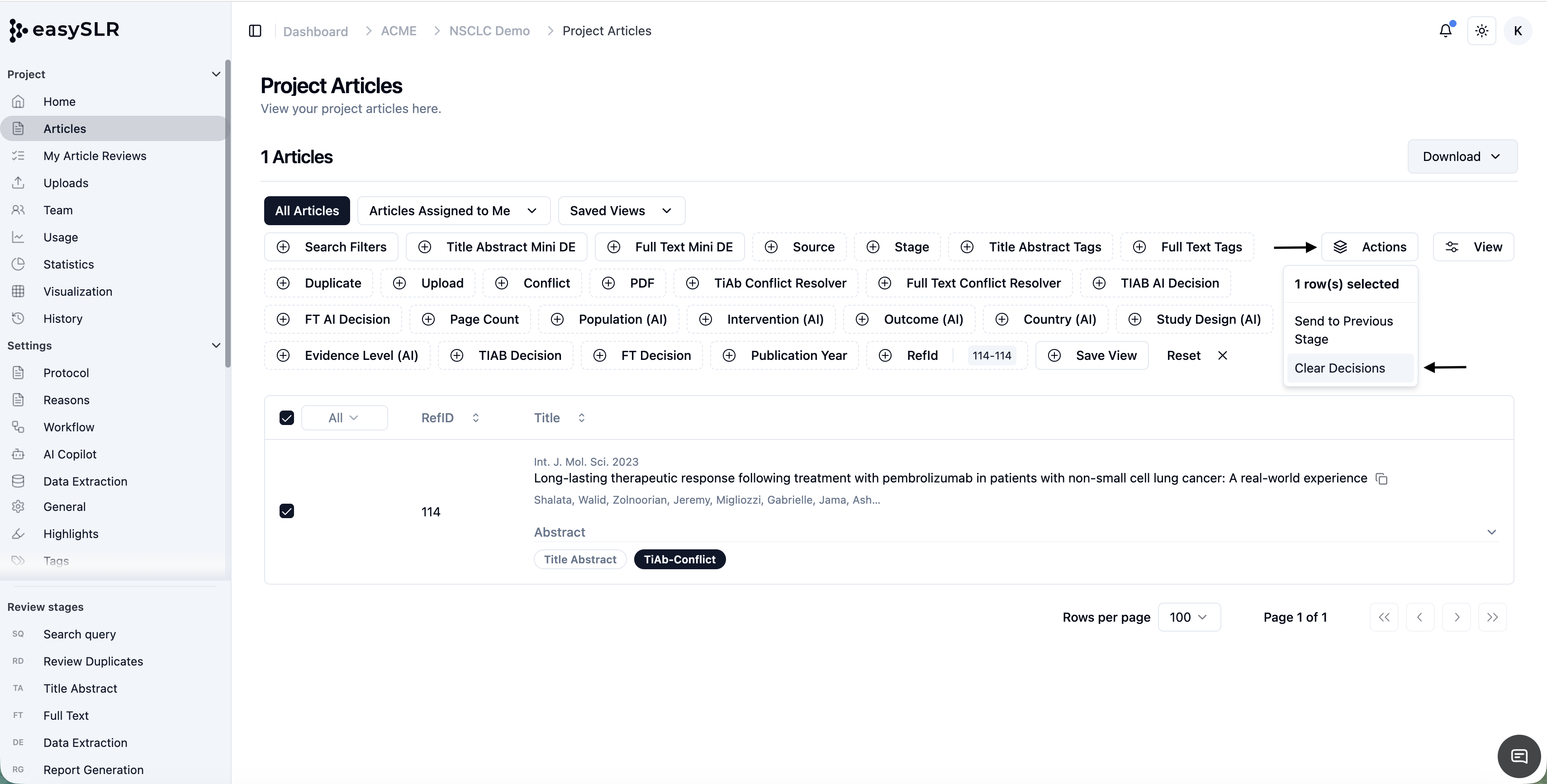
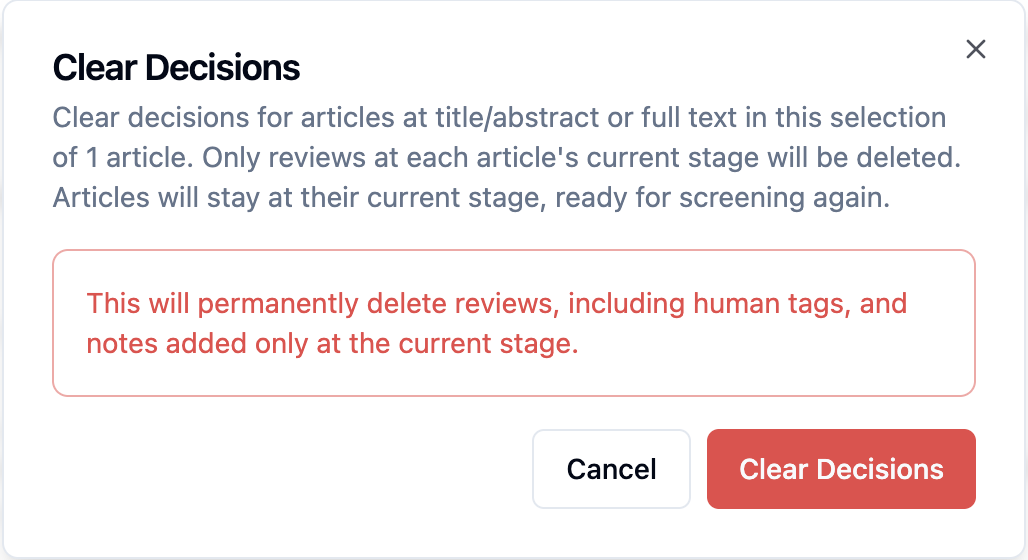
    EasySLR allows authorised users to send articles back to a previous stage, effectively removing downstream decisions when required. This is useful in scenarios such as:

    • Incorrect screening decisions

    • Protocol updates requiring re-review

    To ensure full traceability, a dedicated report is now available for these actions.

    How to generate the Articles Sent to Previous Stages Report

    1. Go to the Statistics section.

    2. Click on the Reports tab.

    3. In the Articles Sent to Previous Stages section, click Generate Report.

    4. Select the required:

      • Time range

      • Reviewer(s)

      • Stage

    5. Generate and download the report.

    Report includes

    • Article RefID / identifiers

    • Current stage

    • Previous stage

    • Reviewer details

    • Date and time of action

    This report supports audit, compliance, and documentation needs by clearly recording all rollback actions.

    Direct PDF Upload to Data Extraction

    Dec 28, 2025•
    Feature

    We’ve introduced a new feature that allows users to begin Data Extraction directly by uploading PDFs, without going through the Title–Abstract (TiAb) or Full-Text (FT) screening stages.

    What’s New

    • Direct PDF Upload to Data Extraction
      Users can now upload full-text PDFs straight into the Data Extraction stage and start extracting data immediately

    How It Works

    • Upload PDFs directly to the Data Extraction stage.

    • Once uploaded, articles are created automatically and made available for data extraction.

    • No prior TiAb or FT screening steps are required.

    Why This Matters

    • Saves time for projects where the final study set is already confirmed.

    • Reduces steps in workflows that don’t require screening.

    • Ideal for focused reviews, updates, or secondary analyses where PDFs are already curated.

    • Enables faster project setup and quicker progress to data extraction.

    Things to Keep in Mind

    • Articles uploaded this way will exist only in the Data Extraction stage.

    • Screening-related features (TiAb/FT decisions, conflicts, milestones) will not apply to these articles.

    • All standard Data Extraction features—forms, QC, exports, and collaboration—remain fully supported.

    This update gives teams more flexibility to adapt EasySLR to different review workflows and get straight to the work that matters.


    Multi-Type Fields in Data Extraction

    Dec 17, 2025•
    Enhancement

    We’ve upgraded Data Extraction in EasySLR by introducing multi-type field support, giving teams greater flexibility and control when designing extraction forms.

    What’s New

    Users can now define the type of each Data Extraction field based on the nature of the data being captured. Supported field types include:

    • Text – for free-text inputs

    • Single Select – for choosing one option from a predefined list

    • Multi-Select – for selecting multiple applicable options

    Why This Matters

    • Ensures data is captured in the right structure, improving consistency and accuracy

    • Reduces ambiguity during extraction and Quality Control

    • Makes downstream analysis, filtering, and reporting easier and more reliable

    How It Helps Your Workflow

    • Design extraction forms that better reflect real-world study data

    • Standardise responses across reviewers

    • Minimise rework caused by inconsistent or unclear inputs

    This update makes Data Extraction more structured, flexible, and aligned with different research needs, while keeping the workflow simple for reviewers.

    PDF Summary within the PDF viewer

    Dec 17, 2025•
    Enhancement

    We’ve introduced a new Summary section within the PDF viewer at both the Full Text (FT) and Data Extraction (DE) stages. This enhancement is designed to help reviewers quickly understand and navigate key parts of an article without reading the entire document end to end.

    What’s New

    1. Summary Panel in PDF Viewer
    A dedicated Summary panel is now available in the PDF sidebar, providing a high-level structure of the document.

    2. Article Outline

    • Displays the main sections of the paper (e.g., Introduction, Methods, Results, Discussion).

    • Helps reviewers jump directly to relevant sections of the PDF.

    • Improves navigation during full-text review and data extraction.

    3. Tables Section

    • Automatically lists all tables present in the PDF.

    • Allows quick access to data-heavy sections often needed during extraction.

    • Reduces time spent scrolling through long documents.

    4. Figures Section

    • Displays a list of figures included in the article.

    • Enables fast reference to visual results, flow diagrams, and study designs.

    Where It’s Available

    • Full Text Screening (FT): Helps reviewers quickly assess study relevance and key results.

    • Data Extraction (DE): Supports faster and more accurate extraction by surfacing tables, figures, and structured content upfront.

    Why This Matters

    • Saves time during full-text review and extraction

    • Improves readability and navigation of complex PDFs

    • Reduces manual searching for tables and figures

    • Supports more efficient and accurate review workflows

    This update makes working with full-text PDFs more structured, focused, and reviewer-friendly—especially for large or complex studies.

    Option to add Sources to the Data Extraction Table

    Dec 4, 2025•
    Enhancement

    The Multi Row Data Extraction table has been updated with a new option to add data Source, making it easier to record and review the origin of extracted information directly within the workflow.

    What’s improved

    • Users can now capture source details (such as document section, page number, table, or figure) alongside each extracted data point.

    • Source information is displayed directly in the Data Extraction table, removing the need for separate notes or external tracking.

    Why this matters

    Previously, the option was not available to add sources in a multi row data table, making validation and quality checks more time-consuming. With this improvement:

    • Data verification becomes faster and more reliable

    • Reviewers and QC teams can quickly trace extracted values back to the original document

    • Collaboration improves, as all reviewers can see consistent source references

    By integrating source tracking directly into the Data Extraction table, this update strengthens data quality, improves transparency, and streamlines downstream review and QC workflows.

    Highlights Available Without AI

    Dec 3, 2025•
    Feature

    The Keyword Highlights feature in EasySLR is now available even when AI is disabled. Users can continue to view and work with highlights during both the Full-Text screening and Data Extraction stages without enabling AI.

    What’s changed

    • Highlights remain visible and usable even if AI is turned off at the Full-Text or Data Extraction stages

    • No AI re-run or AI credits are required to access highlights.

    • Reviewers can continue manual screening and data extraction without interruption

    Why this is important

    This update provides greater flexibility for teams that prefer manual workflows or have limited AI usage. It ensures continuity in review and extraction processes, supports projects with strict governance or cost controls, and allows users to benefit from highlights without depending on AI.

    November 2025

    Better DOI Handling in Duplicate Detection

    Nov 30, 2025•
    Enhancement

    Duplicate detection in EasySLR has been improved to better identify records with the same DOI, even when the DOI appears in different formats or is embedded within text from different sources.

    What’s improved

    EasySLR can now recognise and match DOIs in several common formats, including:

    • Direct format: 10.xxx

    • With prefix: doi:10.xxx

    • As a link:

      • https://doi.org/10.xxx

      • https://dx.doi.org/10.xxx

    • Fallback detection: Any valid 10.xxx pattern found within text fields

    Why this matters

    DOIs are often formatted differently across databases and file exports, which can cause duplicates to be missed. By detecting DOIs in all common formats, and even when they appear inside text, this improvement:

    • Increases the accuracy of duplicate detection

    • Reduces the need to manually review similar records

    • Helps keep datasets cleaner and more reliable

    • Saves time during de-duplication, especially for large imports

    Overall, this update makes duplicate detection more reliable and better suited to real-world data, giving users greater confidence in the results.

    Send email when AI run gets completed

    Nov 30, 2025•
    Feature

    We’ve added a new productivity boost to EasySLR — email notifications when an AI run is completed.

    What’s New?

    • Automatic Email Alerts: Project Owners and Lead Reviewers now receive an email as soon as their AI screening or extraction run finishes.

    • No Need to Keep Checking: You can step away from the platform and return only when the results are ready.

    • Faster Workflow: Helps teams stay informed and act quickly on completed tasks.

    Custom Id based PDF Uploads

    Nov 30, 2025•
    Feature

    We’re excited to roll out Custom ID based PDF Matching, offering a faster and more flexible way to link PDFs with their corresponding citations. You can now upload an entire folder of PDFs and supplementary files at once, just like with RefId-based uploads.

    • Automatic Matching: Files are instantly linked to citations using Custom IDs.

    • Batch Uploads: Upload up to 150 PDFs per batch and process multiple batches smoothly.

    • File Replacement: Choose to overwrite previously uploaded PDFs when needed.

    EasySLR
    soc.pngiso.pnggdpr.png
    LinkedInXInstagramYouTube

    Product

    • Features
    • Pricing
    • Systematic Review Software
    • Tools Free
    • Knowledge Base
    • Changelog

    Company

    • About Us
    • Events
    • Research
    • Methods
    • Blog
    • Book a Demo

    Legal

    • Privacy Policy
    • Terms of Service
    • Refund Policy
    • Trust Center

    Address

    • Minarch Tower,
      Sector 44,
      Gurugram, HR
      India 122003

    Request an AI summary of EasySLR

    ChatGPTClaudeGeminiGrokPerplexity

    © 2026 EasySLR All rights reserved.