Introducing Solarize Light & Solarize Dark
Designed for Long-Form Focus, Day and Night
We’re excited to introduce two new interface themes: Solarize Light and Solarize Dark — thoughtfully designed to make long hours of reading, writing, and analysis more comfortable for your eyes.
Unlike typical light/dark themes that simply invert colors, Solarized is a carefully engineered color system built to balance contrast, readability, and color harmony across both modes.
What Is Solarized?
Solarized is a 16-color palette created by designer and developer Ethan Schoonover, based on perceptual color relationships rather than arbitrary brightness levels. Its goal is simple:
Reduce eye strain while preserving clarity and meaning.
What makes Solarized unique is that both light and dark modes are part of the same system, ensuring visual consistency when switching between them.
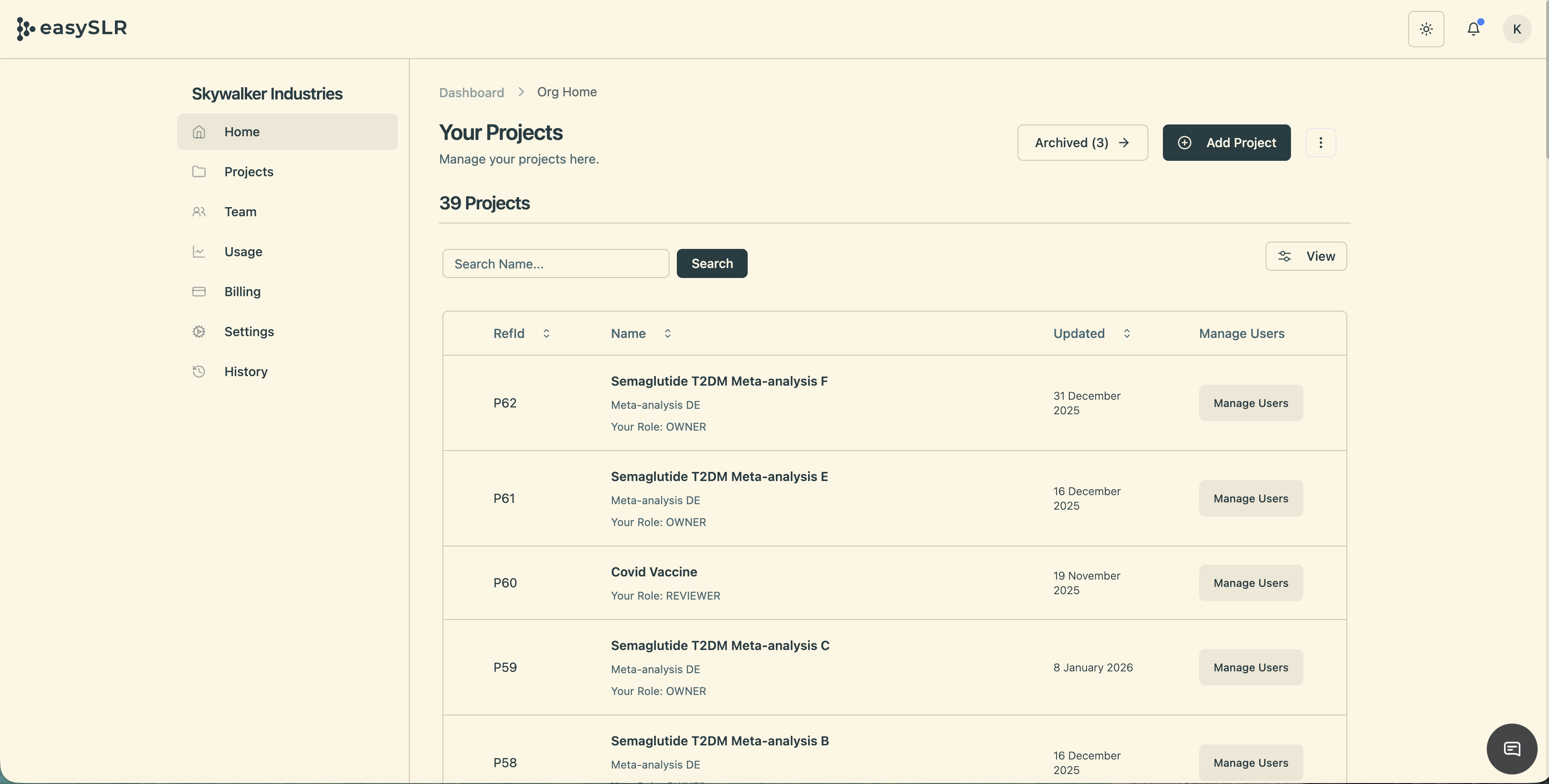
Solarize Light:
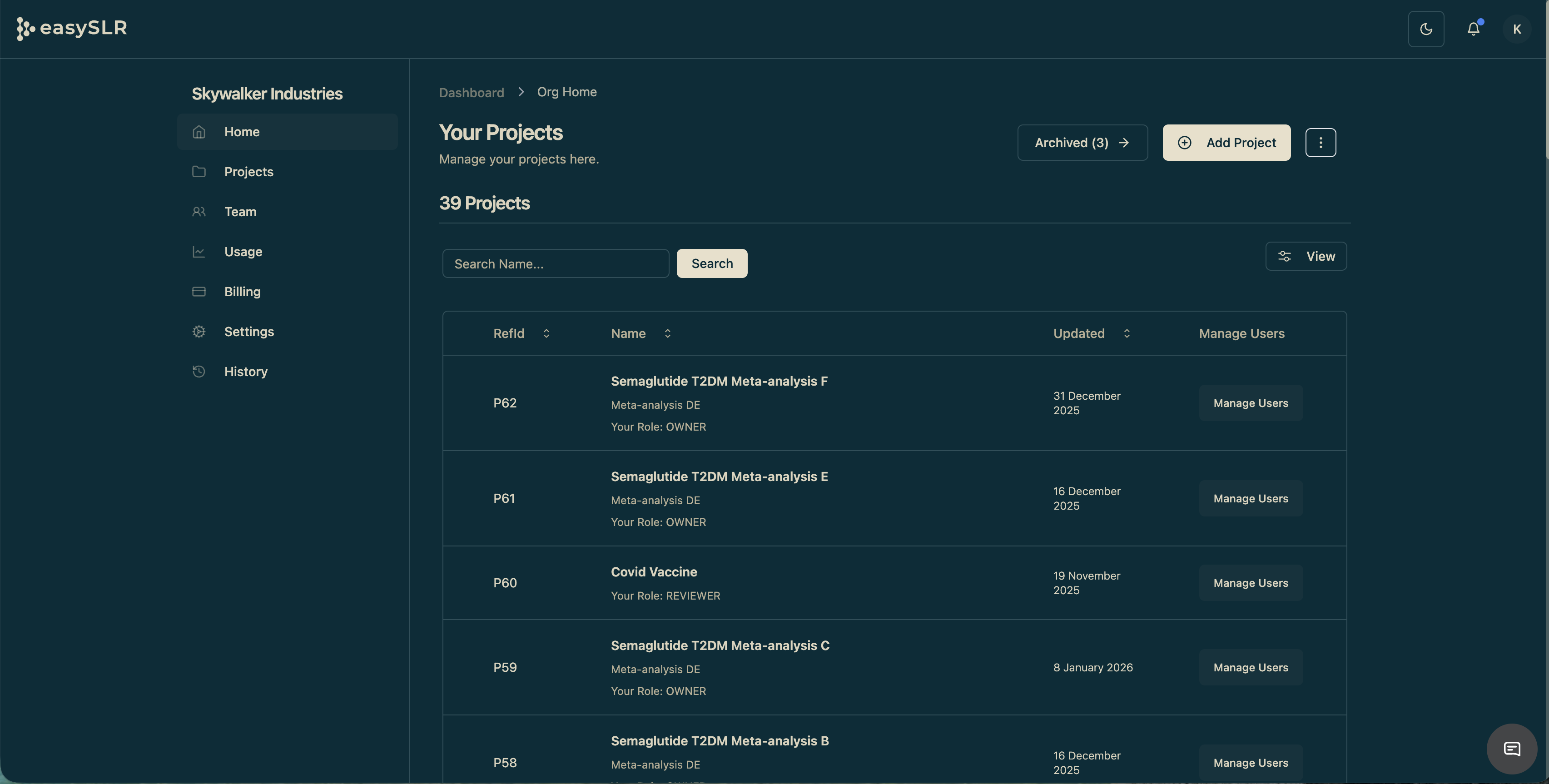
Solarize Dark:
Why We Added Solarize Themes
Our users spend hours reviewing dense content, writing, and analyzing information. Visual comfort is not a luxury — it directly affects focus, accuracy, and fatigue.
Solarized helps by:
Avoiding harsh whites and deep blacks
Using balanced luminance instead of extreme contrast
Preserving semantic meaning across colors
Supporting long, uninterrupted work sessions
Key Benefits You’ll Notice
1. Reduced Eye Fatigue
Solarized uses selective contrast — enough to separate content clearly, without the glare of high-contrast palettes.
This makes it easier to read for long durations, especially in professional workflows involving dense text or code.
2. True Dual-Mode Parity
Most themes treat light and dark modes as two separate designs. Solarized treats them as two expressions of the same system.
That means:
Colors keep their meaning
Visual hierarchy stays consistent
Switching modes doesn’t change how information feels
3. Better Cognitive Scanning
Solarized assigns colors with intention — highlights, warnings, emphasis, and background elements are visually balanced rather than competing for attention.
This improves scanning speed and reduces mental load.
4. Trusted by Knowledge Workers
Solarized has long been popular in developer tools, academic editors, and research environments — making it a natural fit for serious, long-form work.
When to Use Which Mode
Solarize Light:
Best for daytime, bright environments, document review, and long reading sessions.Solarize Dark:
Ideal for evening work, low-light environments, and reducing screen glare.
We encourage users to treat themes as productivity tools, not just visual preferences.
Honest Trade-Offs
No theme works perfectly for everyone. Here’s what to know:
Solarized is not a high-contrast theme — users needing extreme contrast may prefer alternatives.
Some users initially feel Solarized looks “muted” compared to vibrant themes.
Readability preferences vary with font size, screen type, and lighting.
That’s why Solarized is offered as a choice, not a replacement.
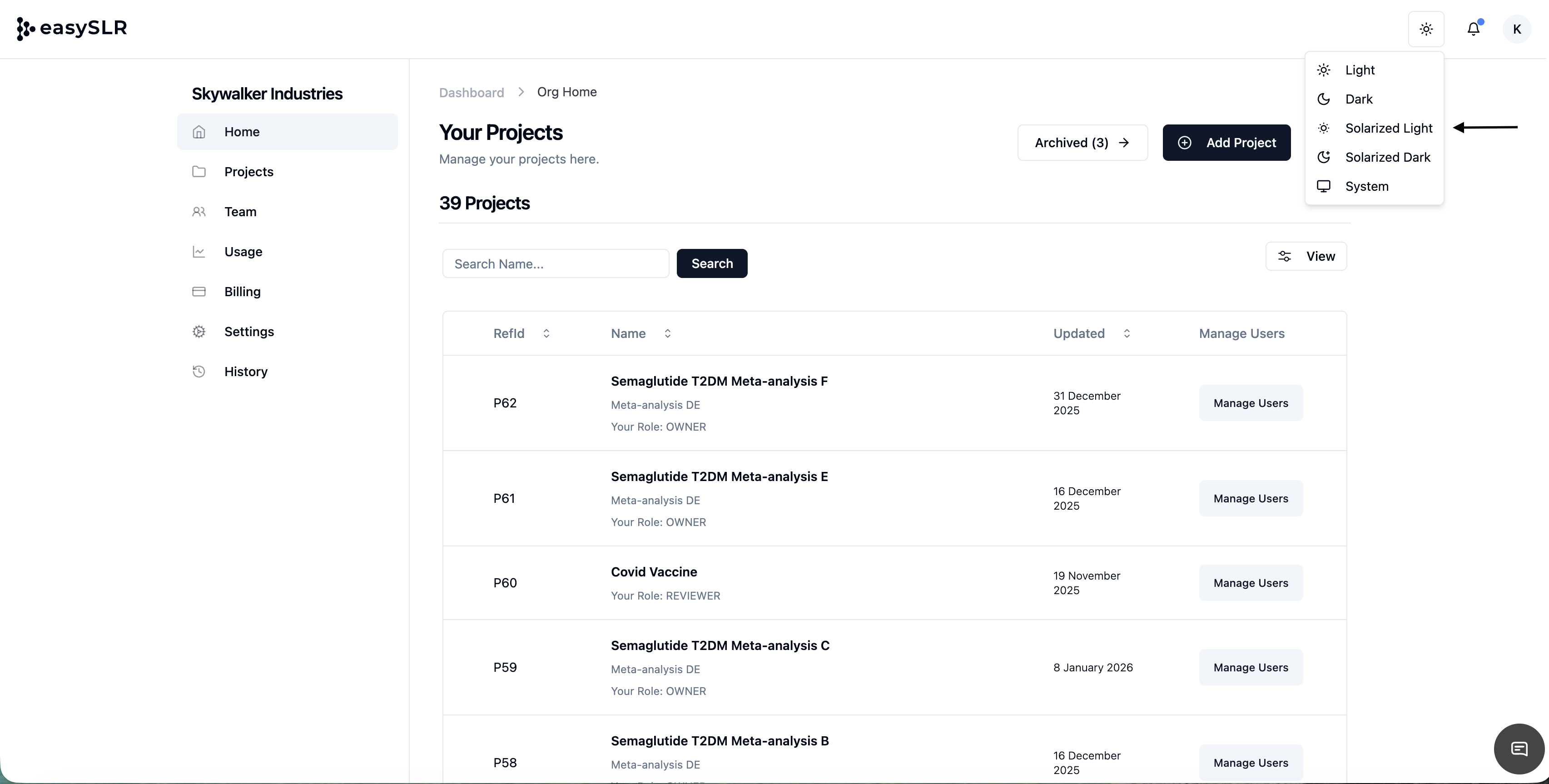
How to Enable
Switch anytime based on your environment and comfort.
Our Design Philosophy
We believe software should adapt to humans — not the other way around.
Solarize Light and Solarize Dark are part of our ongoing effort to build interfaces that respect:
Visual ergonomics
Long-form thinking
Professional workflows
User choice
Try It and Tell Us What You Think
We encourage you to try both modes and see which fits your workflow best. Your feedback helps us keep improving the experience.