File Converter Tool (Free) in EasySLR
EasySLR now offers a built-in File Converter Tool, enabling users to quickly convert files into compatible formats required for seamless project setup and workflow execution—completely free of cost.
Access the tool here: https://www.easyslr.com/tools/file-converter
Overview
Handling multiple file formats across databases and tools can often slow down the review process. The File Converter Tool simplifies this by allowing users to convert files directly within the EasySLR ecosystem, eliminating the need for third-party tools.
This tool is completely free to use, making it easily accessible for all users without consuming any credits or requiring a subscription.
What’s New
1. Supported File Conversions
The tool currently supports seamless conversion between the following formats:
RIS → NBIB, Excel
NBIB → RIS, Excel
Excel → RIS, NBIB
This ensures compatibility with commonly used databases and reference management tools.
2. Free to Use (No Credits Required)
Available to all users
Does not consume AI credits
Does not require an account on EasySLR
3. No External Tools Required
Eliminates dependency on third-party converters
Keeps the entire workflow within EasySLR
Reduces friction during project setup
4. Fast & Simple Conversion
Upload → Select format → Download
Designed for quick, one-step conversions
5. Improved Data Compatibility
Ensures files are in the correct format for:
Citation import
Screening workflows
Reduces formatting issues and upload errors
How It Works
Navigate to the File Converter Tool: https://www.easyslr.com/tools/file-converter
Upload your file (RIS, NBIB, or Excel)
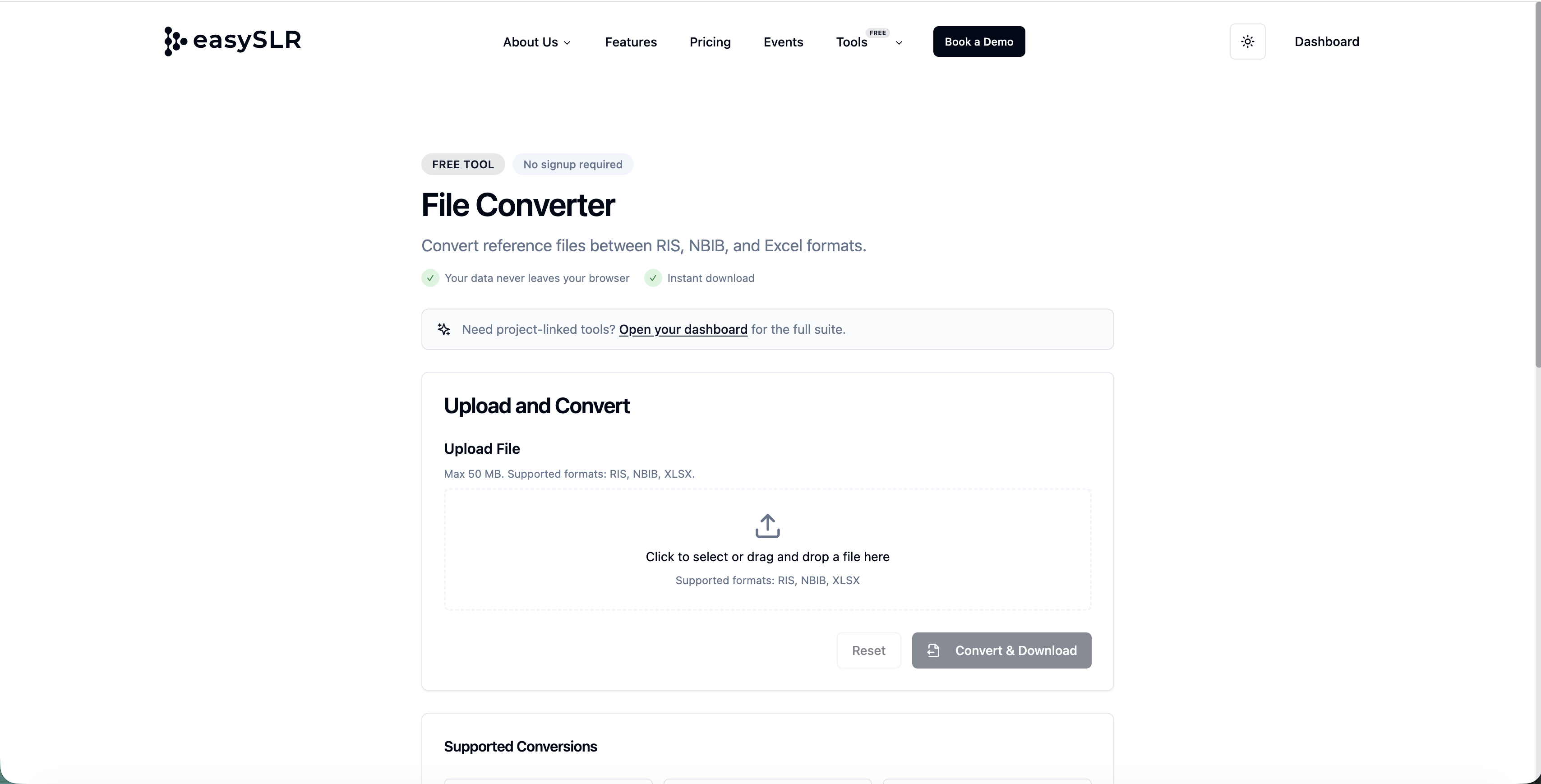
Select the desired output format
Convert and download instantly
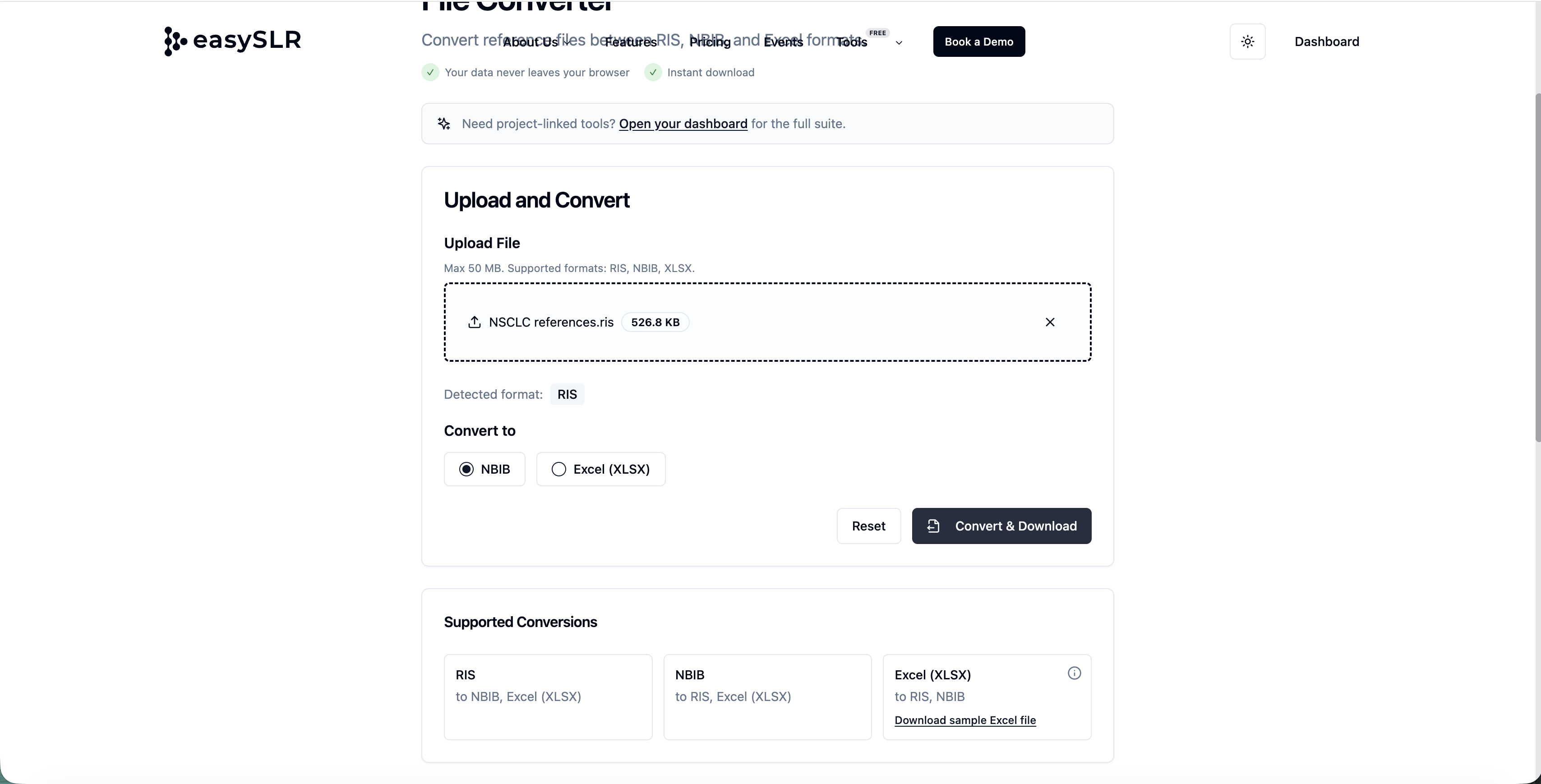
Use the converted file directly in your project
Summary
With the free File Converter Tool, EasySLR makes it easier to:
Convert between RIS, NBIB, and Excel effortlessly
Maintain compatibility across tools and databases
Start projects faster with minimal setup friction