RefID-Based Bulk Upload for Supplementary Files
EasySLR now supports RefID-based bulk upload of supplementary files, enabling seamless linking of additional materials (e.g., appendices, datasets, supplementary tables) to their corresponding articles.
Overview
Managing supplementary files alongside primary PDFs can be time-consuming and error-prone when done manually. With this update, EasySLR allows you to bulk upload supplementary files using RefID matching, ensuring that each file is automatically linked to the correct article.
This enhancement improves efficiency, accuracy, and organisation during full-text review and data extraction stages.
What’s New
1. RefID-Based File Matching
Supplementary files can now be matched using RefID naming convention
Automatically links files to the correct citation during upload
Eliminates the need for manual mapping
Example: 123_appendix.pdf → Linked to article with RefID 123
2. Bulk Upload Support
Upload multiple supplementary files in a single batch
Supports large-scale projects with multiple documents per study
Reduces repetitive manual uploads
3. Support for Multiple Supplementary Files per Article
Attach multiple supplementary documents to a single study
Useful for:
Appendices
Supplementary tables
Additional figures
Protocol documents
4. Improved File Organisation
Supplementary files are grouped under their respective articles
Easy access during:
Full-text screening
Data extraction
Enhances navigation and usability
5. Clear Upload Status & Visibility
Identify:
Successfully matched files
Unmatched files
Enables quick correction before final import
6. Compatibility with Existing PDF Workflow
Works alongside existing RefID-based PDF upload system
Maintains consistency across all document uploads
No change required in existing workflows
How It Works
Prepare supplementary files in a local folder
Rename files using the RefID format
Example: 45_supplementary_table.pdf
Navigate to Uploads → Full-Text → Using ID→ Upload→ Select Supplementary Upload
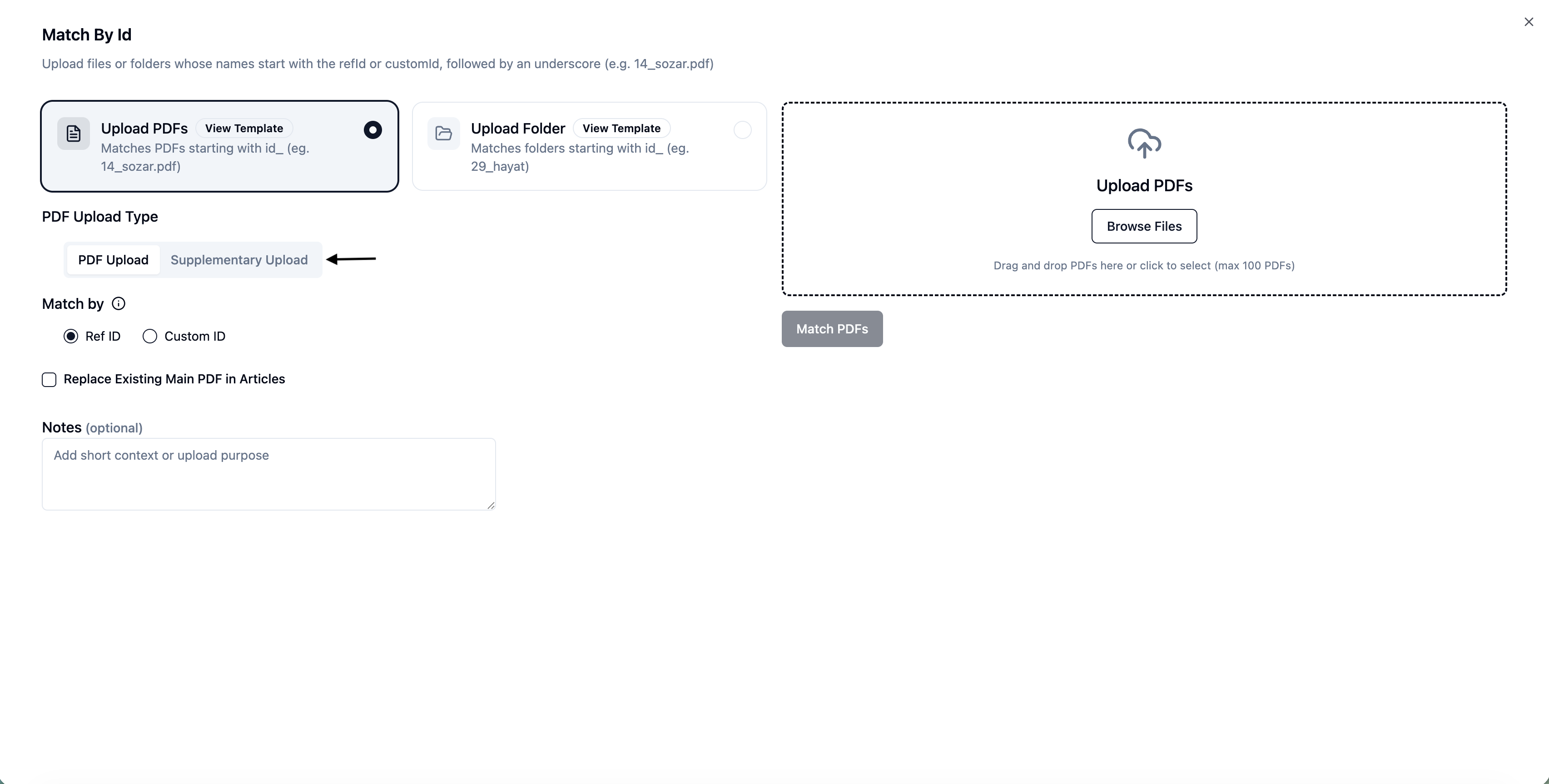
Upload files in bulk
EasySLR automatically:
Matches files using RefID
Links them to the corresponding articles
Why This Matters
This enhancement helps teams:
Save time by eliminating manual file mapping
Reduce errors in linking supplementary materials
Keep all study-related documents organised in one place
Improve efficiency during screening and extraction
Important Notes
RefID must match the article’s RefID exactly for successful linking
Files without matching RefIDs will be flagged as unmatched
Manual upload remains available for unmatched or exception cases
Summary
With RefID-based bulk upload for supplementary files, EasySLR makes it easier to:
Manage multiple documents per study
Maintain structured and organised project data
Scale document handling for large reviews