AI in Title-Abstract Mini Data Extraction (Mini DE) – Now Available
We’ve added AI into Mini Data Extraction at the Title–Abstract stage to help you capture structured insights earlier in your review workflow.
What’s New
AI-powered Mini Data Extraction at Title–Abstract screening
Automatically extracts data into predefined Mini DE fields while screening articles.Built directly into the screening workflow
AI suggestions appear within the Mini DE fields—no separate setup required.Rerun AI functionality
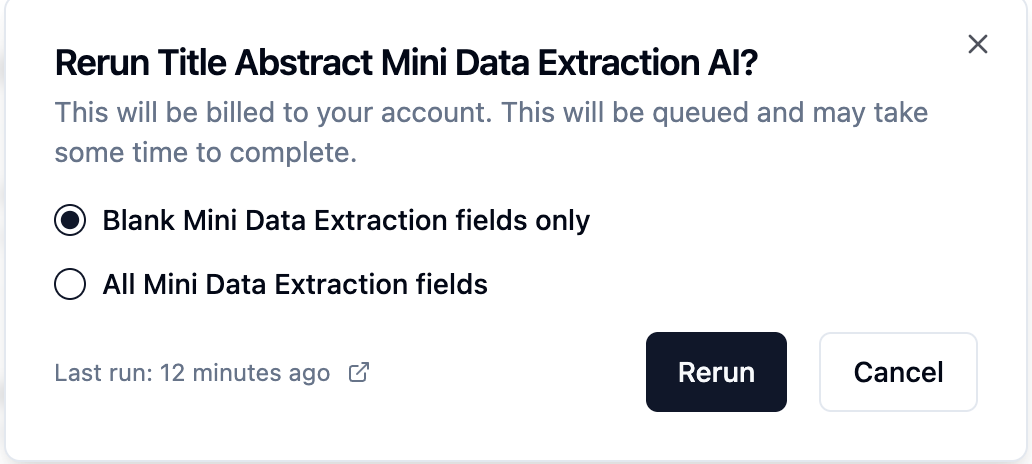
Easily refresh AI suggestions after updating your fields.
Key Benefits
Faster early-stage data capture with minimal manual effort
Full control to review, edit, or override AI-generated data
Supports all Mini DE field types such as Text, Multi-select, and Yes/No fields.
New Columns will be added to Excel containing Mini DE AI Data.
How to Enable AI for Title–Abstract Mini DE
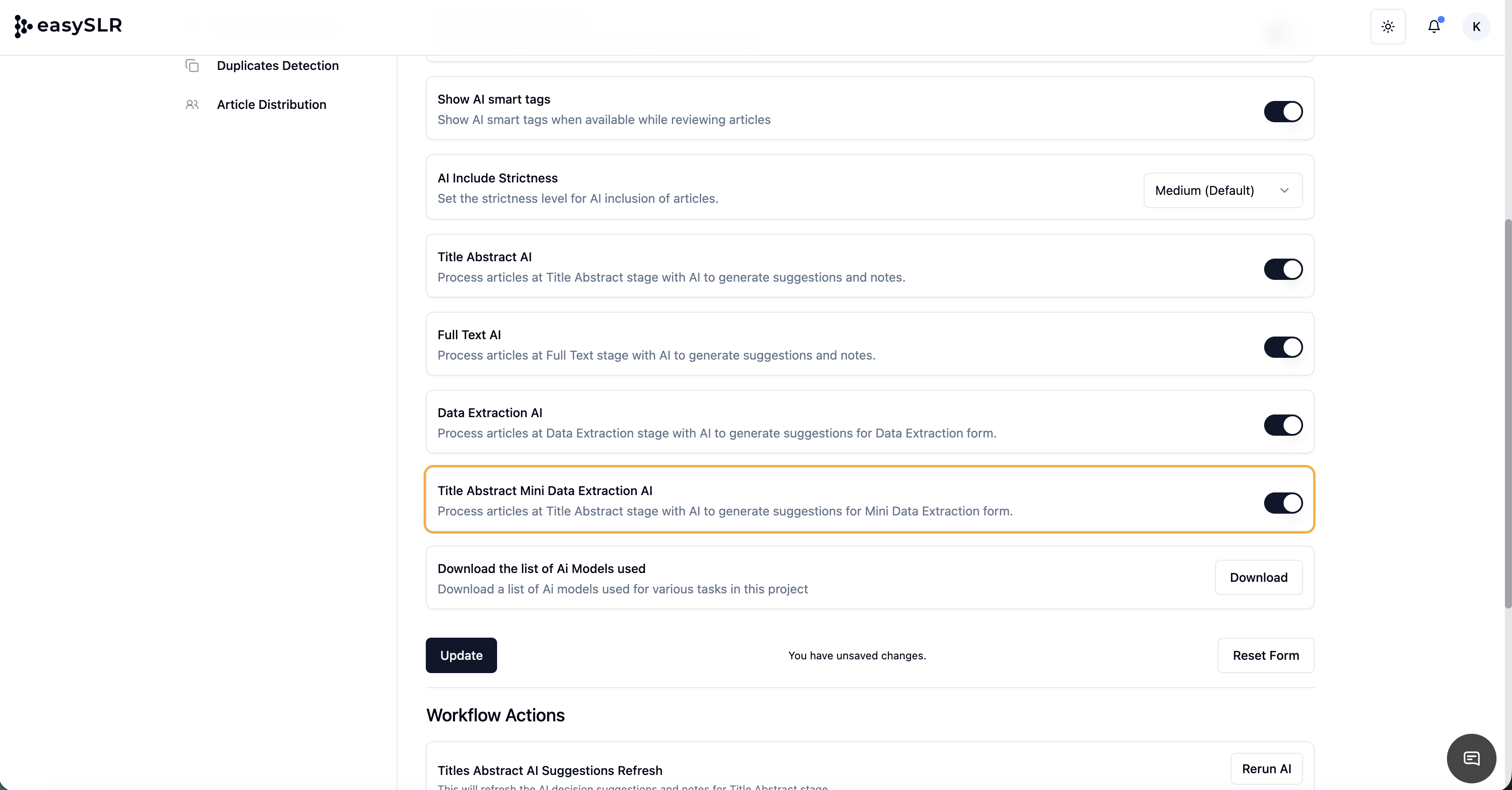
Go to Project Settings
Navigate to AI Copilot
Enable Title–Abstract Mini Data Extraction AI
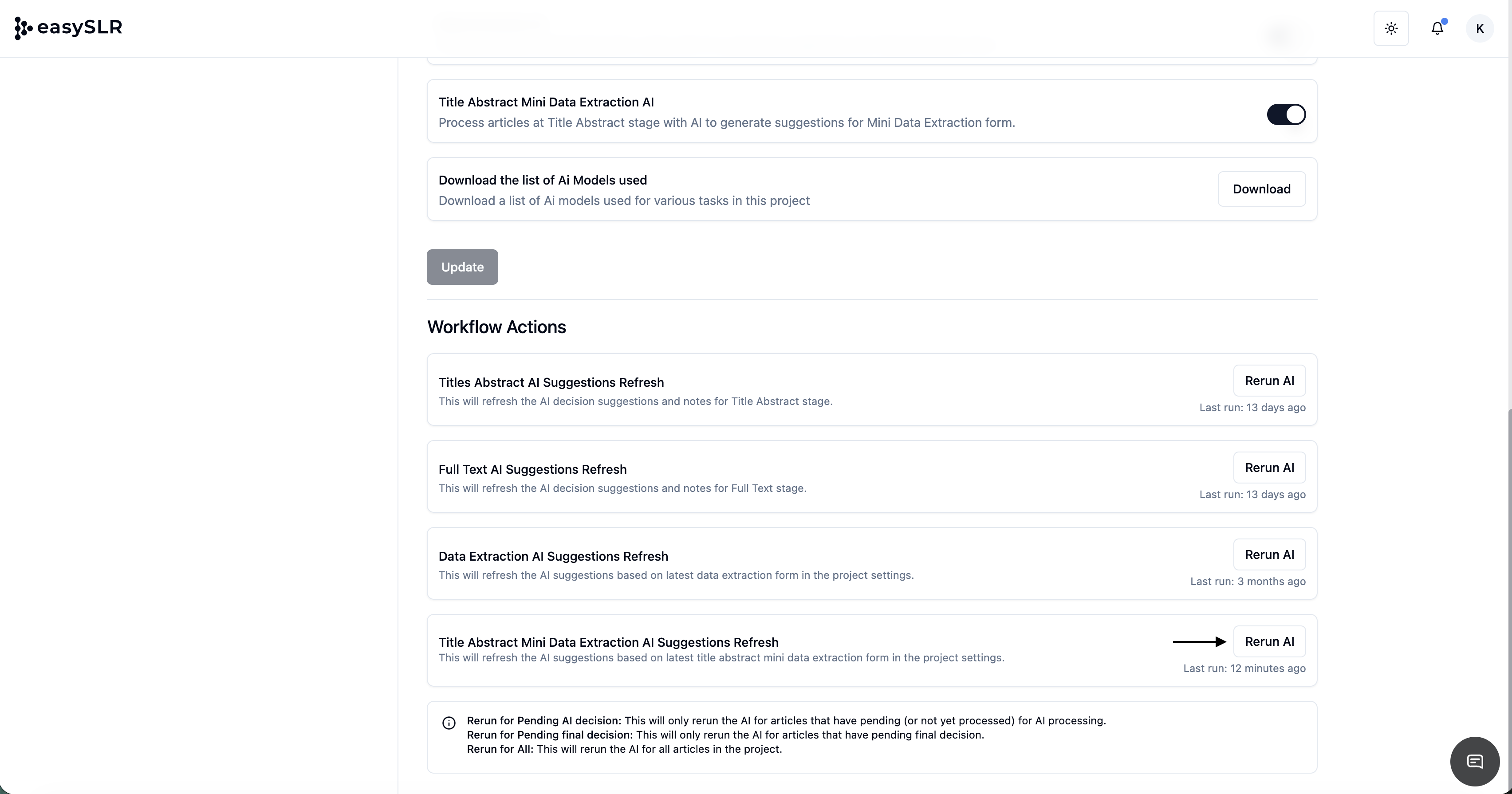
Click Rerun AI to generate or refresh suggestions
Note: AI-generated outputs are designed to assist reviewers. Please review and validate the extracted data before finalising.