Add & Update Notes for Background Jobs
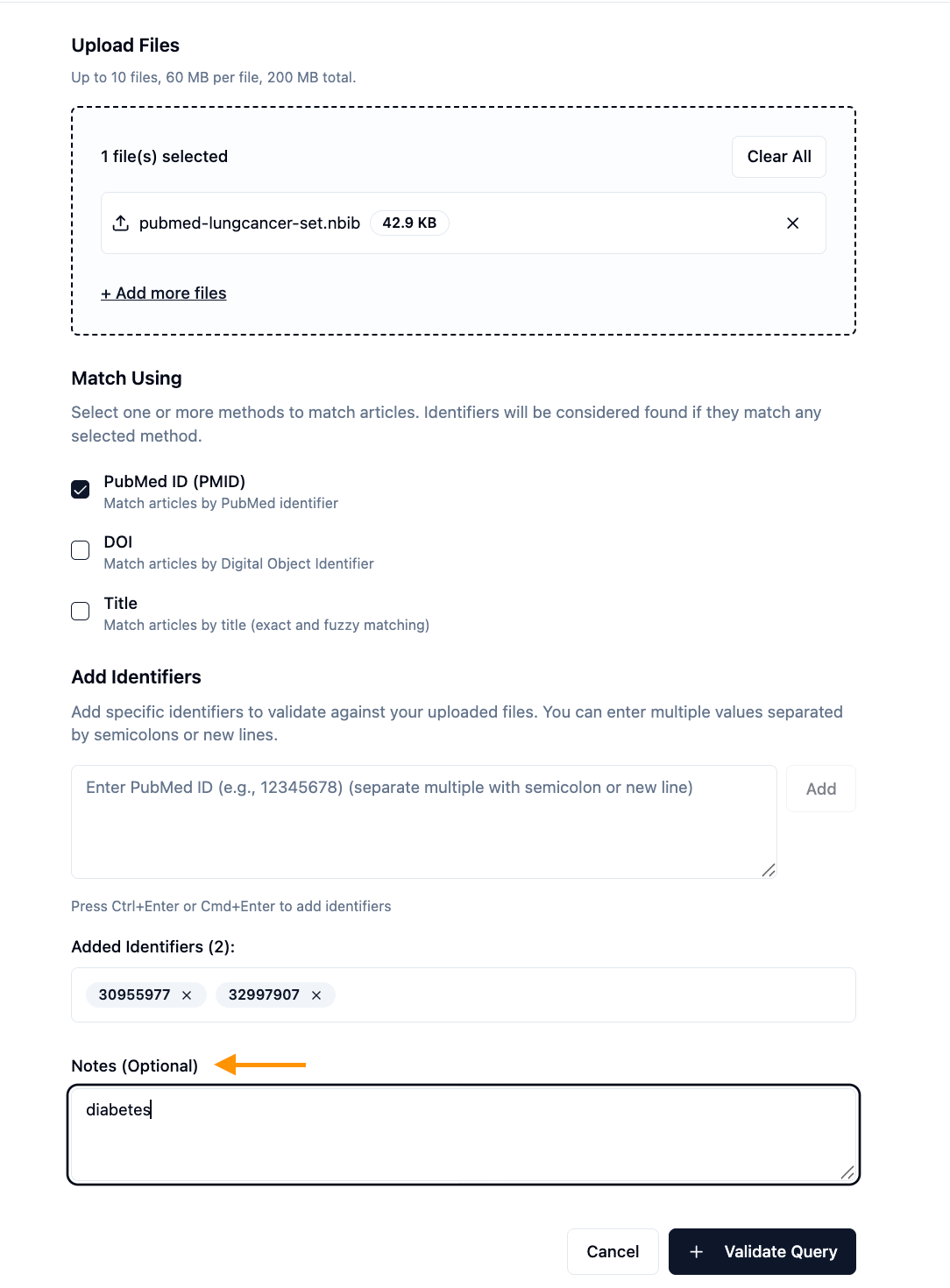
You can now add and update custom notes when running background operations in EasySLR. This enhancement improves visibility and traceability when managing multiple system tasks.
Background job notes help teams clearly identify and differentiate tasks such as AI screening, imports, exports, or data extraction — especially when several operations are running at the same time.
What’s New
Add Notes When Triggering a Job
A Notes (Optional) field is now available when starting background operations
Enter a short descriptive note before confirming the job
The note is saved alongside the background job entry
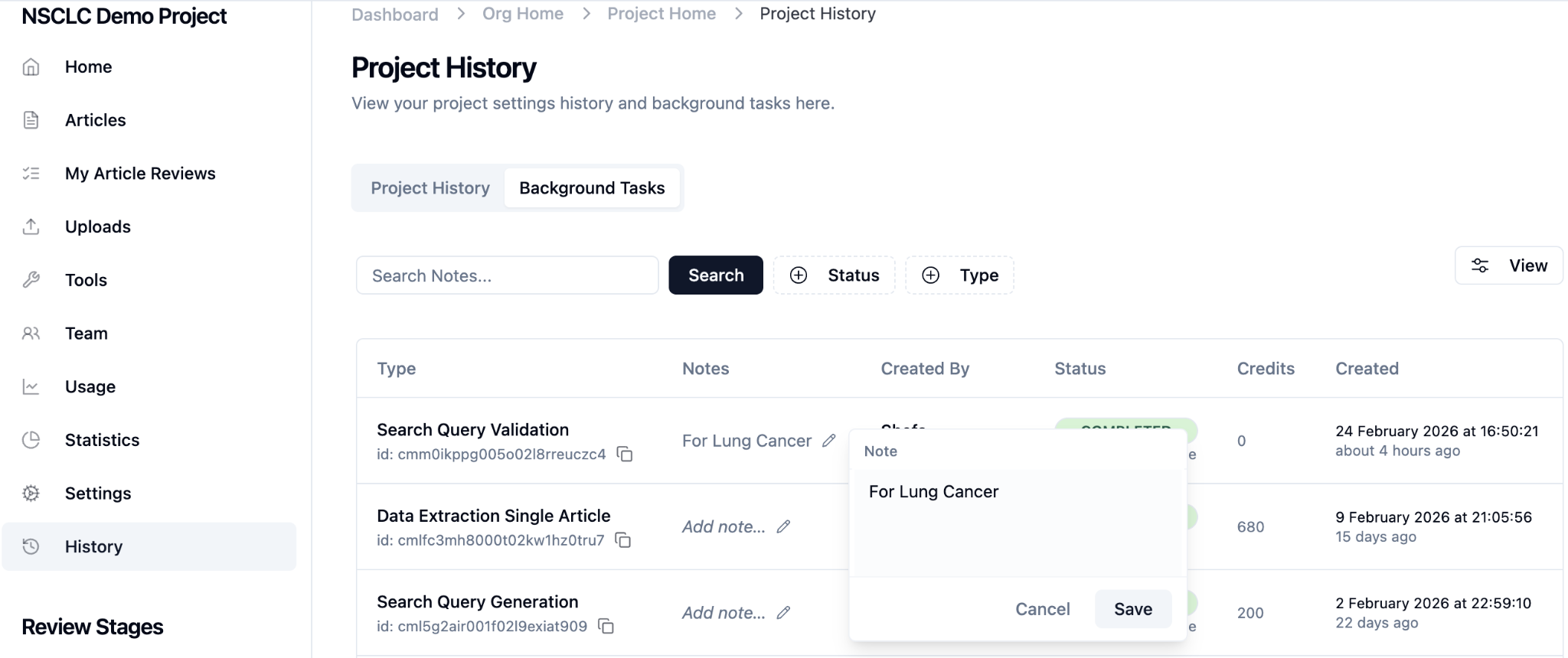
Edit Notes from the Background Jobs Table
Notes can be updated even after the job has started or completed
Access the Background Jobs table
Click Edit / Update Notes
Save changes to update the job entry
Important Notes
Adding notes is optional but recommended
Notes can be edited at any time
Notes do not impact job processing or results
This update strengthens project transparency and task management across all background operations in EasySLR.