QC Report & Send Articles to Previous Stage (Delete Decisions) Report
EasySLR now provides enhanced reporting for Quality Control (QC) and Articles Sent to Previous Stage actions. These reports improve transparency, traceability, and audit readiness by capturing all QC-related changes and decision rollbacks across review stages.
Quality Control (QC) Report
The QC workflow allows project owners to review and modify article-level information before finalising articles for the next stage. During QC, users can update:
Screening decisions
Include/exclude reasons
Tags
Mini Data and related fields
To support this process, a dedicated QC Report is now available.
How to generate the QC Report
Navigate to the Statistics section.
Open the Reports tab.
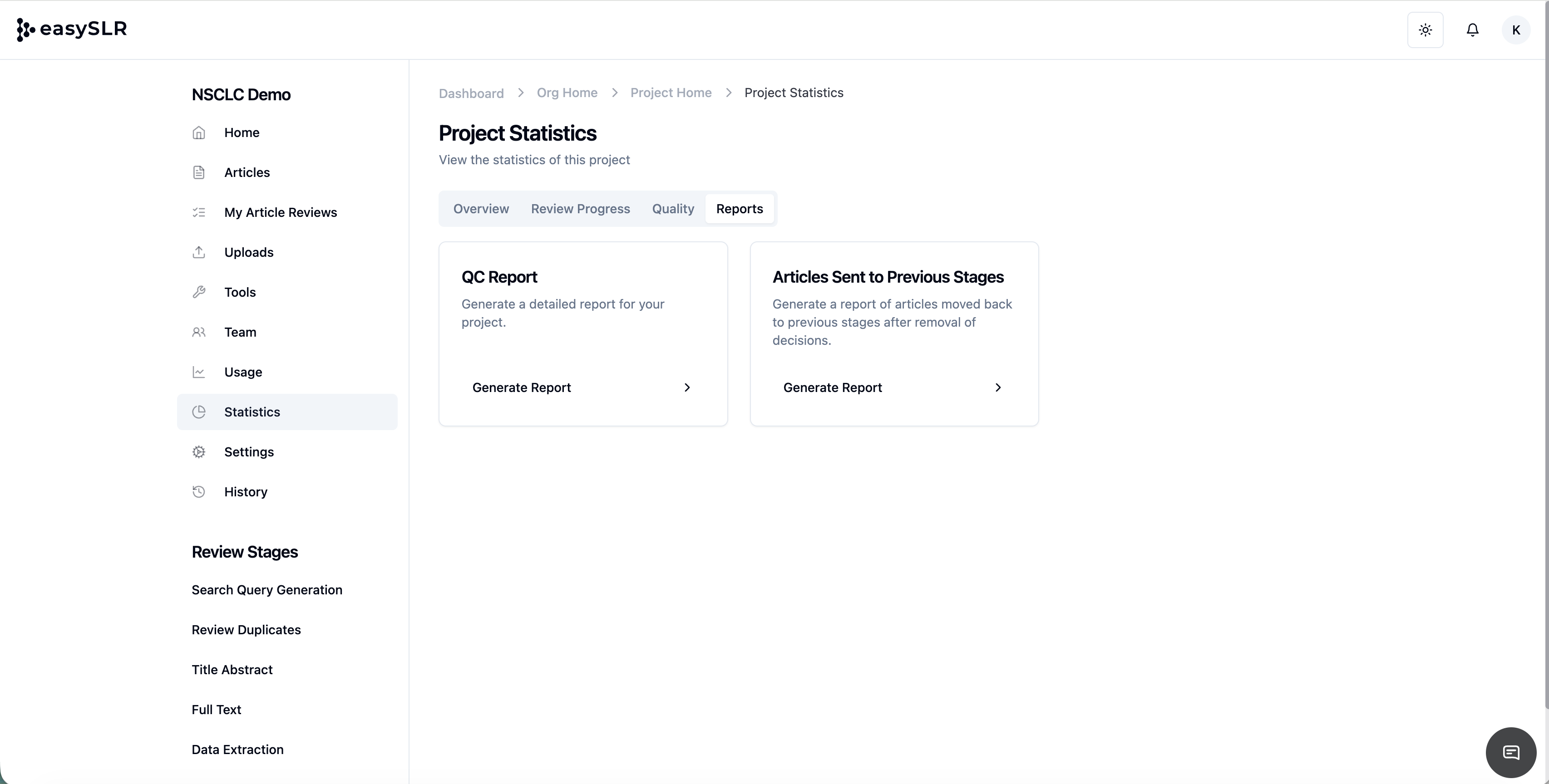
In the QC Report section, click Generate Report.
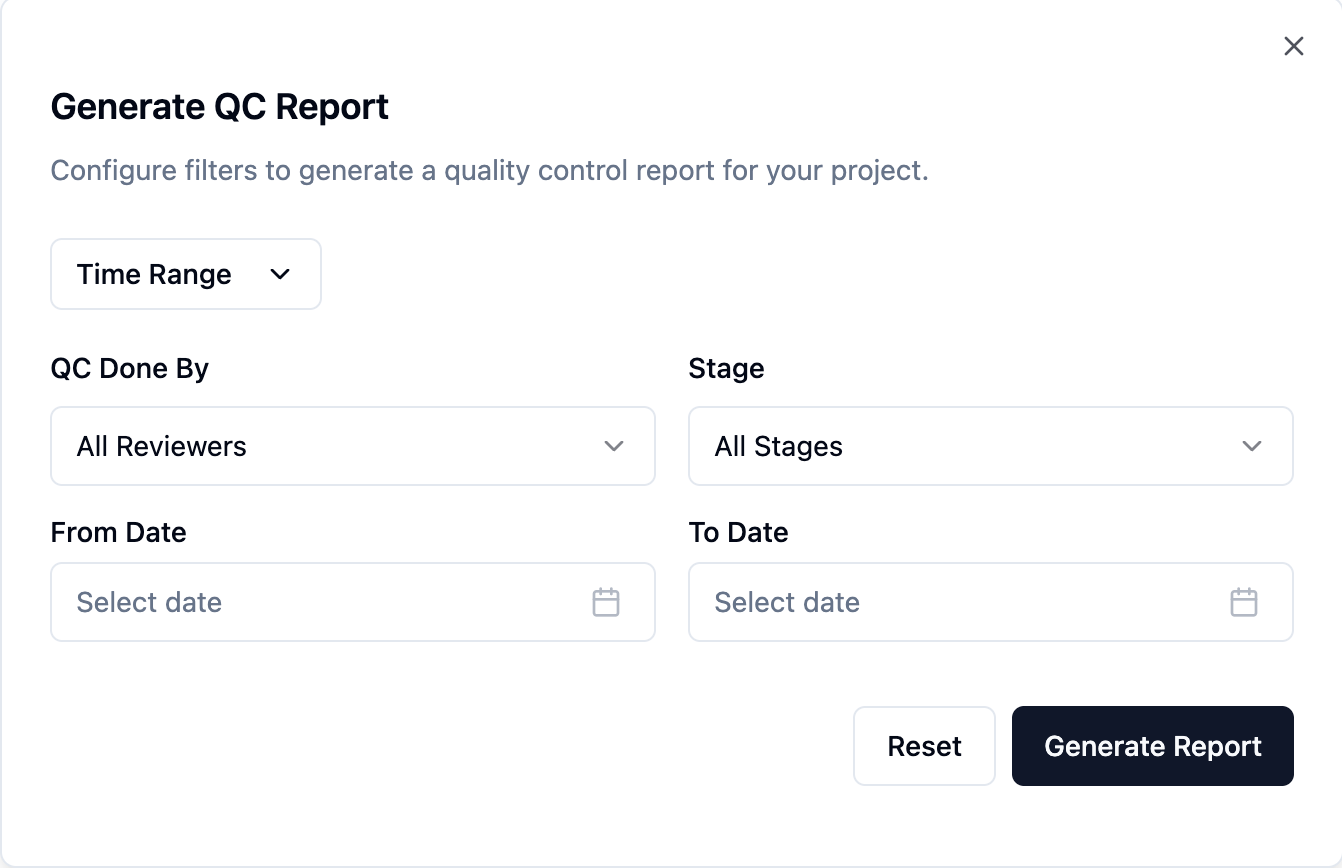
Select the required:
Time range
Reviewer(s)
Review stage
Generate and download the report.
QC Report includes
Article RefID / identifiers
Current stage
Fields changed during QC
QC reviewer details
Date and time of changes
Detail of Old and New entries
This report acts as a complete audit trail for quality assurance and internal or external reporting.
Send Articles to Previous Stage (Delete Decisions) Report
EasySLR allows authorised users to send articles back to a previous stage, effectively removing downstream decisions when required. This is useful in scenarios such as:
Incorrect screening decisions
Protocol updates requiring re-review
To ensure full traceability, a dedicated report is now available for these actions.
How to generate the Articles Sent to Previous Stages Report
Go to the Statistics section.
Click on the Reports tab.
In the Articles Sent to Previous Stages section, click Generate Report.
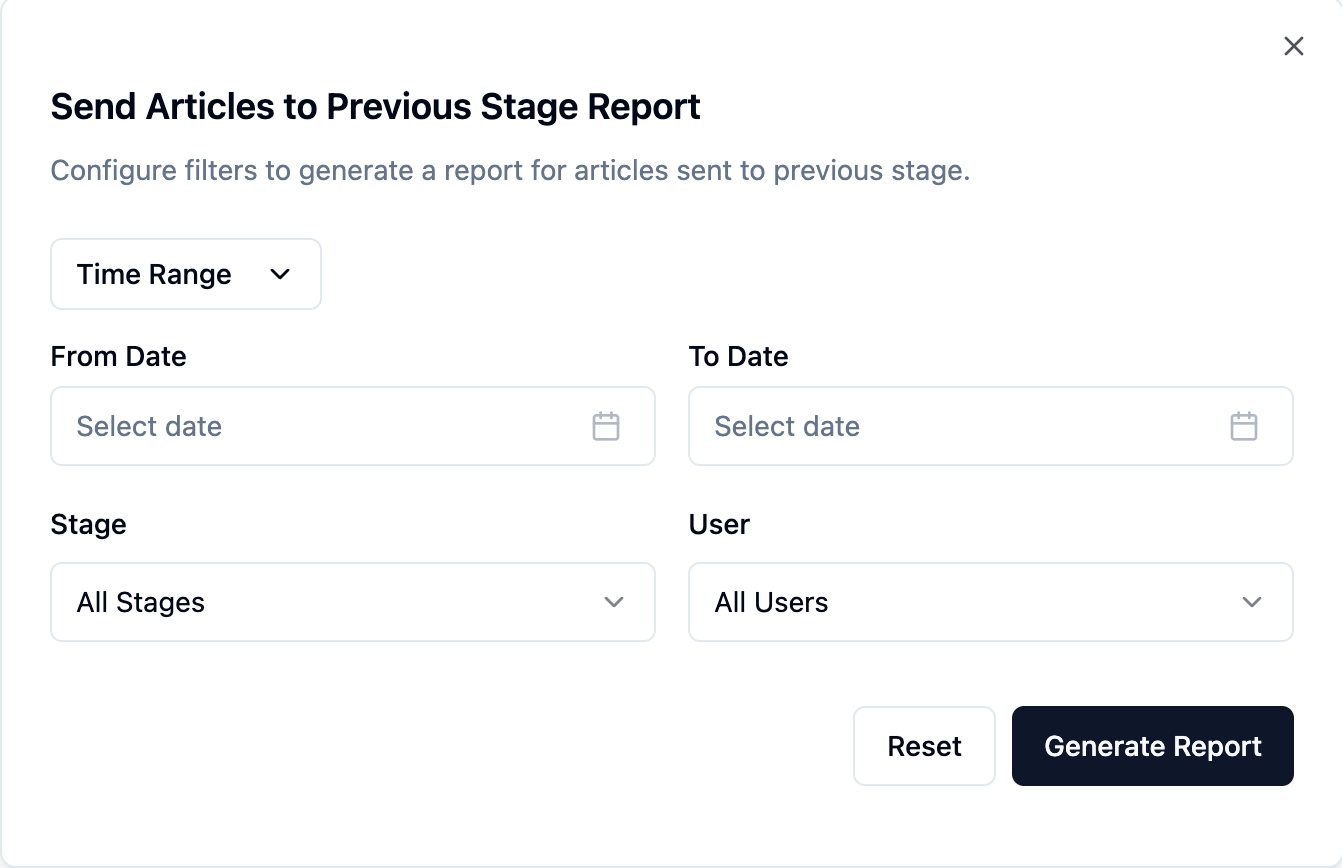
Select the required:
Time range
Reviewer(s)
Stage
Generate and download the report.
Report includes
Article RefID / identifiers
Current stage
Previous stage
Reviewer details
Date and time of action
This report supports audit, compliance, and documentation needs by clearly recording all rollback actions.