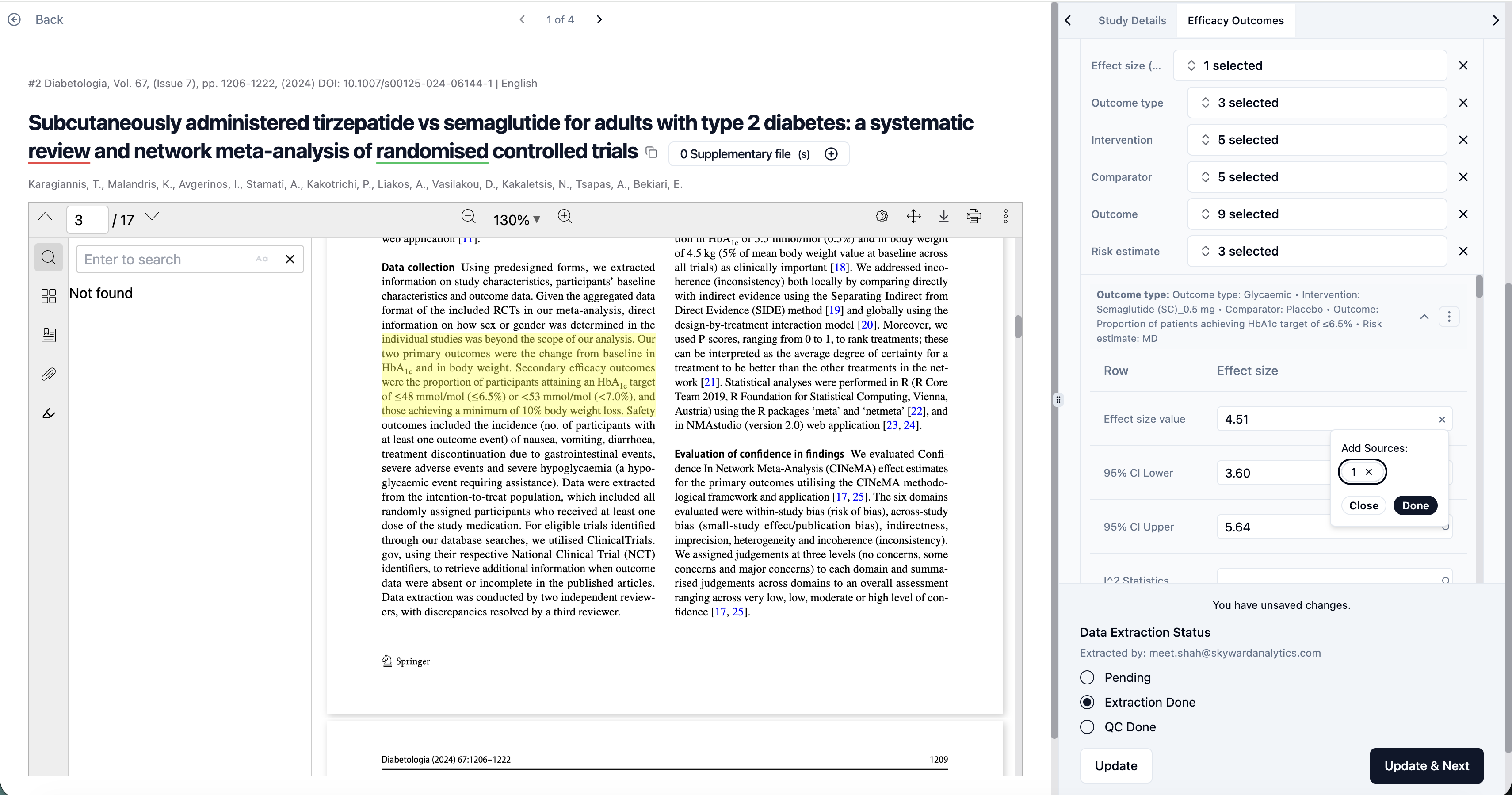
Option to add Sources to the Data Extraction Table
The Multi Row Data Extraction table has been updated with a new option to add data Source, making it easier to record and review the origin of extracted information directly within the workflow.
What’s improved
Users can now capture source details (such as document section, page number, table, or figure) alongside each extracted data point.
Source information is displayed directly in the Data Extraction table, removing the need for separate notes or external tracking.
Why this matters
Previously, the option was not available to add sources in a multi row data table, making validation and quality checks more time-consuming. With this improvement:
Data verification becomes faster and more reliable
Reviewers and QC teams can quickly trace extracted values back to the original document
Collaboration improves, as all reviewers can see consistent source references
By integrating source tracking directly into the Data Extraction table, this update strengthens data quality, improves transparency, and streamlines downstream review and QC workflows.