AI for Mini Data Extraction at Full-Text Stage
We’re excited to introduce AI-powered Mini Data Extraction at the Full-Text stage, enabling deeper and more accurate data capture when you need it most.
What’s New
AI-driven extraction from full-text articles
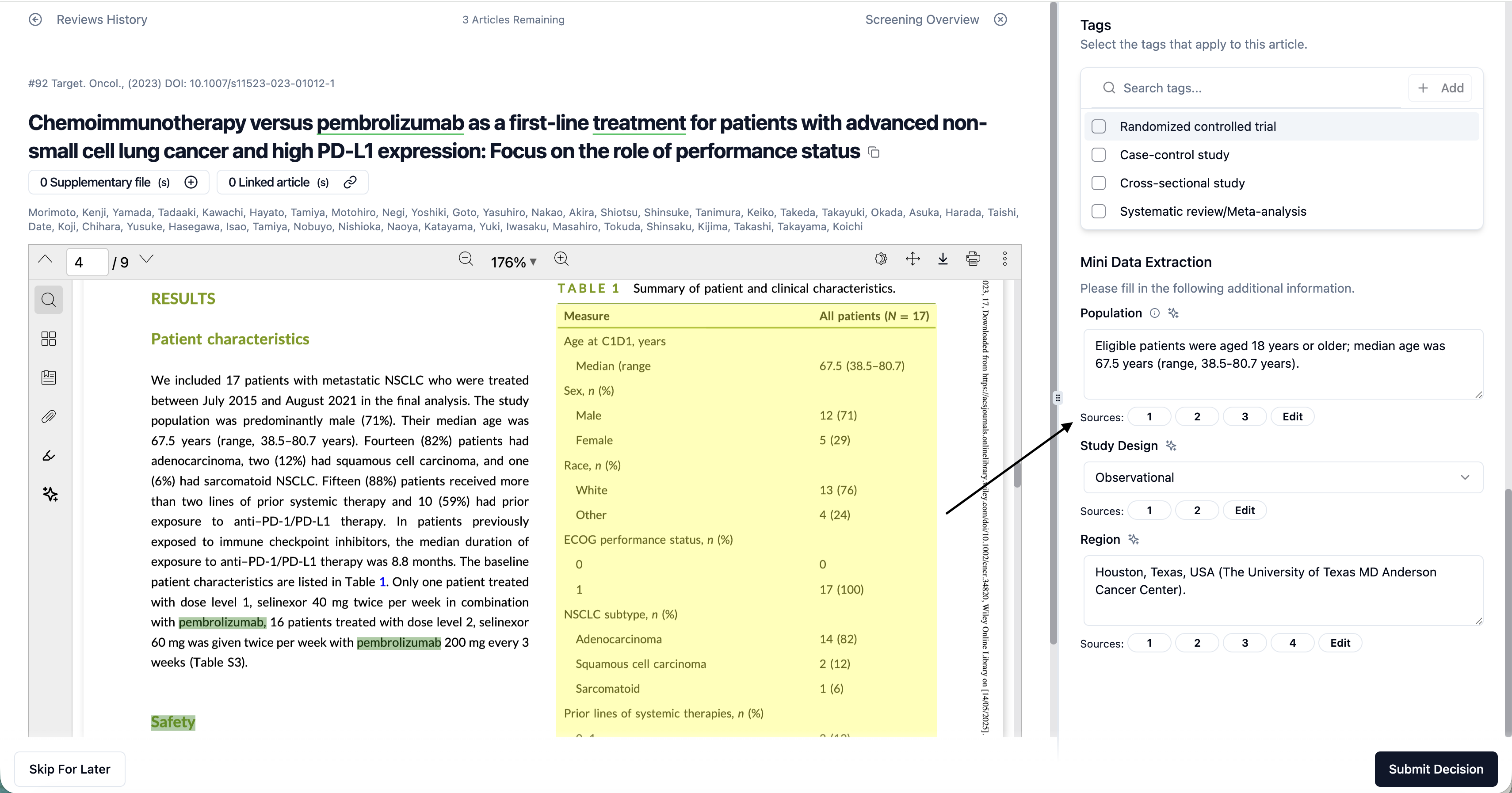
Capture detailed insights directly from full-text PDFs into your predefined Mini DE fields.
Seamless integration within Full-Text screening
AI suggestions are embedded within the workflow, allowing you to review and extract data without switching contexts.
Data Linked back to Source
Data Extracted by AI is linked back to the source of the information within the PDF
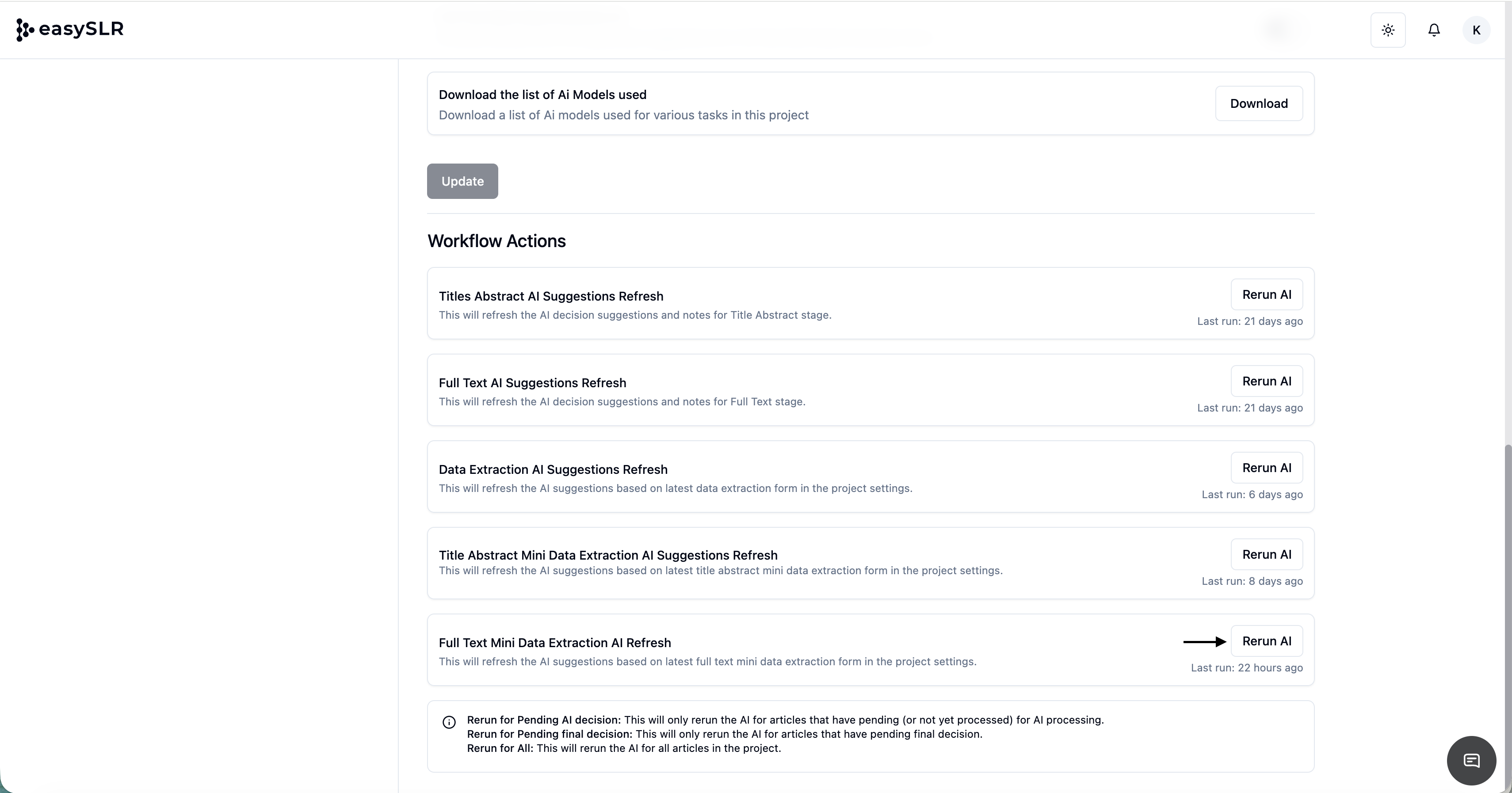
On-demand AI refresh (Rerun AI)
Update your fields and regenerate AI suggestions anytime for improved accuracy.
Key Benefits
Deeper data capture: Extract richer and more contextual information from full-text articles
Reduced manual effort: Minimise time spent on repetitive data entry
Reviewer control: Easily validate, edit, or override AI-generated outputs
Flexible field support: Works across all Mini DE field types including Text, Multi-select, and Yes/No
Excel Export Enhancement
AI-extracted Full-Text Mini DE data will be available in separate columns in Excel, along with screening decisions for easy review and analysis.
How to Enable AI for Full-Text Mini DE
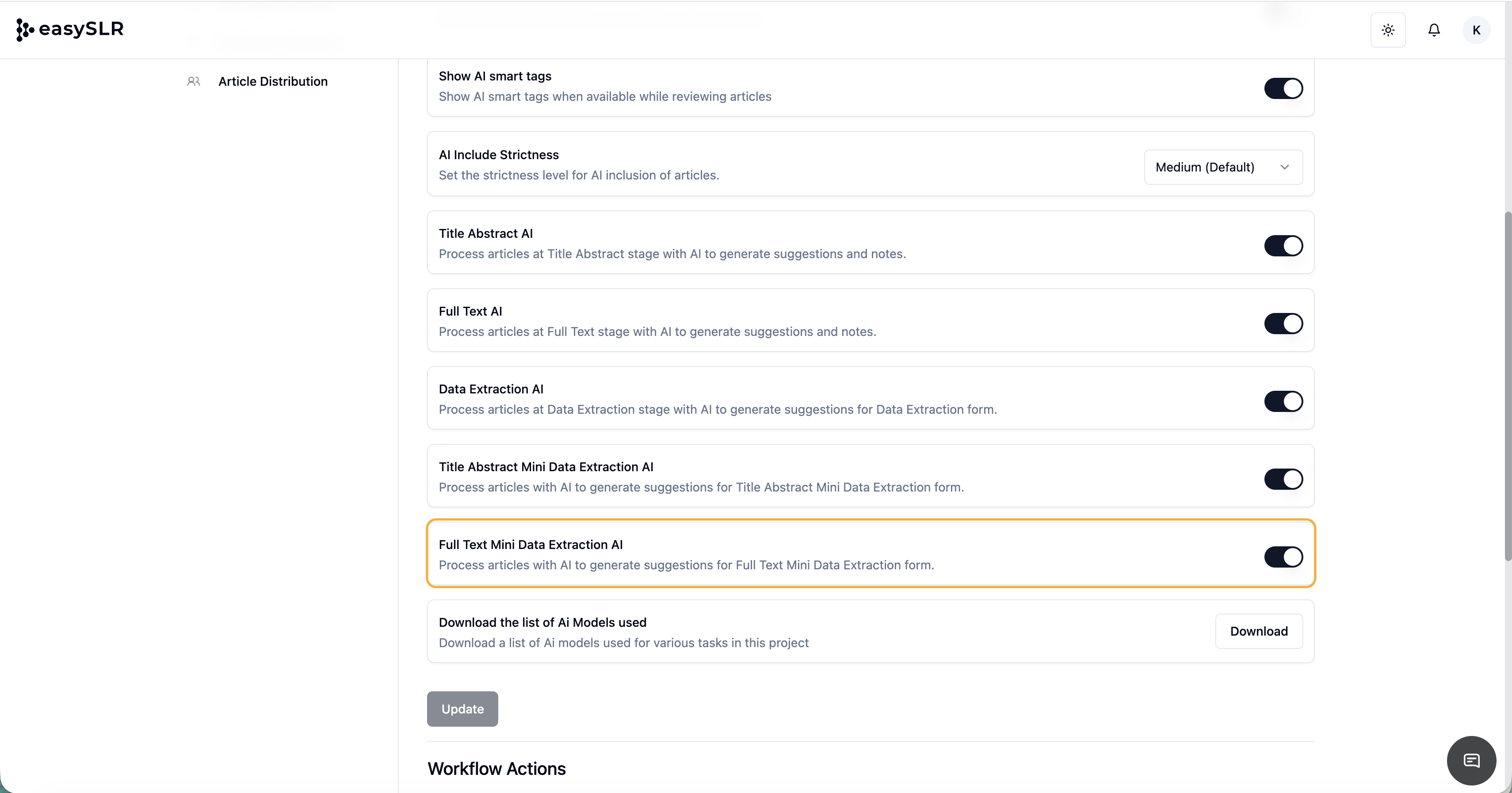
Go to Project Settings
Navigate to AI Copilot
Enable Full-Text Mini Data Extraction AI
Click Rerun AI to generate or refresh suggestions
Data Extracted by AI
Note: AI-generated outputs are designed to support reviewers. Please ensure all extracted data is reviewed and validated before finalising.