Direct PDF Upload to Data Extraction
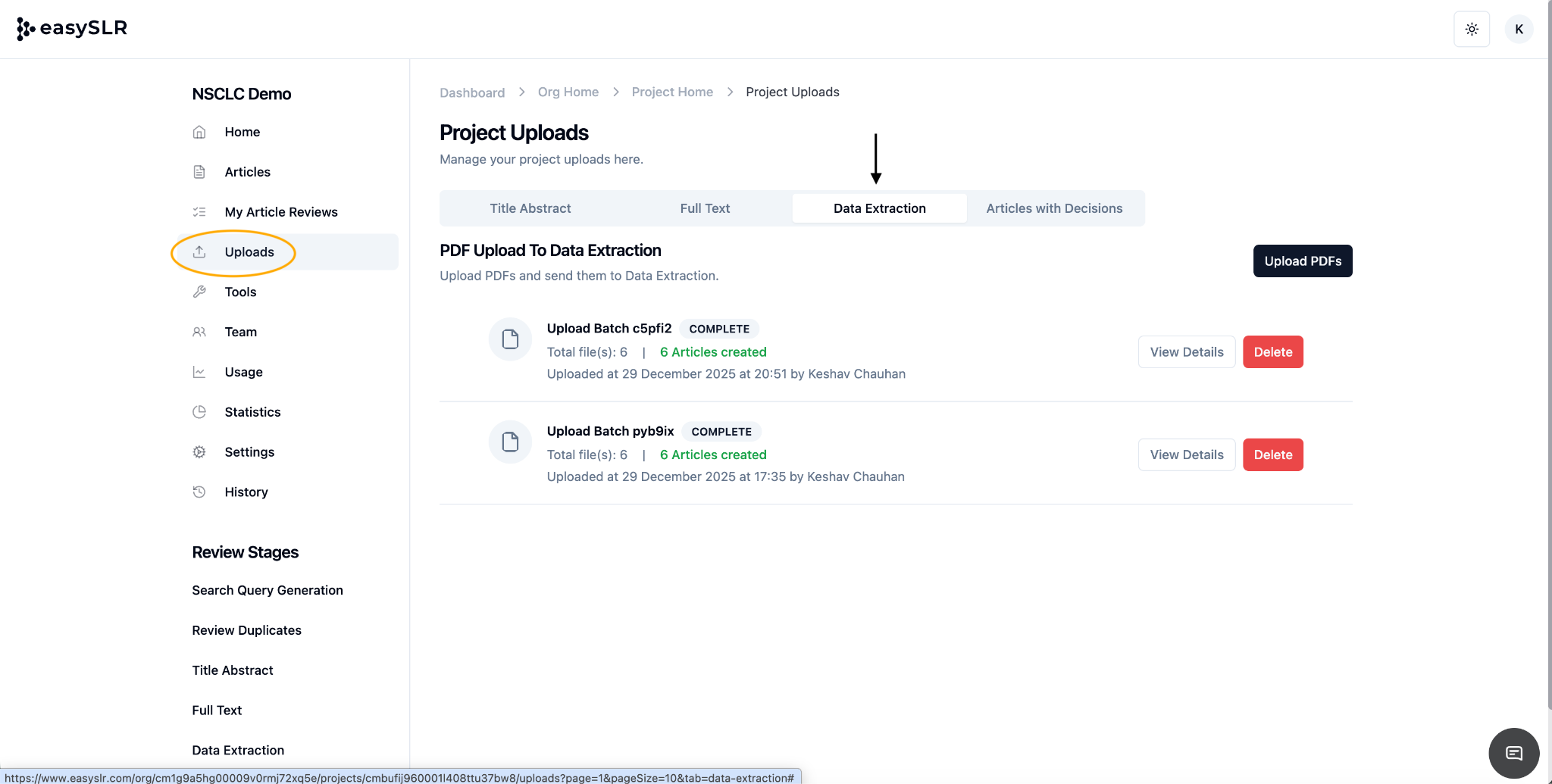
We’ve introduced a new feature that allows users to begin Data Extraction directly by uploading PDFs, without going through the Title–Abstract (TiAb) or Full-Text (FT) screening stages.
What’s New
Direct PDF Upload to Data Extraction
Users can now upload full-text PDFs straight into the Data Extraction stage and start extracting data immediately
How It Works
Upload PDFs directly to the Data Extraction stage.
Once uploaded, articles are created automatically and made available for data extraction.
No prior TiAb or FT screening steps are required.
Why This Matters
Saves time for projects where the final study set is already confirmed.
Reduces steps in workflows that don’t require screening.
Ideal for focused reviews, updates, or secondary analyses where PDFs are already curated.
Enables faster project setup and quicker progress to data extraction.
Things to Keep in Mind
Articles uploaded this way will exist only in the Data Extraction stage.
Screening-related features (TiAb/FT decisions, conflicts, milestones) will not apply to these articles.
All standard Data Extraction features—forms, QC, exports, and collaboration—remain fully supported.
This update gives teams more flexibility to adapt EasySLR to different review workflows and get straight to the work that matters.