PDF Summary within the PDF viewer
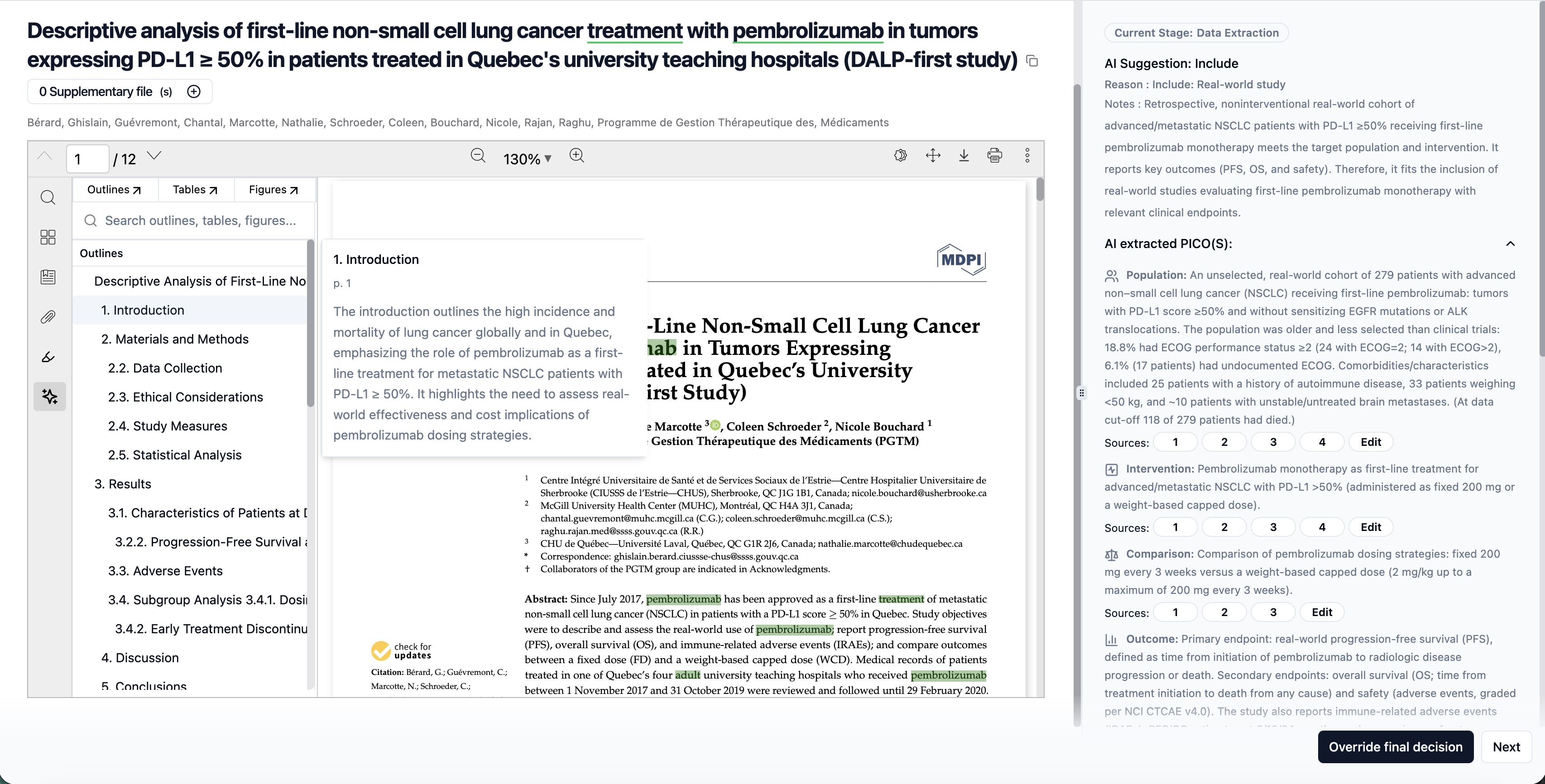
We’ve introduced a new Summary section within the PDF viewer at both the Full Text (FT) and Data Extraction (DE) stages. This enhancement is designed to help reviewers quickly understand and navigate key parts of an article without reading the entire document end to end.
What’s New
1. Summary Panel in PDF Viewer
A dedicated Summary panel is now available in the PDF sidebar, providing a high-level structure of the document.
2. Article Outline
Displays the main sections of the paper (e.g., Introduction, Methods, Results, Discussion).
Helps reviewers jump directly to relevant sections of the PDF.
Improves navigation during full-text review and data extraction.
3. Tables Section
Automatically lists all tables present in the PDF.
Allows quick access to data-heavy sections often needed during extraction.
Reduces time spent scrolling through long documents.
4. Figures Section
Displays a list of figures included in the article.
Enables fast reference to visual results, flow diagrams, and study designs.
Where It’s Available
Full Text Screening (FT): Helps reviewers quickly assess study relevance and key results.
Data Extraction (DE): Supports faster and more accurate extraction by surfacing tables, figures, and structured content upfront.
Why This Matters
Saves time during full-text review and extraction
Improves readability and navigation of complex PDFs
Reduces manual searching for tables and figures
Supports more efficient and accurate review workflows
This update makes working with full-text PDFs more structured, focused, and reviewer-friendly—especially for large or complex studies.