Replace Existing PDFs During Bulk Upload (Using AI)
We’ve introduced the ability to replace existing PDFs during Bulk PDF Upload using AI, giving you greater control when uploading updated or new full-text files.
What’s New
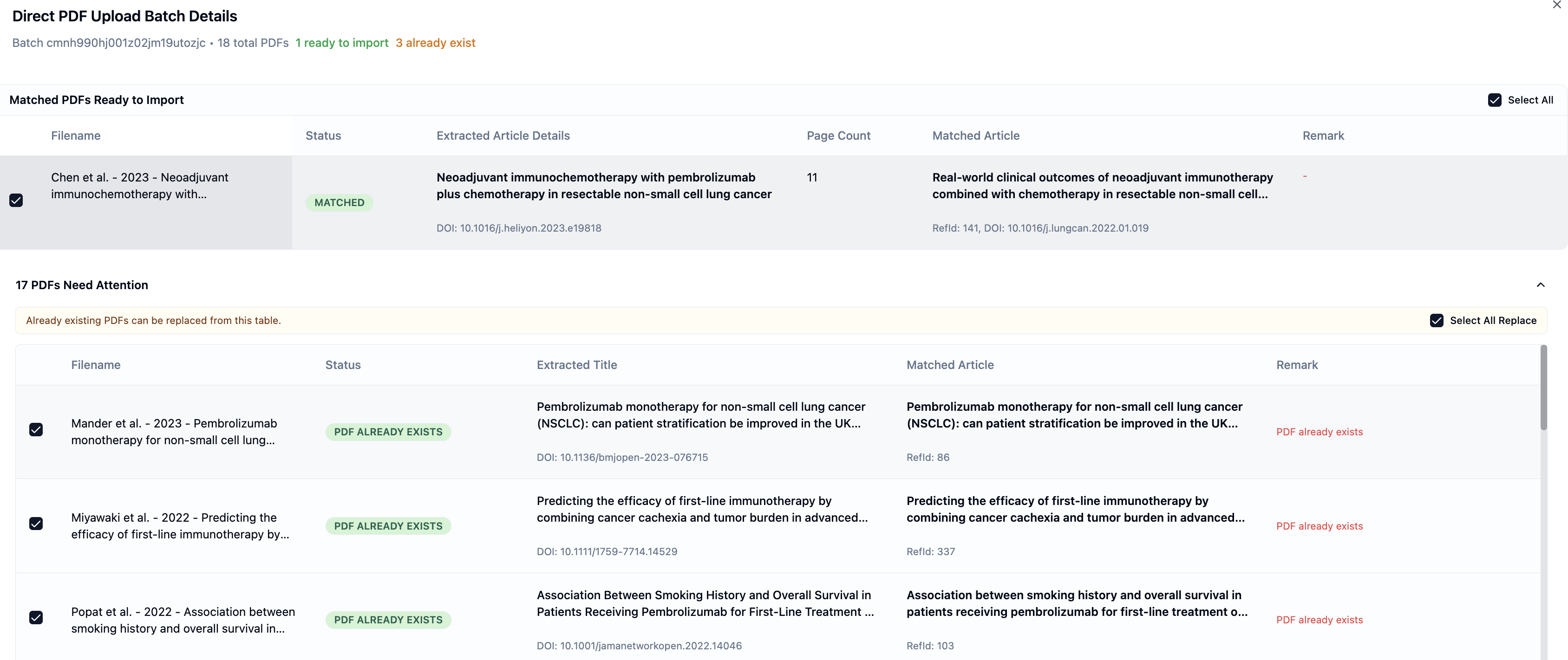
Replace PDFs During Upload
EasySLR now detects if a PDF already exists for a matched article during upload
You can choose to replace the existing PDF directly from the upload table
Improved Batch Handling
A new option allows you to select and replace multiple existing PDFs at once
Clear indicators highlight:
New PDFs ready for import
PDFs that already exist
Better Visibility & Control
A “PDF already exists” status is clearly displayed
Replace actions can be reviewed and managed before final import
Why This Matters
This enhancement helps teams:
Maintain a cleaner and more accurate document library
Improve efficiency during bulk PDF uploads
Important Notes
Replacement is optional and fully controlled by the user
Existing PDFs will only be replaced when explicitly selected
Manual upload remains available for unmatched PDFs