Manage User Access, Roles and Projects from the Organisation Dashboard
What’s new
Organisation Owners can now centrally manage user roles and project access directly from the Organisation Dashboard.
Users can be added, removed, or have their access updated without opening individual projects or being added to them.
Project access for individual users can be managed from a single, central view.
Who can use this
Organisation Owners only
Project Owners continue to manage access at the project level as before
Key capabilities
View all users across the organisation
Update user roles (e.g. Admin, Reviewer, QC) centrally
Assign or remove users from one or multiple projects
Enable or disable project access for a user
Manage access even for projects the Organisation Owner is not part of
How it works
From the Organisation Dashboard (Teams):
View projects a user is part of
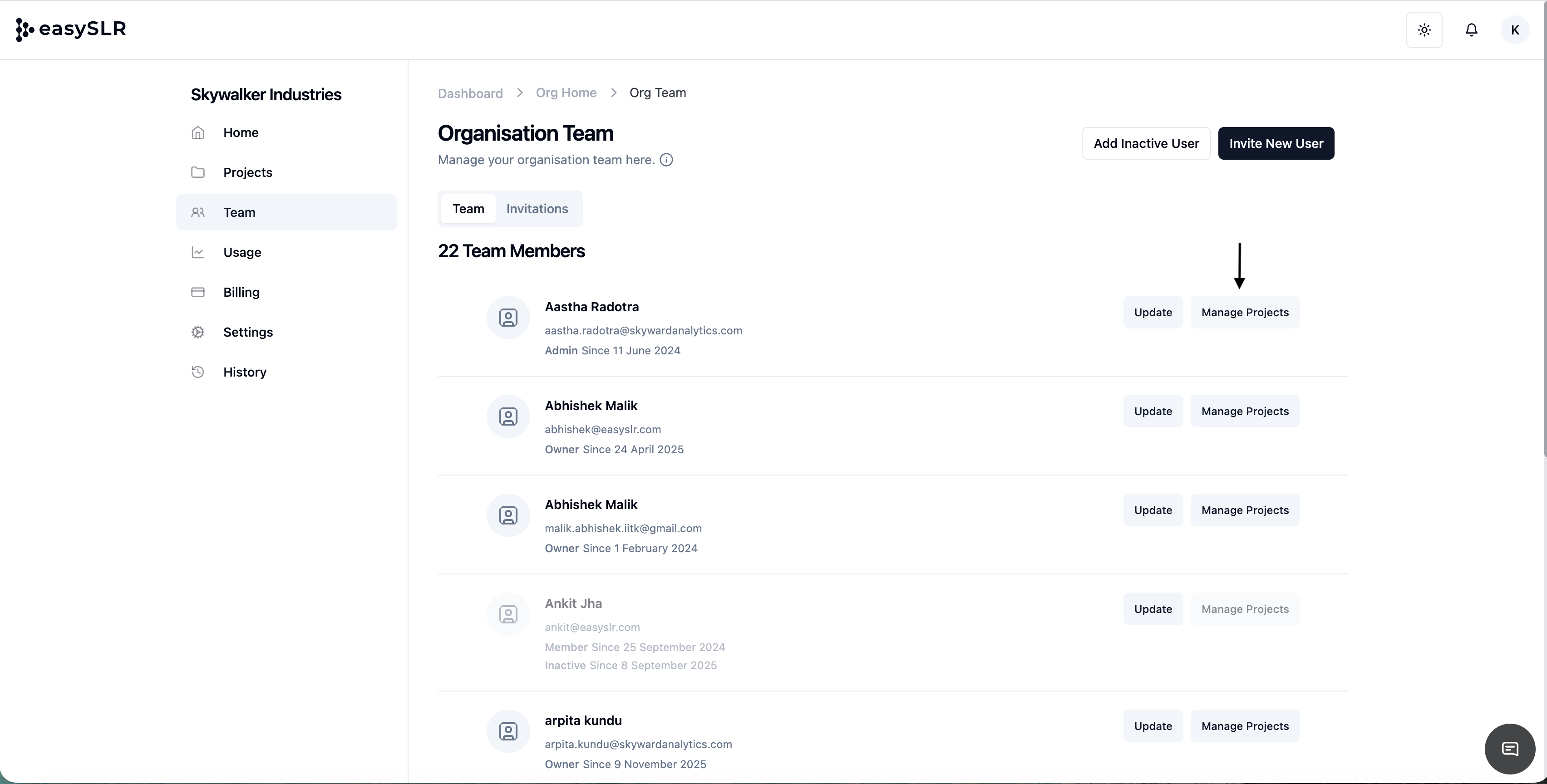
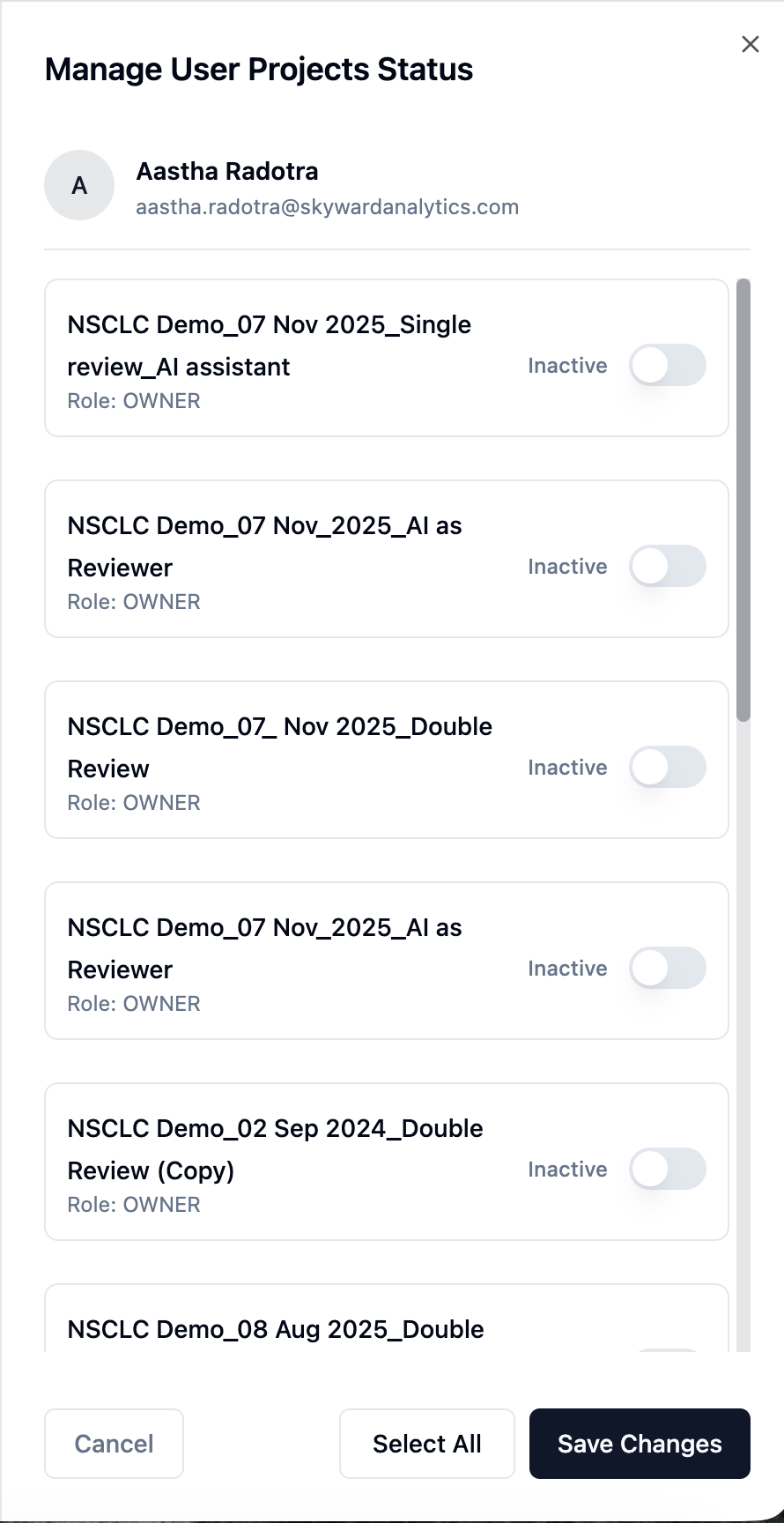
Enable or disable project access for that user
From the Projects Dashboard:
View all users in a project
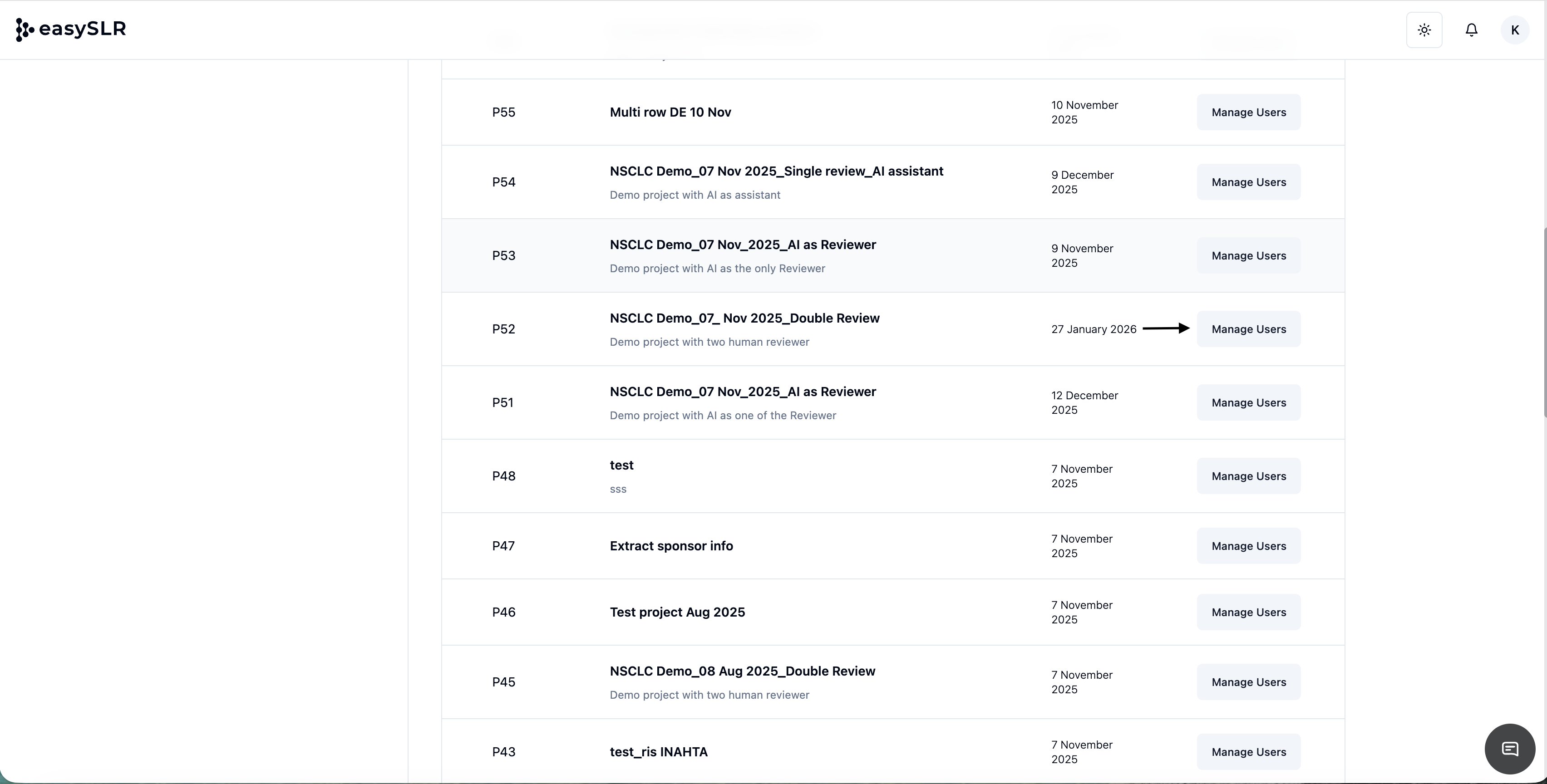
Add users or update their roles and access
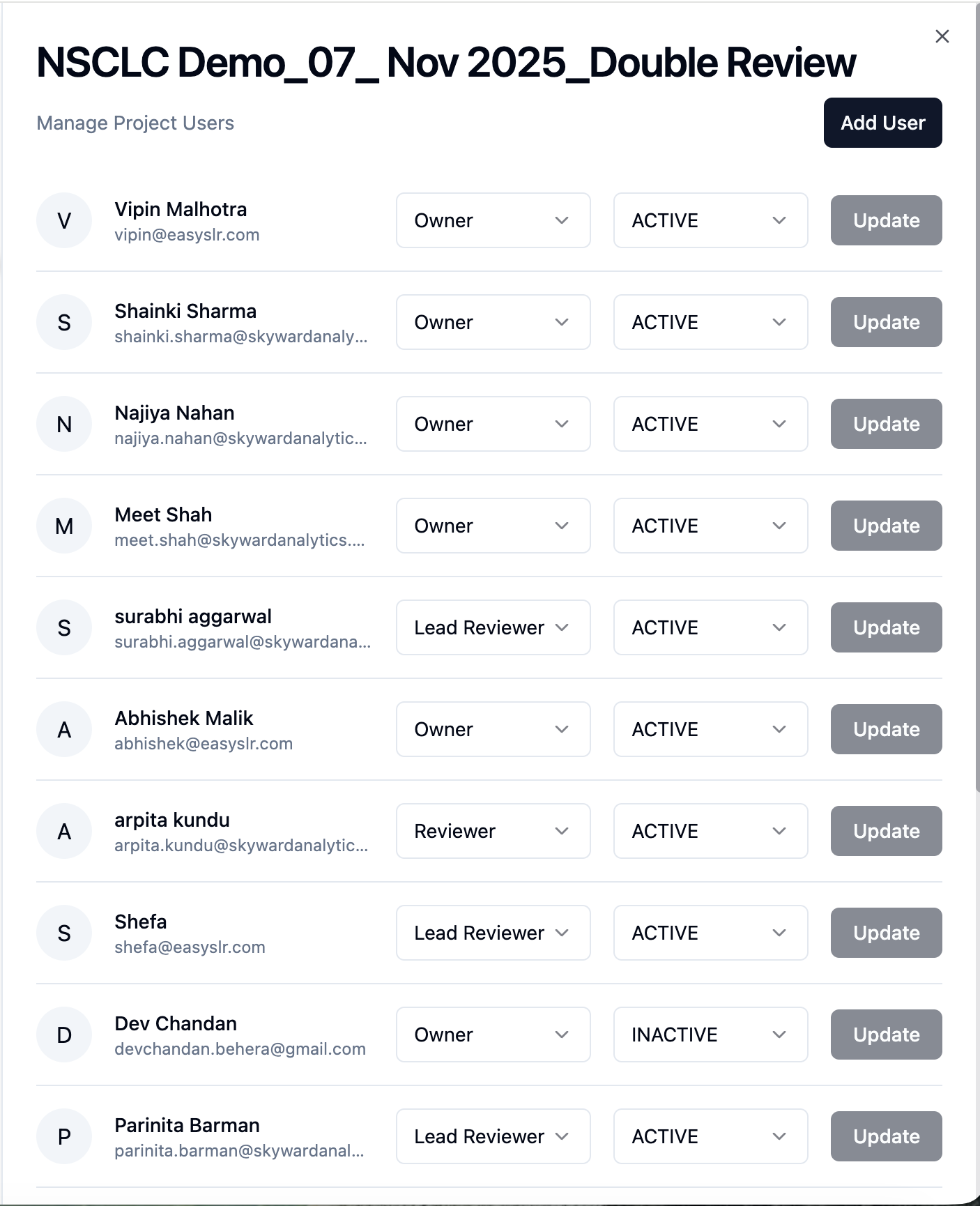
All changes take effect immediately across the organisation.
Benefits
Reduces repetitive project-by-project updates
Improves visibility and control over user access
Minimises permission inconsistencies
Scales well for large teams and multiple projects
Impact on existing workflows
No change to current project-level user management
Existing permissions remain unchanged unless updated
Adds a central management layer without replacing project controls
This update makes user and project administration faster, more consistent, and significantly easier to manage at scale.