Send Article to Previous Stage/ Delete Decision
We’ve introduced a new feature that allows Project Owners and Lead Reviewers to delete screening decisions and send articles back to a previous stage for re-screening when required.
When to Use This Feature
You might need to send articles back or delete decisions in situations such as:
Updated inclusion/exclusion criteria after protocol revisions
Correction of reviewer errors or conflicts
Reassessment after additional data becomes available
Quality control or audit purposes
Need to send articles back to Full-Text or Title–Abstract stage for re-screening
How to Send an Article to a Previous Screening Stage
Navigate to the Full-Text or Data Extraction stage.
Click on the Article Title to open the Article Details window.
Select Send to Full-Text (if moving back from Data Extraction) or Send to Title–Abstract (if moving back from Full-Text).
Confirm the decision.
The article will move back to the previous screening stage. Every change made is automatically recorded in the Article History tab, ensuring full transparency and traceability for all updates.
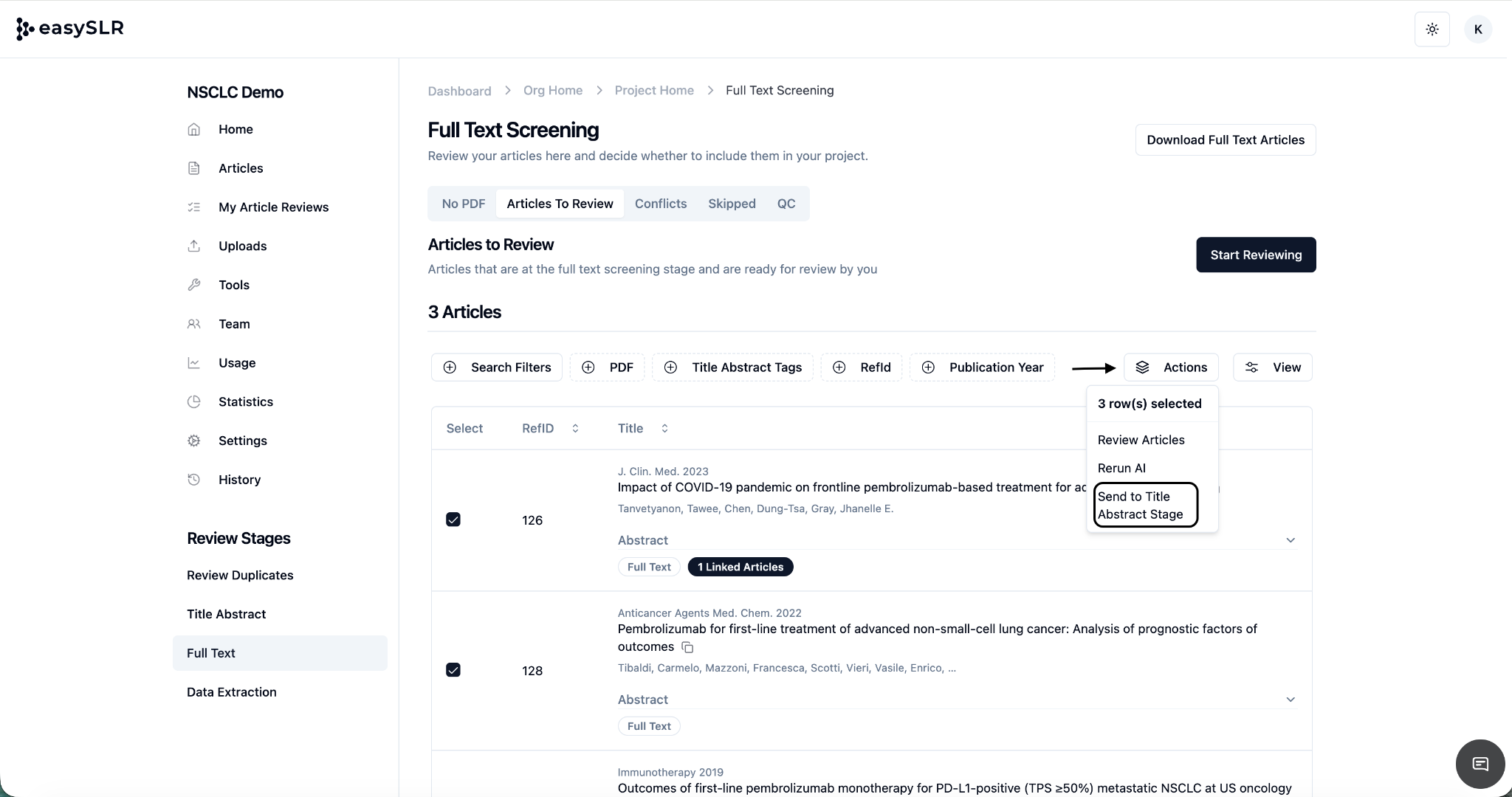
For bulk updates:
Select multiple articles using the checkboxes or click Select All.
Choose Send to Previous Stage from the Actions menu.
Confirm the action to move all selected articles back for re-screening.
Key Benefits
Flexibility: Easily re-evaluate articles based on new protocol insights.
Transparency: Every change is logged for complete audit tracking.
Efficiency: Apply corrections in bulk to save time and maintain workflow continuity.