Reviewer-Based Filter Added to QC Tab
We've enhanced the Quality Control (QC) workflow by introducing a new Screened By filter, making it easier for project owners to QC articles based on reviewer activity.
What's New?
Project owners can now filter articles in the QC tab based on the reviewers who screened them.
This allows teams to quickly focus on articles reviewed by specific individuals, making QC workflows more targeted and efficient.
New Filter Options
Filter by Individual Reviewer
Select a single reviewer to view all articles screened by that reviewer.
Use cases:
Reviewing the decisions of a newly onboarded reviewer
Performing targeted QC checks
Monitoring reviewer-specific screening patterns
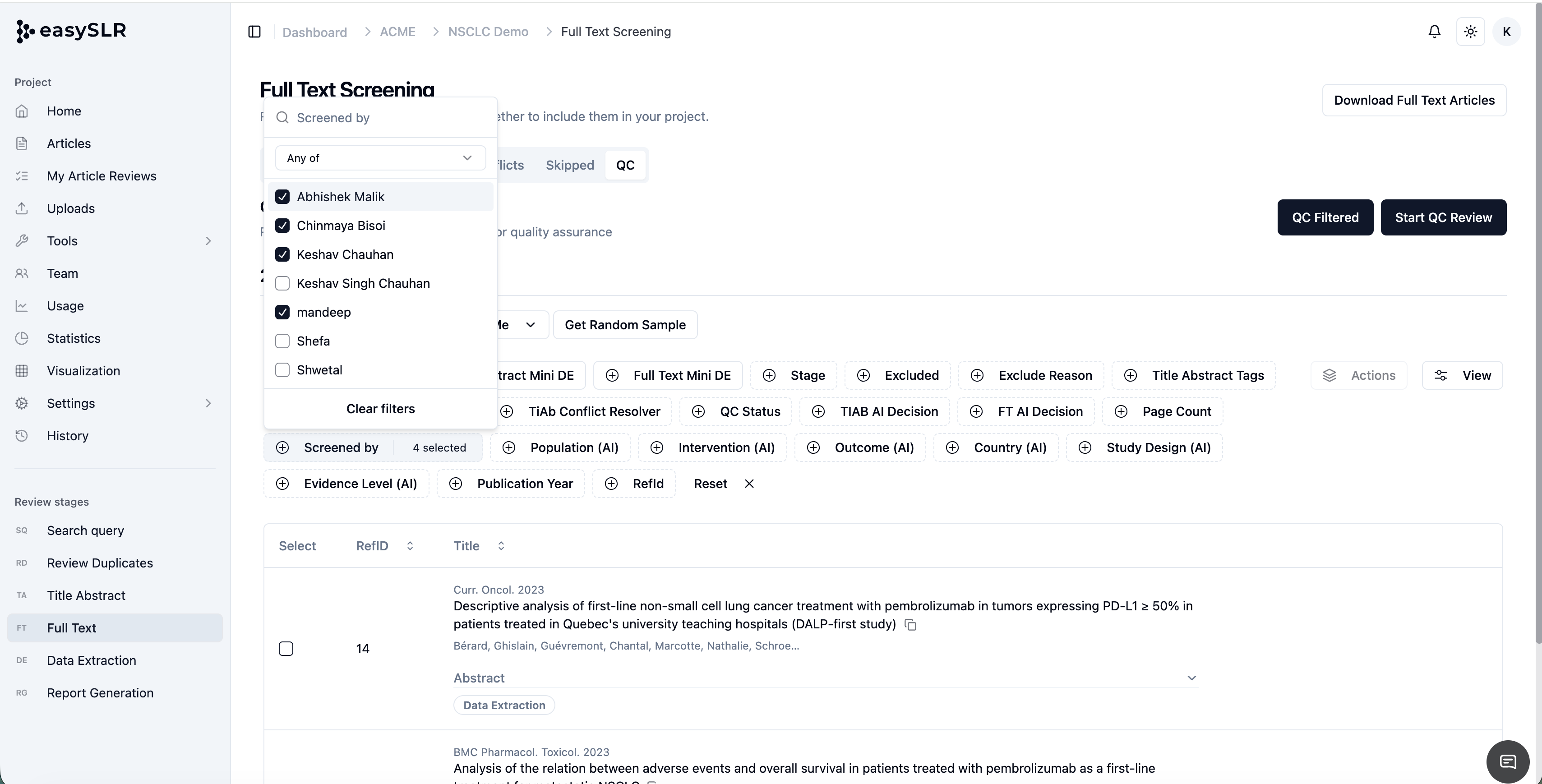
Filter by Multiple Reviewers
Select multiple reviewers simultaneously to narrow down the article list.
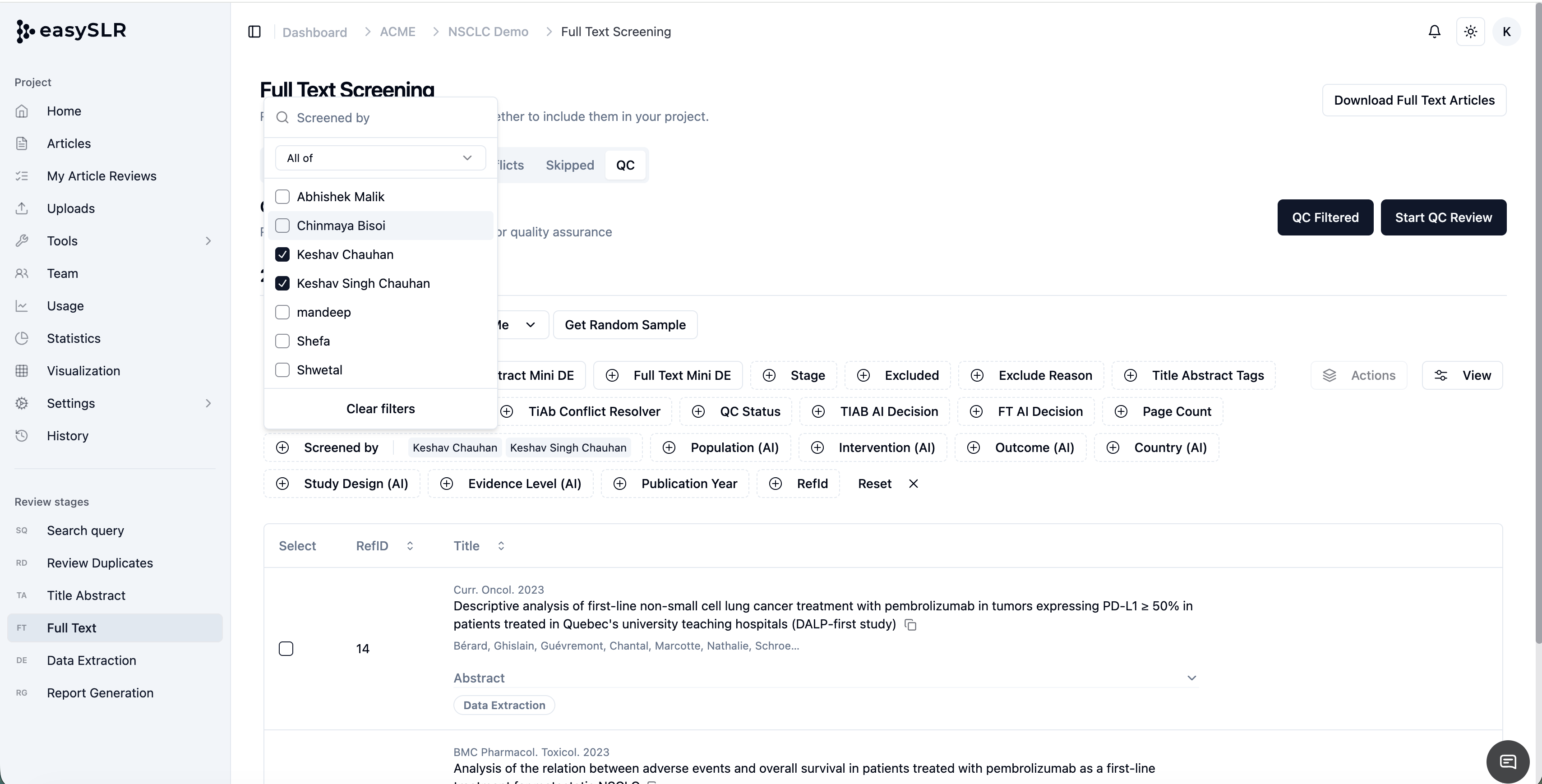
Project owners can then choose between two filtering modes:
Any Selected Reviewer
Displays articles that have been screened by at least one of the selected reviewers.
Useful when:
Reviewing the combined work of a subgroup of reviewers
Identifying all articles reviewed by specific team members
All Selected Reviewers
Displays only articles where all selected reviewers have taken decisions.
Useful when:
Reviewing completed double-review records
Performing QC on records that have been assessed by multiple reviewers
Key Benefits
Faster Quality Control Reviews: Quickly locate articles reviewed by specific team members without manually searching through records.
Improved Reviewer Oversight: Monitor reviewer-level screening activity and decision patterns more effectively.
Simplified Double-Review Management: Easily identify articles where multiple reviewers have completed their reviews.
Greater Flexibility for Large Teams: Particularly useful for projects involving multiple reviewers and large screening volumes.