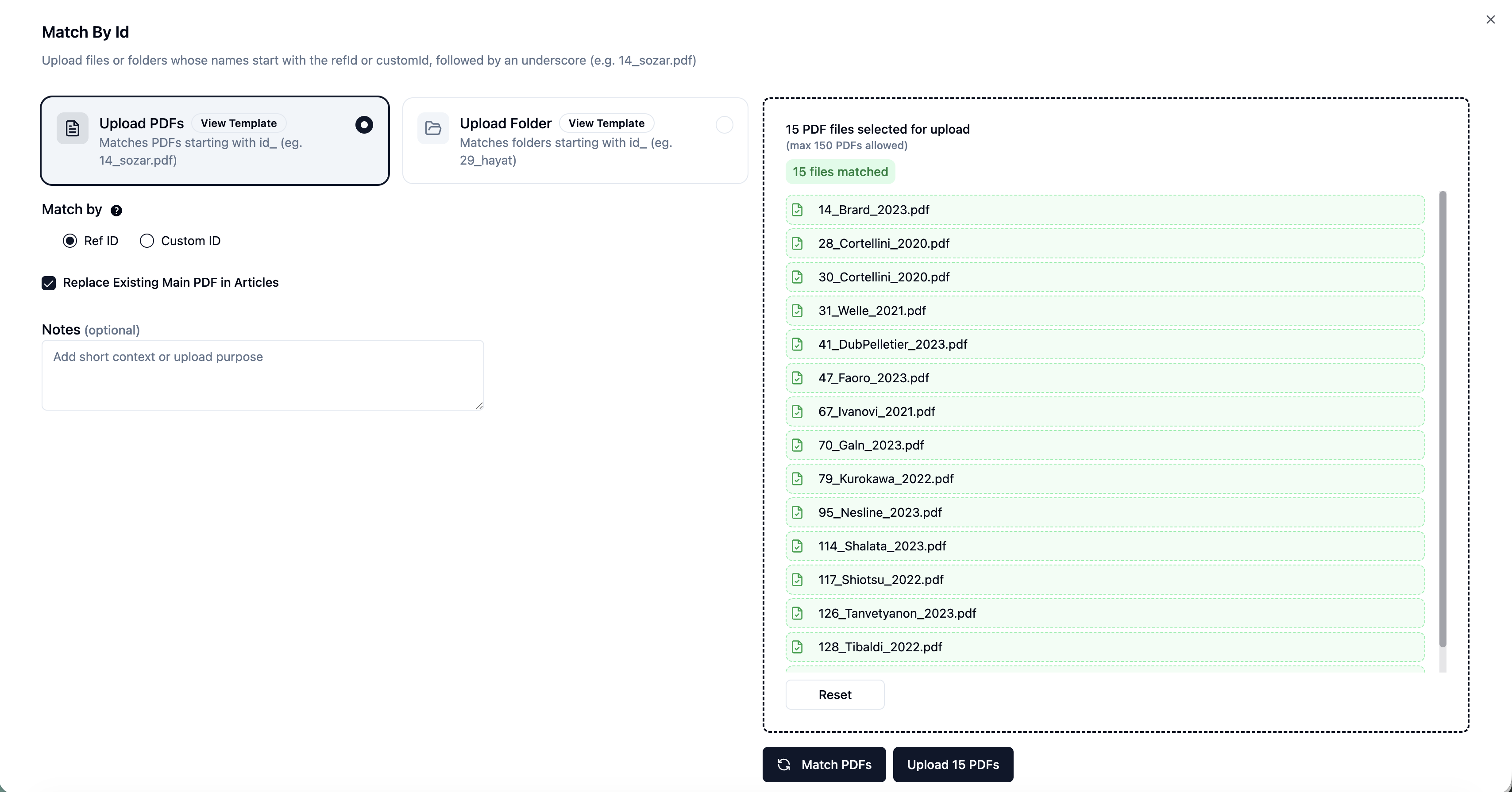
RefId Based PDF Matching
We’re thrilled to announce the launch of RefId Matching — a powerful new feature that makes full-text screening in EasySLR faster and more efficient!
With RefId Matching, the platform automatically links uploaded PDFs files to their corresponding citations — eliminating the need for tedious manual matching.
Key Highlights
Automated Matching: PDFs are instantly matched to their articles using RefIds.
Batch Uploads: Upload up to 150 PDFs per batch and process multiple batches effortlessly.
Replace Existing Files: Option to overwrite previously uploaded PDFs if needed.
How It Works
Navigate to Uploads → Full Text → Match by Id in your project.
Click Add Upload and select your locally saved PDFs (ensure filenames include RefIds, e.g., 14_sozar.pdf).
EasySLR automatically matches each file to the correct article, displaying matched and unmatched records.
Click Upload PDFs to finalise — your matched files will appear directly in the Full Text and Data Extraction stages.