Protocol Generation Tool
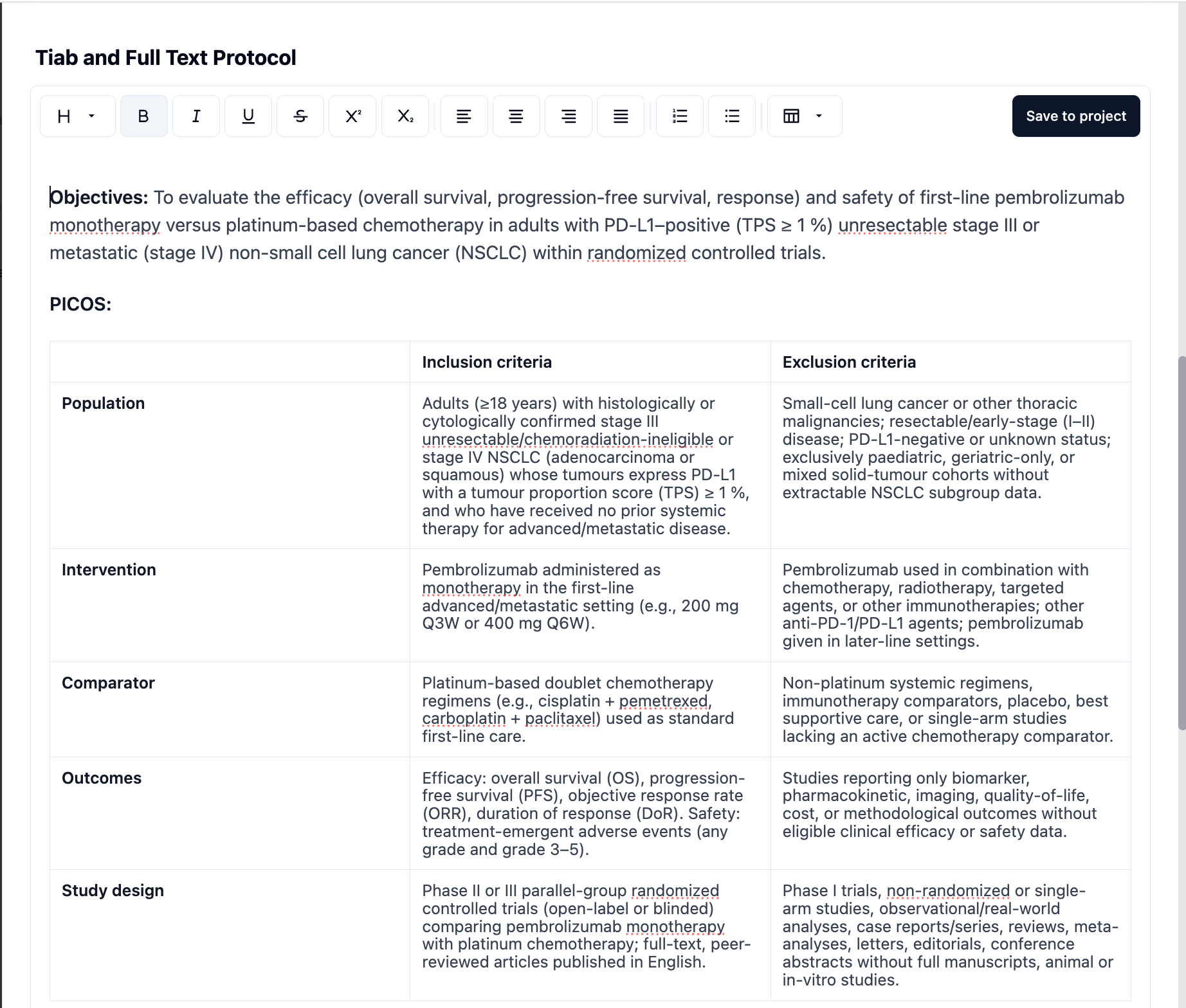
We’re excited to announce the launch of the Protocol Generation Tool in EasySLR — designed to help you create a structured, ready-to-use review protocol in minutes.
This powerful tool generates a standardised protocol based on your Research Objective and Search Query, ensuring your review starts on a strong, methodologically sound foundation.
Key Highlights:
Auto-generated PICOS Table: Clearly defines your Population, Intervention, Comparator, Outcomes, and Study Design.
Structured Selection Criteria: Provides a logical hierarchy of inclusion and exclusion rules for consistent screening.
Predefined Include/Exclude Reasons: Ready to use and fully customisable for your project.
How It Works:
Navigate to Tools > Protocol Generation from your EasySLR project dashboard.
Add your Research Objective and Search Query.
Click Generate Protocol to automatically create your PICOS table, selection hierarchy, and screening reasons.
Review and edit the generated content as needed, then add it directly to your project.