PDF Page Count Filter
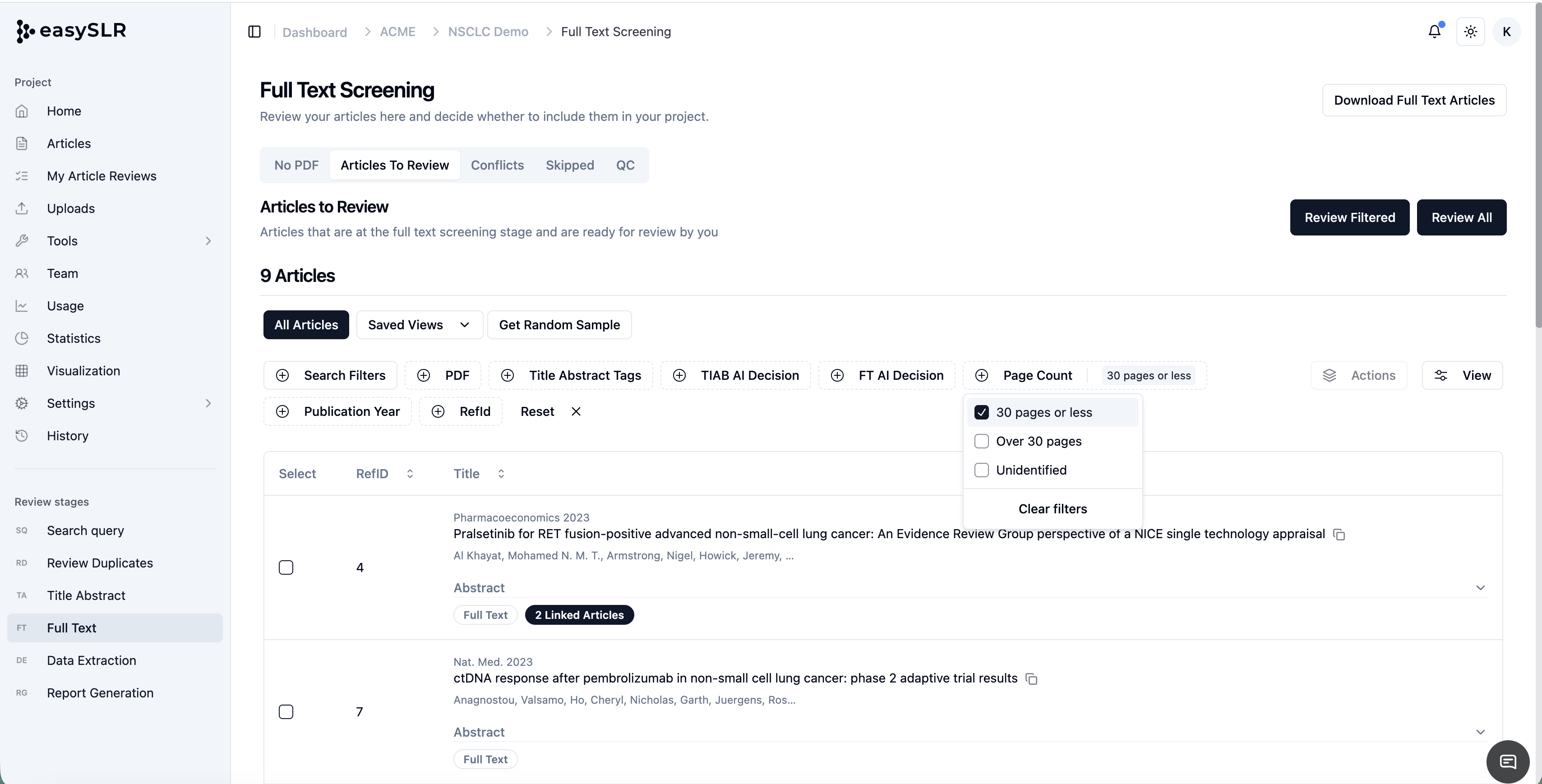
We've introduced a new PDF Page Count Filter, giving teams greater visibility into document size and helping reviewers prioritise full-text screening activities more effectively.
This enhancement makes it easier to identify articles based on PDF length and quickly locate studies that may require additional reviewer attention. The filter is available throughout the platform, including Full-Text Screening, QC workflows, and the Articles section, ensuring easy access to the PDF page count at key stages of the review.
What's New?
Users can now filter articles using three PDF page count categories:
30 Pages or Less
Displays PDFs containing 30 pages or fewer.
These documents are eligible for AI processing and can receive AI-assisted full-text screening suggestions where applicable.
More Than 30 Pages
Displays PDFs containing more than 30 pages.
This filter helps reviewers quickly identify larger documents that require additional attention. Since AI currently does not generate full-text screening decisions for PDFs exceeding the supported page limit, these articles will require manual reviewer assessment.
This is particularly useful for identifying:
Clinical Study Reports (CSRs)
Health Technology Assessment (HTA) reports
Long-form evidence reviews
Publications with extensive supplementary content
Unidentified
Displays records where the PDF is empty, invalid, corrupted, or where page count information could not be determined.
This allows teams to quickly identify documents that may require:
PDF replacement
Re-uploading
Additional quality checks before screening
Key Benefits
Better Visibility into AI Eligibility: Quickly identify which articles can be processed by AI and which will require manual reviewer decisions.
Faster Full-Text Review Planning: Understand document complexity and review effort before screening begins.
Easier Identification of Large Reports: Locate lengthy PDFs that may require additional reviewer time and resources.
Improved Quality Control: Quickly identify invalid, empty, or problematic PDF files through the Unidentified category.
Common Use Cases
Identify PDFs eligible for AI-assisted screening (30 pages or less)
Locate articles requiring manual review (more than 30 pages)
Find missing, corrupted, or invalid PDFs (Unidentified)
Better estimate full-text screening workload
Improve project planning and reviewer allocation