More Accessible Screening Highlights and Evidence Maps
We have updated screening highlights, evidence-map labels, and PDF source focus to make information easier to distinguish and interpret. These changes add visual cues alongside color and reduce repetitive announcements for screen-reader users.
Screening highlights now use distinct underline styles
Previously, positive and negative screening keywords were distinguished by color alone. They now also use different underline styles in both article text and PDFs:
Positive keywords have solid underlines, helping you identify terms marked as positive for screening.
Negative keywords have dashed underlines, helping you distinguish terms marked as negative.
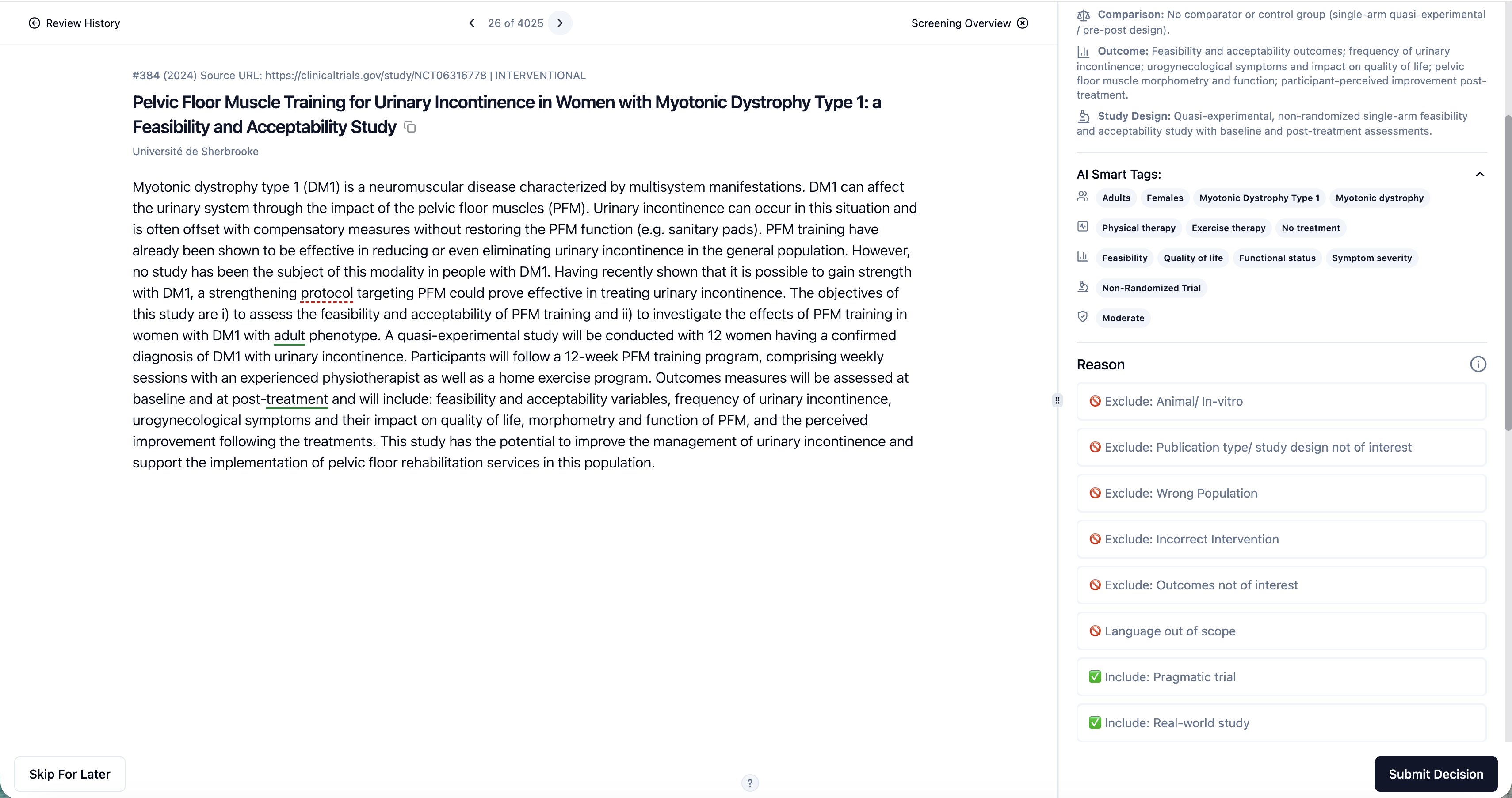
The underline styles supplement the existing colors, providing another way to recognize keyword types when colors are difficult to distinguish.
These highlights remain cues to support your assessment; a highlighted keyword alone does not determine whether an article should be included or excluded.
Highlight examples are available in Settings
You can view examples of the positive and negative highlight styles under Settings → Highlights. This provides a reference for understanding how each keyword type appears before you begin screening.
The legend is not repeated on review pages, keeping the reading area focused on the article. General user annotations remain unchanged; the new underline styles apply to screening keyword highlights.
Evidence maps include H/M/L labels and clearer counts
Evidence maps now display H/M/L labels alongside readable counts, making it easier to identify the represented category and its count without relying solely on color.
This helps reviewers interpret the map more directly and discuss its contents with colleagues using visible labels.
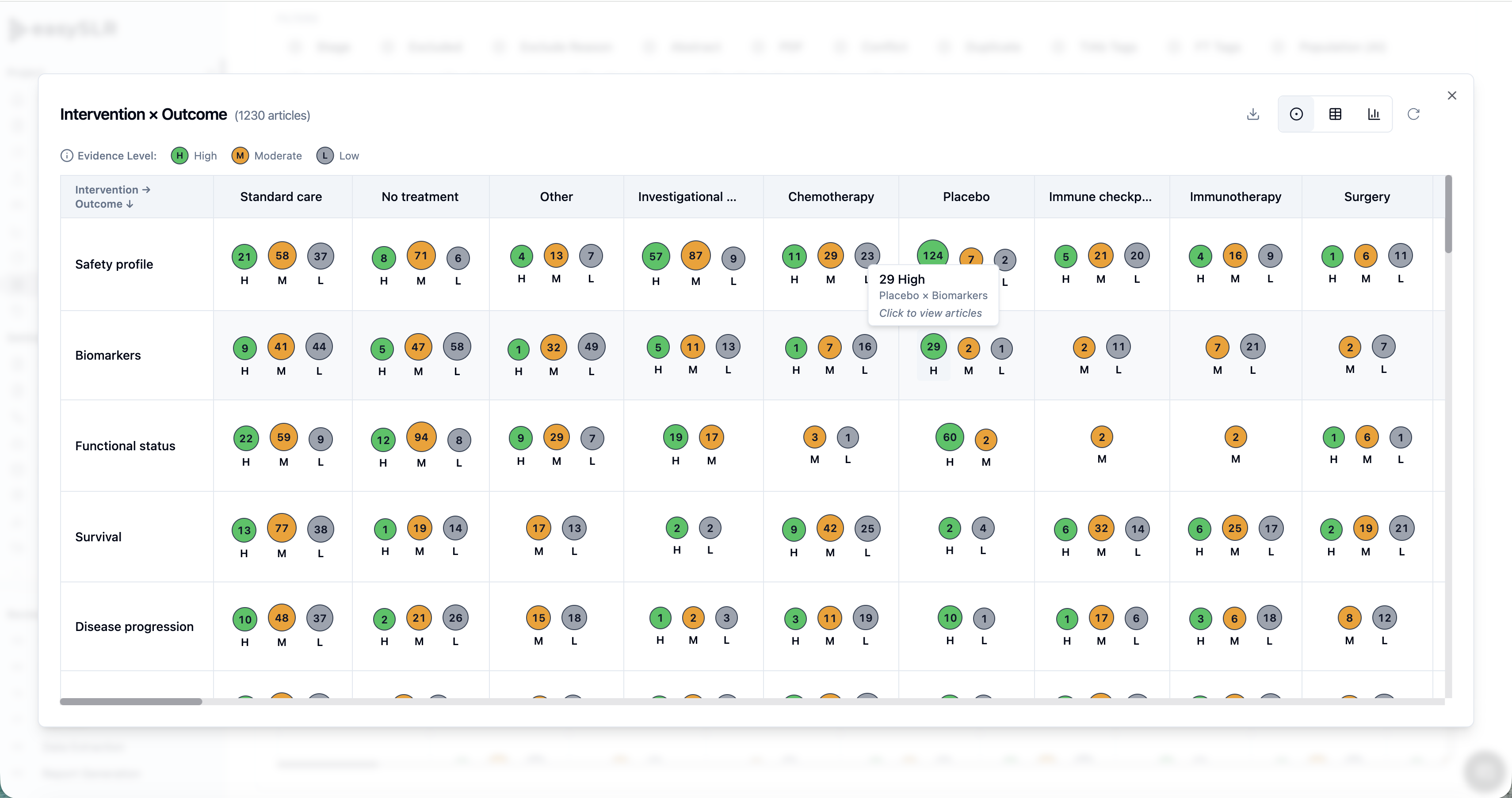
PNG exports retain the evidence-map labels
The H/M/L labels and readable counts are also included in PNG exports. When you download a map for a presentation, report, or discussion, these additional cues remain visible outside EasySLR.
Recipients can therefore use both the labels and colors to interpret the exported map.
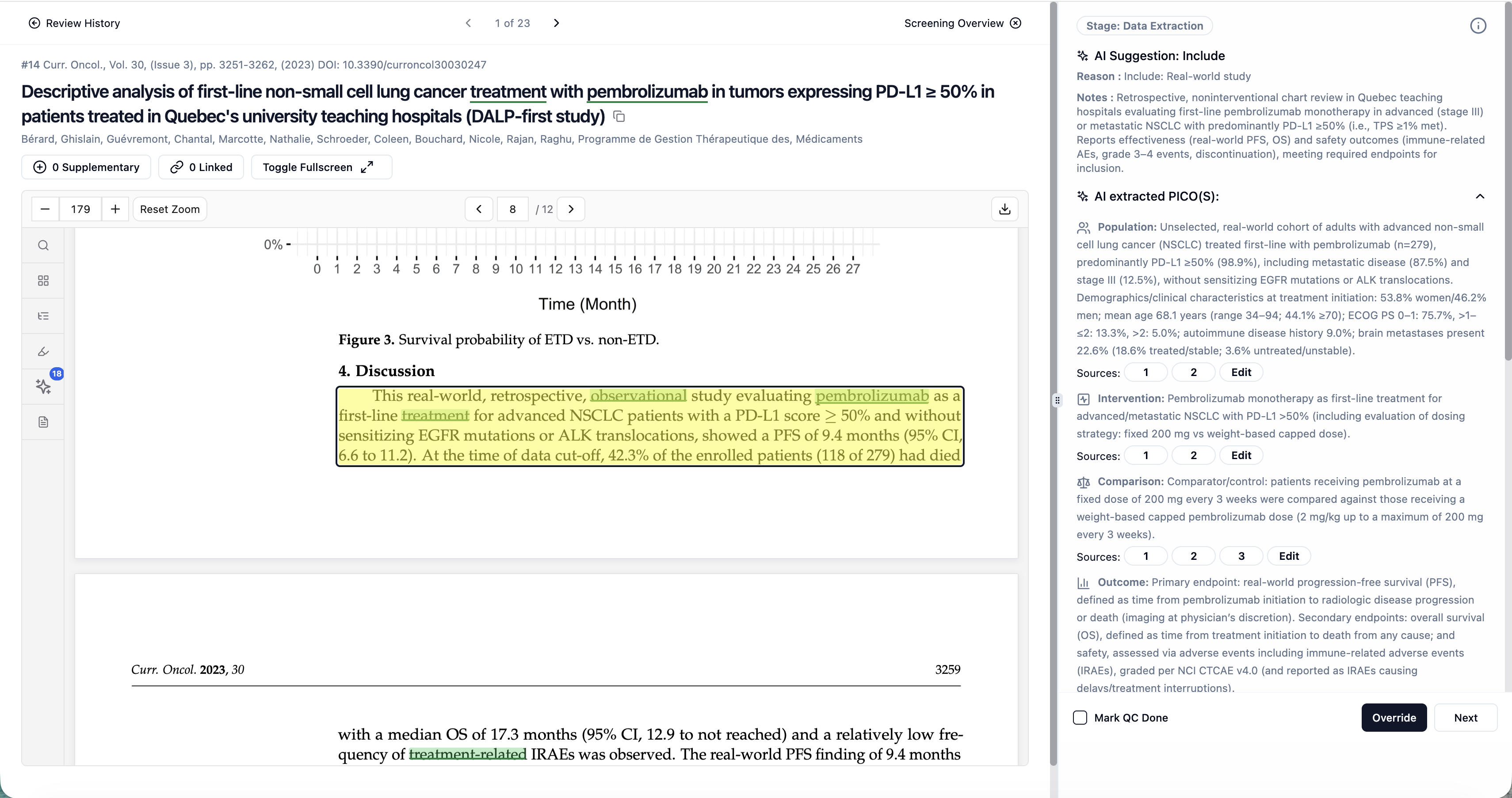
Focused PDF sources now have a visible outline
When a source passage is brought into focus in a PDF, it now has an outline to make its location easier to identify.
This provides a clearer visual boundary around the focused source, helping you locate the relevant passage while reading it in the context of the surrounding document.
What this means for your review
These updates provide more ways to recognize and interpret information throughout the review process:
During screening: Distinguish positive and negative keywords by underline style as well as color.
When checking PDF evidence: Locate the focused source more easily using its outline.
When exploring evidence maps: Read category labels and counts directly.
When sharing maps: Preserve those labels and counts in PNG exports.