Mini Data Extraction Form Dashboard Revamp
We've completely revamped the Mini Data Extraction form setup experience in EasySLR to create a cleaner, more intuitive, and more efficient workflow for reviewers.
This enhancement focuses on improving usability by introducing a better structured interface, clearer call-to-actions (CTAs), and a more organised way of configuring extraction fields.
What's New?
The Mini Data Extraction setup page has been redesigned to make form creation faster, easier to navigate, and simpler to manage, especially for larger extraction forms.
The update includes:
Cleaner and more organised UI
Improved field grouping and data structuring
Clearer action buttons and workflows
New field reordering functionality
New option to copy Title & Abstract forms to Full-Text (and vice versa)
Reduced visual clutter
Key Enhancements
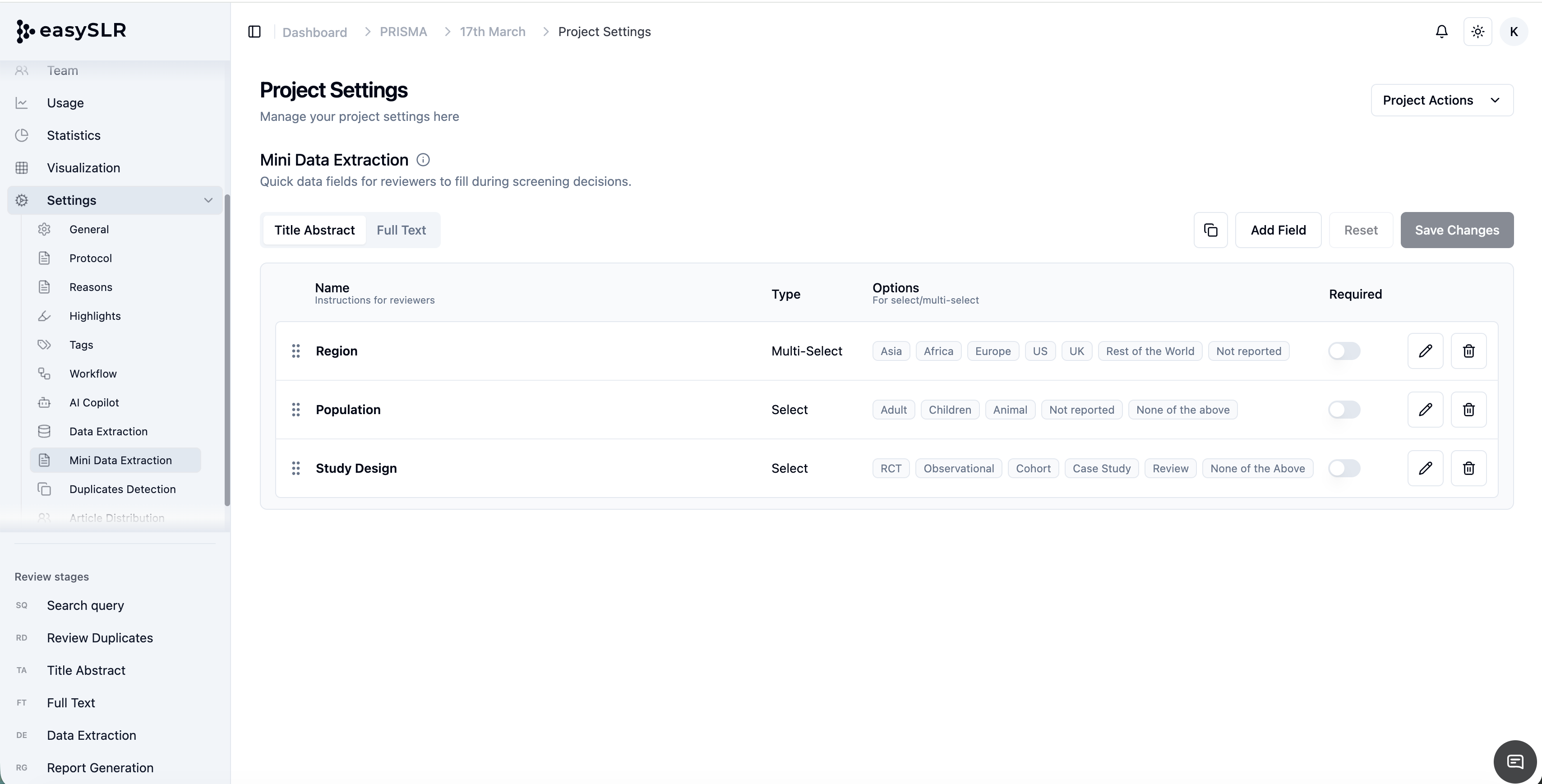
Cleaner & More Intuitive Interface
The overall layout has been redesigned to improve readability and reduce complexity.
Users can now focus on configuring extraction fields without navigating through a crowded interface.
Benefits include:
Improved visibility of extraction fields
Better spacing and alignment
Reduced scrolling
Faster navigation
Improved Data Structuring
Extraction fields are now organised in a more structured manner.
This makes it easier to:
Understand the overall extraction setup
Group related fields together
Review extraction configurations before running AI
The improved structure is particularly beneficial for larger and more complex extraction forms.
Clearer Call-to-Actions (CTAs)
Action buttons in the setup process have been redesigned to make the workflow more intuitive.
Users can now more easily identify actions such as:
Adding new fields
Editing existing fields
Reordering fields
Saving changes
Delete Fields
This reduces confusion and makes form setup faster for both new and experienced users.
New: Reorder Extraction Fields
Users can now easily reorder Mini Data Extraction fields.
This allows teams to arrange fields in a logical sequence that aligns with their extraction workflow.
Benefits include:
Better organisation of extracted outputs
More standardised extraction templates
Improved readability for reviewers
Greater flexibility when modifying existing forms
New: Copy Title & Abstract Form to Full-Text (and Vice Versa)
Users can now directly copy extraction forms between the Title & Abstract and Full-Text stages.
This eliminates the need to manually recreate similar extraction fields across both stages.
Benefits include:
Significant time savings during setup
Reduced duplication of effort
Improved consistency between stages
Easier maintenance of extraction forms
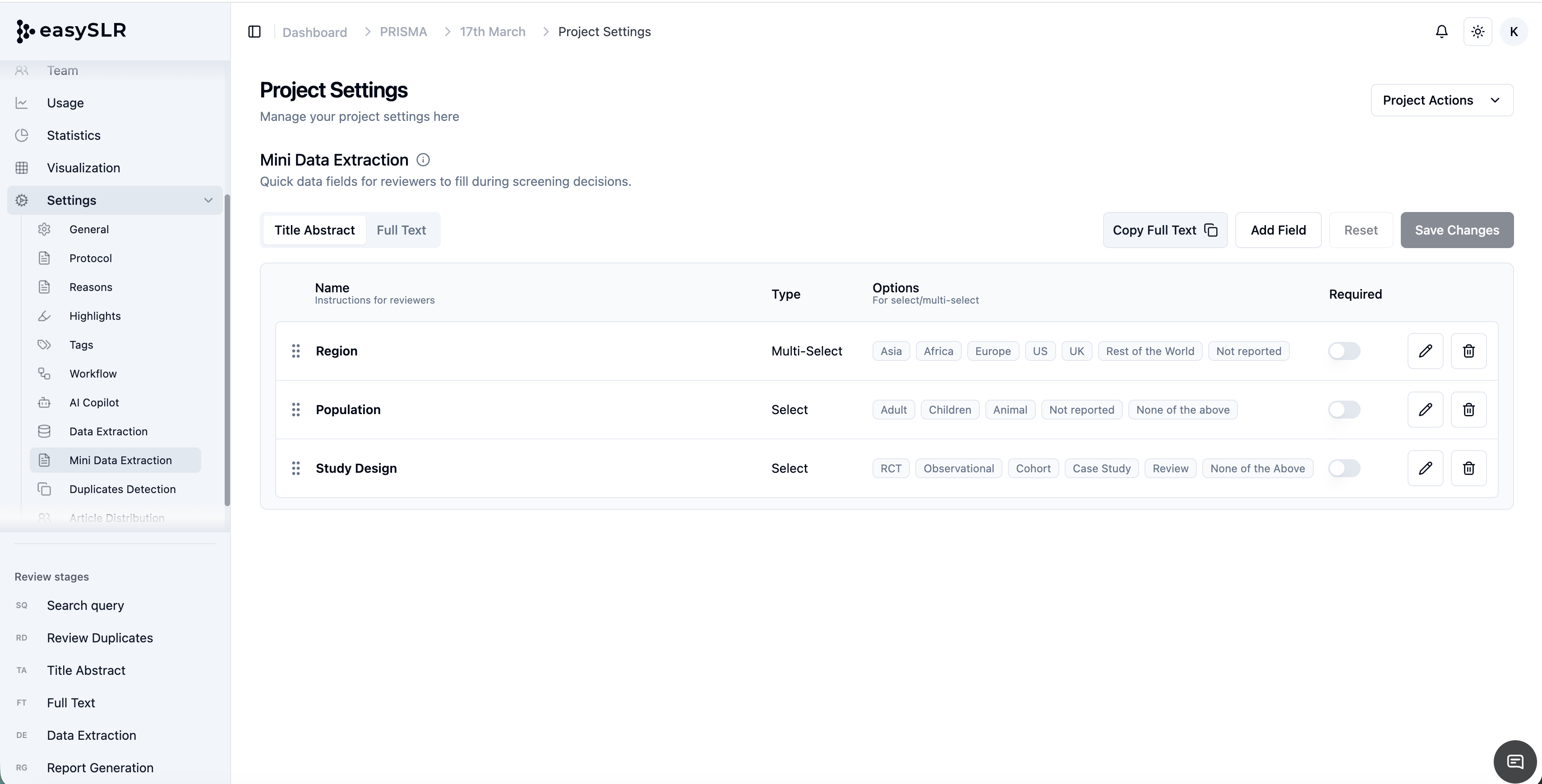
This is particularly useful for projects where similar information needs to be captured at both screening stages.
Reduced Visual Clutter
The interface has been streamlined to minimise distractions and improve focus during setup.
This creates a smoother user experience, particularly for projects with a large number of extraction fields.
Key Benefits
Faster Form Setup: Spend less time configuring extraction forms and more time reviewing evidence.
Better User Experience: A cleaner interface makes the setup process more intuitive and easier to learn.
Improved Organisation: Create more structured extraction forms that are easier to review and maintain.
Easier Navigation: Locate actions and manage extraction fields more efficiently.
Reduced Duplicate Work: Copy forms across stages instead of recreating them manually.
Better Scalability: The redesigned interface is particularly helpful for projects with larger and more complex extraction requirements.
This revamp is aimed at making Mini Data Extraction setup faster, cleaner, and easier to use, helping teams build and manage extraction templates with greater efficiency.