Mini Data Extraction
We’re excited to introduce the Mini Data Extraction feature — a powerful new way to capture essential data points early in your review process.
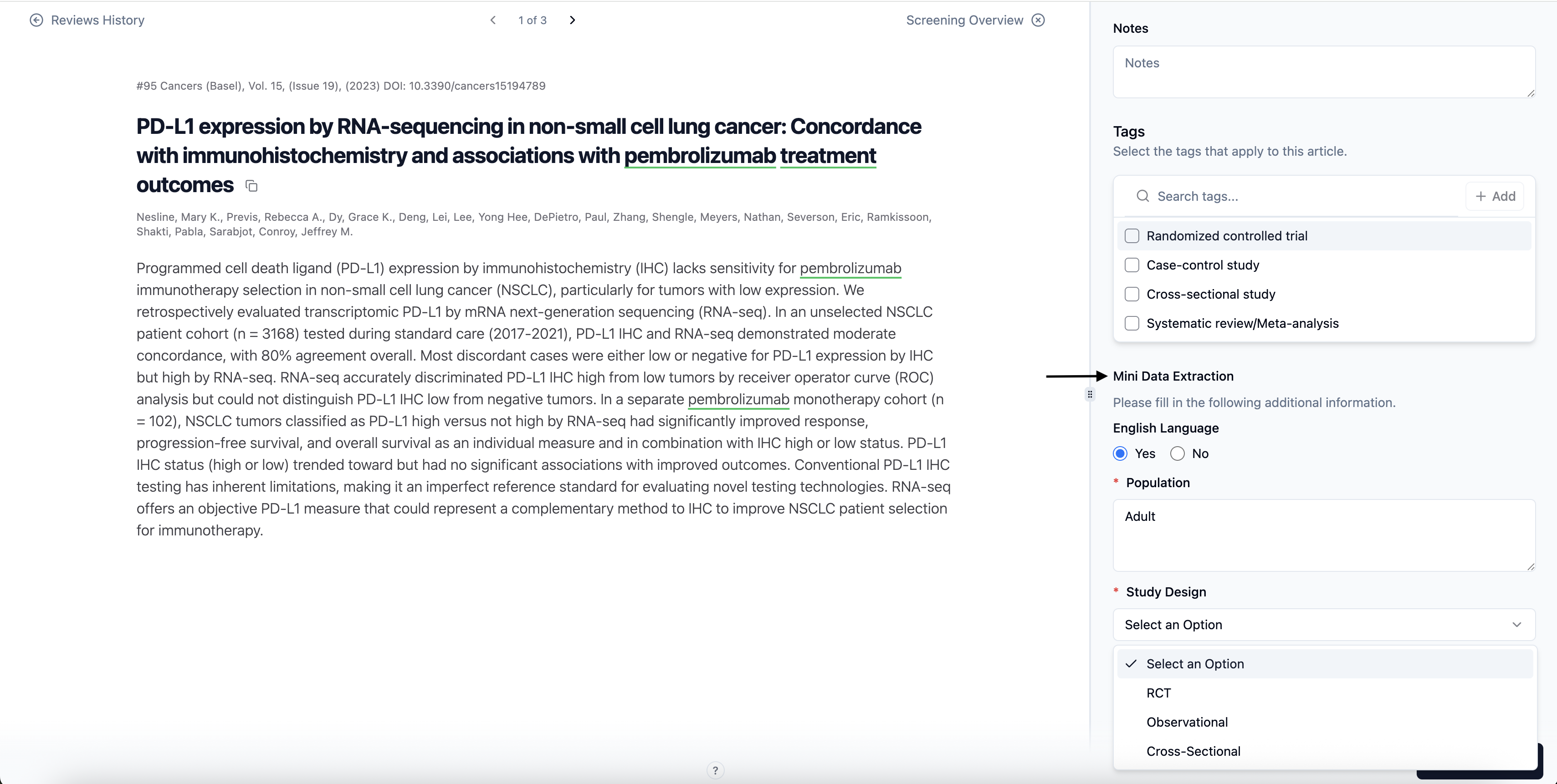
Mini Data Extraction allows reviewers to extract a focused set of predefined fields during the Title–Abstract or Full-Text screening stages, making it ideal for teams that need quick, high-level data before moving to full-scale extraction.
Key Highlights
Custom Fields Setup: Define your own data fields directly under the Mini Data Extraction tab in Project Settings.
Flexible Input Types: Choose from Text, Multi-select, or Yes/No fields and mark any as Required.
Structured Data Capture: Collect key information alongside inclusion/exclusion decisions.
Conflict Identification: Detects discrepancies between reviewers automatically using the Mini DE Conflict Filter.
Quality Control Support: Project Owners can compare and edit reviewer inputs during conflict resolution or QC.
Easy Export: Export all Mini DE data and reviewer decisions to Excel for analysis and documentation.
How It Works
Set Up Fields
Navigate to Project Settings → Mini Data Extraction.
Click Add Field to define your data points (e.g., Study Design, Population Type, Intervention).
Select the input type (Text, Multi-select, Yes/No) and mark fields as required if necessary.
Apply separate forms for Title–Abstract and Full-Text stages.
Enter Data During Screening
Go to your Screening Stage (TiAb or FT).
For each article, Mini DE fields will appear next to the decision panel.
Fill out the relevant data before submitting your decision.
Conflict Handling
When reviewer decisions differ, all Mini DE data from both reviewers are displayed to the Lead Reviewer.
The Lead Reviewer can copy, edit, or finalise data inputs based on comparison.
If no conflict: The Mini DE of reviewer with higher hierarchy will be downloaded along with the decision as the final reviewer.
Export & Review
Go to Articles → Download → Download All (Excel).
The exported file includes Mini DE fields, reviewer decisions, and conflict indicators for transparency and reporting.