Meta-Analysis Now Available in EasySLR
Meta-analysis is now available as a dedicated review stage in EasySLR. You can combine results from multiple studies, perform statistical analyses, and review pooled findings directly within your project.
Whether your data comes from EasySLR’s Data Extraction stage or an existing CSV or Excel file, the guided workflow helps you prepare your data, configure comparisons, validate inputs, and analyse study results.
Flexible Data Sources and Analysis Options
You can start a meta-analysis using either of two data sources:
Project Extraction: Use finalised data extraction results directly from your EasySLR project.
Upload a File: Import existing study data using a CSV or Excel file, even if the extraction was completed outside EasySLR.
This flexibility allows you to perform meta-analysis without requiring data extraction to be completed within EasySLR.
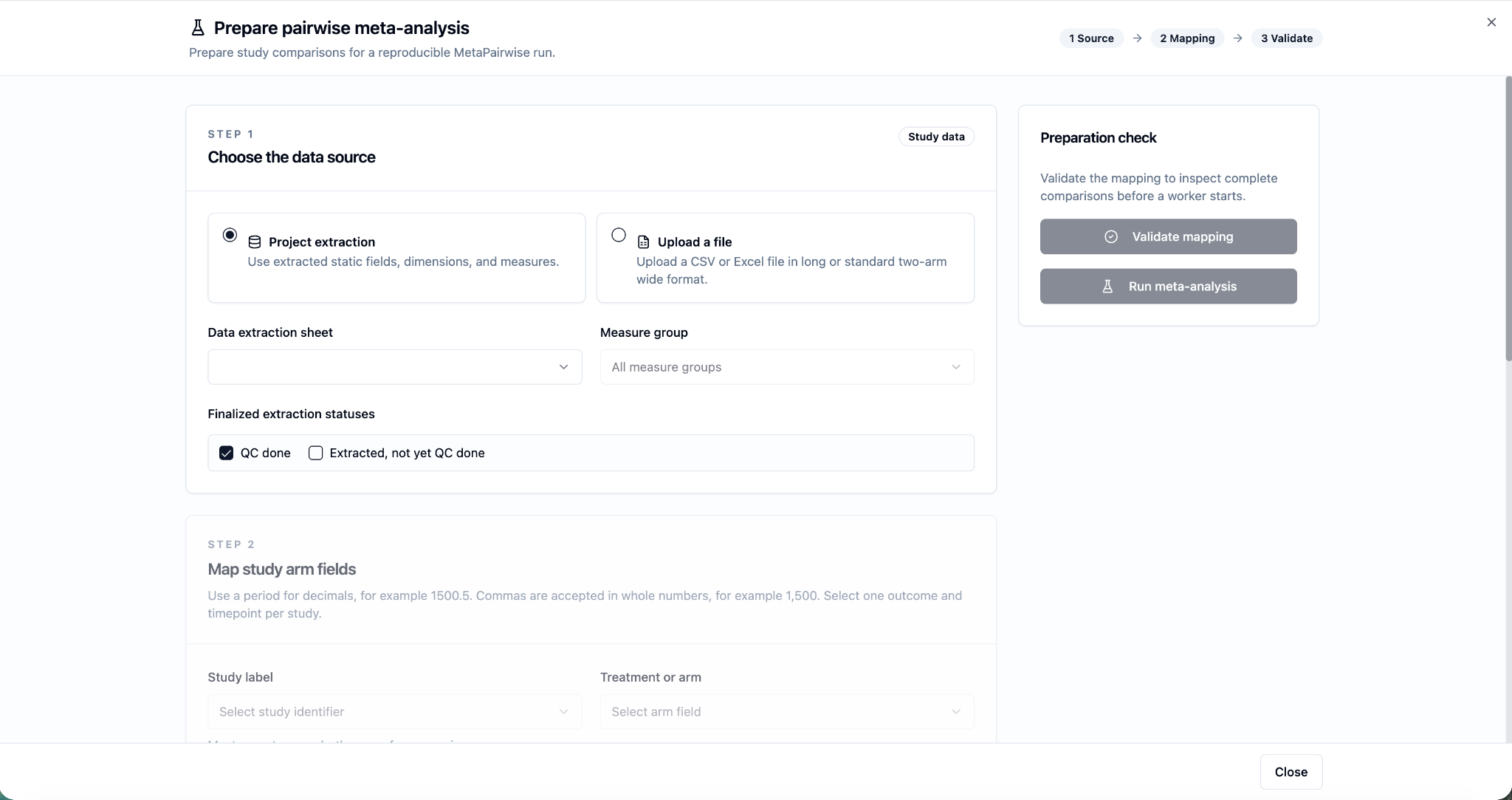
Once you’ve selected your data source, map the fields required for your chosen analysis.
Next, define your analysis settings by selecting the outcome type.
EasySLR supports two types of outcome analysis:
Binary Outcomes: Odds Ratio (OR), Risk Ratio (RR), and Risk Difference (RD).
Continuous Outcomes: Mean Difference (MD) and Standardised Mean Difference (SMD).
Choose the effect measure that matches your outcome data and review methodology.
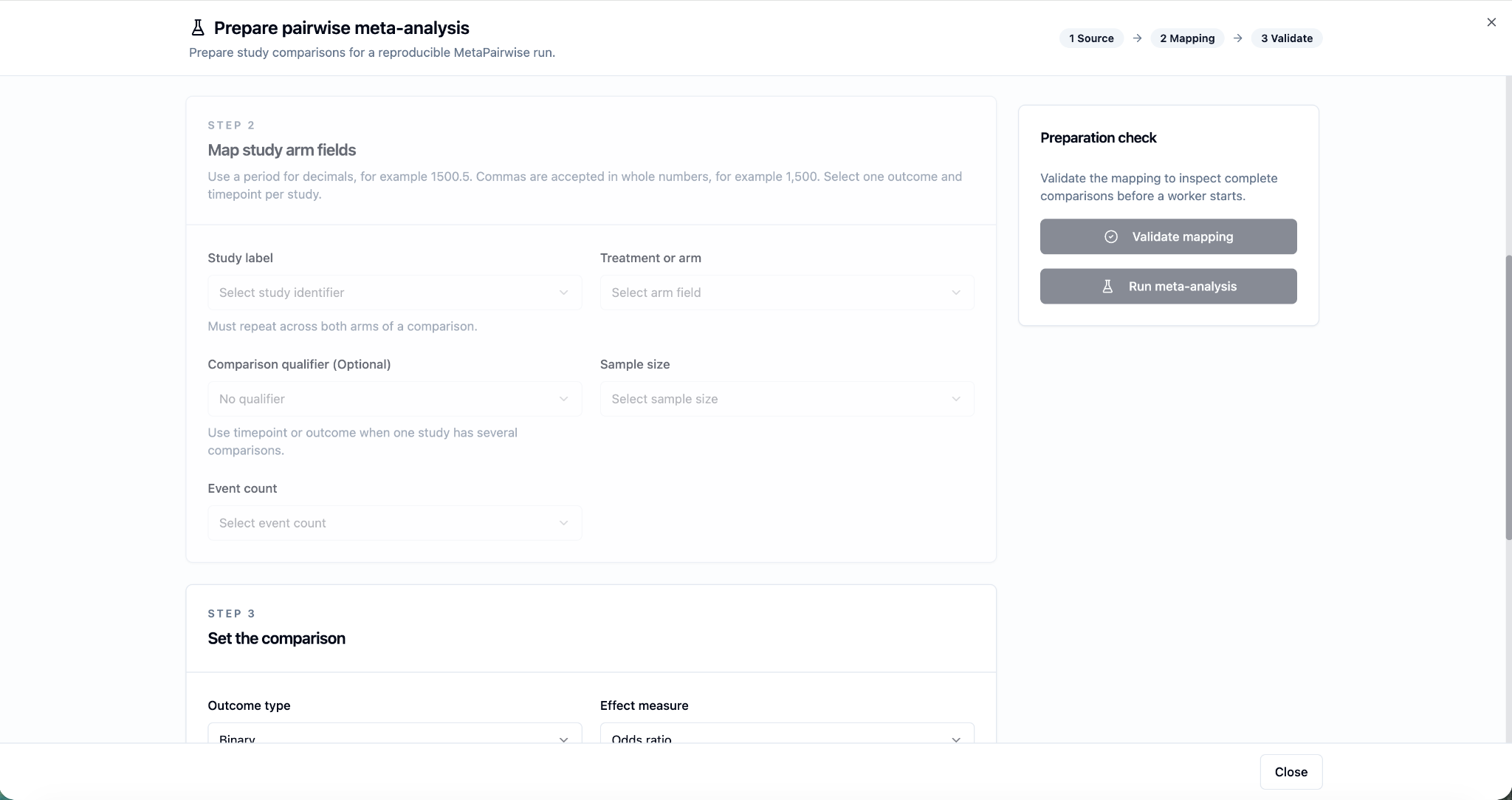
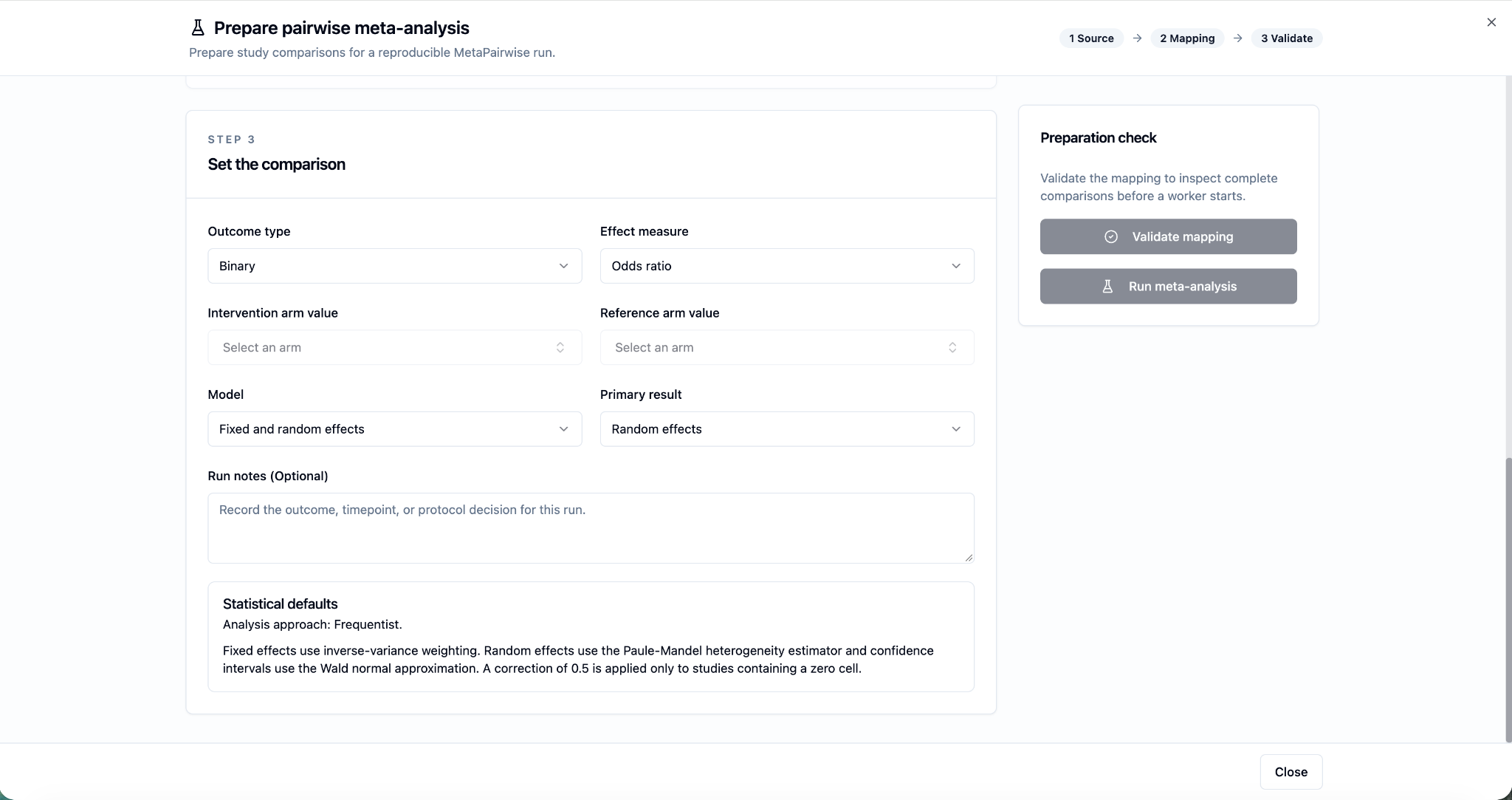
Review and validate comparisons before analysis
Before running your analysis, review the comparison preview to ensure that the study data, treatment groups, outcomes, and sample sizes are correctly mapped.
If any comparison is incomplete, review the underlying data to identify missing information and resolve it or confirm any exclusions before proceeding.
This validation step helps you check which data and comparisons will contribute to your analysis.
Explore pooled results and forest plots
Once the analysis is complete, review the results directly within EasySLR.
Pooled Estimates: View the combined effect across the studies included in the analysis.
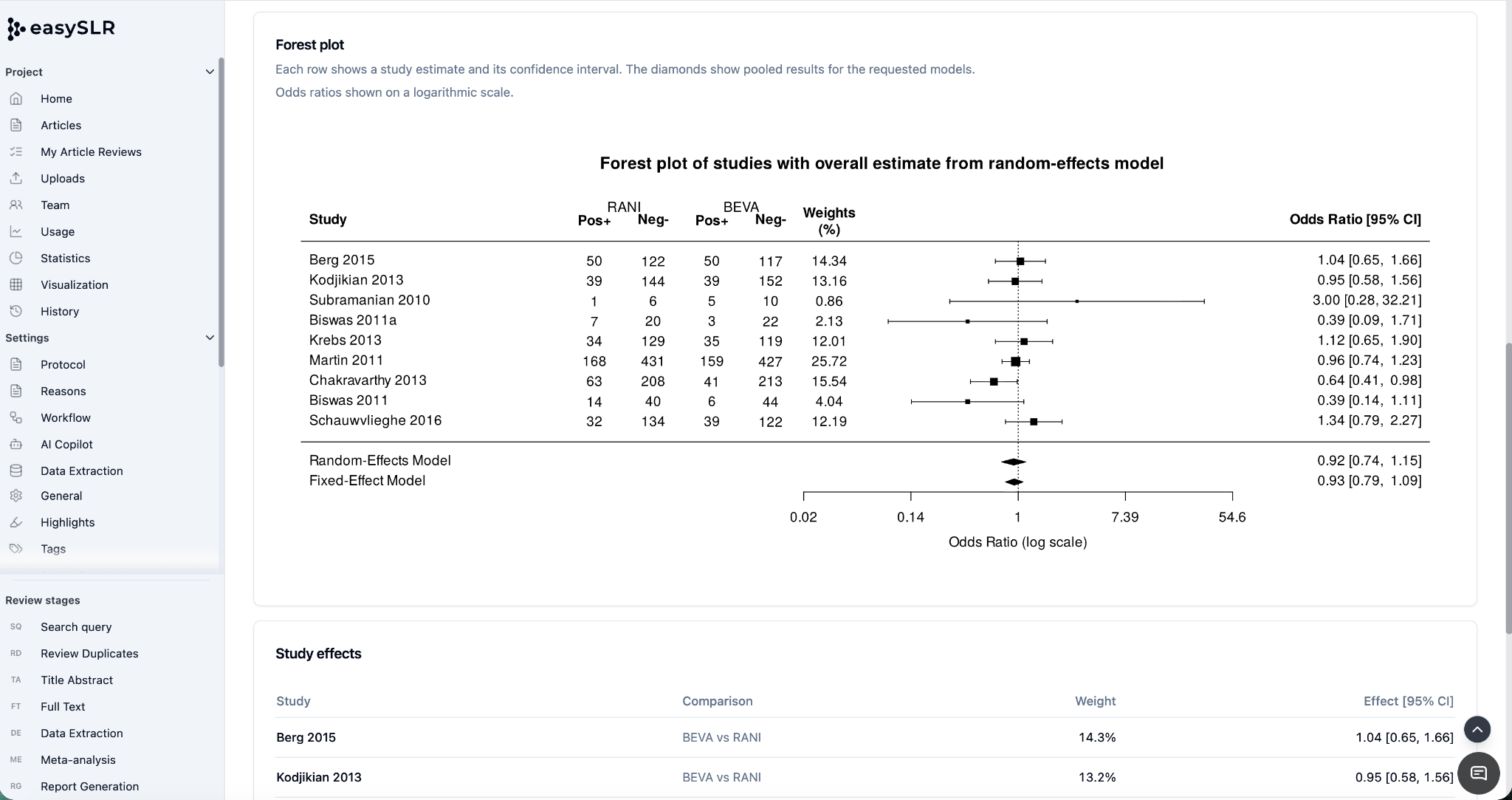
Forest Plots: Visualise individual study effects alongside the overall pooled estimate.
Individual Study Effects: Inspect study-level estimates and compare them with the combined result.
These results provide a structured view of the evidence and make it easier to examine findings across studies.
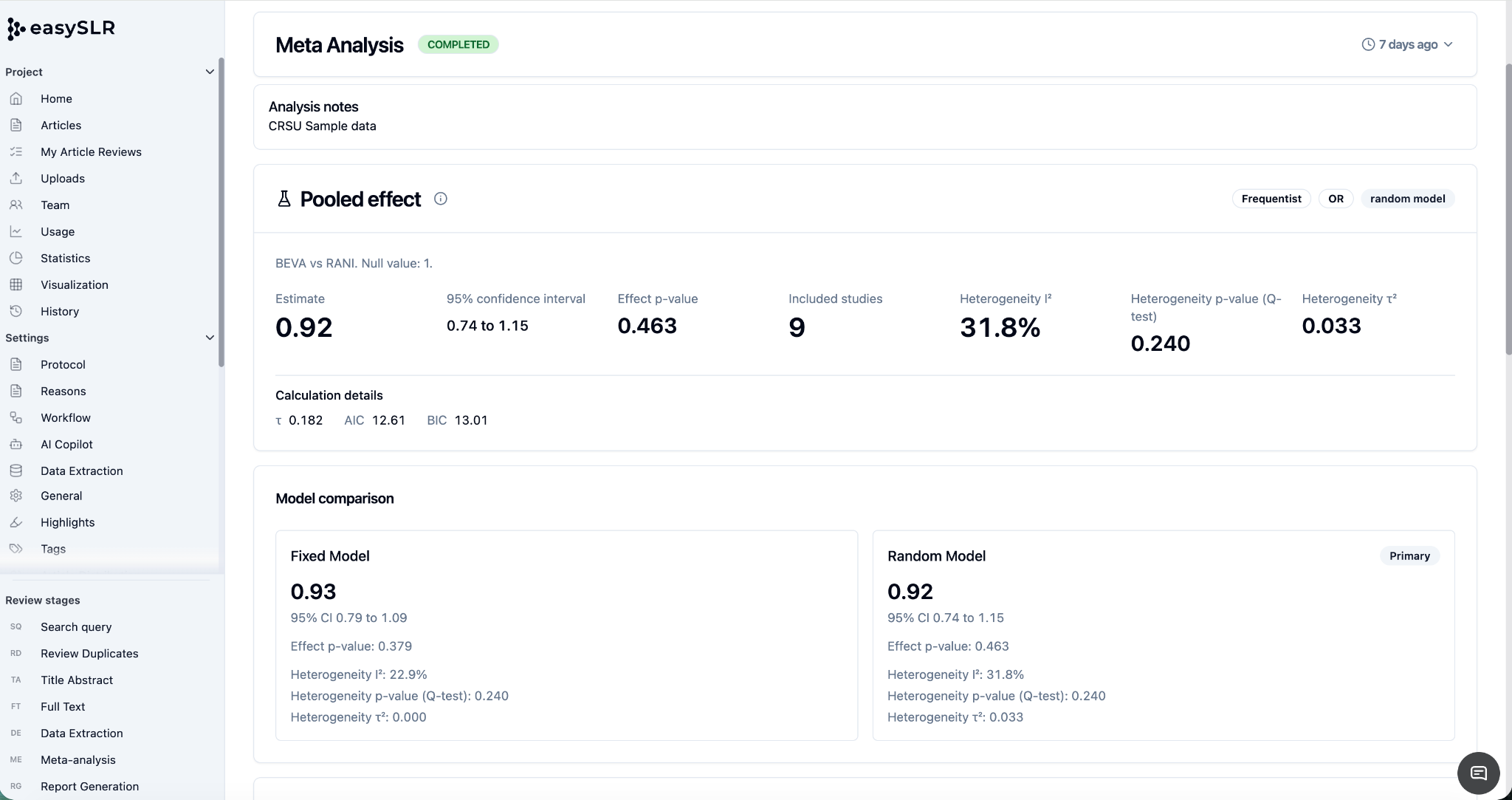
Download your analysis results
You can download the available analysis outputs for further review, documentation, and reporting.