EasySLR
  • Features
  • Pricing
  • Events
Go Back

Flexible Article Sorting

August 31, 2025

EnhancementChangelog

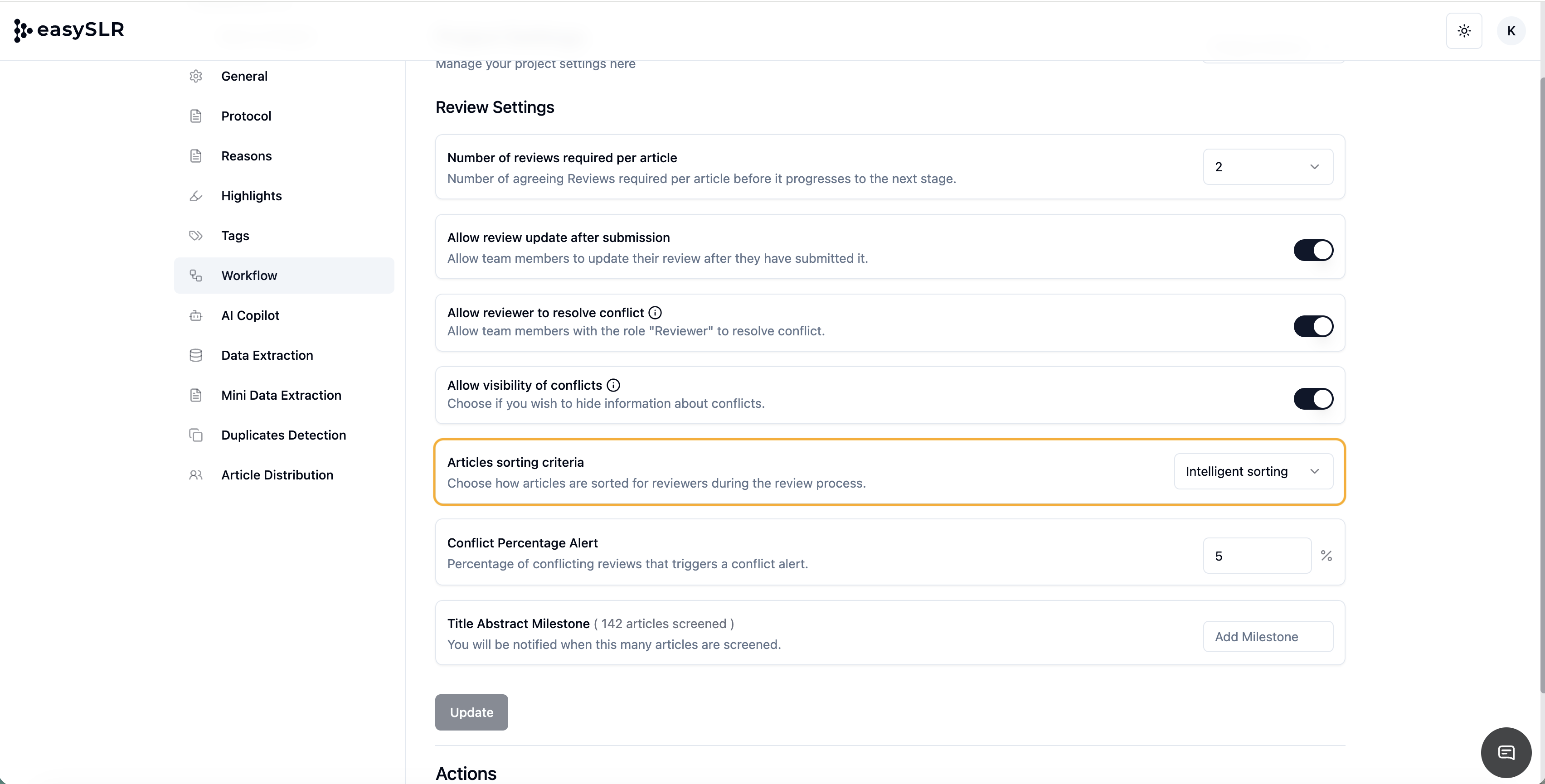
We’ve added more flexibility to how you view and manage your articles in EasySLR with the new option to Switch Off Intelligent Sorting.

Previously, article lists were automatically optimized based on Intelligent Sorting — prioritizing AI inclusions. Now, you have full control to turn this off and view articles based on RefId order.

  • Go to your project Settings> Workflow.

  • Click on the Articles sorting criteria.

  • Toggle between Intelligent Sorting and RefId based Sorting as per your preference.

EasySLR
soc.pngiso.pnggdpr.png
LinkedInXInstagramYouTube

Product

  • Features
  • Pricing
  • Systematic Review Software
  • Tools Free
  • Knowledge Base
  • Changelog

Company

  • About Us
  • Events
  • Research
  • Methods
  • Blog
  • Book a Demo

Legal

  • Privacy Policy
  • Terms of Service
  • Refund Policy
  • Trust Center

Address

  • Minarch Tower,
    Sector 44,
    Gurugram, HR
    India 122003

Request an AI summary of EasySLR

ChatGPTClaudeGeminiGrokPerplexity

© 2026 EasySLR All rights reserved.