Expanded “Last Updated” Filter Options – Faster Review Tracking & Decision Management
We’ve expanded the options available within the Last Updated filter to make it easier for teams to identify articles reviewed within a selected time period and efficiently manage decision updates.
This enhancement improves visibility into recent review activity and helps users quickly track, revisit, and update screening decisions.
What’s New?
Additional filtering options have now been added to the Last Updated filter, allowing users to narrow down articles based on when they were recently reviewed or modified.
Users can now more easily:
Identify recently reviewed articles
Track screening activity over specific time ranges
Locate articles requiring follow-up or decision updates
Monitor reviewer activity more efficiently
Key Enhancements
Expanded Time-Based Filtering Options
The filter now provides more flexible date and time selection options, making it easier to retrieve articles updated within a specific duration.
Examples include:
Last 1hr
Last 3hr
Last 6hr
Last 24hr
Custom date ranges
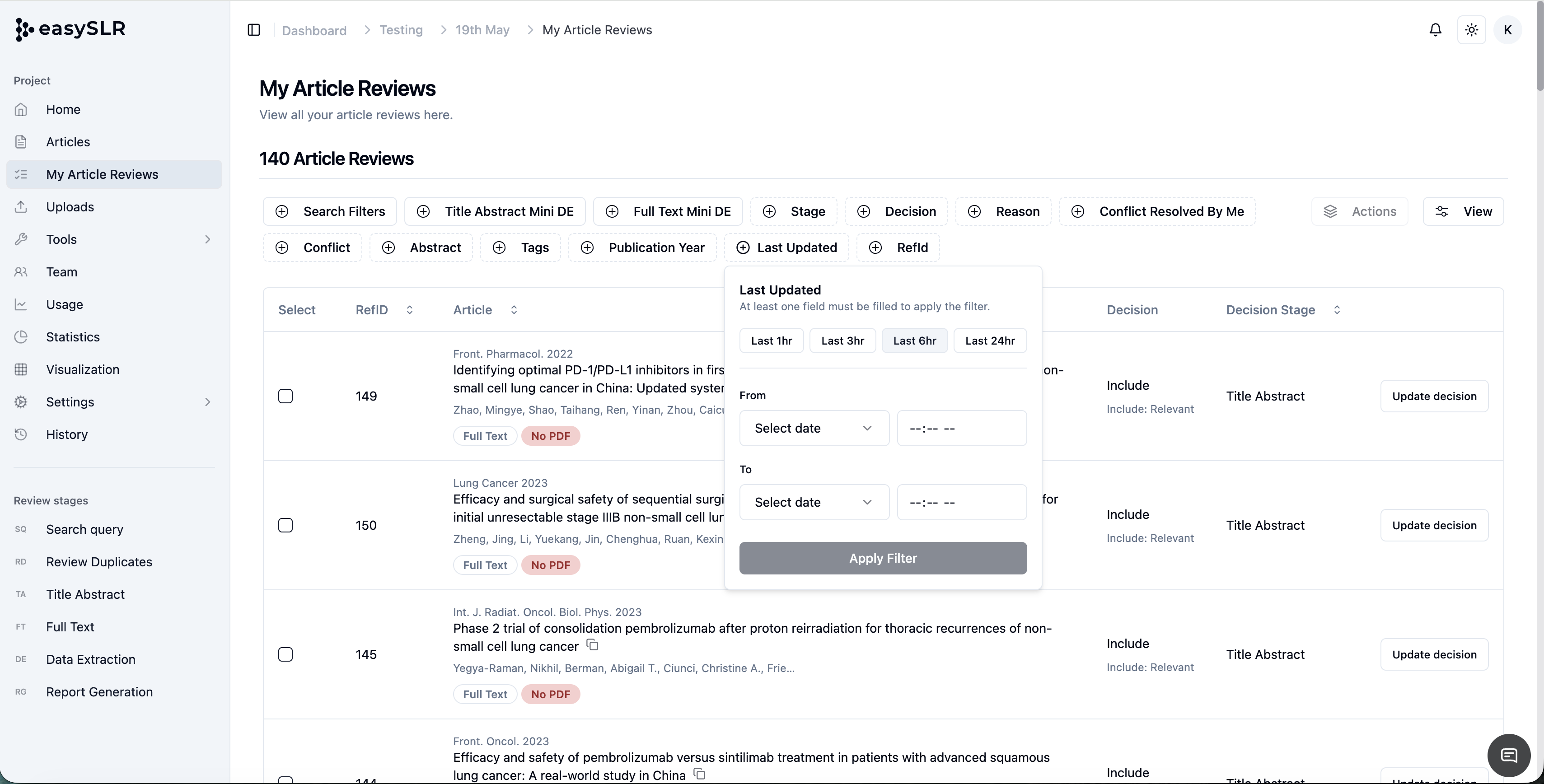
This allows teams to quickly focus on recent workflow activity without manually searching through large datasets.
Easier Decision Updates
The enhanced filter makes it significantly simpler to identify and revisit articles where decisions may need to be modified.
This is especially useful when:
Inclusion/exclusion criteria are updated
Protocol changes occur
Reviewers need to revisit previously screened studies
Users can quickly filter relevant records and update decisions in bulk or individually.