EndNote Export Now Available in EasySLR
EasySLR now supports EndNote (.enlx) export alongside the existing Excel and RIS export options.. Users with article export permission can generate an EndNote .enlx library containing project article metadata and available PDF attachments.
The export runs in the background, so users can continue working while the library is prepared.
Export an entire project or a filtered article set
Export all eligible articles in a project from the Articles page.
To export a specific set, filter articles by stage and choose to export only the filtered articles.
The generated library contains the eligible articles within the selected export scope.
The output is provided as an EndNote .enlx library, bringing article metadata and available PDFs together in one downloadable file.
Include article details and available PDFs
Article metadata is included in the exported library.
Available PDF attachments are included alongside the article records.
PDF inclusion depends on whether an attachment is available for the article in the project.
Automatically exclude confirmed duplicates
Articles confirmed as duplicates are excluded from the export.
This exclusion is applied automatically when preparing the library, so users do not need to remove confirmed duplicates manually before exporting.
Receive an email when the export is complete
The user who starts the export receives an email when the library is ready.
The email includes a link to download the EndNote library, allowing the user to access it without continuously checking the job’s progress.
Access and permissions
Users must have article export permission to start a project-level EndNote export.
How to use
Open the project’s Articles page.
Click on the Download option and select download to EndNote.
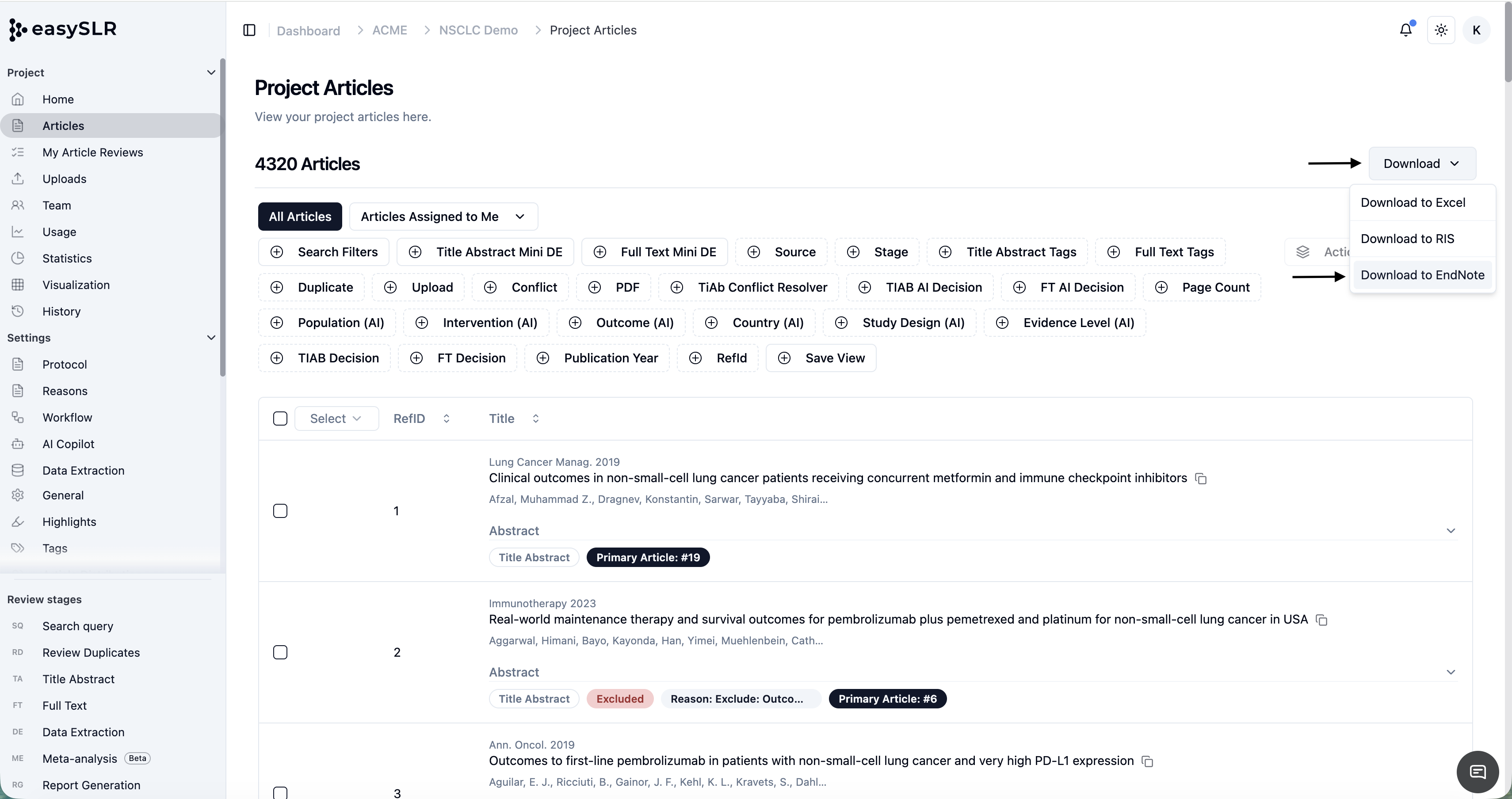
Start the export and continue working while it runs in the background.
Download the completed library from the history page or use the download link sent by email.