EasySLR Version Information in Account Settings
EasySLR’s version number is now displayed within Account Settings, making it easier to identify, reference, and report the exact application version in use.
What’s new
Added the current EasySLR version number to the Account Settings page.
Positioned the information in an accessible location without disrupting existing account controls.
Standardized the version display for easier reference during support, documentation, and research reporting.
Citation and submission support
The displayed version number can be used when citing EasySLR or documenting the exact version used in research and other submissions. Where required, users can include it in:
Manuscripts and journal submissions
Systematic review reports and protocols
Conference abstracts and presentations
Theses and dissertations
Regulatory or institutional documentation
Supplementary materials and methodology sections
Recording the version helps reviewers and readers understand which release of EasySLR was used to conduct the work, supporting transparency and reproducibility.
How to find it
Sign in to EasySLR.
Open Account Settings.
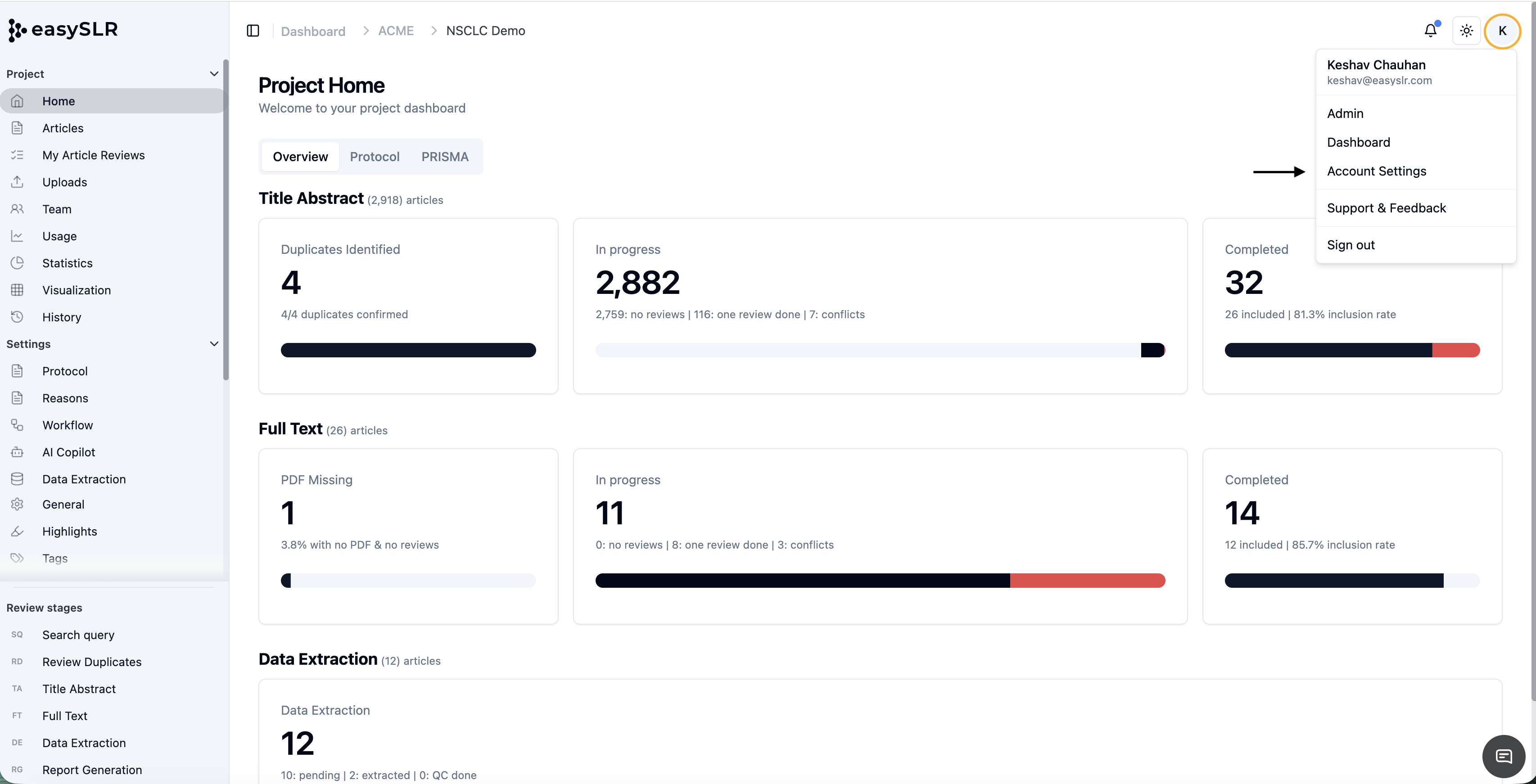
Locate the EasySLR Version information.
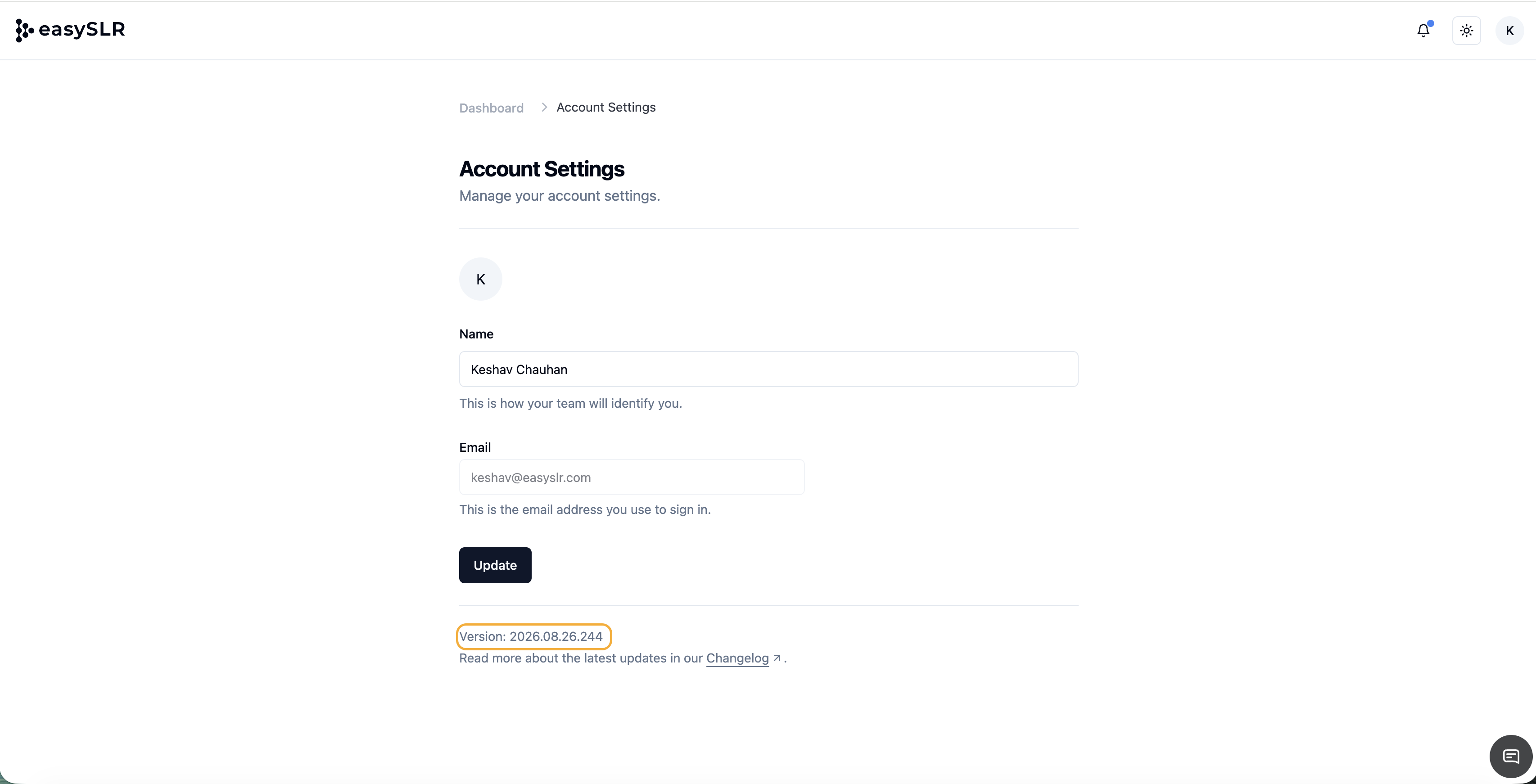
Include the displayed version when citing EasySLR or reporting in a submission.
Access the Changelog to review the features and enhancements included in that release.
Version-number format
EasySLR versions follow the Year.Month.Date format: YYYY.MM.DD
For example, version 2026.08.31 indicates a release dated 31 August 2026. This date-based format makes it easy to understand when a version was released without consulting separate release documentation.
Benefits
Quickly confirm the EasySLR version in use.
Cite the correct version in publications and submissions.
Maintain clearer records for research reproducibility and audit purposes.
Include precise version details in bug reports and support requests.
Verify that users are working with the expected release.
Impact
This is an informational interface enhancement. It does not change existing account settings, permissions, workflows, or user data. No action is required unless users need to record the version for citation, documentation, or submission purposes.