Download SLR Reports as PPT
EasySLR now supports report downloads in PowerPoint (PPT) format, alongside the already available comprehensive Word report.
While the Word report provides detailed documentation of your systematic literature review, the new PPT report offers a shorter, more concise version containing the key project information and findings. It is designed for presentations, internal updates, stakeholder meetings, and quick review.
Two report formats for different needs
Word Report- Comprehensive Documentation
The existing Word report provides a detailed account of the review, making it suitable for complete documentation, in-depth review, and further report development.
PowerPoint Report- Concise Presentation
The new PPT report summarises the most important content from the Word report in a clear, slide-based format. It helps teams communicate findings without manually converting a detailed document into a presentation.
Key information covered
Depending on the information available in your EasySLR project, the PPT report may include:
Project and review overview
Research objectives and methodology
Search strategy summary
Citation and screening progress
Study selection information
Included-study overview
Data extraction highlights
Quality assessment summary
Key findings and conclusions
Relevant tables, charts, and visual summaries
Key benefits
Save preparation time: Generate a presentation without manually transferring content from the Word report.
Focus on key findings: Present a concise overview without the extensive detail contained in the full report.
Communicate clearly: Use a structured, slide-based format that is easier to discuss in meetings.
Support different audiences: Share the detailed Word report with research teams and the summarised PPT with decision-makers and stakeholders.
Customise after downloading: Edit the presentation to add branding, commentary, or project-specific context.
Keep reporting consistent: Generate both outputs from the same EasySLR project information.
How to download the PPT report
Open the relevant project in EasySLR.
Navigate to the Report Generation section.
Generate the report, select Word + Powerpoint option.
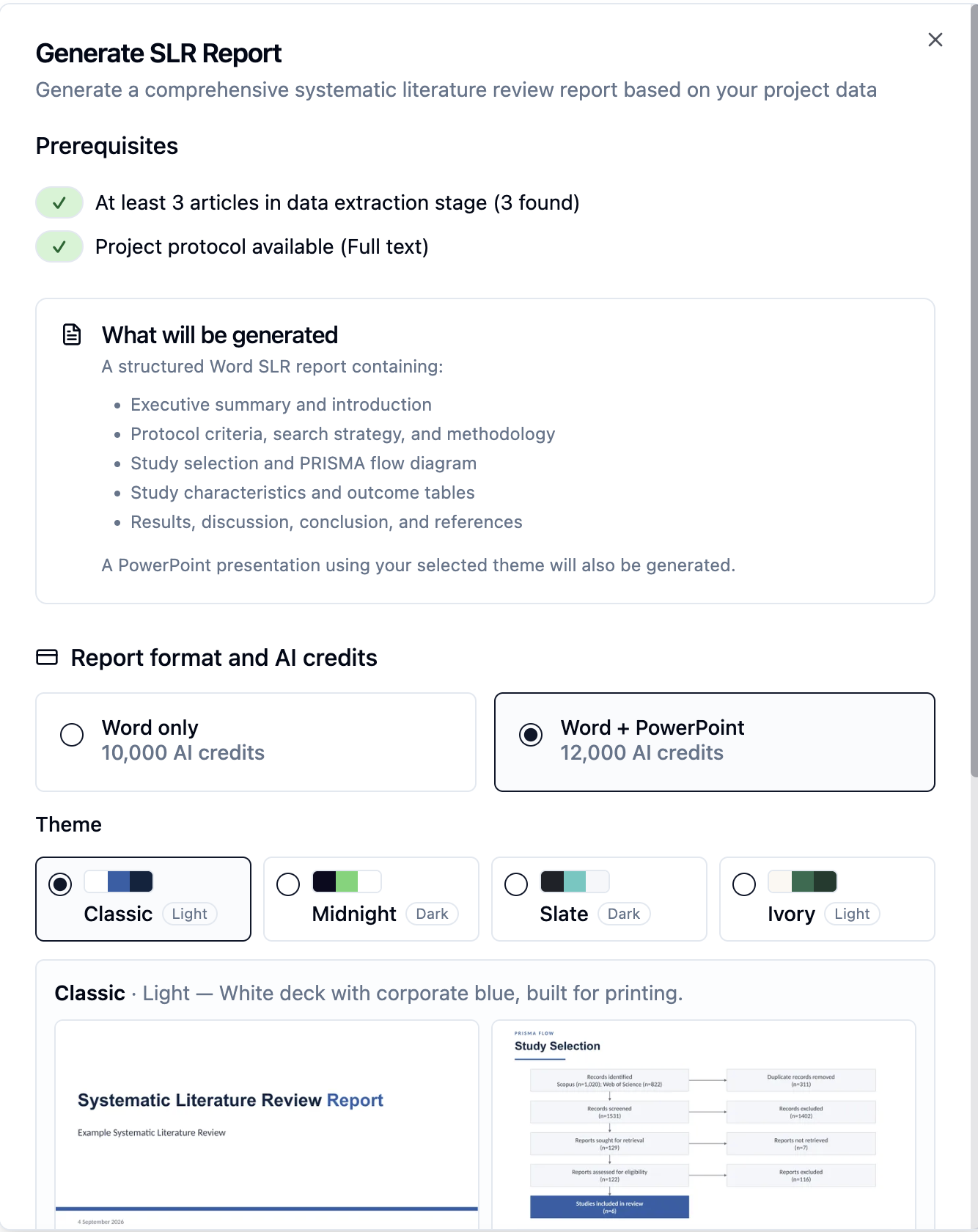
Download and customize the presentation as needed.
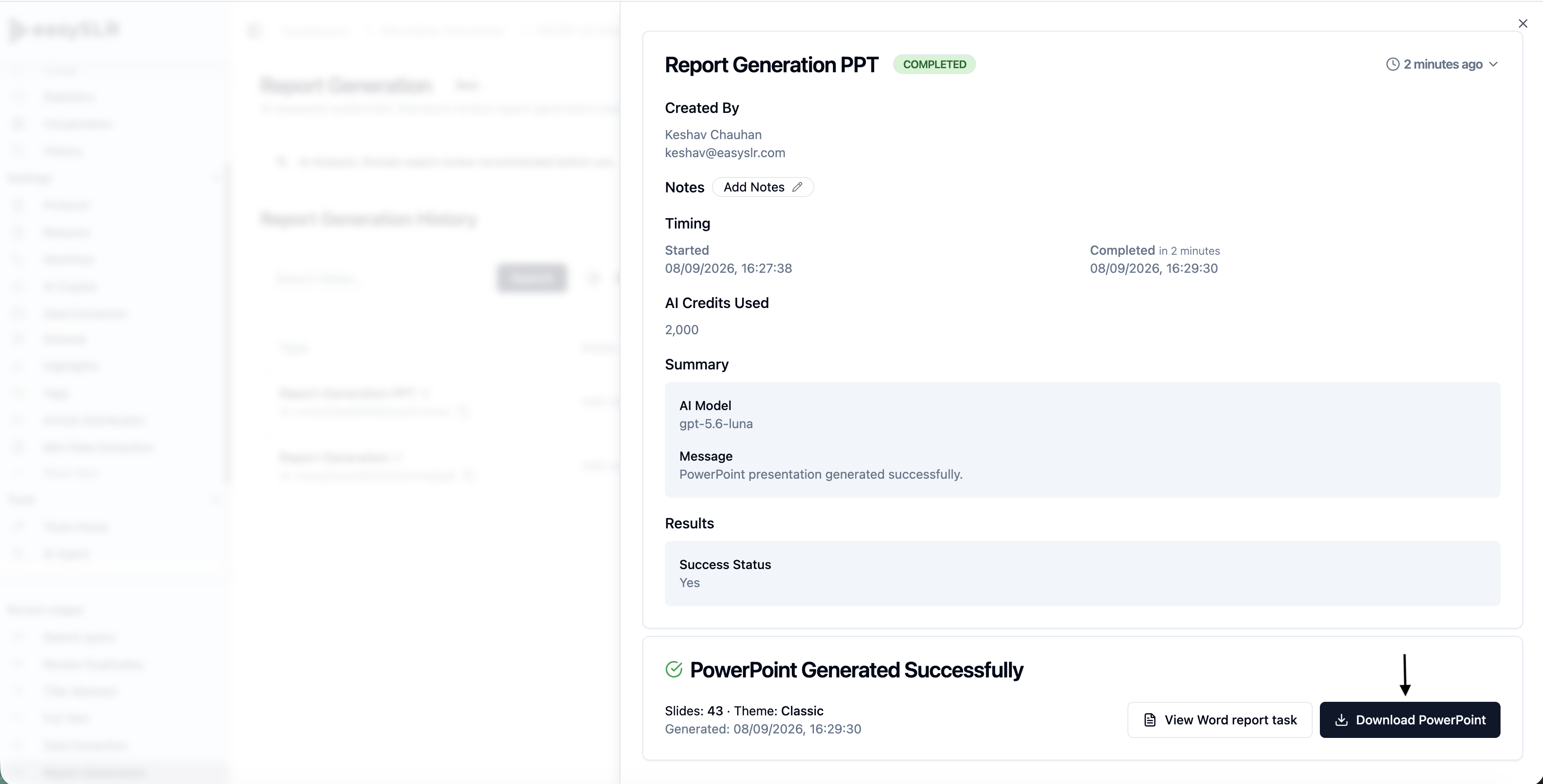
Note: You can also generate PPT for already generated reports.
With this update, you can choose the format that best fits your purpose: download the Word report for comprehensive documentation and the PowerPoint report for a concise, presentation-ready overview.