Conflict Analysis Tool in EasySLR
The Conflict Analysis feature in EasySLR helps teams quickly identify and understand patterns of reviewer disagreement during the screening process. It delivers data-driven insights and recommendations to refine your protocol, improve decision consistency, and reduce manual conflict resolution.
Why Use Conflict Analysis
Identify the reasons behind reviewer disagreements.
Detects unclear or ambiguous inclusion/exclusion criteria.
Improve protocol precision and reviewer alignment.
Reduce manual time spent on resolving conflicts.
Strengthen agreement between human reviewers and AI (if enabled).
When to Run Conflict Analysis
Available at both Title–Abstract (TiAb) and Full-Text (FT) stages.
Both reviewers must have completed their screening for the selected stage.
Works with projects using only human reviewers or AI-assisted review.
How It Works
Go to your Project → Tools → Conflict Analysis.
Click New Conflict Analysis.
Choose the stage (Title–Abstract or Full-Text).
Click Analyse Conflicts.
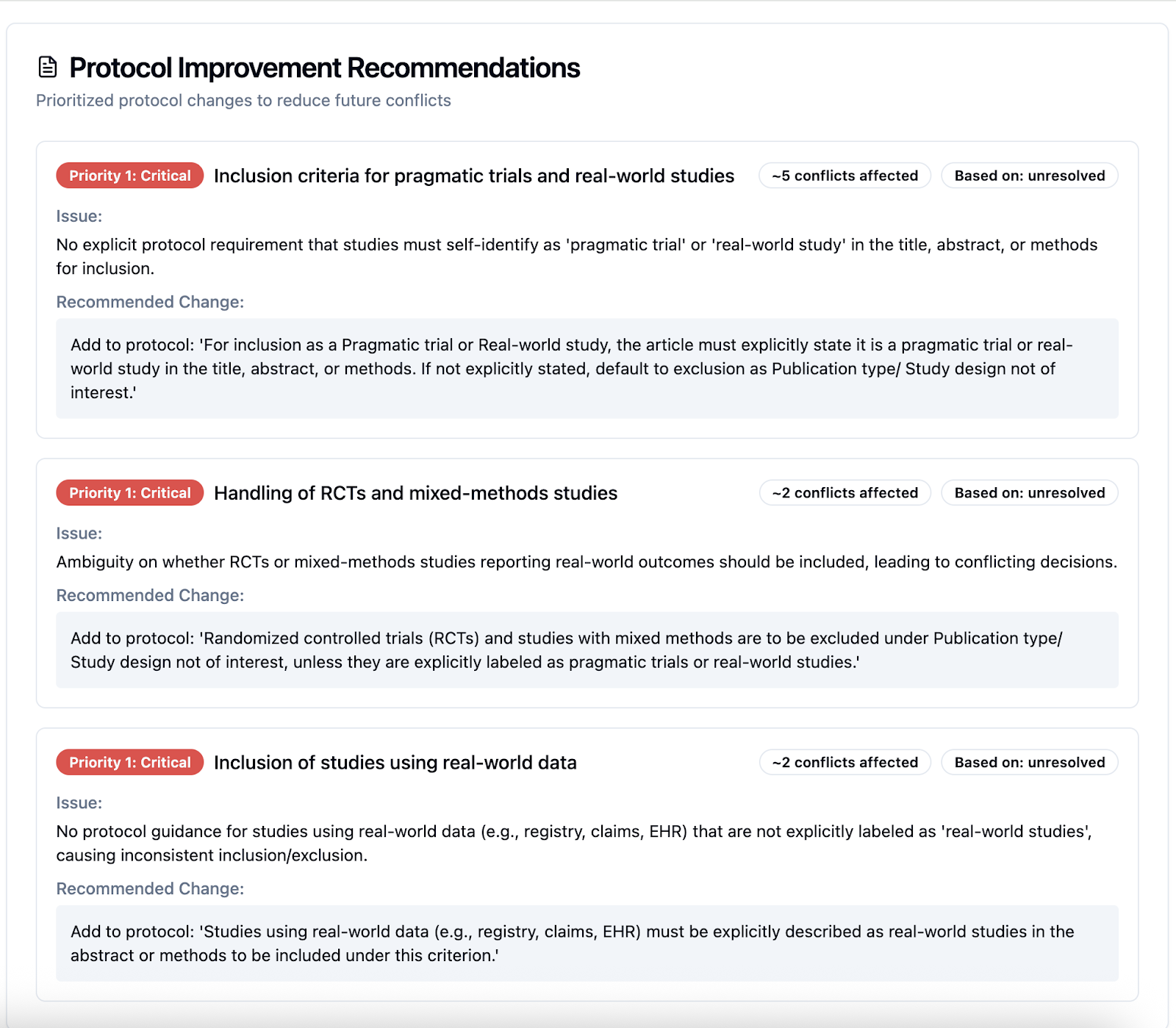
The system will automatically process reviewer decisions and generate:
Insights into patterns of disagreement.
Actionable recommendations to refine your protocol.
Suggestions to improve future reviewer or AI alignment.
Next Steps
Review the generated insights and update your protocol accordingly.
If using AI, rerun AI after protocol updates for improved accuracy.
For unresolved cases, collaborate internally or escalate to the Lead Reviewer for final resolution.