Clear Decisions for Re-Review
Overview
We’ve added a Clear Decisions option that allows project owners and lead reviewers to remove screening decisions from articles at their current stage and make them available for re-review.
This option applies to both included and excluded articles, giving teams a way to reassess articles when needed.
How It Works
When an authorized user clears an article’s decisions:
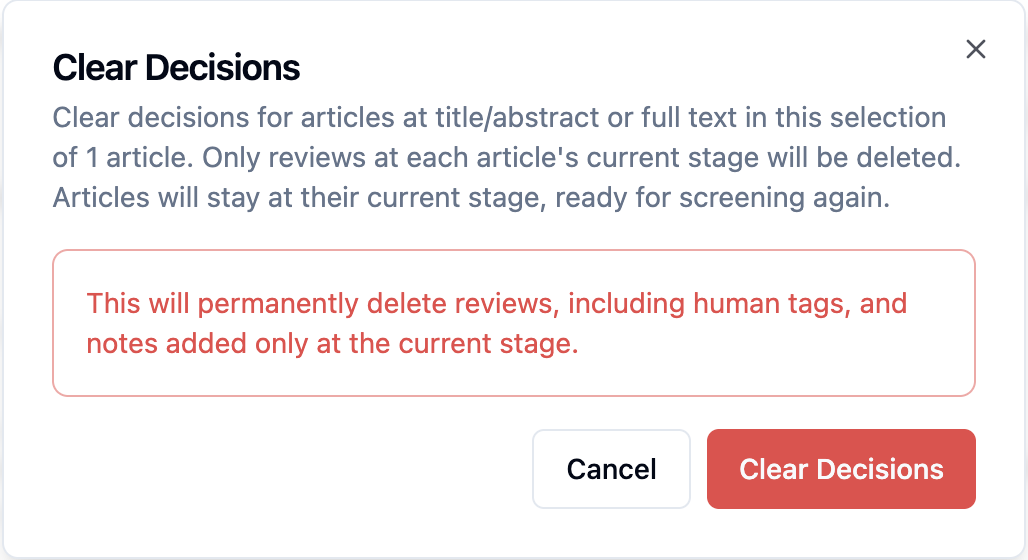
The decisions recorded at the article’s current stage are removed.
The article becomes available for review again at that stage.
Reviewers can reassess the article and submit new decisions.
Who Can Use This Feature?
The Clear Decisions option is available to:
Project owners
Lead reviewers
How to Clear a Decision
Navigate to Articles section
Filter the included or excluded article you want to reassess.
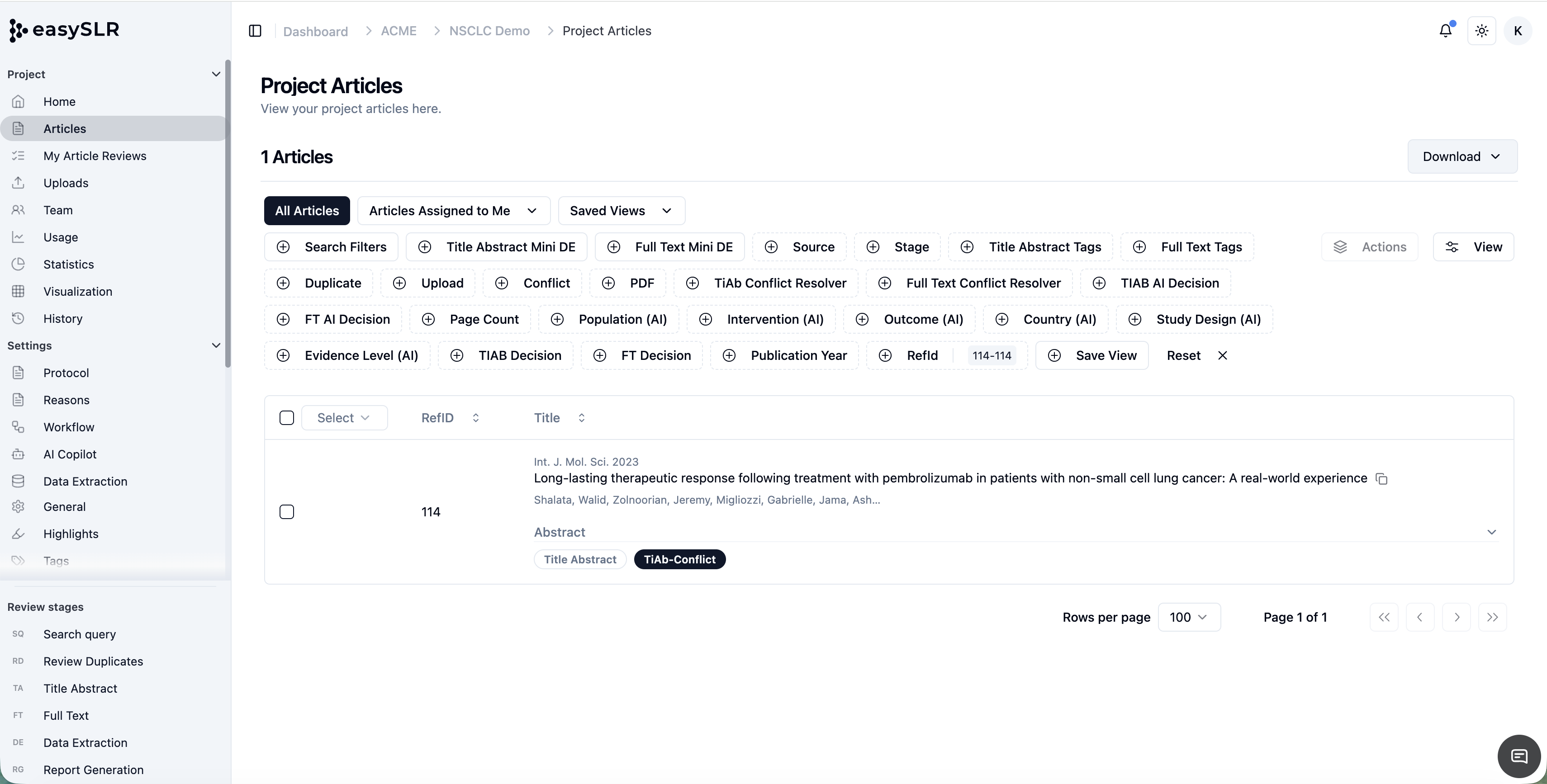
Click Actions and Choose Clear Decisions option.
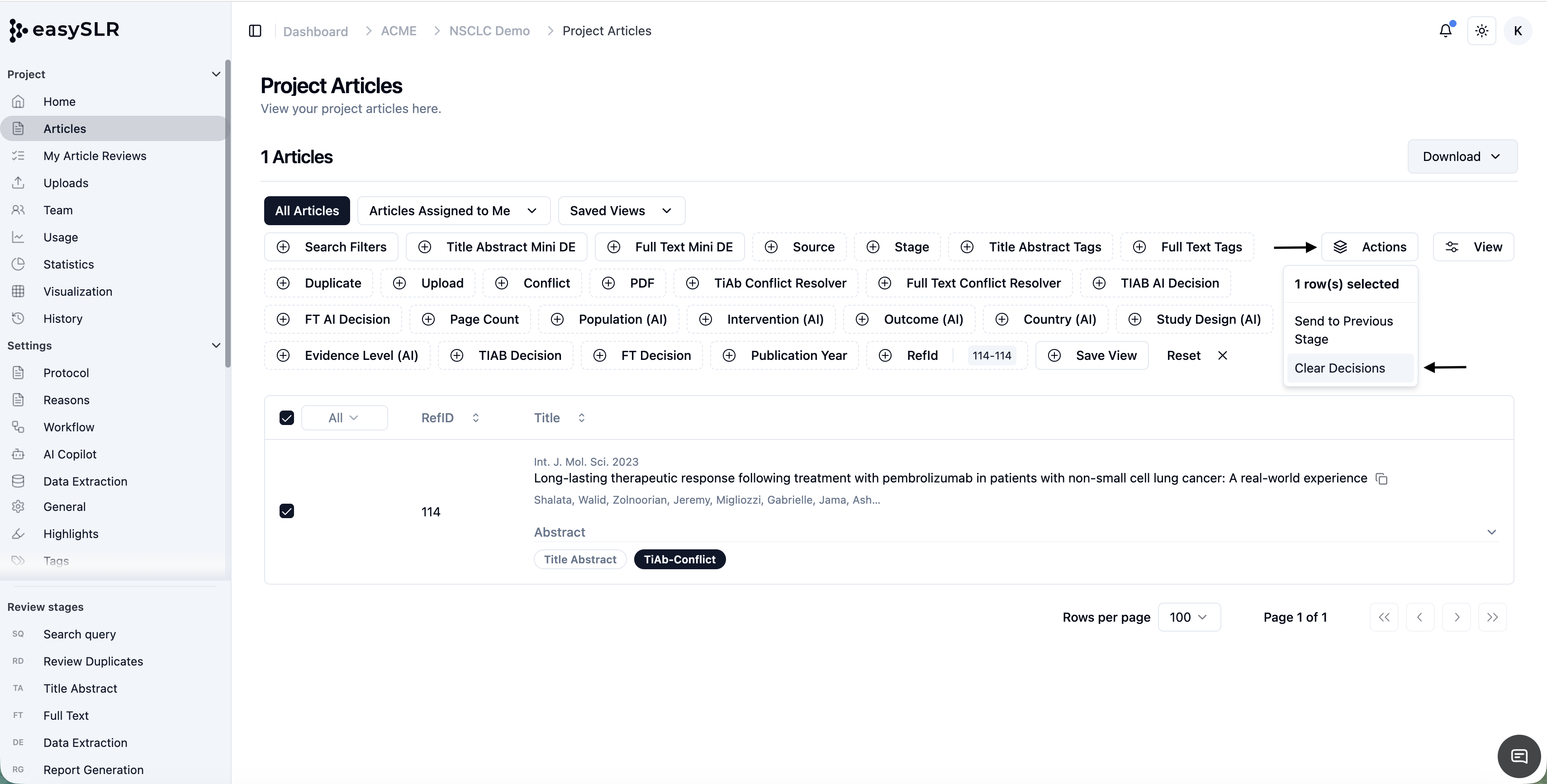
The decisions at the current stage will be removed, and the article will become available for re-review.
When This Is Useful
Reassessing Articles After Protocol Changes
If eligibility criteria are revised or clarified, teams can clear decisions for affected articles and review them again against the updated protocol.
Following Up on Quality Checks
When QC identifies articles that need another assessment, project owners or lead reviewers can clear the existing decisions to enable a fresh review.
Re-Reviewing Articles After Accidental Decisions
If a reviewer accidentally includes or excludes an article, a project owner or lead reviewer can use Clear Decisions to remove the decisions at the current stage. The article then becomes available for re-review, allowing the reviewer to reassess it and submit a new decision.
Scope
Clear Decisions removes decisions at the article’s current stage. It makes the article available for re-review rather than assigning a new inclusion or exclusion decision.