Bulk Updates for Notes and Tags
Overview
You can now update notes and tags in bulk without changing article decisions. This gives reviewers more flexibility to annotate and organise articles while preserving existing screening decisions.
Previously, updating notes and tags in bulk required a decision change. The new option allows reviewers to update notes, tags, or both independently.
What’s New
Update notes in bulk: Add relevant context or reviewer observations to multiple articles.
Update tags in bulk: Apply tags to organise selected articles.
Preserve existing decisions: Update notes and tags without changing inclusion or exclusion decisions.
How This Helps Reviewers
Annotate Articles Without Changing Screening Outcomes
Reviewers may need to add context, categorise articles, or flag records for further attention after screening. They can now make these updates across multiple articles without modifying their decisions.
Support Quality Control Reviews
During QC, reviewers can use notes and tags to document observations, flag articles requiring verification, or group records for follow-up. This keeps QC annotations separate from any decision changes that may be needed following review.
Support Country-Specific JCA Reviews
For QC and Joint Clinical Assessment (JCA) workflows, teams can duplicate an entire project and filter articles by the country of interest. Reviewers can then update notes and tags in bulk for the filtered articles while retaining the screening decisions carried over from the original project.
This makes it easier to organise country-specific review work and add relevant context without repeating decision updates.
How to Use
Navigate to My Article Reviews
Select the articles you want to update.
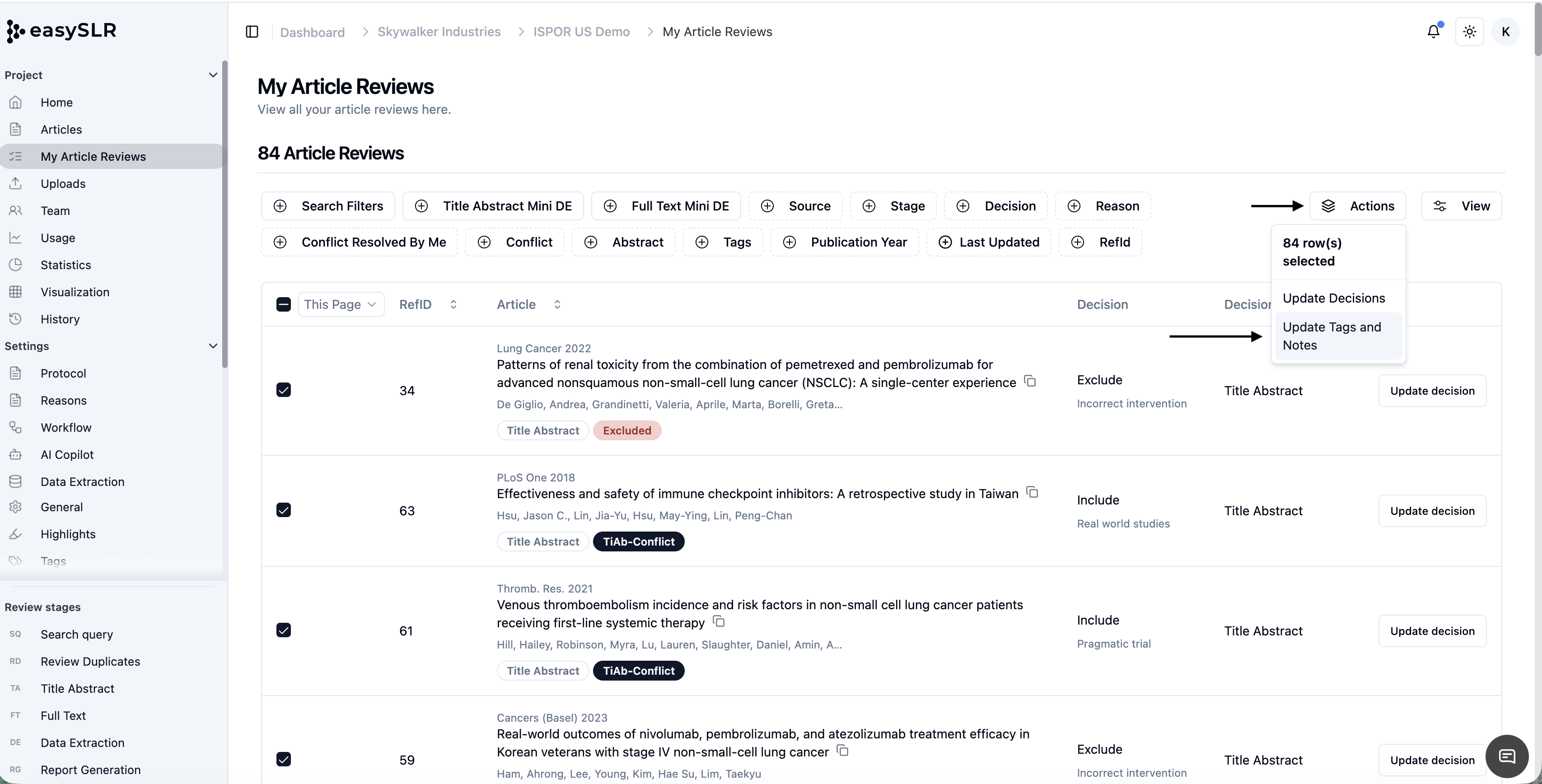
Click on Actions and choose Update Tags and Notes.
Enter the notes and/or select the tags to apply.
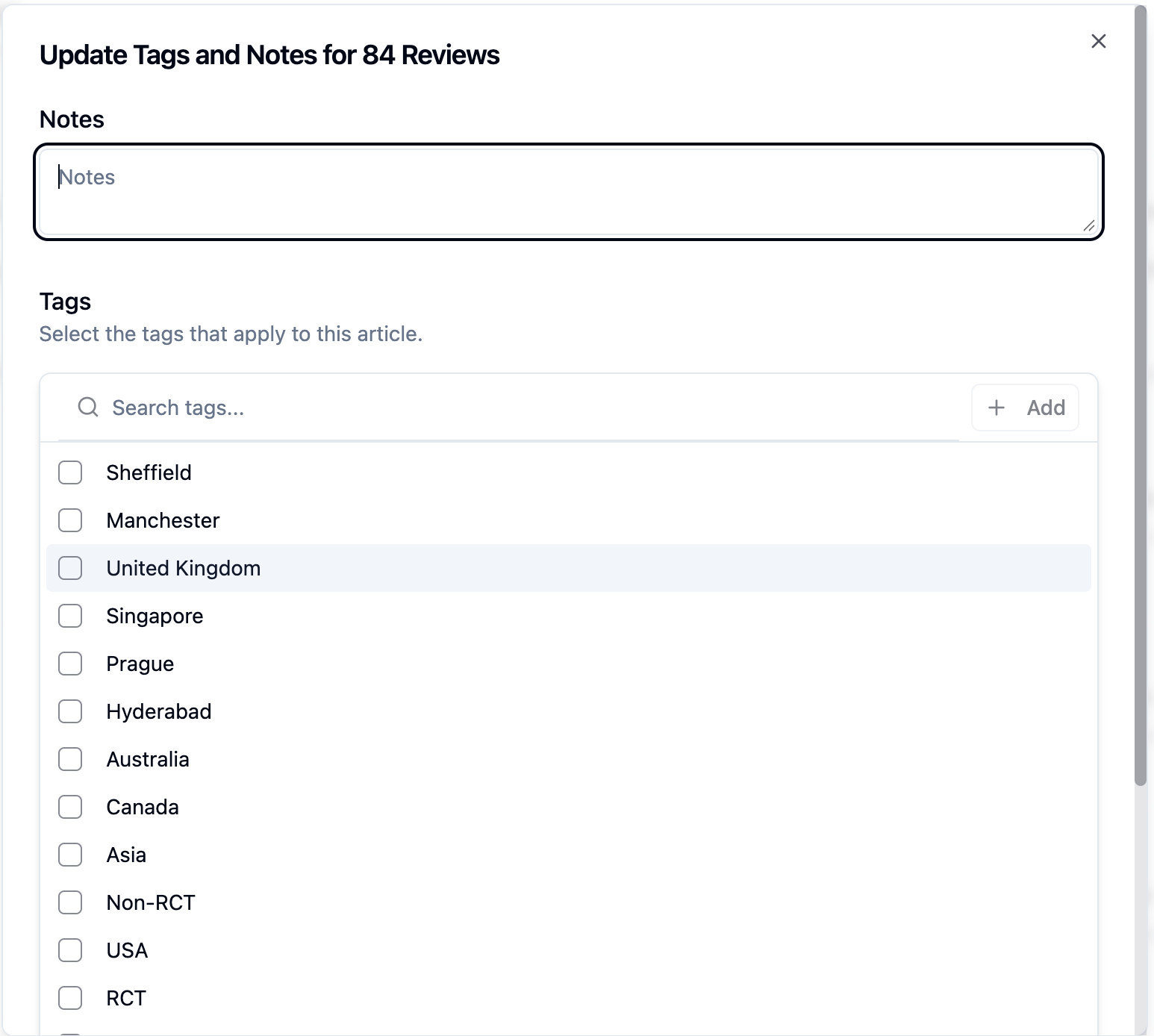
Confirm the update.
The selected articles’ notes and tags will be updated, while their existing screening decisions remain unchanged.
Note: Please ensure that the option to Update Reviews is enabled from Settings