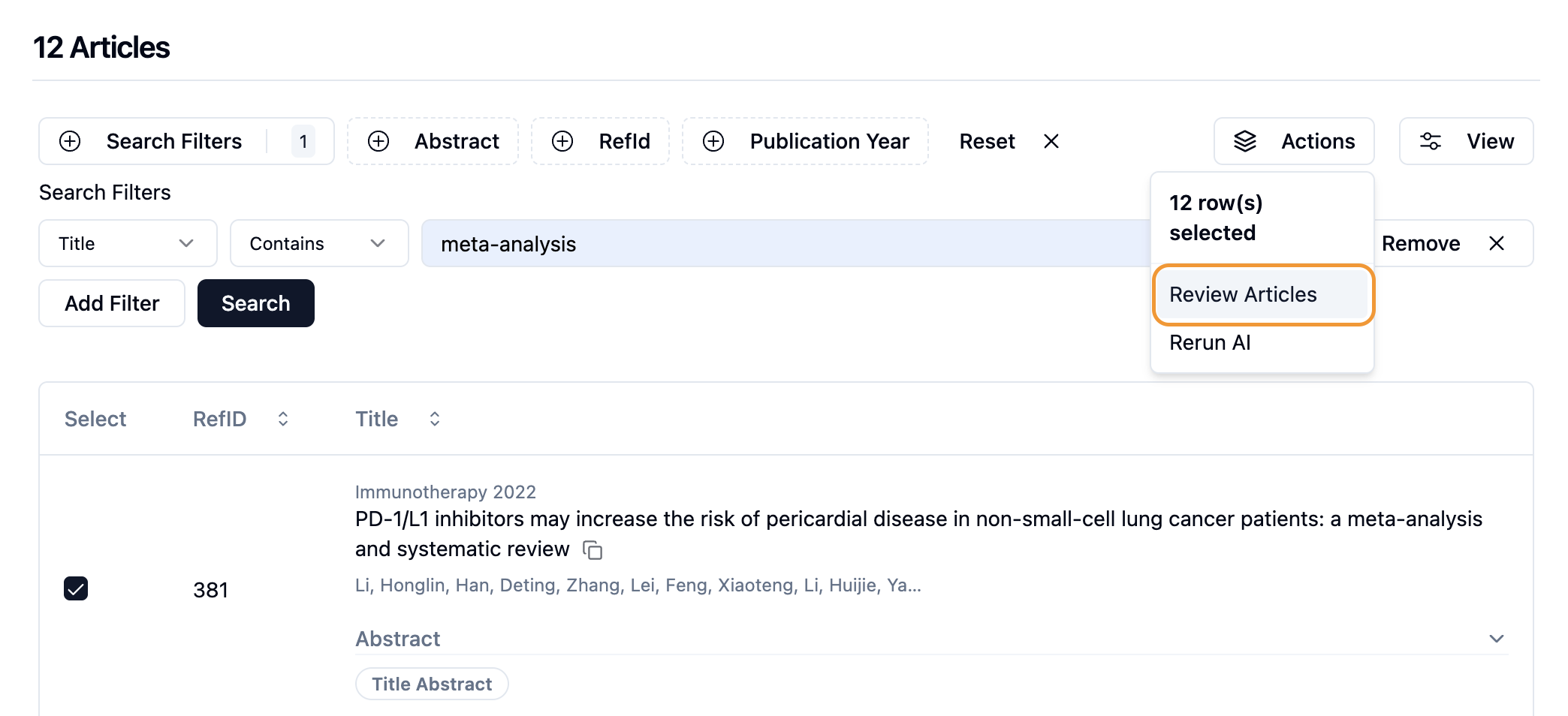
Bulk Actions
We’re excited to introduce the Bulk Include/Exclude feature in EasySLR — designed to help you screen large datasets faster and more efficiently.
With this addition, you can now select multiple articles at once and mark them as Included or Excluded in a single action, dramatically reducing manual effort during screening.
How it works:
Navigate to the Screening Stage
Access your project’s Title & Abstract or Full-Text screening stage.
Select Multiple Articles
Use checkboxes or the Select → All option to choose articles. You can also apply filters to narrow down results.
Apply Bulk Decisions
Go to Actions → Review Articles, choose the appropriate Include or Exclude reason, and submit — all selected articles will update instantly.
Rerun AI on Selected Articles
You can now rerun AI specifically on selected articles, enabling more targeted and efficient AI assistance during both screening stages.