AI-Powered Data Extraction Form Import
We've added a new AI-powered Data Extraction Form Import tool in EasySLR, making it significantly easier to migrate your existing data extraction templates into the platform.
Instead of manually recreating extraction fields, users can now upload their existing Excel-based data extraction forms, and EasySLR's AI will automatically convert them into a platform-compatible template.
This enhancement drastically reduces project setup time while ensuring teams can continue using familiar extraction forms and workflows.
What's New?
EasySLR now allows you to import your existing data extraction Excel forms directly into the platform.
Using AI, the uploaded workbook is automatically analysed and converted into an EasySLR-compatible data extraction template.
This eliminates the need to manually recreate extraction sections, fields, dropdowns, and other components within the platform.
How It Works
Step 1: Import Your Existing Form
Navigate to the Data Extraction Settings and select Import from Excel.
Upload your existing data extraction workbook that you currently use for your systematic reviews.
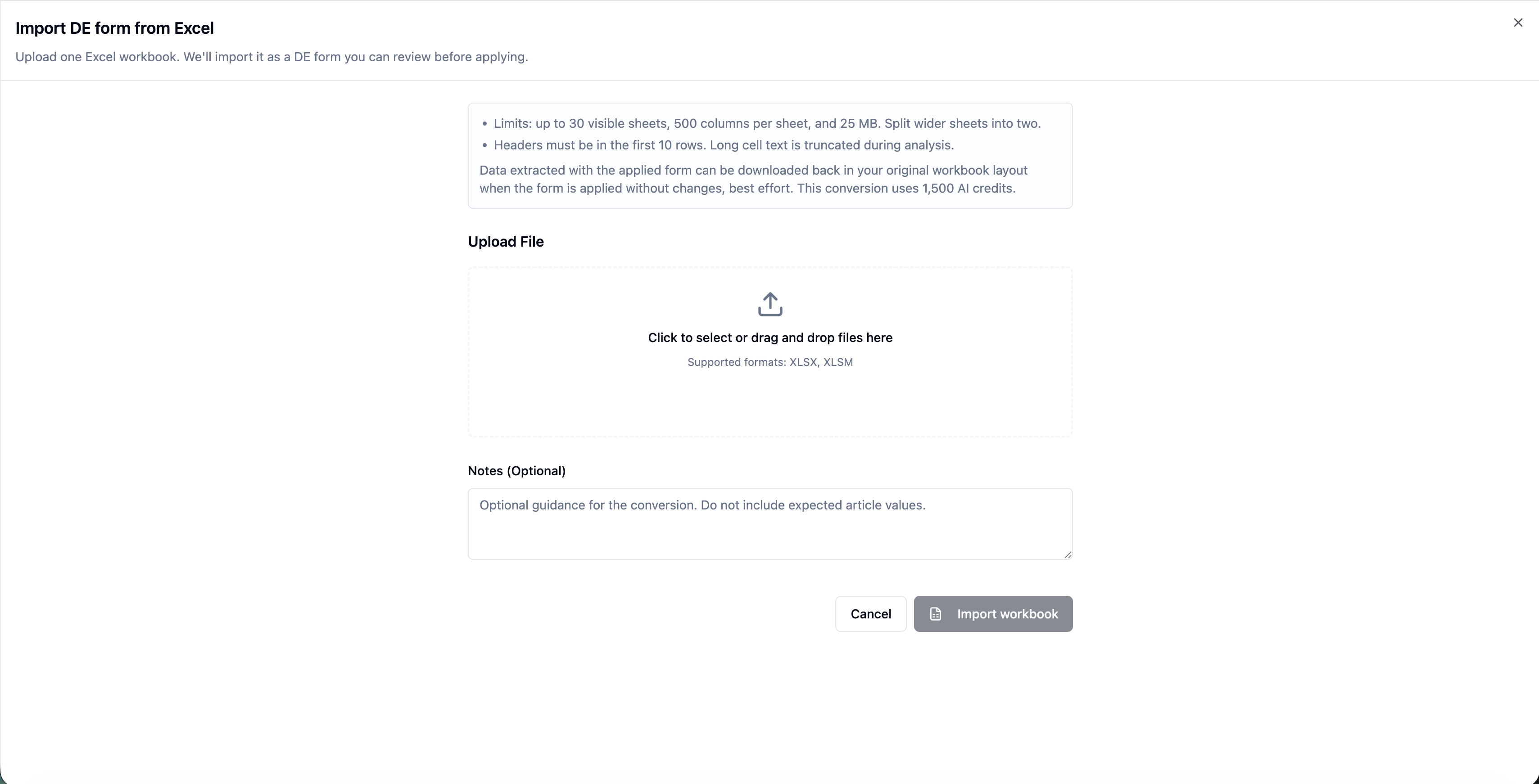
Step 2: Provide Additional Instructions (Optional)
If your extraction form contains unique formatting or project-specific requirements, you can provide additional notes or instructions to guide the AI during the conversion process.
Examples include:
Preferred grouping of fields
Custom section names
Instructions for handling merged cells
Special formatting requirements
Any project-specific extraction logic
These optional instructions help improve the quality of the generated template.
Step 3: AI Converts the Workbook
EasySLR's AI analyses the uploaded workbook and automatically generates a platform-compatible data extraction template.
The AI intelligently interprets:
Sections
Field names
Dropdown options
Repeating data structures
Overall workbook layout
The converted template is then prepared for review before being applied to the project.
Step 4: Review the Generated Template
Once the conversion is complete, users can download the generated workbook to verify that all fields have been mapped correctly.
This review step allows users to ensure the generated template accurately reflects their original extraction form before using it in a live project.
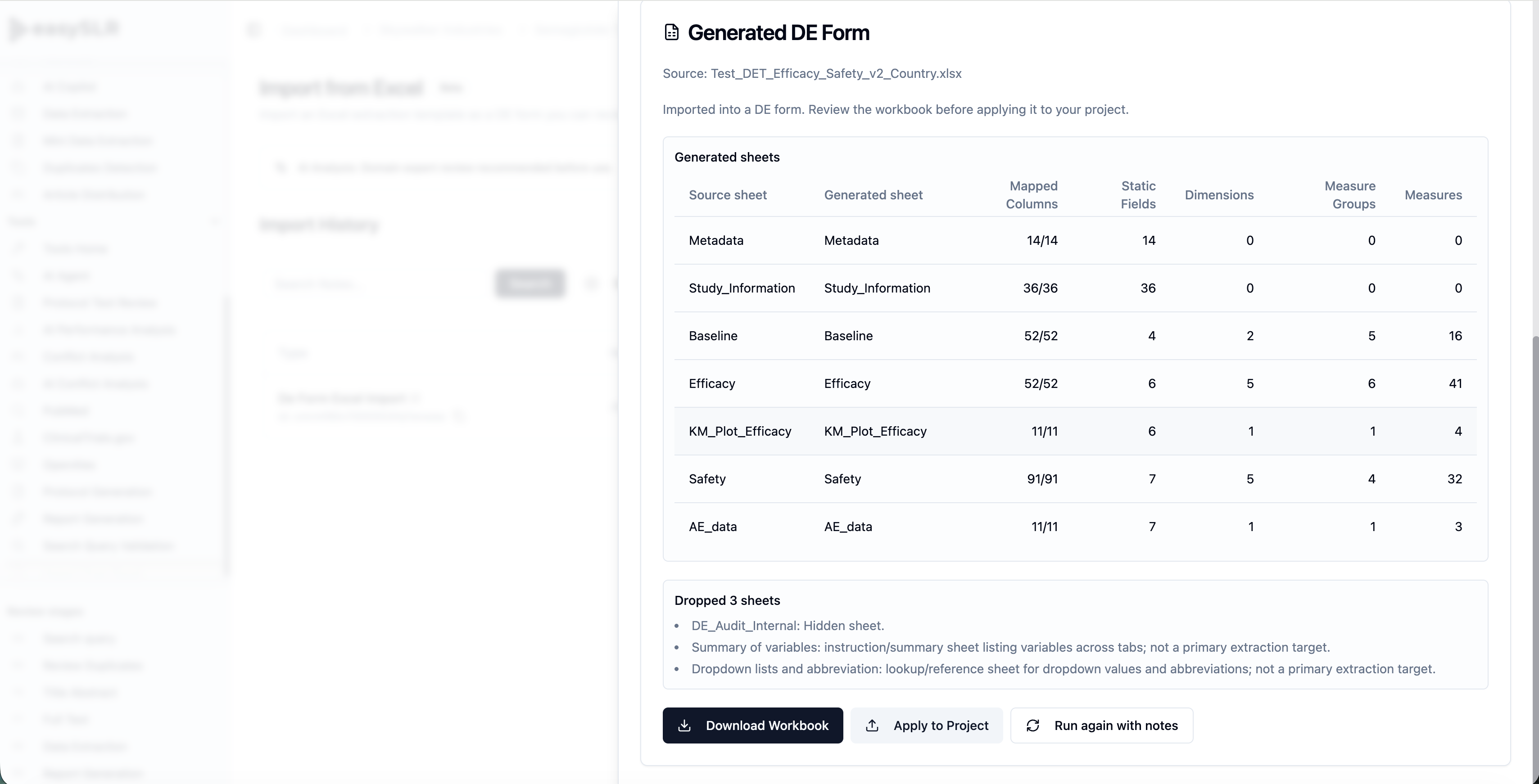
Step 5: Refine if Needed
If any adjustments are required, users can simply rerun the conversion.
Additional notes or instructions can be provided to further guide the AI and improve the output.
This iterative workflow allows users to progressively refine the generated template until it matches their requirements.
Step 6: Apply to Project
Once satisfied with the converted template, simply click Apply to Project.
The data extraction form is then added to the project and is immediately available for reviewers.
Why This Matters
Many research teams already have established data extraction forms developed over several years.
Recreating these templates manually inside a new platform can be both time-consuming and error-prone.
This new AI-powered import feature enables teams to transition to EasySLR much faster while preserving their existing extraction methodology.
Key Benefits
Significantly Faster Project Setup: Eliminate the need to manually recreate large data extraction templates.
Preserve Existing Workflows: Continue using your existing extraction forms while taking advantage of EasySLR's collaborative and AI-powered workflow.
AI-Assisted Template Generation: Automatically converts Excel-based extraction forms into platform-ready templates with minimal manual effort.
Flexible Iterative Refinement: If required, rerun the conversion with additional instructions until the generated template fully meets your expectations.
Reduced Manual Errors: Minimise mistakes that can occur when manually recreating complex extraction forms.
Summary
The new tool simplifies one of the most time-consuming parts of systematic review setup.
By allowing users to upload their existing Excel-based extraction forms and automatically converting them into EasySLR-compatible templates, the platform drastically reduces setup effort while preserving established workflows.
Combined with the ability to review, refine, and reprocess templates before applying them to a project, this enhancement provides a faster, more accurate, and significantly more flexible way to configure data extraction in EasySLR.